

Precise IP location and richer AS details on the Cloudflare Radar IP page
Radar now plots your IPv4 and IPv6 locations on the IP page ↗, shows the Cloudflare data centers serving your connection, and includes more detail about the autonomous system (AS) your primary IP belongs to.
The map of your connection now shows:
- IP location markers — The primary IP will show as a red marker. When both IP addresses do not geolocate to the same place, a second marker will appear in blue with a note explaining why IPv4 and IPv6 can resolve to different locations.
- Cloudflare data center markers — Cloudflare data centers now show as orange dots on the map and the one you are connected to is highlighted.
- Data center connectors — Each line connects your IP markers to their respective data centers.
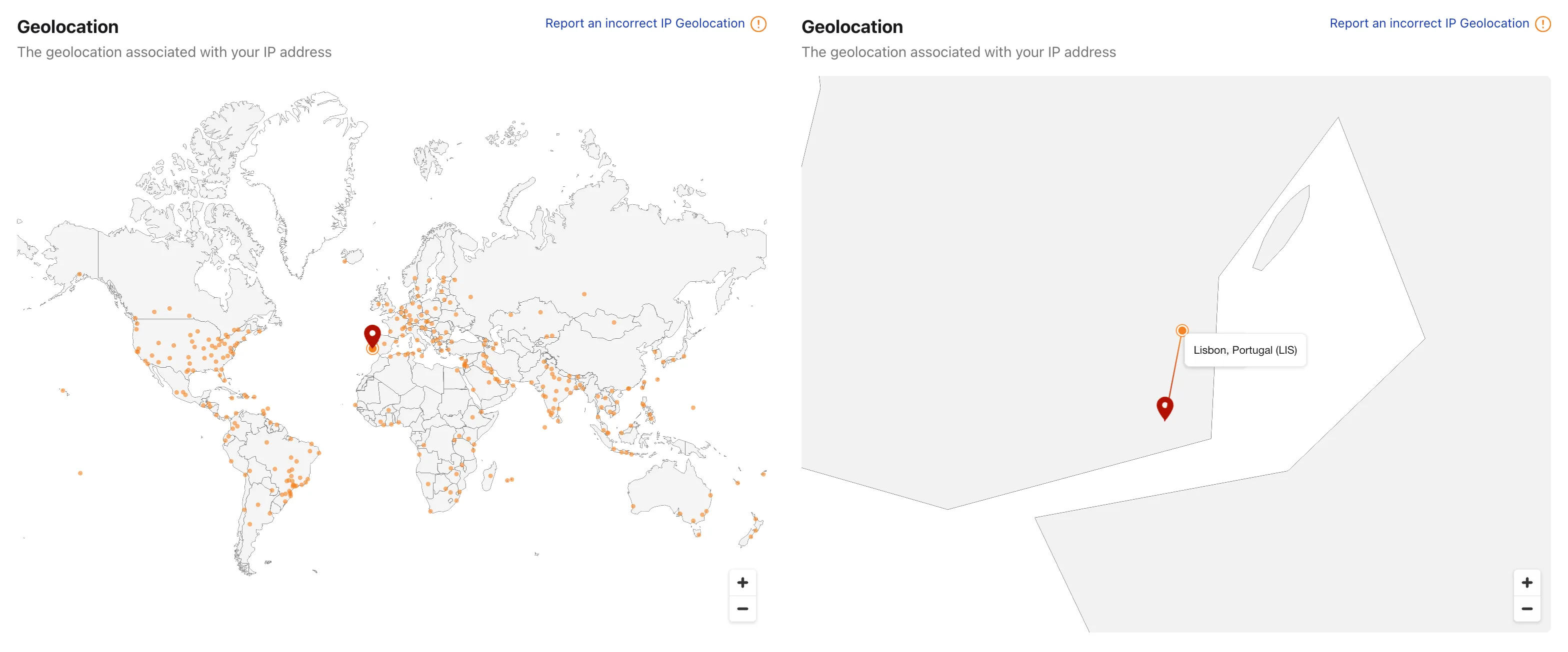
Due to the data policies of our geolocation provider, this detailed location is only available for your own IP. Other IP addresses keep the current country-level view.
The AS card on the IP page now shows additional detail about the network an IP belongs to — including alternate names, the operator website, and an estimate of the AS user population — alongside the AS number and country.
Visit the Cloudflare Radar IP page ↗ to explore more details about your IP.