> ## Documentation Index
> Fetch the complete documentation index at: https://docs.pullfrog.com/llms.txt
> Use this file to discover all available pages before exploring further.
# Coding tasks
Pullfrog can automatically address review feedback and fix CI failures on pull requests. These are configured in the **Coding** section of the console.
## Auto-address reviews
When someone submits a review on a PR that Pullfrog created, Pullfrog automatically picks up the feedback and pushes updates. This keeps the review-revise loop fast — no one needs to manually re-trigger anything.
For the full set of review-driven coding flows (line-level comments, **Fix all**, **Fix 👍s** on multi-comment reviews), see [PR reviews → Address reviews](/pr-reviews#address-reviews).
You can also request changes on any PR (not just Pullfrog's) by commenting with `@pullfrog` and describing what you want fixed.
## Auto-fix CI failures
When a CI check suite fails on a PR, Pullfrog can attempt to fix it automatically. There are two separate toggles:
* **Fix CI failures on Pullfrog's PRs** — auto-fix when Pullfrog's own PRs break CI
* **Fix CI failures on non-Pullfrog PRs under review** — auto-fix when a PR that Pullfrog has reviewed breaks CI
Pullfrog applies some sensible guardrails here: it skips bot-authored commits, only runs when CI is passing on the target branch (so it's not chasing pre-existing failures), and rate-limits retries to avoid runaway fix loops.
## Build instructions
Build instructions guide how Pullfrog writes and modifies code. They apply to every run that produces a code change — auto-address reviews, auto-fix CI, implementing a plan, or a direct `@pullfrog` mention asking for an edit.
Edit them in the **Modes** card on the repo console:
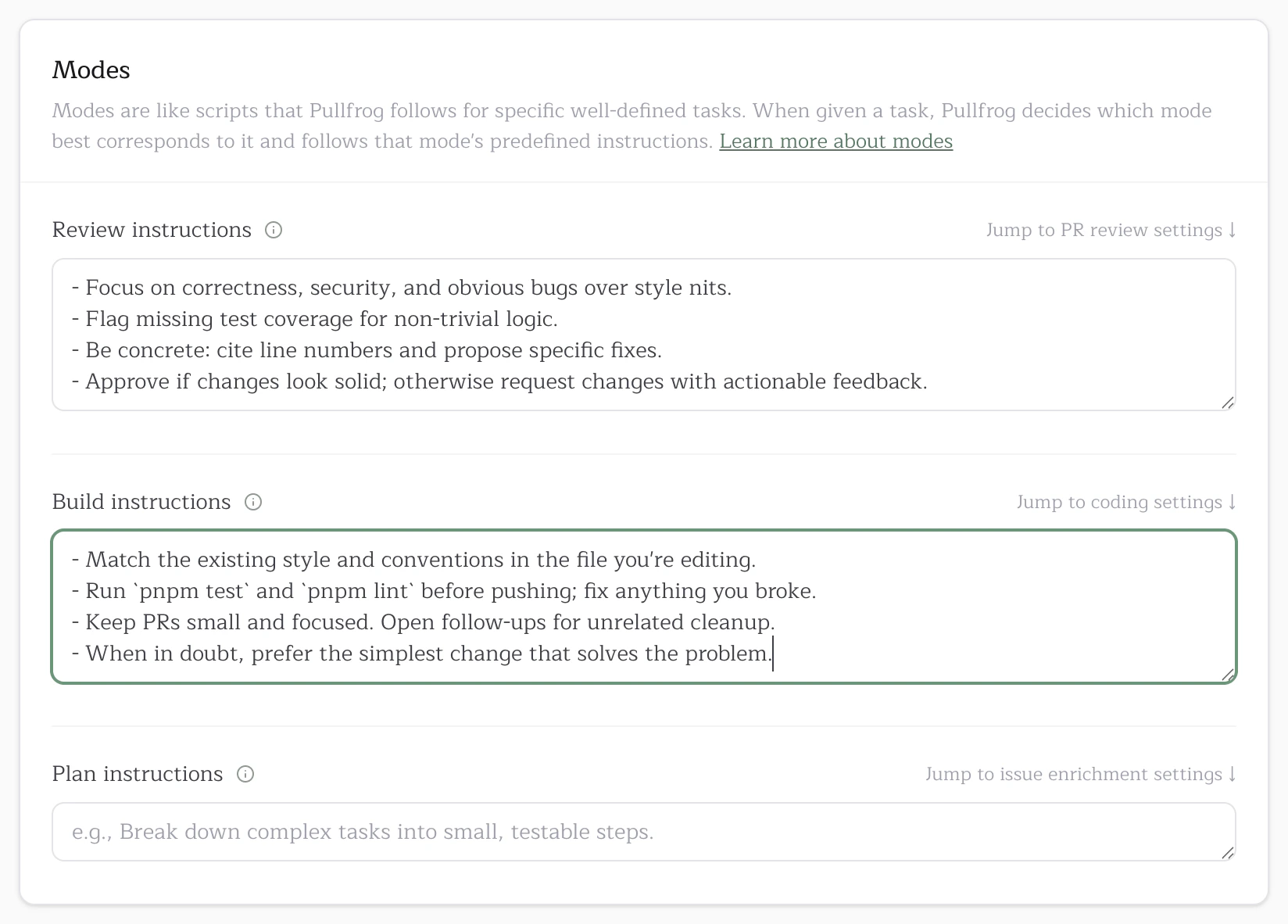 Good build instructions are short and actionable. Use them for things like "run `pnpm test` and `pnpm lint` before pushing," "match existing patterns in the file you're editing," or "open small, focused PRs and split unrelated cleanup into follow-ups."