# Wealthfolio
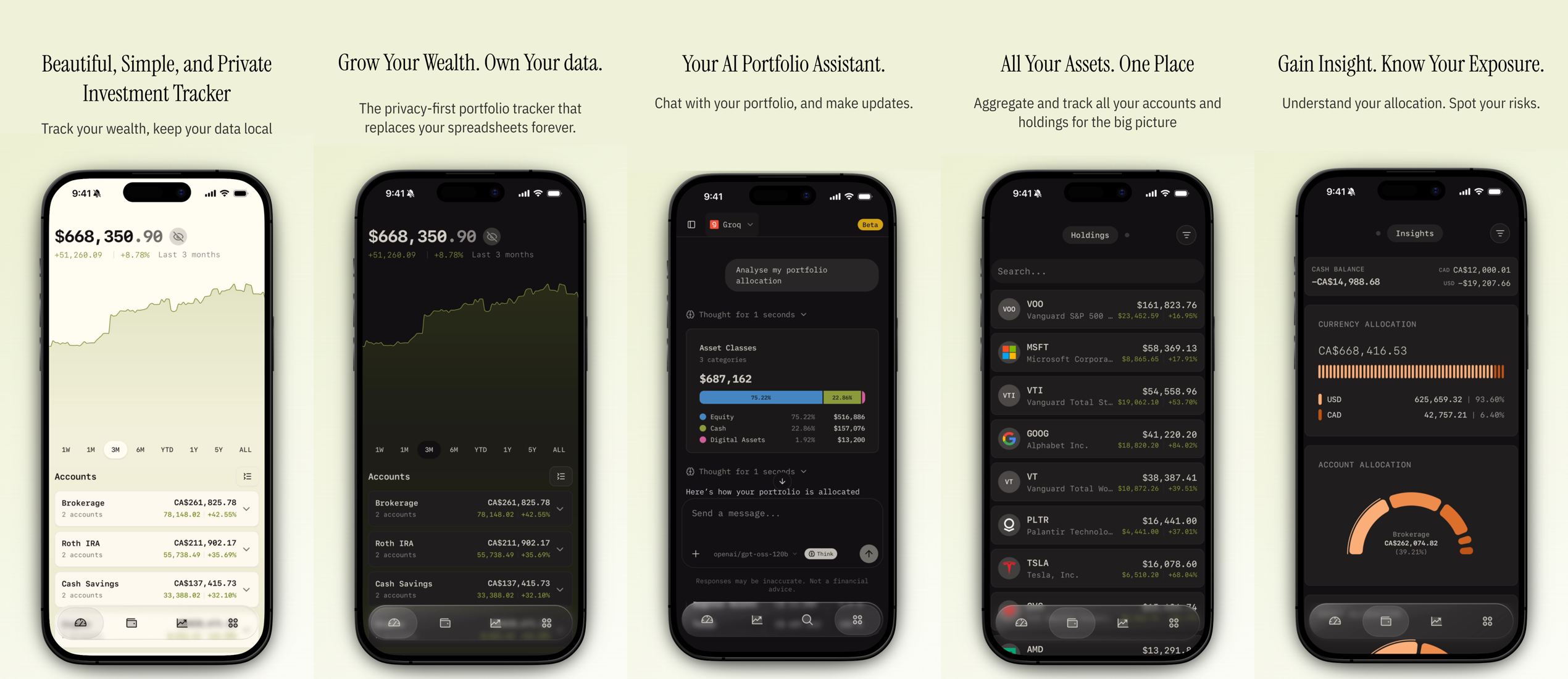
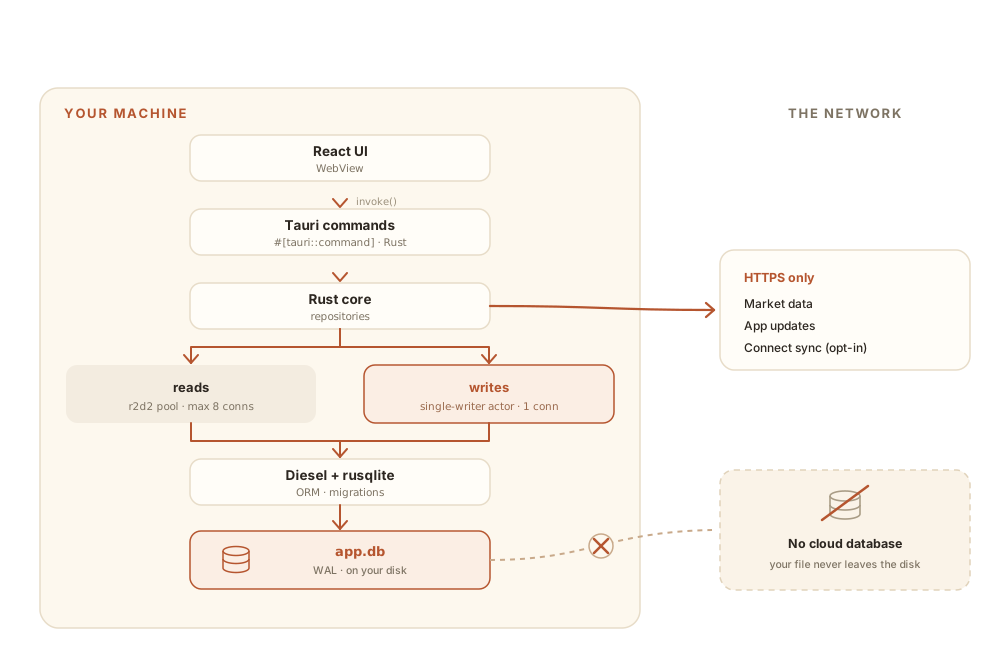
Wealthfolio is an open-source, private, and local-first portfolio tracker. Keep your financial data on your device, with optional cloud sync via Connect.
Site: https://wealthfolio.app
================================================================================
DOCUMENTATION
================================================================================
---
# Wealthfolio Addon Development
Source: https://wealthfolio.app/docs/addons
Wealthfolio addons are TypeScript modules that extend the application's functionality through a sandboxed runtime. This guide covers how to build, test, and distribute addons for Wealthfolio 3.6 and later.
**New to addon development?** Start with our [Quick Start Guide](/docs/addons/getting-started) to
create your first addon.
## What are Wealthfolio Addons?
Addons are TypeScript/React-based extensions that provide access to Wealthfolio's financial data and UI system through a brokered API bridge.
**Technical Foundation**
Each addon is an ES module that exports an `enable(ctx)` function. Wealthfolio loads the module inside a sandboxed iframe and passes an `AddonContext` object with access to APIs, route rendering, events, logging, secrets, and network access.
**Integration Capabilities**
Addons declare their pages and navigation in `manifest.json` (`contributes.routes` + `contributes.links`), so the host builds the sidebar and knows every route **without running addon code**. Routes must live under the addon's own namespace, such as `/addons/hello-world` for `hello-world-addon`. An addon with declared routes boots **lazily** — its `enable(ctx)` runs on the first visit to one of its routes, then renders inside its own iframe.
**Development Environment**
Built with TypeScript, React, and modern web APIs. Includes hot-reload development server, comprehensive type definitions, and host-provided dependencies to keep addon bundles small.
## Architecture Overview
```
┌─────────────────────────────────────────────────────────────────┐
│ Wealthfolio Host Application │
├─────────────────────────────────────────────────────────────────┤
│ ┌─────────────────┐ ┌─────────────────┐ ┌─────────────────┐ │
│ │ Addon Runtime │ │ Permission │ │ API Bridge │ │
│ │ │ │ System │ │ │ │
│ │ • Load/Unload │ │ • Detection │ │ • Type Bridge │ │
│ │ • Lifecycle │ │ • Validation │ │ • Domain APIs │ │
│ │ • Context Mgmt │ │ • Enforcement │ │ • Scoped Access │ │
│ └─────────────────┘ └─────────────────┘ └─────────────────┘ │
├─────────────────────────────────────────────────────────────────┤
│ Individual Addons │
│ ┌─────────────┐ ┌─────────────┐ ┌─────────────┐ ┌─────────────┐ │
│ │ Addon A │ │ Addon B │ │ Addon C │ │ Addon D │ │
│ │ │ │ │ │ │ │ │ │
│ │ enable() │ │ enable() │ │ enable() │ │ enable() │ │
│ │ onDisable │ │ onDisable │ │ onDisable │ │ onDisable │ │
│ │ UI/Routes │ │ UI/Routes │ │ UI/Routes │ │ UI/Routes │ │
│ │ API Calls │ │ API Calls │ │ API Calls │ │ API Calls │ │
│ └─────────────┘ └─────────────┘ └─────────────┘ └─────────────┘ │
└─────────────────────────────────────────────────────────────────┘
```
## Basic Addon Structure
Every addon exports an enable function that receives a context object:
```typescript
import { QueryClient, QueryClientProvider } from '@tanstack/react-query';
import type { AddonContext, AddonEnableFunction } from '@wealthfolio/addon-sdk';
import { Button } from '@wealthfolio/ui';
function MyAddonPage({ ctx }: { ctx: AddonContext }) {
return (
My Tool
);
}
// The host owns a single React root per addon and mounts the route `component`
// itself. Capture the context at enable time so the route wrapper can hand it
// down. (Do NOT call createRoot yourself — the host manages the lifecycle.)
let addonCtx: AddonContext | undefined;
const MyAddonRoute = () => (
);
const enable: AddonEnableFunction = (ctx) => {
addonCtx = ctx;
// The sidebar entry and route are declared in manifest.json `contributes`, so
// the host builds navigation before this addon boots. The runtime route `id`
// MUST match `contributes.routes[].id`.
ctx.router.add({
id: 'my-addon',
path: '/addons/my-addon',
component: MyAddonRoute,
});
// Listen to events
let unlistenPortfolio: (() => void) | undefined;
void ctx.api.events.portfolio
.onUpdateComplete(() => {
// Handle portfolio updates
})
.then((unlisten) => {
unlistenPortfolio = unlisten;
});
// Cleanup. The host owns the React root, so there is no root to unmount.
ctx.onDisable(() => {
addonCtx = undefined;
unlistenPortfolio?.();
});
};
export default enable;
```
## Permission System
Addons operate under a permission-based security model with three stages:
#### 1. Static Analysis
During installation, addon code is scanned for API usage patterns:
```typescript
// This pattern is detected:
const accounts = await ctx.api.accounts.getAll();
// Detected permission: accounts.getAll
```
#### 2. Permission Categories
| Category | Risk Level | Common Functions |
| --------------------- | ---------- | ----------------------------------------------------------- |
| `accounts` | High | getAll, create |
| `portfolio` | High | getHoldings, getHolding, update, recalculate, valuations |
| `activities` | High | getAll, search, create, update, saveMany, import |
| `market-data` | Low | searchTicker, syncHistory, sync, getProviders, dividends |
| `assets` | Medium | getProfile, updateProfile, updateQuoteMode |
| `quotes` | Low | update, getHistory |
| `performance` | Medium | calculateHistory, calculateSummary, calculateAccountsSimple |
| `currency` | Low | getAll, update, add |
| `financial-planning` | Medium | getAll, create, update, getFunding, saveFunding |
| `contribution-limits` | Medium | getAll, create, update, calculateDeposits |
| `settings` | Medium | get, update, backupDatabase |
| `files` | Medium | openCsvDialog, openSaveDialog |
| `snapshots` | High | getAll, getByDate, save, checkImport, importSnapshots |
| `events` | Low | onDrop, onUpdateComplete, onSyncComplete |
| `network` | High | request |
| `secrets` | High | set, get, use, delete |
**Baseline capabilities are implicit.** `ui` (sidebar/router/navigation), `query`, `toast`, `logger`, and `storage` are granted to every addon and are **not** declared in `permissions`. Only the data domains above plus `files`, `network`, `secrets`, `events`, `snapshots`, and `settings` need a declaration.
#### 3. User Approval
During installation, users see both declared and detected permissions, plus declared network hosts. They can approve or reject the addon installation. Updates that add permissions require reinstall approval.
## Available APIs
The addon context provides access to host APIs through a sandbox bridge:
```typescript
interface AddonContext {
ui: {
root: HTMLElement;
};
sidebar: SidebarAPI;
router: RouterAPI;
onDisable: (callback: () => void) => void;
api: {
accounts: AccountsAPI;
portfolio: PortfolioAPI;
activities: ActivitiesAPI;
market: MarketAPI;
assets: AssetsAPI;
quotes: QuotesAPI;
performance: PerformanceAPI;
exchangeRates: ExchangeRatesAPI;
goals: GoalsAPI;
contributionLimits: ContributionLimitsAPI;
settings: SettingsAPI;
files: FilesAPI;
snapshots: SnapshotsAPI;
events: EventsAPI;
secrets: SecretsAPI;
storage: StorageAPI;
network: NetworkAPI;
navigation: NavigationAPI;
query: QueryAPI;
toast: ToastAPI;
logger: LoggerAPI;
};
}
```
## Development Setup
### Required Packages
```bash
npm install @wealthfolio/addon-sdk @wealthfolio/ui react react-dom
npm install -D @wealthfolio/addon-dev-tools typescript vite
```
### Core Dependencies
- **@wealthfolio/addon-sdk**: TypeScript types and API definitions
- **@wealthfolio/ui**: UI components based on shadcn/ui and Tailwind CSS
- **@wealthfolio/addon-dev-tools**: CLI and development server
### Development Server
The development tools include a hot-reload server:
```bash
# Start development server
npm run dev:server
# Available on localhost:3001-3003
# Auto-discovered by Wealthfolio
```
```
Development Server Structure:
├─ /health # Health check
├─ /status # Build status
├─ /manifest.json # Addon manifest
└─ /addon.js # Built addon code
```
## Project Structure
```
hello-world-addon/
├── src/
│ ├── addon.tsx # Main addon entry point
│ ├── components/ # React components
│ ├── hooks/ # React hooks
│ ├── pages/ # Addon pages
│ ├── utils/ # Utility functions
│ └── types/ # Type definitions
├── assets/ # Static assets (optional)
├── dist/ # Built files (generated)
├── manifest.json # Addon metadata and permissions
├── package.json # NPM package configuration
├── vite.config.ts # Build configuration
├── tsconfig.json # TypeScript configuration
└── README.md # Documentation
```
### Manifest File
```json
{
"id": "my-addon",
"name": "My Addon",
"version": "1.0.0",
"main": "dist/addon.js",
"description": "Addon description",
"author": "Your Name",
"sdkVersion": "3.6.1",
"minWealthfolioVersion": "3.6.1",
"enabled": true,
"contributes": {
"routes": [{ "id": "my-addon", "path": "/addons/my-addon" }],
"links": {
"sidebar": [
{
"id": "my-addon",
"route": "my-addon",
"label": "My Addon",
"icon": "squares-four",
"order": 100
}
]
}
},
"permissions": [],
"hostDependencies": {
"@wealthfolio/addon-sdk": "^3.6.1",
"@wealthfolio/ui": "^3.6.0",
"react": "^19.2.0",
"react-dom": "^19.2.0"
}
}
```
A **route** (`contributes.routes`) is a durable addon page the host can render before the addon boots; a **link** (`contributes.links`, only the `"sidebar"` slot is consumed today) places a declared route in a host slot. The runtime `router.add({ id })` must use the same `id` as its declared route. Navigation and the baseline `ui` capability need no `permissions` entry.
## Lifecycle Management
### Installation Process
```
┌─────────────┐ ┌─────────────┐ ┌─────────────┐ ┌─────────────┐
│ │ │ │ │ │ │ │
│ ZIP File │───▶│ Extract │───▶│ Validate │───▶│ Analyze │
│ │ │ │ │ │ │ Permissions │
└─────────────┘ └─────────────┘ └─────────────┘ └─────────────┘
│
┌─────────────┐ ┌─────────────┐ ┌─────────────┐ │
│ │ │ │ │ │ │
│ Running │◀───│ Enable │◀───│ Load │◀─────────────┘
│ │ │ │ │ │
└─────────────┘ └─────────────┘ └─────────────┘
```
1. **Extract**: Unzip addon package and read files
2. **Validate**: Check manifest.json structure and compatibility
3. **Analyze Permissions**: Scan code for API usage patterns
4. **Approve**: User reviews permissions and requested network hosts
5. **Load**: Create sandbox iframe with scoped APIs
6. **Enable**: Call addon's enable function
7. **Running**: Addon functionality is active
### Lazy Activation
Addons that declare `contributes.routes` boot **lazily**: the host reads the manifest and builds the sidebar and route table without executing any addon code, then calls `enable(ctx)` only when one of the addon's routes is first visited. Because navigation comes from the manifest, a route survives reloads and deep links even before the addon has run.
Sandbox failures degrade gracefully rather than crashing the host — blocked storage, an unknown API call, or an unavailable route surface as a toast plus an inline panel in the addon's frame, and errors in one addon never affect another.
### Context Isolation
Each addon runs in its own sandboxed iframe and receives an isolated context. Host APIs are exposed through a broker; addons do not receive host React globals, the raw host context, or another addon's context.
```typescript
// Addon "my-addon" accessing its own secrets
await ctx.api.secrets.set('api-key', 'value');
const apiKey = await ctx.api.secrets.get('api-key');
```
Secrets are stored in the OS keyring under the addon's own scope. Other addons cannot read them.
## UI Components
Addons have access to Wealthfolio's UI component library:
```typescript
import { Button, Card, Dialog, Input, Table } from '@wealthfolio/ui';
import { AmountDisplay, GainAmount, CurrencyInput } from '@wealthfolio/ui/financial';
import { TrendingUp, DollarSign } from 'lucide-react';
function MyComponent() {
return (
Portfolio Growth
);
}
```
Available libraries:
- All Radix UI components
- **Financial components** (`components/financial`) for amounts, gains, and currency inputs
- Lucide React and Phosphor icons — for rendering **inside your own page** (any icon you like)
- Tailwind CSS utilities
- Recharts for data visualization
- React Query for data fetching
- date-fns for date manipulation
The **sidebar** icon is different: it's named by a string from a curated set (typed as
`AddonIconName`), not a component you import. See [Sidebar
icons](/docs/addons/api-reference#sidebar-icons) for the full list.
## Build and Distribution
### Build Configuration
Use the addon dev tools template when possible. It configures host dependencies so common libraries are provided by Wealthfolio instead of bundled into every addon.
```typescript
// vite.config.ts
export default defineConfig({
plugins: [react()],
build: {
lib: {
entry: 'src/addon.tsx',
fileName: () => 'addon.js',
formats: ['es'],
},
rollupOptions: {
external: [
'react',
'react-dom',
'react-dom/client',
'@wealthfolio/addon-sdk',
'@wealthfolio/ui',
],
},
},
});
```
### Package Scripts
```json
{
"scripts": {
"build": "vite build",
"dev": "vite build --watch",
"dev:server": "wealthfolio dev",
"clean": "rm -rf dist",
"package": "zip -r $npm_package_name-$npm_package_version.zip manifest.json dist/ assets/ README.md -x \"*.map\"",
"bundle": "pnpm clean && pnpm build && pnpm package",
"lint": "tsc --noEmit",
"type-check": "tsc --noEmit"
}
}
```
## Error Handling
### Addon Failures
- Errors are logged but don't affect other addons
- Host application continues normally
- Users see error notifications
### Permission Violations
- `PermissionError` thrown for unauthorized API calls
- API calls are blocked
- Errors are logged for debugging
## Security Model
- Each addon runs in a sandboxed iframe with a brokered API bridge
- Routes are limited to the addon's own `/addon/` or `/addons/` path
- Manifest permissions are enforced at runtime
- Static analysis detects additional API usage during installation
- Network access is brokered by the backend and limited to approved HTTPS hosts
- Secrets are stored in the OS keyring and scoped by addon ID
- Bearer authorization headers are injected by the backend from add-on-scoped secrets
- Addon network requests are audited locally
## Publishing
Users can install addons directly from ZIP files. To publish your addon in the Wealthfolio Store, contact **wealthfolio@teymz.com**.
## Quick Start
🏃♂️ Quick Start
Create your first addon
Get Started →
📖 API Reference
Explore available APIs
Browse APIs →
💡 Examples
See real addon implementations
Browse Examples →
🏪 Addon Store
Explore available addons
Visit Store →
---
# API Reference
Source: https://wealthfolio.app/docs/addons/api-reference
# API Reference
Complete reference for APIs available to Wealthfolio addons. All functions require appropriate permissions in `manifest.json`.
## Context Overview
The `AddonContext` is provided to your addon's `enable` function:
```typescript
export interface AddonContext {
ui: {
root: HTMLElement;
};
sidebar: SidebarAPI;
router: RouterAPI;
onDisable: (callback: () => void) => void;
api: HostAPI;
}
```
Basic usage:
```typescript
export default function enable(ctx: AddonContext) {
// Access APIs from event handlers, effects, or async helpers
void ctx.api.accounts.getAll().then((accounts) => {
ctx.api.logger.info(`Loaded ${accounts.length} accounts`);
});
// UI integration
ctx.sidebar.addItem({
/* ... */
});
ctx.router.add({
/* ... */
});
// Cleanup
ctx.onDisable(() => {
// cleanup code
});
}
```
## API Domains
The API is organized into host-brokered domains:
| Domain | Description | Key Functions |
| ----------------------- | ----------------------- | ------------------------------------------------------------------------- |
| **Accounts** | Account management | `getAll`, `create` |
| **Portfolio** | Holdings and valuations | `getHoldings`, `getIncomeSummary`, `update`, `recalculate` |
| **Activities** | Trading transactions | `getAll`, `create`, `import`, `search`, `update` |
| **Market** | Market data and symbols | `searchTicker`, `sync`, `getProviders`, `fetchDividends` |
| **Performance** | Performance metrics | `calculateHistory`, `calculateSummary` |
| **Assets** | Asset profiles | `getProfile`, `updateProfile`, `updateQuoteMode` |
| **Quotes** | Price quotes | `update`, `getHistory` |
| **Goals** | Financial goals | `getAll`, `create`, `update`, `getFunding`, `saveFunding` |
| **Contribution Limits** | Investment limits | `getAll`, `create`, `update`, `calculateDeposits` |
| **Exchange Rates** | Currency rates | `getAll`, `update`, `add` |
| **Settings** | App configuration | `get`, `update`, `backupDatabase` |
| **Files** | File operations | `openCsvDialog`, `openSaveDialog` |
| **Snapshots** | Holdings snapshots | `getAll`, `getByDate`, `save`, `checkImport`, `importSnapshots`, `delete` |
| **Events** | Real-time events | `onUpdateComplete`, `onSyncComplete`, `onDrop` |
| **Secrets** | Secure storage | `get`, `set`, `delete` |
| **Storage** | Durable key-value store | `get`, `set`, `delete` |
| **Network** | Brokered HTTPS requests | `request` |
| **Logger** | Logging operations | `error`, `info`, `warn`, `debug`, `trace` |
| **Navigation** | Route navigation | `navigate` |
| **Query** | React Query integration | `getClient`, `invalidateQueries`, `refetchQueries` |
| **Toast** | User notifications | `success`, `error`, `warning`, `info` |
## Accounts API
Manage user accounts with full CRUD operations.
### `getAll(): Promise`
Retrieves all user accounts.
```typescript
const accounts = await ctx.api.accounts.getAll();
interface Account {
id: string;
name: string;
currency: string;
isActive: boolean;
totalValue?: number;
createdAt: string;
updatedAt: string;
}
```
#### `create(account: AccountCreate): Promise`
Creates a new account with validation.
```typescript
const newAccount = await ctx.api.accounts.create({
name: 'My Investment Account',
currency: 'USD',
isActive: true,
});
```
**Data Validation**: Account creation includes validation for currency codes, name uniqueness, and
other business rules.
---
## Portfolio API
Access portfolio data, holdings, and performance information with real-time updates.
### Methods
#### `getHoldings(accountId: string): Promise`
Gets all holdings for a specific account with current valuations.
```typescript
const holdings = await ctx.api.portfolio.getHoldings('account-123');
// Example holding structure
interface Holding {
id: string;
accountId: string;
symbol: string;
quantity: number;
marketValue: number;
totalCost: number;
averagePrice: number;
gainLoss: number;
gainLossPercent: number;
currency: string;
assetType: 'Stock' | 'ETF' | 'Bond' | 'Crypto' | 'Other';
}
```
#### `getHolding(accountId: string, assetId: string): Promise`
Gets a specific holding with detailed information.
```typescript
const holding = await ctx.api.portfolio.getHolding('account-123', 'AAPL');
```
#### `update(): Promise`
Triggers a portfolio update/recalculation across all accounts.
```typescript
await ctx.api.portfolio.update();
```
#### `recalculate(): Promise`
Forces a complete portfolio recalculation from scratch.
```typescript
await ctx.api.portfolio.recalculate();
```
#### `getIncomeSummary(): Promise`
Gets comprehensive income summary across all accounts.
```typescript
const income = await ctx.api.portfolio.getIncomeSummary();
```
#### `getHistoricalValuations(accountId?: string, startDate?: string, endDate?: string): Promise`
Gets historical portfolio valuations for charts and analysis.
```typescript
const history = await ctx.api.portfolio.getHistoricalValuations(
'account-123', // optional, omit for all accounts
'2024-01-01',
'2024-12-31'
);
```
#### `getLatestValuations(accountIds: string[]): Promise`
Gets latest valuations for a set of accounts.
```typescript
const valuations = await ctx.api.portfolio.getLatestValuations(['account-1', 'account-2']);
```
---
## Activities API
Manage trading activities, transactions, and data imports with advanced search capabilities.
### Methods
#### `getAll(accountId?: string): Promise`
Gets all activities, optionally filtered by account.
```typescript
// All activities across all accounts
const allActivities = await ctx.api.activities.getAll();
// Activities for specific account
const accountActivities = await ctx.api.activities.getAll('account-123');
```
#### `search(page: number, pageSize: number, filters: ActivitySearchFilters, searchKeyword: string, sort?: ActivitySort): Promise`
Advanced search with pagination and filters.
```typescript
const results = await ctx.api.activities.search(
1, // page
50, // pageSize
{
// filters
accountIds: ['account-123'],
activityTypes: ['BUY'],
symbol: 'AAPL',
},
'AAPL', // searchKeyword
{ id: 'date', desc: true } // sort
);
```
#### `create(activity: ActivityCreate): Promise`
Creates a new activity with validation.
```typescript
const activity = await ctx.api.activities.create({
accountId: 'account-123',
activityType: 'BUY',
symbol: 'AAPL',
quantity: 100,
unitPrice: 150.5,
currency: 'USD',
date: '2024-12-01',
isDraft: false,
});
```
#### `update(activity: ActivityUpdate): Promise`
Updates an existing activity with conflict detection.
```typescript
const updated = await ctx.api.activities.update({
...existingActivity,
quantity: 150,
unitPrice: 145.75,
});
```
#### `saveMany(request: ActivityBulkMutationRequest): Promise`
Efficiently creates, updates, or deletes multiple activities in a single transaction.
```typescript
const result = await ctx.api.activities.saveMany({
creates: [
{ accountId: 'account-123', activityType: 'BUY' /* ... */ },
{ accountId: 'account-123', activityType: 'DIVIDEND' /* ... */ },
],
updates: [],
deleteIds: [],
});
```
#### `import(activities: ActivityImport[]): Promise`
Imports validated activities with duplicate detection.
```typescript
const imported = await ctx.api.activities.import(checkedActivities);
```
#### `checkImport(activities: ActivityImport[]): Promise`
Validates activities before import with error reporting.
```typescript
const validated = await ctx.api.activities.checkImport(activities);
```
#### `getImportMapping(accountId: string): Promise`
Get import mapping configuration for an account.
```typescript
const mapping = await ctx.api.activities.getImportMapping('account-123');
```
#### `saveImportMapping(mapping: ImportMappingData): Promise`
Save import mapping configuration.
```typescript
const savedMapping = await ctx.api.activities.saveImportMapping(mapping);
```
### Activity Types Reference
| Type | Use Case | Cash Impact | Holdings Impact |
| -------------- | ---------------------- | -------------- | ------------------ |
| `BUY` | Purchase securities | Decreases cash | Increases quantity |
| `SELL` | Dispose of securities | Increases cash | Decreases quantity |
| `DIVIDEND` | Cash dividend received | Increases cash | No change |
| `INTEREST` | Interest earned | Increases cash | No change |
| `DEPOSIT` | Add funds | Increases cash | No change |
| `WITHDRAWAL` | Remove funds | Decreases cash | No change |
| `TRANSFER_IN` | Assets moved in | Varies | Increases quantity |
| `TRANSFER_OUT` | Assets moved out | Varies | Decreases quantity |
| `FEE` | Brokerage fees | Decreases cash | No change |
| `TAX` | Taxes paid | Decreases cash | No change |
---
## Market Data API
Access market data, search symbols, and sync with external providers.
### Methods
> Throughout the Market, Assets, and Quotes APIs, `assetId` is an asset's identifier. For a
> listed security this is its symbol (e.g. `AAPL`); cash uses `$CASH-`.
#### `searchTicker(query: string): Promise`
Search for ticker symbols across multiple data providers.
```typescript
const results = await ctx.api.market.searchTicker('AAPL');
```
#### `syncHistory(): Promise`
Syncs historical market data for all portfolio holdings.
```typescript
await ctx.api.market.syncHistory();
```
#### `sync(assetIds: string[], refetchAll: boolean): Promise`
Syncs market data for specific assets with cache control.
```typescript
// Sync latest data (uses cache if recent)
await ctx.api.market.sync(['AAPL', 'MSFT', 'GOOGL'], false);
// Force refresh all data
await ctx.api.market.sync(['AAPL', 'MSFT', 'GOOGL'], true);
```
#### `getProviders(): Promise`
Gets available market data providers and their status.
```typescript
const providers = await ctx.api.market.getProviders();
```
#### `fetchDividends(symbol: string, options?: FetchDividendsOptions): Promise`
Fetches dividend history for a symbol.
```typescript
const dividends = await ctx.api.market.fetchDividends('AAPL', {
startDate: '2024-01-01',
endDate: '2024-12-31',
});
```
---
## Assets API
Access and manage asset profiles and data sources.
### Methods
#### `getProfile(assetId: string): Promise`
Gets detailed asset profile information.
```typescript
const asset = await ctx.api.assets.getProfile('AAPL');
```
#### `updateProfile(payload: UpdateAssetProfile): Promise`
Updates asset profile information.
```typescript
const updatedAsset = await ctx.api.assets.updateProfile({
id: 'AAPL',
name: 'Apple Inc.',
kind: 'INVESTMENT',
// ... displayCode, notes, quoteMode, providerConfig
});
```
#### `updateQuoteMode(assetId: string, quoteMode: string): Promise`
Switches an asset between market-fetched and manual quotes (`MARKET` or `MANUAL`).
```typescript
const asset = await ctx.api.assets.updateQuoteMode('AAPL', 'MANUAL');
```
---
## Quotes API
Manage price quotes and historical data.
### Methods
#### `update(assetId: string, quote: Quote): Promise`
Updates quote information for an asset.
```typescript
await ctx.api.quotes.update('AAPL', {
symbol: 'AAPL',
price: 150.5,
date: '2024-12-01',
// ... other quote data
});
```
#### `getHistory(assetId: string): Promise`
Gets historical quotes for an asset.
```typescript
const history = await ctx.api.quotes.getHistory('AAPL');
```
---
## Performance API
Calculate portfolio and account performance metrics with historical analysis.
### Methods
#### `calculateHistory(itemType: 'account' | 'symbol', itemId: string, startDate?: string, endDate?: string): Promise`
Calculates detailed performance history for charts and analysis.
```typescript
const history = await ctx.api.performance.calculateHistory(
'account',
'account-123',
'2024-01-01',
'2024-12-31'
);
```
#### `calculateSummary(args: { itemType: 'account' | 'symbol'; itemId: string; startDate?: string | null; endDate?: string | null; }): Promise`
Calculates comprehensive performance summary with key metrics.
```typescript
const summary = await ctx.api.performance.calculateSummary({
itemType: 'account',
itemId: 'account-123',
startDate: '2024-01-01',
endDate: '2024-12-31',
});
```
#### `calculateAccountsSimple(accountIds: string[]): Promise`
Calculates simple performance metrics for multiple accounts efficiently.
```typescript
const performance = await ctx.api.performance.calculateAccountsSimple([
'account-123',
'account-456',
]);
```
---
## Exchange Rates API
Manage currency exchange rates for multi-currency portfolios.
### Methods
#### `getAll(): Promise`
Gets all exchange rates.
```typescript
const rates = await ctx.api.exchangeRates.getAll();
```
#### `update(updatedRate: ExchangeRate): Promise`
Updates an existing exchange rate.
```typescript
const updatedRate = await ctx.api.exchangeRates.update({
id: 'rate-123',
fromCurrency: 'USD',
toCurrency: 'EUR',
rate: 0.85,
// ... other rate data
});
```
#### `add(newRate: Omit): Promise`
Adds a new exchange rate.
```typescript
const newRate = await ctx.api.exchangeRates.add({
fromCurrency: 'USD',
toCurrency: 'GBP',
rate: 0.75,
// ... other rate data
});
```
---
## Contribution Limits API
Manage investment contribution limits and calculations.
### Methods
#### `getAll(): Promise`
Gets all contribution limits.
```typescript
const limits = await ctx.api.contributionLimits.getAll();
```
#### `create(newLimit: NewContributionLimit): Promise`
Creates a new contribution limit.
```typescript
const limit = await ctx.api.contributionLimits.create({
name: 'RRSP 2024',
limitType: 'RRSP',
maxAmount: 30000,
year: 2024,
// ... other limit data
});
```
#### `update(id: string, updatedLimit: NewContributionLimit): Promise`
Updates an existing contribution limit.
```typescript
const updatedLimit = await ctx.api.contributionLimits.update('limit-123', {
name: 'Updated RRSP 2024',
maxAmount: 31000,
// ... other updated data
});
```
#### `calculateDeposits(limitId: string): Promise`
Calculates deposits for a specific contribution limit.
```typescript
const deposits = await ctx.api.contributionLimits.calculateDeposits('limit-123');
```
---
## Goals API
Manage financial goals and funding rules.
### Methods
#### `getAll(): Promise`
Gets all goals.
```typescript
const goals = await ctx.api.goals.getAll();
```
#### `create(goal: unknown): Promise`
Creates a new goal.
```typescript
const goal = await ctx.api.goals.create({
name: 'Retirement Fund',
targetAmount: 500000,
targetDate: '2040-01-01',
// ... other goal data
});
```
#### `update(goal: Goal): Promise`
Updates an existing goal.
```typescript
const updatedGoal = await ctx.api.goals.update({
...existingGoal,
targetAmount: 600000,
});
```
#### `getFunding(goalId: string): Promise`
Gets funding rules for a specific goal.
```typescript
const funding = await ctx.api.goals.getFunding('goal-123');
```
#### `saveFunding(goalId: string, rules: GoalAllocation[]): Promise`
Saves funding rules for a specific goal.
```typescript
const savedFunding = await ctx.api.goals.saveFunding('goal-123', [
{ goalId: 'goal-123', accountId: 'account-456', percentage: 50 },
// ... other funding rules
]);
```
`getAllocations()` and `updateAllocations()` still exist as deprecated compatibility shims. Prefer `getFunding(goalId)` and `saveFunding(goalId, rules)` for new addons.
---
## Settings API
Manage application settings and configuration.
### Methods
#### `get(): Promise`
Gets application settings.
```typescript
const settings = await ctx.api.settings.get();
```
#### `update(settingsUpdate: Partial): Promise`
Updates application settings.
```typescript
const updatedSettings = await ctx.api.settings.update({
...currentSettings,
baseCurrency: 'EUR',
// ... other settings
});
```
#### `backupDatabase(): Promise<{ filename: string }>`
Creates a database backup.
```typescript
const backup = await ctx.api.settings.backupDatabase();
```
---
## Files API
Handle file operations and dialogs.
### Methods
#### `openCsvDialog(): Promise`
Opens a CSV file selection dialog.
```typescript
const files = await ctx.api.files.openCsvDialog();
if (files) {
// Process selected files
}
```
#### `openSaveDialog(fileContent: Uint8Array | Blob | string, fileName: string): Promise`
Opens a file save dialog.
```typescript
const result = await ctx.api.files.openSaveDialog(fileContent, 'export.csv');
```
---
## Snapshots API
Manage holdings snapshots for accounts that use holdings tracking mode.
### Methods
#### `getAll(accountId: string, dateFrom?: string, dateTo?: string): Promise`
Gets snapshots for an account, optionally filtered by date range.
```typescript
const snapshots = await ctx.api.snapshots.getAll('account-123', '2024-01-01', '2024-12-31');
```
#### `getByDate(accountId: string, date: string): Promise`
Gets holdings from a snapshot date.
```typescript
const holdings = await ctx.api.snapshots.getByDate('account-123', '2024-12-31');
```
#### `save(accountId: string, holdings: SnapshotHoldingInput[], cashBalances: Record, snapshotDate?: string): Promise`
Saves a holdings snapshot.
```typescript
await ctx.api.snapshots.save(
'account-123',
[{ symbol: 'AAPL', quantity: '10', currency: 'USD' }],
{ USD: '250.00' },
'2024-12-31'
);
```
#### `checkImport(accountId: string, snapshots: SnapshotInput[]): Promise`
Validates snapshot import data before saving.
```typescript
const preview = await ctx.api.snapshots.checkImport('account-123', parsedSnapshots);
```
#### `importSnapshots(accountId: string, snapshots: SnapshotInput[]): Promise`
Imports validated snapshots.
```typescript
const imported = await ctx.api.snapshots.importSnapshots('account-123', parsedSnapshots);
```
#### `delete(accountId: string, date: string): Promise`
Deletes a snapshot for a date.
```typescript
await ctx.api.snapshots.delete('account-123', '2024-12-31');
```
---
## Secrets API
Securely store and retrieve sensitive data like API keys and tokens. Secrets are stored in the OS keyring and scoped to your addon ID.
### Methods
#### `set(key: string, value: string): Promise`
Stores a secret value encrypted and scoped to your addon.
```typescript
// Store API key securely
await ctx.api.secrets.set('api-key', 'your-secret-api-key');
// Store user credentials
await ctx.api.secrets.set('auth-token', userAuthToken);
```
#### `get(key: string): Promise`
Retrieves a secret value (returns null if not found).
```typescript
const apiKey = await ctx.api.secrets.get('api-key');
if (apiKey) {
// Use the value locally inside this addon only.
// For HTTP Authorization headers, prefer ctx.api.network.request({ auth }).
}
```
#### `delete(key: string): Promise`
Permanently deletes a secret.
```typescript
await ctx.api.secrets.delete('old-api-key');
```
**Security Note**: Secrets are scoped by addon ID. Other addons cannot access your secrets, and you cannot access theirs. For brokered network auth, declare `secrets.use` and pass `auth: { type: 'bearer' | 'basic', secretKey: '...' }`; Wealthfolio injects the `Authorization` header on the backend.
---
## Storage API
Durable per-addon key-value storage. Use this instead of `localStorage`, which is unavailable in the sandboxed (opaque-origin) iframe and throws. Values are opaque strings owned by your addon: storage survives addon updates, is cleared on uninstall, replicates across paired devices, and is scoped so no other addon can read it. Storage is a **baseline capability** — it needs no `permissions` entry.
### Methods
#### `get(key: string): Promise`
Retrieves a stored value (resolves to `null` if not set).
```typescript
const raw = await ctx.api.storage.get('prefs');
const prefs = raw ? JSON.parse(raw) : defaults;
```
#### `set(key: string, value: string): Promise`
Stores a string value. Keys are ≤ 128 characters and limited to the charset `[A-Za-z0-9_.:-]`. Values are capped at roughly 250 KB each — because storage replicates across a user's paired devices, `set` rejects an oversized value instead of failing to sync later. Use many small keys rather than one large blob, and keep device-local caches out of storage.
```typescript
await ctx.api.storage.set('prefs', JSON.stringify(prefs));
```
#### `delete(key: string): Promise`
Permanently deletes a stored value.
```typescript
await ctx.api.storage.delete('prefs');
```
---
## Network API
Send brokered HTTPS requests to hosts declared in `manifest.json`. Browser `fetch` still has normal CORS restrictions and should not be used for secrets or authorization headers.
### Manifest
```json
{
"permissions": [
{
"category": "network",
"functions": ["request"],
"purpose": "Fetch market data from api.example.com"
},
{
"category": "secrets",
"functions": ["use"],
"purpose": "Inject the user's API token into brokered requests"
}
],
"network": {
"allowedHosts": ["api.example.com"]
}
}
```
`allowedHosts` is declared by the addon. `approvedHosts` is managed by Wealthfolio after the user approves hosts during install or update.
### `request(request: NetworkRequest): Promise`
```typescript
const response = await ctx.api.network.request({
url: 'https://api.example.com/v1/quotes',
method: 'GET',
headers: {
Accept: 'application/json',
},
auth: {
type: 'bearer',
secretKey: 'api-token',
},
});
if (response.status === 200) {
const payload = JSON.parse(response.body);
}
```
`auth.type` selects the scheme Wealthfolio injects:
- `'bearer'` → `Authorization: Bearer `
- `'basic'` → `Authorization: Basic `. Store the already base64-encoded
`user:pass` string as the secret; the broker only prefixes the scheme. This
is the way to reach APIs like [SimpleFin Bridge](https://www.simplefin.org)
whose access URLs embed credentials — extract `user:pass` at setup, base64-encode
it, and save it with `ctx.api.secrets.set`.
Network requests are constrained:
- HTTPS only
- Host must match a declared and user-approved host
- Local, private, link-local, and metadata IPs are blocked
- Redirects are disabled
- Request bodies are limited to 1 MB
- Response bodies are limited to 2 MB
- `Authorization` cannot be supplied in `headers`; use `auth.secretKey`
- Supported methods: `GET`, `POST`, `PUT`, `PATCH`, `DELETE`, `HEAD`
---
## Logger API
Provides logging functionality with automatic addon prefix.
### Methods
#### `error(message: string): void`
Logs an error message.
```typescript
ctx.api.logger.error('Failed to fetch data from API');
```
#### `info(message: string): void`
Logs an informational message.
```typescript
ctx.api.logger.info('Data sync completed successfully');
```
#### `warn(message: string): void`
Logs a warning message.
```typescript
ctx.api.logger.warn('API rate limit approaching');
```
#### `debug(message: string): void`
Logs a debug message.
```typescript
ctx.api.logger.debug('Processing 100 activities');
```
#### `trace(message: string): void`
Logs a trace message for detailed debugging.
```typescript
ctx.api.logger.trace('Entering function processActivity');
```
---
## Event System
Listen to real-time events for responsive addon behavior.
The listener methods return promises. Inside `enable(ctx)`, keep `enable` synchronous and store cleanup functions when the listener promises resolve:
```typescript
export default function enable(ctx: AddonContext) {
let unlistenPortfolio: (() => void) | undefined;
void ctx.api.events.portfolio
.onUpdateComplete(() => {
refreshPortfolioData();
})
.then((unlisten) => {
unlistenPortfolio = unlisten;
});
ctx.onDisable(() => {
unlistenPortfolio?.();
});
}
```
### Portfolio Events
#### `onUpdateStart(callback: EventCallback): Promise`
Fires when portfolio update starts.
```typescript
const unlistenStart = await ctx.api.events.portfolio.onUpdateStart((event) => {
console.log('Portfolio update started');
showLoadingIndicator();
});
```
#### `onUpdateComplete(callback: EventCallback): Promise`
Fires when portfolio calculations are updated.
```typescript
const unlistenPortfolio = await ctx.api.events.portfolio.onUpdateComplete((event) => {
console.log('Portfolio updated:', event.payload);
// Refresh your addon's data
refreshPortfolioData();
});
// Clean up on disable
ctx.onDisable(() => {
unlistenPortfolio();
});
```
#### `onUpdateError(callback: EventCallback): Promise`
Fires when portfolio update encounters an error.
```typescript
const unlistenError = await ctx.api.events.portfolio.onUpdateError((event) => {
console.error('Portfolio update failed:', event.payload);
showErrorMessage();
});
```
### Market Events
#### `onSyncStart(callback: EventCallback): Promise`
Fires when market data sync starts.
```typescript
const unlistenSyncStart = await ctx.api.events.market.onSyncStart(() => {
console.log('Market sync started');
showSyncIndicator();
});
```
#### `onSyncComplete(callback: EventCallback): Promise`
Fires when market data sync is completed.
```typescript
const unlistenMarket = await ctx.api.events.market.onSyncComplete(() => {
console.log('Market data updated!');
// Update price displays
updatePriceDisplays();
});
```
### Import Events
#### `onDropHover(callback: EventCallback): Promise`
Fires when files are hovered over for import.
```typescript
const unlistenHover = await ctx.api.events.import.onDropHover((event) => {
console.log('File hover detected');
showDropZone();
});
```
#### `onDrop(callback: EventCallback): Promise`
Fires when files are dropped for import.
```typescript
const unlistenImport = await ctx.api.events.import.onDrop((event) => {
console.log('File dropped:', event.payload);
// Trigger import workflow
handleFileImport(event.payload.files);
});
```
#### `onDropCancelled(callback: EventCallback): Promise`
Fires when file drop is cancelled.
```typescript
const unlistenCancel = await ctx.api.events.import.onDropCancelled(() => {
console.log('File drop cancelled');
hideDropZone();
});
```
---
## Navigation API
Navigate programmatically within the Wealthfolio application.
### Methods
#### `navigate(route: string): Promise`
Navigate to a specific route in the application.
```typescript
// Navigate to a specific account
await ctx.api.navigation.navigate('/accounts/account-123');
// Navigate to portfolio overview
await ctx.api.navigation.navigate('/portfolio');
// Navigate to activities page
await ctx.api.navigation.navigate('/activities');
// Navigate to settings
await ctx.api.navigation.navigate('/settings');
```
**Navigation Routes**: The navigation API uses the same route structure as the main application.
Common routes include `/accounts`, `/portfolio`, `/activities`, `/goals`, and `/settings`.
---
## Query API
Access an addon-owned React Query client and ask the host to refresh selected caches.
### Methods
#### `getClient(): QueryClient`
Gets a QueryClient instance for the addon sandbox. This is not the raw host QueryClient.
```typescript
const queryClient = ctx.api.query.getClient();
// Use standard React Query methods
const accounts = await queryClient.fetchQuery({
queryKey: ['accounts'],
queryFn: () => ctx.api.accounts.getAll(),
});
```
When the addon calls `invalidateQueries` or `refetchQueries` on this client with a string query key, Wealthfolio mirrors that request to the host cache.
#### `invalidateQueries(queryKey: string | string[]): void`
Invalidates queries to trigger refetch.
```typescript
// Invalidate specific query
ctx.api.query.invalidateQueries(['accounts']);
// Invalidate multiple related queries
ctx.api.query.invalidateQueries(['portfolio', 'holdings']);
// Invalidate all account-related queries
ctx.api.query.invalidateQueries(['accounts']);
```
#### `refetchQueries(queryKey: string | string[]): void`
Triggers immediate refetch of queries.
```typescript
// Refetch portfolio data
ctx.api.query.refetchQueries(['portfolio']);
// Refetch multiple queries
ctx.api.query.refetchQueries(['accounts', 'holdings']);
```
### Integration with Events
Combine Query API with event listeners for reactive data updates:
```typescript
export default function enable(ctx: AddonContext) {
let unlistenPortfolio: (() => void) | undefined;
let unlistenMarket: (() => void) | undefined;
// Invalidate relevant queries when portfolio updates
void ctx.api.events.portfolio
.onUpdateComplete(() => {
ctx.api.query.invalidateQueries(['portfolio', 'holdings', 'performance']);
})
.then((unlisten) => {
unlistenPortfolio = unlisten;
});
// Invalidate market data queries when sync completes
void ctx.api.events.market
.onSyncComplete(() => {
ctx.api.query.invalidateQueries(['quotes', 'assets']);
})
.then((unlisten) => {
unlistenMarket = unlisten;
});
ctx.onDisable(() => {
unlistenPortfolio?.();
unlistenMarket?.();
});
}
```
---
## UI Integration APIs
### Sidebar API
Prefer declaring sidebar entries in `manifest.json` under `contributes.links.sidebar` (see below) — the host renders them without booting your addon and they survive reloads. The runtime `addItem` API is still available for **dynamic** items an addon adds while running.
#### Declarative (preferred)
```jsonc
"contributes": {
"routes": [{ "id": "my-addon", "path": "/addons/my-addon" }],
"links": {
"sidebar": [
{ "id": "my-addon", "route": "my-addon", "label": "My Addon", "icon": "wallet", "order": 100 }
]
}
}
```
A **route** is a durable addon page (host-renderable before the addon boots — the lazy-activation surface); a **link** is a placement in a host slot (only `"sidebar"` is consumed today) that references a declared `route` id of the same addon. The runtime `router.add({ id })` **must** equal `contributes.routes[].id`.
#### `addItem(item: SidebarItem): SidebarItemHandle`
For dynamic, runtime-added entries:
```typescript
const sidebarItem = ctx.sidebar.addItem({
id: 'my-addon',
label: 'My Addon',
route: '/addons/my-addon',
icon: 'wallet', // Optional — an AddonIconName (see below)
order: 100, // Lower numbers appear first
});
// Remove when addon is disabled
ctx.onDisable(() => {
sidebarItem.remove();
});
```
#### Sidebar icons
The `icon` field is typed as `AddonIconName` from `@wealthfolio/addon-sdk`. Import that type for autocomplete and a compile-time error on any invalid name:
```typescript
import type { AddonIconName } from '@wealthfolio/addon-sdk';
const icon: AddonIconName = 'wallet'; // ✓
// const icon: AddonIconName = 'spinner'; // ✗ type error
```
Icons come from a curated set of [Phosphor](https://phosphoricons.com) icons (duotone weight) that Wealthfolio bundles and renders — the sidebar is host UI, so an addon **names** an icon rather than shipping one. Matching is case- and separator-insensitive (`'ChartLine'`, `'chart-line'`, and `'chartline'` are equivalent), and an unknown or omitted name renders a neutral `caret-right` fallback.
This applies only to the **sidebar** icon. Inside your own route/page you render with your own
React, so you can use any icon there — Lucide, Phosphor, or your own SVGs.
The 80 supported names, by group (preview every glyph at [phosphoricons.com](https://phosphoricons.com)):
- **Money & finance** — `wallet`, `coins`, `dollar`, `dollar-circle`, `bank`, `credit-card`, `piggy-bank`, `receipt`, `invoice`, `hand-coins`, `vault`, `chart-line-up`, `chart-line`, `trend-up`, `trend-down`, `percent`, `scales`, `calculator`
- **Charts & analytics** — `chart-bar`, `chart-pie`, `chart-pie-slice`, `chart-donut`, `gauge`, `target`, `presentation`
- **Assets** — `house`, `buildings`, `car`, `airplane`, `bicycle`, `diamond`, `bitcoin`, `storefront`, `briefcase`, `package`, `cube`
- **General** — `star`, `heart`, `gift`, `trophy`, `medal`, `lightning`, `sparkle`, `bell`, `tag`, `bookmark`, `flag`, `fire`, `rocket`, `lightbulb`, `graduation-cap`, `barbell`, `fork-knife`, `coffee`, `wine`, `shopping-cart`, `shopping-bag`, `basket`
- **Time & place** — `calendar`, `calendar-dots`, `calendar-check`, `clock`, `hourglass`, `globe`, `map-pin`, `compass`
- **Productivity** — `folder`, `files`, `notebook`, `clipboard-text`, `list-checks`, `sliders`, `wrench`, `toolbox`, `puzzle-piece`, `plugs-connected`, `app-window`, `squares-four`, `stack`, `kanban`
### Router API
Register the renderer for your addon's pages. The host owns a single React root per addon and mounts the route's `component` itself, so hand it a component rather than managing a root by hand.
#### `add(route: RouteConfig): void`
```typescript
import { QueryClient, QueryClientProvider } from '@tanstack/react-query';
import type { AddonContext, AddonEnableFunction } from '@wealthfolio/addon-sdk';
import { MyPage } from './pages/MyPage';
let addonCtx: AddonContext | undefined;
const MyRoute = () => (
);
const enable: AddonEnableFunction = (ctx) => {
addonCtx = ctx;
ctx.router.add({ id: 'my-addon', path: '/addons/my-addon', component: MyRoute });
ctx.onDisable(() => {
addonCtx = undefined;
});
};
export default enable;
```
Provide **exactly one** of `component` (preferred — the host manages mount/unmount in its single root) or `render` (a legacy imperative escape hatch given the container element); if both are set, `component` wins. Do **not** call `createRoot` yourself — a per-route root leaves an orphaned tree whose re-renders never reach the DOM. The component receives the current route as a `{ location }` prop (`AddonRouteLocation` with `pathname/search/hash/params`); the sandbox has **no** react-router provider, so `useLocation()` / `useParams()` are unavailable.
When a route is also declared in `manifest.json` `contributes.routes`, the runtime `router.add({ id })` **must use the same `id`** — a mismatch renders a blank "route is not available" page. Runtime `router.add` still works for routes an addon adds dynamically while running.
Addon routes must stay inside the addon's namespace. For an addon with id `my-addon`, use
`/addons/my-addon` or `/addon/my-addon`. For ids ending in `-addon`, Wealthfolio also allows the
stripped slug, for example `swingfolio-addon` can use `/addons/swingfolio`.
---
## Error Handling
### API Error Types
```typescript
interface APIError {
code: string;
message: string;
details?: any;
}
```
Common error codes:
- `PERMISSION_DENIED` - Insufficient permissions
- `NOT_FOUND` - Resource not found
- `VALIDATION_ERROR` - Invalid data provided
- `NETWORK_ERROR` - Connection issues
- `RATE_LIMITED` - Too many requests
### Best Practices
```typescript
try {
const accounts = await ctx.api.accounts.getAll();
} catch (error) {
if (error.code === 'PERMISSION_DENIED') {
ctx.api.logger.error('Missing account permissions');
// Show user-friendly message
} else if (error.code === 'NETWORK_ERROR') {
ctx.api.logger.warn('Network issue, retrying...');
// Implement retry logic
} else {
ctx.api.logger.error('Unexpected error:', error);
// General error handling
}
}
```
---
## Advanced Usage
### Batch Operations
```typescript
// Efficient batch processing
const activities = await Promise.all([
ctx.api.activities.getAll('account-1'),
ctx.api.activities.getAll('account-2'),
ctx.api.activities.getAll('account-3'),
]);
// Batch create
const newActivities = await ctx.api.activities.saveMany({
creates: [
{
/* activity 1 */
},
{
/* activity 2 */
},
{
/* activity 3 */
},
],
});
```
### Real-time Updates
```typescript
export default function enable(ctx: AddonContext) {
const unsubscribers: Array<() => void> = [];
// Listen for multiple events
void Promise.all([
ctx.api.events.portfolio.onUpdateComplete(() => refreshData()),
ctx.api.events.market.onSyncComplete(() => updatePrices()),
ctx.api.events.import.onDrop((event) => handleImport(event)),
]).then((listeners) => {
unsubscribers.push(...listeners);
});
// Clean up all listeners
ctx.onDisable(() => {
unsubscribers.forEach((unsub) => unsub());
});
}
```
### Caching Strategies
```typescript
// Simple in-memory cache
const cache = new Map();
let unlistenPortfolio: (() => void) | undefined;
void ctx.api.events.portfolio
.onUpdateComplete(() => {
cache.delete('accounts');
})
.then((unlisten) => {
unlistenPortfolio = unlisten;
});
async function getCachedAccounts() {
if (cache.has('accounts')) {
return cache.get('accounts');
}
const accounts = await ctx.api.accounts.getAll();
cache.set('accounts', accounts);
return accounts;
}
ctx.onDisable(() => {
unlistenPortfolio?.();
cache.clear();
});
```
---
## TypeScript Support
Full TypeScript definitions are provided for all APIs:
```typescript
import type {
AddonContext,
Account,
Activity,
Holding,
PerformanceHistory,
PerformanceSummary,
// ... and many more
} from '@wealthfolio/addon-sdk';
// Type-safe API usage
const accounts: Account[] = await ctx.api.accounts.getAll();
const holdings: Holding[] = await ctx.api.portfolio.getHoldings(accounts[0].id);
```
## Performance Tips
1. **Use batch operations** when possible
2. **Implement caching** for expensive operations
3. **Listen to relevant events only**
4. **Clean up resources** in disable function
5. **Use React.memo** for expensive components
6. **Debounce user inputs** for search/filter
---
**Ready to build?** Check out the [Getting Started guide](/docs/addons/getting-started) to see these APIs in action!
---
# Getting Started
Source: https://wealthfolio.app/docs/addons/getting-started
## Prerequisites
```bash
# Check Node.js version (requires 20.19+ or 22.12+)
node --version
# Check pnpm
pnpm --version
# Install pnpm if needed
npm install -g pnpm
```
Requirements:
- Node.js 20.19+ or 22.12+ and pnpm
- Wealthfolio desktop app (optional but recommended: running in development mode for live reload and testing)
- Basic TypeScript and React knowledge
- Code editor (VS Code recommended)
## Start Wealthfolio (Recommended)
For the best development experience with live addon reloading, start Wealthfolio in addon development mode:
```bash
# Clone Wealthfolio repository (if not already done)
git clone https://github.com/wealthfolio/wealthfolio.git
cd wealthfolio
# Install dependencies
pnpm install
# Start in addon development mode (enables live addon reloading)
VITE_ENABLE_ADDON_DEV_MODE=true pnpm tauri dev
```
This enables:
- Live addon reload when files change
- Better error messages and debugging
- Automatic addon discovery
- Console logging for development
## Create New Addon
```bash
# Navigate to development directory
cd ~/Documents/WealthfolioAddons
# Create addon using CLI
npx @wealthfolio/addon-dev-tools create
# Navigate and install
cd
pnpm install
```
This will scaffold a new addon project with the following structure:
```
hello-world-addon/
├── src/
│ ├── addon.tsx # Main addon entry point
│ ├── components/ # React components
│ ├── hooks/ # React hooks
│ ├── pages/ # Addon pages
│ ├── utils/ # Utility functions
│ └── types/ # Type definitions
├── dist/ # Built files (generated)
├── manifest.json # Addon metadata and permissions
├── package.json # NPM package configuration
├── vite.config.ts # Build configuration
├── tsconfig.json # TypeScript configuration
└── README.md # Documentation
```
## Manifest File
`manifest.json` defines metadata and permissions:
```json
{
"id": "hello-world-addon",
"name": "Hello World Addon",
"version": "1.0.0",
"description": "My first Wealthfolio addon",
"author": "Your Name",
"main": "dist/addon.js",
"sdkVersion": "3.6.1",
"minWealthfolioVersion": "3.6.1",
"enabled": true,
"contributes": {
"routes": [{ "id": "hello-world", "path": "/addons/hello-world" }],
"links": {
"sidebar": [
{
"id": "hello-world",
"route": "hello-world",
"label": "Hello World",
"icon": "puzzle-piece",
"order": 100
}
]
}
},
"permissions": [],
"hostDependencies": {
"@wealthfolio/addon-sdk": "^3.6.1",
"@wealthfolio/ui": "^3.6.0",
"react": "^19.2.0",
"react-dom": "^19.2.0"
}
}
```
Navigation is **declarative**. A `contributes.routes` entry is a durable addon page — the host can render it (and build the sidebar) before your addon boots, so nothing runs until the route is first visited. A `contributes.links` entry places that route in a host slot (only `"sidebar"` is consumed today) and references a declared route `id`. The runtime `router.add({ id })` you register in `addon.tsx` **must use the same `id`** as its declared route.
Baseline capabilities — `ui`, `query`, `toast`, `logger`, and `storage` — are implicit and never declared in `permissions`. Only data domains and `files`, `network`, `secrets`, `events`, `snapshots`, and `settings` need an entry.
## Main Addon File
`src/addon.tsx` contains the addon logic:
```typescript
import { QueryClient, QueryClientProvider } from '@tanstack/react-query';
import type { AddonContext, AddonEnableFunction } from '@wealthfolio/addon-sdk';
function HelloWorldPage() {
return (
Hello Wealthfolio
Your first addon is working.
Success
You've successfully created and loaded your first addon.
);
}
// The host owns a single React root per addon and mounts the route `component`
// itself, with no access to the addon context. Capture it at enable time so the
// route wrapper can hand it down. (Do NOT call createRoot yourself — the host
// manages the lifecycle.)
let addonCtx: AddonContext | undefined;
const HelloWorldRoute = () => (
);
const enable: AddonEnableFunction = (ctx) => {
addonCtx = ctx;
// The sidebar item + route are declared in manifest.json (`contributes`), so
// the host renders navigation without booting the addon. The route `id` MUST
// match `contributes.routes[].id`.
ctx.router.add({
id: 'hello-world',
path: '/addons/hello-world',
component: HelloWorldRoute,
});
ctx.api.logger.info('Hello World addon loaded');
// The host owns the React root, so there is nothing to unmount here.
ctx.onDisable(() => {
addonCtx = undefined;
ctx.api.logger.info('Hello World addon disabled');
});
};
export default enable;
```
Hand the host a `component` and let it own the single React root — do **not** call `createRoot`
yourself (a per-route root leaves an orphaned tree whose re-renders never reach the DOM). The
component receives the current route as a `{ location }` prop; the sandbox has no react-router
provider, so `useLocation()` / `useParams()` are unavailable. `render` remains as a legacy
imperative escape hatch, but `component` is preferred.
The sidebar `icon` (declared in `contributes.links`) is one of a curated set of
[Phosphor](https://phosphoricons.com) names, typed as `AddonIconName`. See the full list in the
[API reference](/docs/addons/api-reference#sidebar-icons).
## Start Development
```bash
# Start development server (recommended)
pnpm dev:server
```
Output:
```
Wealthfolio Addon Development Server
Addon: hello-world-addon
Server: http://localhost:3001
Watching for changes...
```
### Hot Reload Features
- File watching in `src/` directory
- Fast rebuilds with Vite
- Hot Module Replacement for component updates
- Auto-discovery by Wealthfolio
- Error recovery with overlay messages
### Available Commands
```bash
pnpm dev:server # Start development server (recommended)
pnpm build # Production build
pnpm type-check # Run TypeScript checks
pnpm lint # Run ESLint
pnpm format # Run Prettier
pnpm bundle # Bundle addon for distribution
```
Verify in Wealthfolio:
1. Open Wealthfolio (preferably in development mode with `pnpm tauri dev`)
2. Check sidebar for "Hello World"
3. Click to load addon page
4. Check console for log message
## Add Data Access
For data access, it's recommended to use [TanStack Query](https://tanstack.com/query/latest).
First, install TanStack Query in your addon:
```bash
pnpm add @tanstack/react-query@^5.62.7
```
Update `src/addon.tsx` to access portfolio data using TanStack Query:
```typescript
import { QueryClient, QueryClientProvider, useQuery } from '@tanstack/react-query';
import type { AddonContext, AddonEnableFunction, Account } from '@wealthfolio/addon-sdk';
function HelloWorldPage({ ctx }: { ctx: AddonContext }) {
const {
data: accounts = [],
isLoading,
isError,
error,
refetch,
} = useQuery({
queryKey: ['accounts'],
queryFn: () => ctx.api.accounts.getAll(),
staleTime: 5 * 60 * 1000, // 5 minutes
refetchOnWindowFocus: false,
});
return (
Hello Wealthfolio
Portfolio Summary
{isLoading ? (
Loading accounts...
) : isError ? (
Failed to load accounts: {error?.message}
) : (
You have {accounts.length} account{accounts.length !== 1 ? 's' : ''}:
## Account
| Field | Purpose |
|-------|---------|
| **Name** | Display label |
| **Group** | Collapses similar accounts (e.g. *RRSP*) |
| **Type** | *Securities · Cash · Crypto* |
| **Currency** | FX source for the account |
| **Default? / Active?** | Workflow helpers |
## Activity
All portfolio changes resolve into one of these actions.
| Type | Cash Δ | Holdings Δ | Notes |
|------|--------|------------|-------|
| **BUY** | − | + | Fee optional |
| **SELL** | + | − | Gain tracked |
| **DIVIDEND** | + | 0 | Cash income |
| **INTEREST** | + | 0 | Cash income |
| **DEPOSIT / WITHDRAWAL** | ± | 0 | Cash only |
| **TRANSFER_IN / OUT** | ± | ± | Internal keeps cost basis; External seeds/removes positions (opening balances, gifts, write-offs) |
| **FEE / TAX** | − | 0 | Stand‑alone charges |
| **SPLIT** | 0 | qty/price adjust | No value change |
Cash legs post to the synthetic symbol `$CASH‑` automatically.
## Symbol lookup
1. Exact ticker (`AAPL`, `BTC‑USD`).
2. Ticker + suffix (`RY.TO`).
3. First Yahoo Finance hit.
Need to override? Use the **Universal Symbol ID**.
## FX rates
- Pulled every 6 h from the default market data provider.
- View/edit: `Settings → General → Exchange Rates`.
- Manual rates override auto values until you change them again.
---
# Activity Types
Source: https://wealthfolio.app/docs/concepts/activity-types
Activities are the atomic events that drive portfolio state in Wealthfolio—every trade, cash
movement, fee, or corporate action is recorded as an **activity**. Accurate performance,
cash-flow, and tax reporting all start with choosing the right activity type.
---
## 1 · Activity Types at a Glance
| Type | Typical Use Case | Cash Impact | Holdings Impact |
| ------------------ | ------------------------------------------------ | -------------------- | --------------------------- |
| **BUY** | Buy a security, buy to open, or buy to cover. | ↓ cash | ↑ long or ↓ short |
| **SELL** | Sell a holding, sell to close, or sell short. | ↑ cash | ↓ long or ↑ short |
| **SPLIT** | Stock split or reverse split. | — | qty & unit cost adjusted |
| **DIVIDEND** | Cash dividend on a security. | ↑ cash | — |
| **INTEREST** | Interest on cash or fixed-income. | ↑ cash | — |
| **CREDIT** | Cash credit (bonus, rebate, refund). | ↑ cash | — |
| **DEPOSIT** | Funds added from outside Wealthfolio. | ↑ cash | — |
| **WITHDRAWAL** | Funds sent to an external account. | ↓ cash | — |
| **TRANSFER_IN** | Move cash or securities **into** this account. With the **External** flag, also covers opening balances, gifts, and inheritances. | ↑ cash or ↑ quantity | ↑ quantity (for securities) |
| **TRANSFER_OUT** | Move cash or securities **out of** this account. With the **External** flag, also covers write-offs and crypto sent to untracked wallets. | ↓ cash or ↓ quantity | ↓ quantity (for securities) |
| **FEE** | Standalone brokerage or platform fee. | ↓ cash | — |
| **TAX** | Tax deducted from the account. | ↓ cash | — |
| **ADJUSTMENT** | Non-trade correction (see subtypes). | Depends on subtype | Depends on subtype |
---
## 2 · Activity Types in Detail
### Trading Activities
| Type | What It Does | Cash Impact | Holdings Impact |
| --------- | ------------------------------------------------------------------------------------------------------------ | --------------------------------------------------- | ----------------------------------------------------------------------------------- |
| **BUY** | Purchase a security. With Close Position intent, buys back a short stock/ETF lot or short option contract. | Cash decreases by total cost (qty x price + fees) | Opens/increases a long lot, or reduces a short lot |
| **SELL** | Sell a security you hold. With Open Position intent, opens/increases a short stock/ETF lot or written option. | Cash increases by net proceeds (qty x price - fees) | Closes long lots FIFO, or opens/increases a signed short lot when explicitly marked |
| **SPLIT** | Record a stock split or reverse split. Adjusts share count and per-share cost so total value stays the same. | No change | Quantity and unit cost adjusted; total cost basis unchanged |
### Income Activities
| Type | What It Does | Cash Impact | Holdings Impact |
| ------------ | ------------------------------------------------------------------------- | --------------------------------- | --------------- |
| **DIVIDEND** | Cash dividend paid on a security you hold. | Cash increases by dividend amount | No change |
| **INTEREST** | Interest earned on cash balances or fixed-income holdings. | Cash increases by interest amount | No change |
| **CREDIT** | A cash credit applied to your account (see subtypes below for specifics). | Cash increases by credit amount | No change |
For a bond coupon, add an **INTEREST** activity and select the bond in the optional
**Symbol** field. Wealthfolio attributes the payment to that bond and includes it in the
bond's income and total return. Coupon payments currently remain in the general Interest
category; dedicated coupon-specific UI and reporting are not yet available.
### Cash Flow Activities
| Type | What It Does | Cash Impact | Holdings Impact |
| -------------- | -------------------------------------------------------------------------------------------- | -------------- | --------------- |
| **DEPOSIT** | Money you add to your brokerage account from an external source (bank transfer, wire, etc.). | Cash increases | No change |
| **WITHDRAWAL** | Money you take out of your brokerage account to an external destination. | Cash decreases | No change |
### Transfer Activities
Transfers come in two flavors, controlled by an **External** flag on the activity:
- **Internal** (External unchecked): paired with a matching activity on another
Wealthfolio account. Cost basis travels between accounts. No new capital enters
or leaves your tracked portfolio.
- **External** (External checked): one-sided. The other side of the move lives
outside Wealthfolio. Used for opening balances, gifts/inheritances received,
RSUs vested, write-offs, crypto sent to untracked wallets, etc.
| Type | What It Does | Cash Impact | Holdings Impact |
| ---------------- | -------------------------------------------------------------------------------------------------------------------------------------------------------------------------------------------------------------- | -------------------------- | -------------------------------------------- |
| **TRANSFER_IN** | Move cash or securities **into** this account. Internal: paired with `TRANSFER_OUT` from another Wealthfolio account, cost basis preserved. External: opens a new lot at the cost basis you provide. | Cash or position increases | Position quantity increases (for securities) |
| **TRANSFER_OUT** | Move cash or securities **out of** this account. Internal: cost basis exported to the destination Wealthfolio account. External: lots closed via FIFO with no gain realised (the asset leaves your portfolio). | Cash or position decreases | Position quantity decreases (for securities) |
### Expense Activities
| Type | What It Does | Cash Impact | Holdings Impact |
| ------- | --------------------------------------------------------------------------------------------------------------------------- | -------------- | --------------- |
| **FEE** | A stand-alone brokerage or platform fee not tied to a specific trade (e.g., annual account fee, custody fee, advisory fee). | Cash decreases | No change |
| **TAX** | A tax charge deducted from your account (e.g., dividend withholding tax, capital gains tax). | Cash decreases | No change |
### Position Adjustment Activities
| Type | What It Does | Cash Impact | Holdings Impact |
| -------------- | ------------------------------------------------------------- | ------------------ | ------------------ |
| **ADJUSTMENT** | A non-trade correction or transformation (see subtypes below). | Depends on subtype | Depends on subtype |
---
## 3 · Subtypes
Some activity types have **subtypes** that provide more specific behavior. When you select a subtype, Wealthfolio automatically handles the underlying mechanics for you.
### Trade Intent Subtypes
`BUY` and `SELL` can carry position intent. This is required for options and used for
explicit stock/ETF short workflows.
| Subtype | Parent Type | What It Does | Common labels / aliases |
| ------------------ | ----------- | ------------------------------------------------------------------------------------------------------------------------------------------------------ | ------------------------------------------------------------- |
| **POSITION_OPEN** | BUY / SELL | Opens or extends a position. For `BUY`, this is a long/opening buy. For `SELL`, this is a sell-to-open or explicit stock/ETF short. | Buy to Open, BTO, Sell to Open, STO, Sell Short, Short Sell |
| **POSITION_CLOSE** | BUY / SELL | Closes or reduces an existing position. For `BUY`, this covers a short. For `SELL`, this closes a long option position. | Buy to Close, BTC, Buy to Cover, Cover Short, Sell to Close, STC |
Plain stock/ETF `SELL` activities do **not** open short lots. Use **Sell Short** to
open or increase a short stock/ETF position, and **Buy to Cover** to reduce it.
### Dividend Subtypes
| Subtype | Parent Type | What It Does | Example |
| -------------------------------- | ----------- | ------------------------------------------------------------------------------------------------------------------------------------------------------ | -------------------------------------------------------------------------------------------------- |
| **DRIP** (Dividend Reinvestment) | DIVIDEND | Dividend is automatically reinvested to buy more shares of the same security. Wealthfolio records both the dividend income and the resulting purchase. | You own 100 shares of AAPL. A $50 dividend is paid and automatically used to buy 0.25 more shares. |
| **Dividend in Kind** | DIVIDEND | Dividend paid as additional shares of the same security rather than cash. Wealthfolio records both the dividend income and resulting acquisition. | A fund pays a stock dividend and you receive additional units instead of cash. |
### Interest Subtypes
| Subtype | Parent Type | What It Does | Example |
| ------------------ | ----------- | --------------------------------------------------------------------------------------------------------------------------------- | ---------------------------------------------------------- |
| **Staking Reward** | INTEREST | Crypto staking income received as additional tokens. Wealthfolio records the interest income and the resulting token acquisition. | You stake 10 ETH and receive 0.05 ETH as a staking reward. |
### Credit Subtypes
| Subtype | Parent Type | What It Does | Counts as New Capital? | Example |
| ------------------ | ----------- | ---------------------------------------------------------------- | ---------------------- | ------------------------------------------------------ |
| **Bonus** | CREDIT | An external cash credit like a sign-up bonus or referral reward. | Yes (like a deposit) | Your broker gives you a $100 welcome bonus. |
| **Trading Rebate** | CREDIT | A rebate on trading costs (e.g., maker rebate, volume discount). | No (reduces costs) | You receive a $5 maker rebate for providing liquidity. |
| **Fee Refund** | CREDIT | A reversal or correction of a previously charged fee. | No (reverses a cost) | Your broker refunds an erroneous $25 service charge. |
### Adjustment Subtypes
| Subtype | Parent Type | What It Does | Example |
| ----------------- | ----------- | -------------------------------------------------------------------------------------- | ---------------------------------------------------------------------------------------------------------------------- |
| **Option Expiry** | ADJUSTMENT | Removes a worthless expired option contract from your holdings. No cash changes hands. | Your call option on TSLA expires out of the money. The position is removed and the premium paid is realized as a loss. |
---
## 4 · Quick-Start Cheat-Sheet
| Scenario | Recommended Activities | Why |
| ---------------------------------- | -------------------------------------------------------------- | -------------------------------------------------------------- |
| **Setting up for the first time** | External `TRANSFER_IN` for each position + `DEPOSIT` for cash | Fastest way to seed your current portfolio snapshot |
| **Day-to-day trading** | `BUY`, `SELL`, `DIVIDEND`, `INTEREST` | Full profit/loss tracking and cash reconciliation |
| **Moving between accounts** | `TRANSFER_OUT` from source + `TRANSFER_IN` to destination | Preserves cost basis; avoids phantom gains or losses |
| **Standalone charges** | `FEE` for account fees, `TAX` for tax deductions | Keeps expenses explicit and separate from trades |
| **Received a gift or inheritance** | External `TRANSFER_IN` | Records the position without implying a purchase |
| **Writing off a worthless stock** | External `TRANSFER_OUT` | Removes the position without needing sale proceeds |
| **Stock split (e.g., 4-for-1)** | `SPLIT` | Adjusts quantity and per-share cost; total value unchanged |
| **Dividend reinvestment (DRIP)** | `DIVIDEND` with DRIP subtype | Automatically records both the dividend and the share purchase |
| **Crypto staking rewards** | `INTEREST` with Staking Reward subtype | Records token income and acquisition in one step |
| **Sell short stock/ETF** | `SELL` with Position Open / Sell Short intent | Creates a signed short lot; plain sells never open shorts |
| **Buy to cover stock/ETF short** | `BUY` with Position Close / Buy to Cover intent | Reduces the oldest short lot first |
| **Buy or sell options** | `BUY` / `SELL` with Open or Close intent | Distinguishes BTO/STO/BTC/STC and applies the option multiplier |
| **Broker sign-up bonus** | `CREDIT` with Bonus subtype | Tracks the bonus as new capital entering your portfolio |
| **Option expired worthless** | `ADJUSTMENT` with Option Expiry subtype | Cleanly removes the position and realizes the loss |
| **Fee refund from broker** | `CREDIT` with Fee Refund subtype | Reverses the fee without inflating your capital contributions |
---
## 5 · Workflow Styles
### Simple (Holdings-Only)
- Use External `TRANSFER_IN` / `TRANSFER_OUT` to set up your current positions.
- Adjust cash once with `DEPOSIT` / `WITHDRAWAL`.
- **Good for:** Quick onboarding, backfilling missing history, or when you only care about tracking portfolio value over time.
### Full (Transaction-Level)
1. Seed each account with a `DEPOSIT`.
2. Record every `BUY`, `SELL`, `DIVIDEND`, `INTEREST`.
3. Mirror transfers between accounts with `TRANSFER_IN` / `TRANSFER_OUT`.
4. Log ad-hoc expenses via `FEE` and `TAX`.
- **Good for:** Precise time-weighted and money-weighted returns, cash-flow analysis, and tax reporting.
You can freely mix the two styles — for example, backfill long-held shares with an External `TRANSFER_IN`, then switch to `BUY`/`SELL` going forward.
---
## 6 · How Fees Work
Fees can be recorded in two ways, depending on the situation:
| Method | When to Use | How It Works |
| --------------------------- | ------------------------------------------------------------------------- | -------------------------------------------------------------------------------------------------------------------------------------------- |
| **Inline fee on a trade** | The fee is part of a BUY or SELL order | Add the fee amount directly on the BUY/SELL activity. For buys, the fee increases your cost basis. For sells, the fee reduces your proceeds. |
| **Standalone FEE activity** | The fee is not tied to a specific trade (account fee, advisory fee, etc.) | Create a separate `FEE` activity. Cash is reduced by the fee amount. |
**Never double-count fees.** If your broker statement shows a $10 commission on a BUY order,
either include it as the fee on the BUY activity *or* create a separate FEE activity — not both.
---
## 7 · How Transfers Work
Transfers come in two flavors:
### Cash Transfers
Record a `TRANSFER_OUT` on the source account and a `TRANSFER_IN` on the destination account for the same amount. No security/symbol is needed.
### Securities Transfers
When you transfer a stock or other holding between accounts, Wealthfolio preserves the original cost basis:
1. `TRANSFER_OUT` on the source account (specify the security and quantity)
2. `TRANSFER_IN` on the destination account (same security and quantity)
The receiving account inherits the original purchase cost, so your gain/loss calculations remain accurate.
**Tip:** If the transfer is from an external source (not another Wealthfolio account), a
`TRANSFER_IN` by itself is fine — you don't need a matching `TRANSFER_OUT`.
---
## 8 · Key Rules & Gotchas
| Topic | What to Know | Why It Matters |
| ------------------------------ | ------------------------------------------------------------------------------------------------------------------------------------------------ | ------------------------------------------------------------------------------ |
| **Lot selection** | FIFO (First In, First Out) is the default method. When you sell, the oldest shares are sold first. | Affects your realized profit/loss and tax calculations. |
| **Fractional shares** | Quantities support up to eight decimal places. | You can accurately track fractional share purchases and crypto holdings. |
| **Retroactive entries** | Activities can be inserted for any past date — Wealthfolio recalculates all balances automatically. | You can backfill historical trades at any time without breaking anything. |
| **Multi-currency** | Currency conversion uses the exchange rate on the trade date. | Keeps cross-currency returns and cash balances matching your broker statement. |
| **Options multiplier** | For options, the price is per-share but each contract covers multiple shares (typically 100). The multiplier is applied automatically. | Ensures correct cost basis for option positions. |
| **Options intent** | Options need explicit Open or Close intent: BTO, STO, BTC, or STC. | Prevents an option close from being interpreted as a new position. |
| **Short positions** | Plain stock/ETF sells do not open shorts. Use Sell Short, then Buy to Cover. | Prevents accidental negative positions from oversells. |
| **Inline fees vs. standalone** | `BUY`/`SELL` can include an inline fee, or you can log a separate `FEE`. Never do both for the same charge. | Avoids double-counting expenses. |
| **CSV import format** | CSV files must be UTF-8 encoded with ISO-8601 dates (`2025-03-15`), decimal points (not commas), and headers matching the expected column names. | Prevents import errors. |
---
**Next step:** Import or create activities manually or via CSV uploader, then view the timeline
in the **Activities** tab to verify that cash and positions reconcile as expected.
---
# Cost Basis & Lots
Source: https://wealthfolio.app/docs/concepts/cost-basis-and-lots
Every share you buy creates a **long lot**; every explicit Sell Short creates a signed
**short lot**. A lot is a unit of cost basis that follows that position until it's closed.
Lot accounting is what makes the difference between "you sold some Apple, here's your
gain" and "you sold these specific shares bought on this date at this price, here's your
gain and your remaining basis."
This page covers how Wealthfolio's lot tracking works, why we made the choices we did,
and what to expect when activities touch your lots.
---
## 1 · The mental model
Think of each `BUY` as opening a numbered lot:
```
Lot #1: 2024-01-10 20 shares @ $150.00 cost basis = $3,000
Lot #2: 2024-04-15 10 shares @ $180.00 cost basis = $1,800
Lot #3: 2024-08-22 5 shares @ $200.00 cost basis = $1,000
-----------
Total: 35 shares $5,800
Average cost: $165.71
```
The **average cost** line is a convenience display — total cost basis of your open lots
divided by the shares you hold. It is *not* a moving-average accounting method:
Wealthfolio doesn't keep a running moving-average price, and the figure simply re-derives
from whatever lots are still open. (See [the note for moving-average
jurisdictions](#9--why-not-lifo-weighted-average-or-specific-identification) below.)
Lots only exist when you track real activities. A **manually-entered holding** (a manual
account snapshot) stores just a quantity and the average cost you type in — there's no
per-lot history behind it, so FIFO and realized-gain tracking only kick in once the
position is built from actual `BUY` / `SELL` / `TRANSFER` activities.
Every `SELL`, **Buy to Cover**, or `TRANSFER_OUT` closes shares from one or more lots.
Wealthfolio decides **which** lots to close using a method called **FIFO**.
---
## 2 · FIFO: first in, first out
Wealthfolio closes the **oldest lot first**. Sell 25 shares from the position above and
you'll close all of Lot #1 (20 shares) plus 5 shares from Lot #2:
```
Sell 25 shares @ $195
Closed:
Lot #1: 20 shares × ($195 - $150) = $900 realized gain
Lot #2: 5 shares × ($195 - $180) = $75 realized gain
Realized gain total: $975
Remaining:
Lot #2: 5 shares @ $180 = $900 cost basis
Lot #3: 5 shares @ $200 = $1,000 cost basis
Total: 10 shares $1,900
```
Why FIFO?
- **Defensible.** It's the default cost-basis method in most jurisdictions, so your
Wealthfolio numbers will tend to match what your broker reports for tax purposes.
- **Simple to reason about.** No "which lots am I selling?" guessing. The oldest go
first, period.
- **Stable.** Adding a backdated trade doesn't reshuffle which shares were "sold" in
later sales unless the backdate is actually earlier than those sales.
**Selling more than you hold?** A plain `SELL` still does not open or increase a short
lot. Wealthfolio closes every available long lot, caps the position at zero, and flags the
oversell. If you meant to open a short stock or ETF position, use **Sell Short** instead;
that creates a signed negative lot. Use **Buy to Cover** to close short lots FIFO.
---
## 3 · How activities change lots
| Activity | Effect on lots |
| ----------------------------------------------------------------------- | --------------------------------------------------------------------------------------------------------------------------------------------------------------------------------------------------- |
| `BUY` | Opens a new long lot at the trade price. Fee is folded into cost basis. |
| `SELL` | Closes shares from the oldest long lot(s) first. Fee reduces proceeds. Plain sells do not open short lots. |
| `SELL` (Sell Short) | Opens or extends a signed short lot for stocks and ETFs. |
| `BUY` (Buy to Cover) | Closes shares from the oldest short lot(s) first. |
| `SPLIT` | Adjusts quantity and per-share cost on every existing lot. Total cost basis is unchanged. |
| `DIVIDEND` (DRIP subtype) | Opens a new lot at the DRIP price for the reinvested shares. |
| `DIVIDEND in Kind` | Opens a new lot for additional units of the same security at the broker-reported cost basis. |
| `TRANSFER_IN` | Restores the original lots (cost basis preserved) when paired with a `TRANSFER_OUT` from another Wealthfolio account. With the **External** flag, opens a single lot at the cost basis you provide. |
| `TRANSFER_OUT` | Closes lots oldest-first; no gain is realised. Internal: basis travels to the destination account. External: basis simply leaves Wealthfolio with the asset. |
| `ADJUSTMENT` (Option Expiry) | Closes the option lot to zero, realizing the premium paid as a loss. |
| `DEPOSIT` / `WITHDRAWAL` / `INTEREST` / `FEE` / `TAX` / cash `DIVIDEND` | No effect on lots. These move your cash balance only — cost basis lives entirely in share lots. |
---
## 4 · Worked example: BUY → SPLIT → SELL
You buy, the stock splits, you sell. What does each activity do to your basis?
```
2024-01-10 BUY 10 @ $400
Lot #1: 10 shares, cost $400/share, total cost $4,000
2024-06-01 SPLIT 4-for-1
Lot #1: 40 shares, cost $100/share, total cost $4,000
2024-09-15 SELL 25 @ $120
Closes 25 shares from Lot #1
Cost basis closed: 25 × $100 = $2,500
Proceeds: 25 × $120 = $3,000
Realized gain: $500
Remaining Lot #1: 15 shares, cost $100/share, total cost $1,500
```
Notice that the SPLIT didn't realize a gain; it just rebalanced the lot. The realized
gain on the SELL uses the **post-split** per-share cost.
---
## 5 · Transfers preserve cost basis
When you move shares between two Wealthfolio accounts:
```
Account A (Brokerage) Account B (Roth IRA — *don't actually do this*)
Lot: 100 shares @ $150 —
↓ TRANSFER_OUT 50 shares
Lot: 50 shares @ $150 Lot: 50 shares @ $150
(received via TRANSFER_IN)
```
Both halves of the lot share the original cost basis. Wealthfolio doesn't realize a
gain; moving shares isn't selling them.
For transfers from **external** accounts (not another Wealthfolio account), a standalone
`TRANSFER_IN` opens a single new lot at whatever cost basis you provide. Set it to your
broker's "transferred-in basis" if you have it, or to the average cost as of the transfer
date.
---
## 6 · DRIP and dividend-in-kind
A `DIVIDEND` with the **DRIP** subtype does two things in one activity:
1. Records the dividend income at the cash amount.
2. Opens a new lot for the reinvested shares at the DRIP price.
That new lot starts the FIFO clock on those shares from the DRIP date. Relevant for
short-vs-long-term capital gains tax in some jurisdictions.
A `DIVIDEND in Kind` opens a lot for additional units of the same security at the cost
basis your broker reports. For a true spin-off into a different ticker, record the
received security as an External `TRANSFER_IN` using the broker-reported basis.
---
## 7 · Fractional shares
Lots are tracked to 8 decimal places. DRIP fractions, crypto satoshis, and broker
fractional-share programs are all first-class.
---
## 8 · Cost basis and currency
Each lot's cost basis is stored in the **asset's own currency**. A lot of a USD-listed
stock carries a USD cost basis; a EUR-listed stock carries EUR — regardless of your
account's base currency. If you enter a trade in a different currency than the asset,
Wealthfolio converts it at the trade's FX rate and remembers the rate it used.
What matters for tax: when you **sell**, the realized gain reported in your base currency
is built from two different FX rates —
- **Cost basis** is converted at the **acquisition-date** rate.
- **Proceeds** are converted at the **disposal-date** rate.
```
Buy 10 shares @ $100 when 1 EUR = 1.10 USD → basis €909
Sell 10 shares @ $100 when 1 EUR = 1.00 USD → proceeds €1,000
Realized gain (EUR): €91 — even though the price in USD never moved.
```
In other words, **currency movement is folded into your realized gain**, not broken out
separately. The share price can be flat in its local currency and you'll still show a
gain or loss in your base currency from the FX swing. This is the standard treatment in
most jurisdictions, but it's worth knowing before you reconcile against a broker statement
denominated in the asset's currency.
---
## 9 · Why not LIFO, weighted-average, or specific-identification?
FIFO is opinionated by design — but it's the starting point, not the end state.
**Additional cost-basis methods will be added in future versions.** The most-requested
alternatives on the roadmap:
- **LIFO (last in, first out):** common in certain US tax strategies. Not implemented
yet; planned for a future version.
- **Weighted-average / moving-average cost (WAC — called ACB in Canada, _gleitender
Durchschnittspreis_ in Austria/Germany):** several jurisdictions require a moving
average rather than FIFO. Canada uses ACB by default; Austria taxes realized gains on a
moving average. The "average cost" shown on a holding is _not_ this method — it's a
display figure derived from your open FIFO lots, so after a partial sale it reflects the
remaining lots rather than a running moving average. Until WAC ships, your Wealthfolio
realized-gain numbers will diverge from a moving-average tax calculation, so you'll need
to reconcile manually in the meantime.
- **Specific identification:** picking which lots to close on each sale. Powerful for
tax-loss harvesting, but adds a lot of UI complexity. Planned.
The honest answer: we'd rather ship FIFO well first and add the other methods in later
versions than ship three half-finished accounting modes at once. Vote on what should come
next in
[GitHub Discussions](https://github.com/wealthfolio/wealthfolio/discussions).
---
## 10 · Where to see your lots
Open any holding from the **Holdings** page. The asset detail view has a **Lots** tab
that shows every open lot, its purchase date, original cost, and current unrealized
gain/loss.
The same view powers the **realized vs. unrealized** breakdown on the Performance page.
---
**Next step:** [Performance Metrics](/docs/concepts/performance-metrics) walks through
how realized and unrealized gains combine into the TWR and MWR numbers on your
dashboard.
---
# Market Data & FX
Source: https://wealthfolio.app/docs/concepts/market-data-and-fx
### How symbols work
Wealthfolio stores each asset's identifier as a **canonical ticker** (e.g. `RY`,
`AAPL`, `BTC`) plus an optional **exchange MIC code** (`XTSE`, `XNAS`, `XLON`…). That
pair is provider-agnostic; the same asset can be priced by Yahoo, Alpha Vantage,
Börse Frankfurt, OpenFIGI, or a custom scraper, and Wealthfolio's resolver translates
the canonical pair into whatever format each provider expects.
When you add an asset you can type either:
- The bare ticker (`AAPL`): for US equities the MIC defaults to `XNAS`.
- A Yahoo-style suffix (`RY.TO`): Wealthfolio parses the suffix into a ticker + MIC.
- A MIC-qualified form (`RY @ XTSE`): same outcome.
If a specific provider expects a different symbol for an asset (one of your custom
scrapers fetches `SHOP` as `SHOP-CA`, say), set a **per-provider override** on the
asset's Market Data tab. The canonical symbol stays clean; the override is used only
when querying that one provider.
### Built-in providers
| Provider | Covers | Symbol format |
| --- | --- | --- |
| **Yahoo Finance** | Equities, ETFs, crypto, FX, commodities | Ticker + Yahoo suffix (`RY.TO`, `BTC-USD`, `EURUSD=X`) |
| **Alpha Vantage** | Equities, crypto, FX (BYO key) | Ticker + Alpha Vantage exchange code |
| **Finnhub** | Equities, company profiles (BYO key) | Bare ticker |
| **MarketData.app** | Equities (BYO key) | Bare ticker |
| **OpenFIGI** | Bonds, identifier lookup | ISIN (e.g. `US912797KL68`) |
| **Börse Frankfurt** | German exchange listings | `MIC:ticker` (e.g. `XETR:SAP`) |
| **Metal Price API** | Precious metals spot | Metal code |
| **US Treasury Calc** | US Treasuries | CUSIP |
| **Custom providers** | Anything you can hit with HTTP | User-defined template ([guide](/docs/guide/custom-providers)) |
You pick the **preferred provider** per asset. If the preferred one is unhealthy or
rate-limited, the resolver falls through to other capable providers.
### Yahoo Finance suffix table
Yahoo is the default provider for most users, so its suffix convention is the one
you'll see most often. The mappings:
| Exchange | Suffix | Example |
| ------------------------ | ------ | ------------- |
| NASDAQ / NYSE (US) | _none_ | `AAPL` |
| Toronto Stock Exchange | `.TO` | `RY.TO` |
| TSX Venture (Canada) | `.V` | `WELL.V` |
| London Stock Exchange | `.L` | `HSBA.L` |
| Euronext Amsterdam | `.AS` | `IWDA.AS` |
| Euronext Paris | `.PA` | `MC.PA` |
| Euronext Brussels | `.BR` | `KBC.BR` |
| Xetra (Germany) | `.DE` | `SAP.DE` |
| SIX Swiss Exchange | `.SW` | `NESN.SW` |
| Borsa Italiana | `.MI` | `ENI.MI` |
| BME (Madrid) | `.MC` | `SAN.MC` |
| Hong Kong Stock Exchange | `.HK` | `0700.HK` |
| Tokyo Stock Exchange | `.T` | `7203.T` |
| Shanghai | `.SS` | `601398.SS` |
| Shenzhen | `.SZ` | `000333.SZ` |
| Australia (ASX) | `.AX` | `BHP.AX` |
| New Zealand (NZX) | `.NZ` | `FPH.NZ` |
| Bovespa (São Paulo) | `.SA` | `PETR4.SA` |
| BMV (Mexico) | `.MX` | `WALMEX.MX` |
| Stockholm | `.ST` | `VOLV-B.ST` |
| Helsinki | `.HE` | `NOKIA.HE` |
| Oslo | `.OL` | `EQNR.OL` |
| Copenhagen | `.CO` | `NOVO-B.CO` |
| Warsaw | `.WA` | `PKO.WA` |
| Vienna | `.VI` | `EBS.VI` |
| Johannesburg | `.JO` | `MTN.JO` |
| Tel Aviv (TASE) | `.TA` | `TEVA.TA` |
| BSE (India) | `.BO` | `RELIANCE.BO` |
| NSE (India) | `.NS` | `RELIANCE.NS` |
For comprehensive market coverage and potential data delays, consult
[Yahoo Finance's market coverage docs](https://help.yahoo.com/kb/finance-for-web/sln2310.html).
#### Custom Assets
You can also record custom assets without an automatic ticker lookup. This is useful for tracking assets where market data is not automatically available or for assets you wish to price manually. For such custom assets, you will need to regularly update their price information through the asset's page, typically in a "Quote" or "Pricing" section.
## Symbol lookup
1. Exact ticker (`AAPL`, `BTC-USD`).
2. Ticker + suffix (`RY.TO`).
3. First Yahoo Finance hit.
## FX rates
- Pulled with the other market data from the default market data provider.
- View/edit and add manual rates via `Settings→General→Exchange Rates`.
- Manual rates you define take precedence over automatically fetched market data for the specified currency pairs and will be used by the system until you modify or remove them.
### Levels of Currency
The application handles currencies at four distinct levels to provide accurate and flexible financial tracking:
1. **Base Currency**: This is the primary currency for your entire portfolio. All aggregated reports and overall wealth summaries are presented in this currency. You set this once, typically when you first set up the application.
2. **Account Currency**: Each account (e.g., a specific bank account, brokerage account) can have its own designated currency. This is the currency in which the account itself is denominated. For example, you might have a USD-denominated brokerage account and a EUR-denominated bank account.
3. **Asset/Holding Currency**: This refers to the currency in which a specific asset or holding is traded or valued. For instance, if you own shares of a company listed on the Tokyo Stock Exchange, the asset currency would likely be JPY.
4. **Activity Currency**: This is the currency used for a specific transaction or activity, such as a buy/sell order, dividend payment, or fee. For example, if you buy US stocks using your CAD bank account, the activity of purchasing might involve a CAD to USD conversion, and the activity currency for the purchase itself would be USD.
The system uses the FX rates to convert between these different currency levels as needed for calculations, reporting, and displaying values consistently.
### Automatic Currency Unit Normalization
Wealthfolio automatically handles minor currency units and normalizes them to their major currency equivalents. This means you don't need to manually configure exchange rates for these conversions.
For example, market data from sources like Yahoo Finance often provides prices for securities traded on the London Stock Exchange (LSE) in pence (GBp or GBX, where GBX is the official currency code for Penny Sterling) rather than pounds (GBP). The application automatically recognizes these minor units and converts them to the major currency (GBP) using the correct conversion factor.
#### Supported Minor Currency Units
The system automatically normalizes the following minor currency units:
- **GBp, GBX** (Pence) → **GBP** (British Pound) at 0.01 conversion factor
- **ZAc, ZAC** (South African Cents) → **ZAR** (South African Rand) at 0.01 conversion factor
- **ILA** (Agorot) → **ILS** (Israeli New Shekel) at 0.01 conversion factor
- **KWF** → **KWD** (Kuwaiti Dinar) at 0.01 conversion factor
When prices are quoted in these minor units, the application automatically converts them to the major currency for accurate valuation and reporting. This resolves common discrepancies without requiring manual intervention, as previously discussed in community threads (see [GitHub Issue #107](https://github.com/wealthfolio/wealthfolio/issues/107) and [GitHub Issue #134](https://github.com/wealthfolio/wealthfolio/issues/134)).
The currency conversion processes exchange rates with the following logic:
- **Historical Data**: The system stores and utilizes historical exchange rates.
- **Daily Rate Selection**: For a given currency pair (e.g., USD/EUR) on a specific day, if multiple rate entries exist, the system selects the rate with the latest timestamp of that day. This ensures the most up-to-date daily rate is used.
- **Automatic Rate Derivation**:
- **Inverse Rates**: If a rate such as USD to EUR is provided, the converter automatically calculates and makes available the inverse rate (EUR to USD).
- **Transitive Rates**: The system can derive rates through a common currency. For instance, if rates for USD to EUR and EUR to GBP are known, the rate for USD to GBP can be automatically calculated.
- **Identity Rates**: Converting a currency to itself (e.g., CAD to CAD) is treated as a 1:1 conversion.
- **Rate Lookup Options**:
- **Specific Date Lookup**: You can request an exchange rate for a precise date.
- **Nearest Date Lookup**: If an exchange rate is not available for the exact specified date, the system can find and use the rate from the closest available date. It considers both past and future dates relative to your request and selects the one chronologically nearest.
- **Currency Code Handling**: Currency codes (e.g., "USD", "cad", "Eur") are processed while preserving their original casing for lookups and storage.
## FX and gain/loss
Multi-currency portfolios surface a subtle question: when your base currency is CAD and
you hold a USD stock, is your gain in **USD** (the security's currency) or **CAD** (your
reporting currency)? Wealthfolio reports both, and they can diverge significantly when
FX rates move.
### Worked example
You're a Canadian investor. Base currency: **CAD**.
```
2024-01-10 BUY 10 AAPL @ $180 USD
FX rate on trade date: 1 USD = 1.35 CAD
Cost basis stored:
$1,800 USD (asset currency)
$2,430 CAD (converted at the trade-date rate)
2024-12-15 AAPL spot price: $240 USD
Today's FX rate: 1 USD = 1.40 CAD
Current value:
$2,400 USD = unrealized gain $600 USD
$3,360 CAD (10 × $240 × 1.40) = unrealized gain $930 CAD
```
The USD gain is $600 ($240 - $180) × 10. The CAD gain is $930, bigger because the
USD strengthened against the CAD over the holding period. **The same trade looks
different depending on which currency you look through.**
This is how every multi-currency tracker works, but it surprises people because the gain
moves even when the share price hasn't.
### "My gain changed but I didn't do anything"
The most common reasons your base-currency gain moved without any trade activity:
- **FX rate moved.** Even if the underlying stock is flat, your CAD-denominated gain
changes as USD/CAD moves.
- **Quote source changed currency unit.** Yahoo sometimes flips between GBp (pence) and
GBP (pounds) for UK stocks. Wealthfolio normalizes the common units (see below). If
it didn't catch one, manually override the asset currency.
- **A new historical quote backfilled.** When a missing day's price arrives, the gain
recalculates.
### Manual FX rates
To pin a rate (e.g. you know your broker used 1.378, not the public mid-market):
**Settings → General → Exchange Rates → Add manual rate**. Your rate replaces the
fetched rate for that date and forward, until you remove it.
---
# Core Concepts - Performance Metrics
Source: https://wealthfolio.app/docs/concepts/performance-metrics
Wealthfolio employs several performance metrics and calculation methods to provide a comprehensive view of your portfolio's performance. Understanding these concepts is key to interpreting your financial progress accurately.
Every performance result Wealthfolio computes is built from a daily valuation series for the selected scope (a single account, a group of accounts, or your whole portfolio). For each day the engine knows your total value, your cost basis, and any external cash flows (deposits and withdrawals). All metrics below are derived from that series.
## Return Methods
Wealthfolio reports performance under one of several **return methods**, chosen automatically based on how the scope is tracked. The method tells you how the headline return was calculated.
* **Time-Weighted (TWR):** Used for accounts you track by recording transactions (buys, sells, deposits, withdrawals). This is the default method for most accounts.
* **Value Return:** Used for *holdings-only* accounts, where you track current positions and market value rather than a full transaction history. The return is measured from changes in unrealized gain/loss.
* **Symbol Price-Based:** Used when measuring the performance of an individual symbol or asset directly from its price quotes.
* **Not Applicable:** Returned when there isn't enough data to compute a meaningful return for the scope and period.
## Key Performance Metrics
Here are the primary metrics used throughout the application.
### 1. Time-Weighted Return (TWR)
* **Definition:** Time-Weighted Return measures the compound growth rate of a portfolio while removing the distorting effects of cash inflows (deposits) and outflows (withdrawals). It reflects the performance of the underlying investments, independent of when you added or removed money.
* **Use Case:** TWR is ideal for judging an investment strategy in isolation and for comparing performance across portfolios, because it is not affected by the timing or size of your cash flows.
* **Calculation Insight:** Wealthfolio computes a daily return for each day in the period and geometrically links (compounds) them. Each day's return is `(End Value + Outflows − Start Value − Inflows) / (Start Value + Inflows)`. Days where the opening base is below one currency unit are excluded from the chain to avoid distortion, and flagged in the result's data quality.
### 2. Money-Weighted Return (IRR / XIRR)
* **Definition:** Money-Weighted Return, expressed as an annualized Internal Rate of Return, accounts for the size and timing of every cash flow. It is the single rate that discounts all dated cash flows so their net present value equals zero.
* **Use Case:** MWR reflects your *actual* personal rate of return, because it is sensitive to when money entered or left the portfolio. Two investors holding the same fund can have very different MWRs depending on their contribution timing.
* **Calculation Insight:** Wealthfolio builds a dated cash-flow series — the opening value as an outflow, each deposit/withdrawal on its real date, and the closing value as an inflow — and solves for the rate using a bisection (XIRR) solver. Time is measured in years of `365.25` days. The result is reported both as an annualized rate and as a period rate scaled back to the selected window. MWR is unavailable when the cash flows never change sign.
### 3. Value Return (Simple Return)
* **Definition:** A straightforward measure of gain or loss relative to the starting value, after backing out net cash flows: `(End Value − Start Value − Net Cash Flows) / Start Value`. For holdings-only accounts it is derived from the change in unrealized gain/loss relative to the starting market value (or to cost basis for an all-time view).
* **Use Case:** Provides a quick, intuitive sense of overall return for the period.
* **Limitations:** Because it does not account for *when* cash flows occurred, it can be misleading when there are large deposits or withdrawals mid-period. Prefer TWR or MWR in those cases.
### 4. Annualized Return
* **Definition:** Annualized Return restates a period return as an equivalent compounded yearly rate, standardizing returns across different time spans for comparison.
* **Use Case:** Lets you compare investments held for different lengths of time on a common yearly basis. Wealthfolio reports annualized versions of TWR, MWR, and Value Return.
* **Calculation Insight:** Calculated as `(1 + Period Return)^(365.25 / Days) − 1`. Returns of −100% or worse are capped at −100%. For very short periods, annualizing magnifies noise and should be read with caution.
### 5. Volatility
* **Definition:** Volatility measures how much returns fluctuate — the standard deviation of returns. Higher volatility means larger swings in value in either direction.
* **Use Case:** A common proxy for risk. Higher volatility generally indicates a riskier, less predictable investment.
* **Calculation Insight:** Wealthfolio takes the daily **log returns**, computes their sample standard deviation, then annualizes by multiplying by the square root of `365.25` (calendar days per year). At least two valid daily returns are required.
### 6. Maximum Drawdown
* **Definition:** Maximum Drawdown is the largest peak-to-trough percentage decline in value over the period.
* **Use Case:** Captures the worst loss an investor would have lived through, a tangible measure of downside risk.
* **Calculation Insight:** The engine tracks the running peak of cumulative return and records the largest drop from any peak to a subsequent low. Alongside the drawdown percentage it reports the **peak date**, **trough date**, **recovery date** (when value returned to the prior peak, if it did), and the **drawdown duration** in days.
### 7. Performance Attribution
* **Definition:** Attribution breaks the period's total change in value into its economic drivers, so you can see *why* your value moved, not just by how much.
* **Components:** Contributions, distributions, income (e.g. dividends), realized P&L, unrealized P&L change, FX effect (currency movement for non-base-currency holdings), fees, taxes, and a **residual** that captures anything not explained by the other components.
* **Calculation Insight:** Each component is computed on a best-effort basis from your activities, lot disposals, and daily valuations. The residual is the difference between the actual change in value and the sum of the explained components; if it grows beyond a small tolerance, the result is flagged as partially unreliable in the data quality.
### 8. Gain/Loss Amount
* **Definition:** The absolute monetary gain or loss for the scope over the period.
* **Calculation Insight:** `Total Value − Net Contribution`. This is the headline figure shown on account and portfolio cards.
### 9. Cumulative Return & Portfolio Weight
* **Cumulative Return:** A simple percentage of gain over money put in, calculated as `Total Gain/Loss / Net Contribution`. Used on account summary cards for a fast read of overall return.
* **Portfolio Weight:** The share of total portfolio value an account represents — `Account Value (base currency) / Total Portfolio Value (base currency)` — useful for understanding allocation and concentration.
## Data Quality
Because returns depend on the completeness of your data, every performance result carries a **data quality** status:
* **OK:** The result was computed cleanly with no caveats.
* **Partial:** The result is usable but carries warnings — for example, cash flows had to be inferred from net-contribution deltas, FX provenance was incomplete, or the attribution residual exceeded tolerance.
* **No Data:** There wasn't enough valuation history to compute the metric.
* **Not Applicable:** The metric doesn't apply to this scope or period (for example, TWR when no period opens with a positive value of at least one currency unit).
When a result is Partial, Wealthfolio surfaces the specific warnings and "not applicable" reasons so you can judge how much to trust the numbers.
## Multi-Currency Handling
When a scope spans more than one currency, Wealthfolio can compute returns on a base-currency basis. Currency movements are isolated into the **FX effect** attribution component, so you can separate genuine investment performance from gains or losses caused purely by exchange-rate changes. See [Market Data & FX](/docs/concepts/market-data-and-fx) for how rates are sourced.
## Understanding the Differences
* **TWR vs. MWR:** TWR judges investment strategy in isolation from cash-flow timing; MWR tells you your actual personal rate of return, influenced by when you added or withdrew funds.
* **History vs. Summary:** A full performance history gives a deep dive with a return series, risk metrics, and attribution. A performance summary gives a quick, high-level gain/loss and return figure.
* **Symbol vs. Account Performance:** Symbol performance is based purely on price quotes from market data (dividends are excluded unless the quote series is total-return adjusted). Account performance incorporates your actual transactions, cash flows, holdings, fees, and taxes.
By understanding these metrics and how they are calculated, you can gain deeper insight into your investment journey with Wealthfolio.
---
# Tracking Modes
Source: https://wealthfolio.app/docs/concepts/tracking-modes
import { ListChecks, Camera, AlertTriangle } from 'lucide-react';
Wealthfolio offers two ways to track your investment accounts. The choice comes down to how much detail you want to maintain and what metrics matter to you.
---
## Why Two Modes?
Maintaining a complete transaction history takes effort. Every buy, sell, dividend, deposit, and withdrawal must be recorded accurately with correct dates and amounts. Some users want this level of detail for precise performance analytics and tax reporting. Others just want to track their net worth without the bookkeeping overhead.
Wealthfolio lets you choose the approach that fits your needs. You can use different modes for different accounts within the same portfolio.
---
## The Two Modes
Transactions Mode
Performance Tracking
Track every trade for full performance analytics. Wealthfolio calculates your current holdings
from this activity history.
Best for:
Accounts where you have records of every trade
When you want detailed performance and tax reports
When you need cost basis and capital gains tracking
Accounts synced with a broker (transactions are imported automatically)
What you get:
Total return over time
Gains & cashflow attribution
Complete performance analytics
Tax lot tracking and cost basis
Note: Requires tracking all transactions. Gaps in history will lead to
incorrect balances and returns.
Holdings Mode
Value Tracking
Enter or import your current positions directly—how many shares of each security you hold. No
trade history needed.
Best for:
Simple net worth tracking without bookkeeping overhead
Accounts where you don't want to track every transaction
401(k), pension, or external platforms
Fast setup and low maintenance
What you get:
Net worth & allocation
Value & unrealized P&L
Price-based performance
Note: Requires maintaining holdings/positions as they change. No
cashflow-adjusted performance.
---
## Comparison
| | Transactions | Holdings |
| ------------------------ | ------------------------ | --------------------- |
| Holdings come from | Your trade history | Direct entry |
| Performance tracking | Full (cashflow-adjusted) | Price changes only |
| Total return calculation | Yes | No |
| Setup effort | More (enter all trades) | Less (enter balances) |
| Maintenance | Record new trades | Update positions |
---
## Choosing the Right Mode
### Choose Transactions if:
- You have complete transaction history (or can get it via CSV export or broker sync)
- You want to track true investment performance including dividends, contributions, and withdrawals
- You need tax reporting features like cost basis and capital gains
- You're setting up broker sync (transactions are imported automatically)
### Choose Holdings if:
- You only know your current positions, not how you got there
- It's an old account and reconstructing history isn't practical
- It's a retirement account (401k, pension) where transaction details aren't accessible
- You just want to track net worth without detailed performance metrics
- You want the fastest possible setup
---
## Switching Between Modes
You can change an account's tracking mode at any time in account settings. However, switching from Holdings to Transactions has important implications:
Switching from Holdings to Transactions
Your account value and performance history will be rebuilt entirely from transactions.
Holdings snapshots will no longer be used.
Before switching, make sure:
All buys, sells, deposits & withdrawals are recorded
Dates, quantities & prices are accurate
There are no gaps in your transaction history
Switching from Transactions to Holdings is simpler—your transaction history is preserved but holdings will be managed through snapshots going forward.
---
## How It Affects Your Workflow
### With Transactions Mode
1. **Adding data:** Record individual trades (BUY, SELL), income (DIVIDEND, INTEREST), and cash movements (DEPOSIT, WITHDRAWAL)
2. **Importing:** Use CSV import or broker sync to bring in transaction history
3. **Holdings:** Calculated automatically from your transaction history
4. **Updates:** Record new trades as they happen
### With Holdings Mode
1. **Adding data:** Enter your current positions directly (symbol, quantity, optionally price paid)
2. **Importing:** Import holdings snapshots showing positions at a point in time
3. **Holdings:** What you enter is what you see
4. **Updates:** Periodically update positions when they change, or sync automatically
---
## Frequently Asked Questions
**Can I use both modes in the same portfolio?**
Yes. Each account has its own tracking mode. Use Transactions for your main brokerage and Holdings for your 401(k)—they'll all roll up into your portfolio totals.
**What if I have partial transaction history?**
Use Transfer Holdings (TRANSFER_IN activity type) to bring in positions at a point in time, then record new transactions going forward. This lets you start with accurate holdings without needing to reconstruct every historical trade. See [Activity Types](/docs/concepts/activity-types) for details.
**Will I lose data if I switch modes?**
No data is deleted. When switching modes, Wealthfolio recalculates your holdings and performance based on the new mode's rules. Your transaction records and holdings snapshots are preserved.
**Which mode is better for broker sync?**
It depends on your broker's data accuracy. Holdings mode is recommended for simple, accurate tracking. Transactions mode can require reviewing imported transactions for ambiguous activity types that may need manual correction.
---
# Wealthfolio FAQ
Source: https://wealthfolio.app/docs/faq
import FaqSection from '@/components/docs/faq-section';
This FAQ is the front door. For deeper explanations, follow the links inside each
answer to the [concept docs](/docs/concepts) and [user guide](/docs/guide/dashboards).
## Getting started
## Data, privacy, and backup
## CSV import
## Activities, transfers, dividends, splits
## Symbols & market data
## Multi-currency & FX
## Performance metrics
## Accounts & contribution limits
## Self-hosting & Connect
## Addons & AI
## Troubleshooting
---
# Glossary
Source: https://wealthfolio.app/docs/glossary
A short reference for the terms used across Wealthfolio's app and docs. Use it when a
metric or concept is unfamiliar — every entry links out to the deeper concept doc
where applicable.
---
## Performance & returns
### TWR — Time-Weighted Return
The return of your underlying investments with the impact of contributions and
withdrawals stripped out. Comparable to a benchmark (e.g. SPY). Wealthfolio shows
TWR at the **total portfolio** level by default. See
[Performance Metrics](/docs/concepts/performance-metrics).
### MWR — Money-Weighted Return
The return of *you as an investor* — includes the impact of when you bought and
sold (timing decisions). Equivalent to the IRR of your cash flows. Wealthfolio
shows MWR at the **per-account** level by default.
### Modified Dietz
A simplified MWR approximation that's faster to compute and stable across daily
recompute. Wealthfolio uses Modified Dietz under the hood for per-account return.
### Realised gain / loss
The profit or loss locked in when you sell. Computed as proceeds minus the cost
basis of the lots closed by the sale.
### Unrealised gain / loss
The on-paper profit or loss on positions you still hold — current market value
minus cost basis. Becomes realised when you sell.
### Drawdown
The peak-to-trough decline of your portfolio over a period, expressed as a
percentage of the peak. Useful for sizing how rough a downturn was.
### Maximum drawdown (Max DD)
The largest drawdown observed over the whole period being analysed.
### Volatility
The standard deviation of returns over a period. Higher numbers = bumpier ride.
Wealthfolio computes daily volatility and annualises it for reporting.
### Annualised return
A return rate normalised to a one-year period, so 3-month, 5-year, and YTD
returns can be compared apples-to-apples.
### Benchmark
A reference portfolio (often a broad index like SPY or VTI) you compare your own
return to. Lets you ask "did I beat the market?"
---
## Cost basis & lots
### Cost basis
What you paid for a position, used to compute realised gain/loss when you sell. In
Wealthfolio, cost basis is tracked at the **lot** level.
### Lot
A single unit of cost basis — usually one BUY, explicit Sell Short, DRIP, staking
reward, or transferred-in position. Selling or covering closes lots in FIFO order. See
[Cost Basis & Lots](/docs/concepts/cost-basis-and-lots).
### FIFO — First In, First Out
The lot-selection method Wealthfolio uses: when you sell, the oldest lot is closed
first. The default in most jurisdictions; matches what your broker typically
reports for tax purposes.
### LIFO — Last In, First Out
An alternative cost-basis method (sell the newest lots first). Used in some US tax
strategies. Not yet supported in Wealthfolio; planned for a future version.
### ACB — Adjusted Cost Base
Canadian tax accounting's term for the weighted-average cost per share. Not natively
computed today (FIFO is used); planned for a future version.
### Weighted-Average Cost (WAC)
The cost basis method where every share carries the same per-unit cost, recomputed
as a running total cost ÷ total quantity after each buy — also called moving-average
cost (_gleitender Durchschnittspreis_ in Austria/Germany). Common in mutual fund and
Canadian tax accounting, and mandatory in some jurisdictions. Not yet computed in
Wealthfolio, which uses FIFO (planned for a future version); the "average cost" shown on
a holding is a display figure over your open FIFO lots, not a moving average.
### Specific identification
A cost-basis method where you pick which lots to close on each sale (typically
for tax-loss harvesting). Not yet supported.
### Fractional share
A position quantity that isn't a whole number. Wealthfolio tracks lots to eight
decimal places, so DRIP fractions, crypto satoshis, and broker fractional-share
programs all work.
---
## Activities & subtypes
### Activity
Wealthfolio's atomic event: every BUY, SELL, dividend, transfer, fee, etc.
Activities are the source of truth — all portfolio state is derived from them.
See [Activity Types](/docs/concepts/activity-types).
### Subtype
A semantic variation on an activity type (e.g. DRIP on DIVIDEND, Staking Reward
on INTEREST, Option Expiry on ADJUSTMENT, Position Open/Close on BUY or SELL).
Wealthfolio expands subtypes into canonical postings under the hood.
### DRIP — Dividend Reinvestment Plan
A dividend automatically reinvested into more shares of the same security. In
Wealthfolio: DIVIDEND activity with the DRIP subtype.
### Dividend in Kind
A dividend paid as additional units of the same asset. DIVIDEND activity with the
Dividend in Kind subtype. For a spin-off into a different ticker, use an External
`TRANSFER_IN` for the received security.
### Staking reward
Crypto income received as additional tokens for staking. INTEREST activity with
the Staking Reward subtype.
### Position intent
An Open or Close subtype on a BUY or SELL. Used for options (BTO, STO, BTC, STC)
and explicit stock/ETF short workflows.
### Sell Short
A SELL activity with Open Position intent. Opens or increases a signed short lot for a
stock or ETF. Plain SELL activities do not open shorts.
### Buy to Cover
A BUY activity with Close Position intent. Reduces or closes an existing short stock/ETF
lot.
### External flow
A `TRANSFER_IN` or `TRANSFER_OUT` with the External flag checked — represents an
asset or cash moving in from / out to a world Wealthfolio doesn't track (opening
balances, gifts, write-offs, crypto sent to a wallet).
### Internal flow
A `TRANSFER_IN` or `TRANSFER_OUT` paired with a matching activity on another
Wealthfolio account. Cost basis travels between accounts; no new capital enters
your portfolio.
### Net contribution
The sum of capital actually deposited into your portfolio (deposits + external
transfers in − withdrawals − external transfers out). Used to distinguish "did
you make money?" from "did you put money in?"
---
## Symbols & market data
### Ticker
A short identifier for a security (e.g. `AAPL`, `RY`, `BTC`). Wealthfolio stores
a canonical ticker per asset.
### MIC — Market Identifier Code
An ISO 10383 four-letter exchange code (e.g. `XNAS` for NASDAQ, `XTSE` for
Toronto, `XLON` for London). Wealthfolio uses MIC + ticker as the
provider-agnostic identifier for an asset.
### ISIN — International Securities Identification Number
A 12-character globally-unique identifier (e.g. `US0378331005` for Apple).
Required by some providers (OpenFIGI) and a fallback when ticker disambiguation
is hard.
### CUSIP
A 9-character US/Canada securities identifier, often used for bonds.
### FIGI — Financial Instrument Global Identifier
A 12-character Bloomberg-standard global identifier. Used by the OpenFIGI
provider for bond and identifier lookup.
### Provider
A source of market data — Yahoo Finance, Alpha Vantage, Finnhub, OpenFIGI, Börse
Frankfurt, Metal Price API, US Treasury Calc, and user-defined custom providers.
See [Market Data & FX](/docs/concepts/market-data-and-fx).
### Preferred provider
The provider Wealthfolio prefers when fetching quotes for a given asset. Set per
asset under the Market Data tab.
### Per-provider override
A symbol override stored on an asset for a specific provider — used when a
provider expects a different symbol format than the canonical one (e.g. `SHOP-CA`
instead of `SHOP`).
### Circuit breaker
A reliability pattern in the market-data layer: after a provider fails N times in
a row, it's marked unhealthy and skipped until a backoff period expires. Stops
runaway retries when an external API is down.
---
## Currency & FX
### Base currency
The currency every aggregated total in Wealthfolio is reported in. Set in
Settings → Preferences.
### Account currency
The currency a specific account is denominated in (e.g. a USD brokerage, a EUR
bank account). Set at account creation and cannot be changed.
### Asset / holding currency
The currency a specific security trades in (e.g. a Tokyo-listed stock has JPY
asset currency).
### Activity currency
The currency a specific transaction was settled in (e.g. you may buy a USD stock
through your CAD account; the activity currency is USD).
### FX rate
The exchange rate between two currencies on a given date. Wealthfolio uses the
trade-date rate to convert each activity into base currency, then today's rate
for live displays.
### Minor currency unit
A sub-unit of a major currency (GBp / GBX = British pence; ZAc = South African
cents; ILA = Israeli agorot). Wealthfolio normalises these to the major currency
automatically at the appropriate factor.
---
## Dividends & income
### Dividend yield
A security's annual dividend per share divided by its current price, expressed as
a percentage. Quick proxy for income return.
### Yield on cost
The annual dividend per share divided by your *cost basis* per share, not the
current price. A long-time holder of a growing company will see yield on cost
climb even if the market yield stays flat.
### Withholding tax
Tax deducted at source on dividends or interest, typically by the broker for the
issuing jurisdiction. Recorded in Wealthfolio as a TAX activity.
### Ex-dividend date
The cutoff date for owning a security to receive an upcoming dividend. Buy on or
after the ex-date and you miss the next payment.
---
## Account types & contribution limits
### TFSA — Tax-Free Savings Account
A Canadian registered account where contributions are after-tax but growth and
withdrawals are tax-free. Has an annual contribution limit.
### RRSP — Registered Retirement Savings Plan
A Canadian registered account where contributions are tax-deductible and growth
is tax-deferred until withdrawal. Annual contribution limit based on earned
income.
### FHSA — First Home Savings Account
A Canadian registered account combining TFSA-like growth with RRSP-like
deductibility, earmarked for a first home purchase.
### 401(k) / Roth 401(k)
US employer-sponsored retirement accounts. Traditional 401(k) is pre-tax; Roth is
after-tax with tax-free withdrawals.
### IRA / Roth IRA
US individual retirement accounts. Traditional IRA is pre-tax; Roth is after-tax.
### Contribution limit
The annual maximum you can deposit into a registered/retirement account. See
[Contribution Limits](/docs/guide/contribution-limits).
### Carry-forward room
Unused contribution room from prior years that you can use in the current year
(e.g. TFSA, RRSP).
---
## Portfolio planning
### FIRE — Financial Independence, Retire Early
A movement / planning style focused on saving aggressively to reach financial
independence well before traditional retirement age.
### Safe withdrawal rate
The percentage of your portfolio you can withdraw annually with high confidence
of not running out of money. The classic figure is 4% but Wealthfolio's retirement
simulator lets you stress-test your own number.
### Glide path
How your asset allocation shifts as you age — typically more equity early, more
bonds later.
### Monte Carlo simulation
A planning technique that runs your portfolio through thousands of randomised
return sequences to estimate the *probability* of meeting a goal, not just a
single point estimate.
---
## App concepts
### Account group
A logical grouping of multiple accounts (e.g. "Joint", "Spouse RRSP") used to
roll up performance and net worth on the dashboard.
### Holdings mode
An account tracking style where positions are seeded with External `TRANSFER_IN`
activities rather than recorded BUY-by-BUY. Faster to set up, less precise
performance math. See [Tracking Modes](/docs/concepts/tracking-modes).
### Transactions mode
The full account tracking style — every BUY, SELL, DIVIDEND, INTEREST recorded.
Precise performance math.
### Snapshot
A pre-computed portfolio state at a specific date. Wealthfolio caches snapshots
at strategic dates so the dashboard doesn't replay the whole activity history on
every load. Snapshots after a backdated edit are invalidated and rebuilt
incrementally.
### Custom provider
A user-defined market-data provider that fetches prices from any JSON API, HTML
page, table, or CSV source. No coding required. See
[Custom Providers](/docs/guide/custom-providers).
### Connect
Wealthfolio's optional paid service. Adds automatic broker sync (via SnapTrade)
and end-to-end encrypted multi-device sync. See [Connect](/connect).
---
**Need a term that isn't here?** Open an issue on
[GitHub](https://github.com/wealthfolio/wealthfolio/issues) — the glossary grows
from real questions.
---
# Wealthfolio User Guide
Source: https://wealthfolio.app/docs/guide
This guide will walk you through the main features of Wealthfolio and how to use them effectively.
## Initial Setup
### Set Your Main Currency
1. Go to the settings/General tab.
2. Choose your preferred currency from the list provided.
3. Confirm your selection.
### Add Your Accounts
1. Navigate to the settings/Accounts tab.
2. Click "Add Account" and fill out the form:
| Field | Description |
| --- | --- |
| Account Name | Enter a descriptive name for your account |
| Account Group | Enter a group to organize your accounts (e.g. 401k, RRSP, Cash Savings) |
| Account Type | Select from Securities, Cash, or Crypto |
| Account Currency | Choose the currency for this account |
| Is Default | Check this box if you want this to be your default account |
| Is Active | Ensure this is checked to include the account in your portfolio |
3. Click "Save" to add the account.
4. Repeat for each account you want to track.
## Managing Activities
Activities in Wealthfolio represent all your financial transactions, including buys, sells,
dividends, deposits, withdrawals, and more. Properly managing these activities is crucial for
accurate portfolio tracking.
### Supported Activities
Wealthfolio supports the following activity types to track your investments and their impact on your portfolio:
| Activity Type | Description | Impact |
|-----------------|---------------------------------------------------------------------------------------------------------------------|------------------------------------------------------------------------------------------|
| BUY | Purchase securities or other assets. | Decreases cash, increases holdings |
| SELL | Sell securities or other assets. | Increases cash, decreases holdings |
| DIVIDEND | Record dividend payments received from investments. | Increases cash |
| INTEREST | Track interest income earned, typically from cash balances or fixed-income securities. | Increases cash |
| DEPOSIT | Add funds to an account from an external source. | Increases cash |
| WITHDRAWAL | Remove funds from an account to an external source. | Decreases cash |
| TRANSFER_IN | Transfer cash or assets into this account. Internal: paired with TRANSFER_OUT from another Wealthfolio account, cost basis preserved. External (External flag): seeds an opening balance, gift, inheritance, or RSU at the cost basis you provide. | If cash: Increases cash. If assets: Increases holdings; cash may decrease by transaction fee. |
| TRANSFER_OUT | Transfer cash or assets out of this account. Internal: cost basis exported to the destination Wealthfolio account. External (External flag): assets leave Wealthfolio (write-off, crypto sent to untracked wallet); lots closed via FIFO with no realised gain. | If cash: Decreases cash. If assets: Decreases holdings; cash may decrease by transaction fee. |
| FEE | Record account-related fees or transaction charges not included in a buy/sell activity. | Decreases cash |
| TAX | Record tax payments related to investment activities (e.g., withholding tax on dividends, capital gains tax paid). | Decreases cash |
| SPLIT | Record stock splits or reverse splits. Adjusts the quantity and per-share cost basis of a holding. | Adjusts holdings (quantity and cost per share); no direct impact on cash or total value. |
### Supported Securities
Wealthfolio uses Universal Symbol objects, which can be identified by either a ticker or a Universal
Symbol ID. When you input a ticker, the system returns the first matching result. We primarily
adhere to the Yahoo Finance ticker format for consistency and accuracy.
Here are some examples to illustrate the ticker format:
- For stocks traded on the Toronto Stock Exchange (TSX), append `.TO` to the ticker. For instance,
`RY.TO` for Royal Bank of Canada.
- For stocks traded on the London Stock Exchange (LSE), use `.L` at the end. For example, `HSBA.L`
for HSBC Holdings.
- Stocks traded on NASDAQ or NYSE typically don't require a suffix. For example, `AAPL` for Apple
Inc.
To ensure the most accurate results, always use the ticker with the appropriate suffix for the
exchange where the security is traded. For comprehensive information about market coverage and
potential data delays, please consult the Yahoo Finance Market Coverage documentation.
### Adding Activities Manually
This method is ideal for entering one-off trades or transactions as they occur.
1. Click on "Activities" in the main sidebar of the app.
2. Click "Add Activity" to record a new transaction.
3. Fill out the activity form:
- Select the account from the dropdown menu.
- Choose the activity type (`BUY`, `SELL`, `DIVIDEND`, `INTEREST`, `DEPOSIT`, `WITHDRAWAL`,
`TRANSFER_IN`, `TRANSFER_OUT`, `CONVERSION_IN`, `CONVERSION_OUT`, `FEE`, `TAX`).
- Set the transaction date and time.
- Enter the symbol of the security (if applicable).
- Input the quantity (number of shares or units).
- Enter the unit price.
- Select the currency.
- Add any fees associated with the transaction.
4. Review the entered information and click "Add Activity" to save, or "Cancel" to discard.
#### CSV Import
Wealthfolio provides a flexible CSV import feature that allows you to easily map your data fields
and save mappings for future use:
1. Ensure your CSV file includes column headers in the first row.
2. Click on the "Import CSV" option
3. Drop your CSV file or click to select it
4. The import wizard will guide you through mapping your CSV columns:
- Match your CSV columns to Wealthfolio fields (date, symbol, quantity, etc.)
- Map your activity types to Wealthfolio's supported types (BUY, SELL, DIVIDEND, etc.)
- Map any non standard ticker symbol to ensure they match Yahoo Finance format.
5. Review the mapped data preview, errors, and make any necessary adjustments.
6. Save the mapping for this account to streamline future imports
7. Confirm the import if everything looks correct
Your column mappings will be saved for the selected account, making future imports faster and
more consistent.
The application will also check the ticker symbols and notify you of any errors. You can filter the
error and view the details by clicking on the error icon.
Here is an example of default CSV format:
```
date,symbol,quantity,activityType,unitPrice,currency,fee
2024-03-01T15:02:36.329Z,MSFT,1,DIVIDEND,57.5,USD,0
2024-02-15T15:02:36.329Z,MSFT,30,BUY,368.6046511627907,USD,0
2024-06-05T09:15:22.456Z,$CASH-USD,1,INTEREST,180.5,USD,0
2024-04-02T11:20:15.321Z,$CASH-USD,1,WITHDRAWAL,1000,USD,0
2024-05-18T13:45:30.789Z,AAPL,5,SELL,210.75,USD,0
2024-01-07T09:10:20.987Z,MSFT,30,BUY,360.75,USD,9.99
2024-01-23T11:40:50.456Z,AMZN,15,BUY,170.00,CAD,9.99
2024-01-18T13:55:05.789Z,AAPL,1,DIVIDEND,50.25,USD,9.99
2024-01-11T15:10:20.321Z,AAPL,10,BUY,189.60,USD,9.99
2023-02-12T16:25:35.654Z,TSLA,20,BUY,212.50,USD,9.99
2023-01-15T12:10:20.456Z,SHOP,25,BUY,61.23,USD,9.99
2023-01-18T15:55:05.654Z,NVDA,12,BUY,52.40,USD,9.99
2023-03-11T14:55:30.863Z,$CASH-USD,100000,DEPOSIT,1,USD,0
```
## Dashboards Overview
The dashboards provides a quick snapshot of your portfolio:
**Total portfolio value and accounts breakdown**
**Asset allocation**
**Income Dashboard**
/>
## Tracking Performance
- View performance charts for individual investments or your entire portfolio.
- Set up custom date ranges to analyze specific periods.
- Monitor your overall gain/loss percentage and amount.
For more detailed information on specific features or troubleshooting, please refer to our
[FAQ section](/docs/faq).
## Tracking Contribution Limits
Wealthfolio helps you track your contribution limits for tax-advantaged accounts like IRAs, 401(k)s,
or TFSAs. You can set contribution limits for each account and track your available contribution
room. To do this:
1. Go to the settings/Limits tab.
2. Click on "Add Limit".
3. Create a the contribution limit with an identifiable name (e.g. `2025 RRSP` or `2025 Roth IRA`),
Year and set the contribution limit in base currency.
4. Save the limit
5. Select all accounts you want to track for this limit and click "Save selected accounts".
6. You can now track your contribution limits and available contribution room in each account page
or in the limits settings page.
---
# Accounts & Portfolios
Source: https://wealthfolio.app/docs/guide/accounts
Accounts are where your money lives; portfolios are how you slice across them. Both are
managed under **Settings → Accounts** and **Settings → Portfolios**.
## Accounts
Open **Settings → Accounts** to see every account, search, and filter by **All / Active /
Hidden / Archived**. Click **Add account** to create one.
### Account fields
| Field | Description |
| ---------------- | --------------------------------------------------------------------------------------------------- |
| Account Name | A descriptive name (e.g. "Joint Brokerage", "RRSP"). |
| Account Group | An optional label to organize accounts (e.g. `401k`, `RRSP`, `Cash Savings`). Same-group accounts collapse together on the dashboard. |
| Account Type | **Brokerage** (securities), **Cash** (bank / savings), or **Crypto**. |
| Tracking Mode | **Transactions** (every buy, sell, dividend…) or **Holdings** (period-end balance snapshots). See [Tracking Modes](/docs/concepts/tracking-modes). |
| Account Currency | The account's native currency. Balances are converted to your base currency for totals. |
| Is Default | Marks the account pre-selected for quicker activity entry. |
### Account status
Each account is in one of three states:
- **Active** — included everywhere: dashboard totals, performance, and reports.
- **Hidden** — kept in the app and still viewable, but left out of dashboard totals.
- **Archived** — removed from the active list (and calculations) without deleting its
history. You can restore it at any time.
Deleting an account is permanent and removes all of its activities — archive instead if you
just want it out of the way.
## Account groups
A **group** is a free-text label on an account. Accounts that share a group roll up under
one heading on the home dashboard (handy for "Spouse RRSP", "Joint Taxable", or "401k").
Groups are display-only — they don't change any calculations.
## Portfolios
A **portfolio** is a named **reporting scope** across a chosen set of accounts. Where groups
just tidy up the dashboard, a portfolio becomes a first-class lens you can select anywhere
the account picker appears — the **Dashboard**, **Performance**, **Insights**, **Income**,
and **Holdings**.
### Creating a portfolio
1. Go to **Settings → Portfolios** and click **Add portfolio**.
2. Give it a **name** (e.g. "Retirement", "Taxable", "FIRE pot") and an optional
**description**.
3. **Select the accounts** that belong to it. An account can appear in any number of
portfolios.
4. Click **Save**. The portfolio now appears in the account selector across the app.
Reorder portfolios by dragging; edit or delete one from its **⋮** menu. If a portfolio
references an account you later delete, Wealthfolio flags it so you can clean up the link.
### Using a portfolio
Open the **account selector** at the top of the Dashboard (or Performance, Insights, Income,
Holdings) and pick a portfolio instead of *All accounts* or a single account. Every number on
the page — value, returns, allocation, income — is then computed for just that subset.
This is how you answer questions like _"how are my retirement accounts doing together?"_ or
_"what's my taxable allocation?"_ without merging or moving anything.
Portfolios are purely a reporting overlay. Adding an account to a portfolio doesn't move any
holdings or change your overall totals — it just gives you another way to look at them.
---
**Next:** [Dashboards](/docs/guide/dashboards) shows how each card reads, and
[Tracking Modes](/docs/concepts/tracking-modes) explains transactions vs. holdings accounts.
---
# Add Activities
Source: https://wealthfolio.app/docs/guide/activities
Activities are the atomic events that drive your portfolio: every trade, dividend,
deposit, fee, and adjustment. This guide covers how to add them, edit them, and use the
subtypes and trade intents that handle DRIP, staking, short positions, options, transfers,
and option expiry cleanly.
For the conceptual model (what each type does to cash and holdings), see
[Activity Types](/docs/concepts/activity-types).
---
## 1 · Add an activity manually
1. **Activities** in the sidebar → **+ Add Manually** in the top right.
2. Pick the **category** (Trade, Cash, Income, Transfer, Adjustment).
3. Pick the **type** (BUY, SELL, DIVIDEND, etc.) and, where available, the **subtype**
or trade intent.
4. Fill the form. Required fields are marked.
5. **Add Activity.**
The form adapts to the activity type. You only see the fields that matter (no `unitPrice`
on a `DEPOSIT`, no `amount` on a plain `BUY`).
### Inline edit on the activities list
For quick fixes, toggle the **grid icon** in the top-right of the activities list. Click
any cell to edit; **✓** to save, **✗** to cancel. Useful for backfilling a missing fee or
correcting a quantity without opening the full edit sheet.
---
## 2 · Subtypes and trade intents
Most activity types are direct: choose the type, fill the amount or quantity/price, and
save. A few real-world events need a subtype or trade intent so Wealthfolio can apply the
right accounting.
| If you need to log... | Use this in Wealthfolio | Key fields / gotchas |
| ---------------------------------- | -------------------------------------------------- | ------------------------------------------------------------------------------------------------------------ |
| Normal stock/ETF/crypto buy | **BUY** | Symbol, quantity, unit price, currency, optional fee. Opens a long lot. |
| Normal sell from an existing long | **SELL** | Closes long lots FIFO. A plain sell does not open a short if you oversell. |
| Sell short stock/ETF | **SELL** → **Sell Short** | Opens a signed short lot. If you are currently long, split the trade first. |
| Buy to cover stock/ETF short | **BUY** → **Buy to Cover** | Reduces the oldest short lot first. Do not include excess quantity as cover. |
| Buy to open an option | **BUY** + asset **Option** + **Open** | Flip the asset toggle to **Option**, then fill Call/Put, strike, expiration. Multiplier auto-applied. |
| Sell / write a call or put to open | **SELL** + asset **Option** + **Open** | The step people miss: switch the asset toggle to **Option**. Covered calls, cash-secured puts, naked shorts. |
| Close an option | **BUY** or **SELL** + asset **Option** + **Close** | Buy to Close for short options, Sell to Close for long options. |
| Dividend reinvestment | **DIVIDEND** → **DRIP** | Fill dividend amount, reinvested quantity, and reinvestment price. |
| Staking reward | **INTEREST** → **Staking Reward** | Fill token quantity and fair market value at receipt. |
| Bond coupon | **INTEREST** on the bond symbol | Select the bond in the optional Symbol field; income is attributed to the bond and included in total return. |
| Stock dividend in the same asset | **DIVIDEND** → **Dividend in Kind** | Use for additional units of the same asset; true spin-offs need a separate activity. |
| Option expired worthless | **ADJUSTMENT** → **Option Expiry** | Removes the option lot with no cash movement. |
| Bonus, rebate, or fee refund | **CREDIT** with the matching credit subtype | Bonus counts as new capital; rebate/refund reduce costs instead. |
### DRIP (Dividend Reinvestment)
Use **DIVIDEND** → subtype **DRIP**. Fill the dividend amount, reinvested share
quantity, and reinvestment price. Wealthfolio records:
- The dividend income (cash in, then cash out for the purchase; net zero on cash).
- A new lot opened at the DRIP price for the reinvested shares.
### Staking Reward
Use **INTEREST** → subtype **Staking Reward**. Fill the token quantity and fair market
value at receipt. Wealthfolio records:
- The interest income at the token's value on that date.
- The token acquisition (new lot opened) for the reward amount.
### Dividend in Kind
Use **DIVIDEND** → subtype **Dividend in Kind** for stock dividends paid as additional
units of the same asset. Wealthfolio records the dividend income and opens a lot at the
cost basis you provide from the broker notice.
For a true spin-off into a different ticker, record the received security as an External
`TRANSFER_IN` using the broker-reported cost basis.
### Stock/ETF Short Positions
Use **SELL** → **Sell Short** to open or increase a short. Use **BUY** → **Buy to Cover**
to reduce or close it.
Plain **SELL** is intentionally conservative: if you sell more than you hold, Wealthfolio
does not automatically open a short. If a single broker trade flips from long to short,
split it into two activities: a normal **SELL** for the long quantity, then **Sell Short**
for the remainder.
### Options (calls & puts)
Options have first-class support in the Add Activity form. The step people miss is that
you first choose **Buy** or **Sell**, then flip the **asset toggle from Stock to Option** —
that's what swaps the stock fields for the option contract fields (Call/Put, strike,
expiration) and a **Position** toggle. If you never flip that toggle, you only ever see the
stock form, which is why it can look like options aren't supported.
The mental model: **Buy vs Sell** = the direction of your order. **Open vs Close** =
whether you're entering a new contract or exiting one you already hold. Wealthfolio
combines the two into the intent shown on the submit button.
| What you did (broker language) | In Wealthfolio | Submit button reads |
| -------------------------------------------- | --------------------------------------- | ------------------- |
| **Buy to Open** a call or put (BTO) | **Buy** + asset **Option** + **Open** | Buy to Open |
| **Sell to Open** / write a call or put (STO) | **Sell** + asset **Option** + **Open** | Sell to Open |
| **Buy to Close** a written option (BTC) | **Buy** + asset **Option** + **Close** | Buy to Close |
| **Sell to Close** a long option (STC) | **Sell** + asset **Option** + **Close** | Sell to Close |
**Selling a call or put to open (writing options) is `Sell` + asset `Option` + position
`Open`.** That single combination covers covered calls, cash-secured puts, and any naked
short option — you collect the premium as a credit and open a short option lot.
#### Step by step: write (sell to open) a call or put
1. **Activities → + Add Manually → Add Transaction.**
2. Pick the **Sell** activity type.
3. Under **Asset & Account**, switch the asset toggle from **Stock** to **Option**.
4. In **Option Contract**, search the symbol (type a ticker, an option contract, or paste
an OCC symbol), pick **Call** or **Put**, and set the **Strike Price** and
**Expiration**. Wealthfolio shows the resolved contract (e.g. `Dec 19 $150 CALL`).
5. Choose the account, then in the **Trade** section set **Position** to **Open**.
6. Enter the number of **Contracts** and the **Premium/Share**. Add any **Fee** / **Tax**.
7. Confirm with the button — it reads **Sell to Open** — and Wealthfolio records the credit.
Enter the **Premium/Share** _per share_ (e.g. `1.25`), not the `$125` total. Wealthfolio
applies the **contract multiplier (100 shares by default, shown next to Contracts and
editable)** and previews the running **Total** — for 1 contract at `$1.25` that's a
`$125.00` credit. The premium shows up as cash in, and you now hold a short option lot.
Closing later is the mirror image: **Buy** + asset **Option** + **Close** (Buy to Close)
to buy the contract back, or let it expire (below).
#### Buying options to open
Going long a call or put is **Buy** + asset **Option** + **Open** (Buy to Open) — you pay
the premium as a debit. Close it later with **Sell** + asset **Option** + **Close** (Sell
to Close). Same contract fields, multiplier, and per-share premium rules apply.
#### When an option expires worthless
Use **ADJUSTMENT** → subtype **Option Expiry**. It closes the option lot to zero with no
cash movement — the premium is realized (a loss for a long option you paid for, or the
full premium kept as gain for a short option you wrote). Use this instead of a Buy/Sell to
Close when nothing traded because the contract simply expired.
#### When an option is assigned or exercised
Assignment/exercise is two events: the option contract goes away and shares change hands.
Record them as two activities:
1. Close the option leg — **Option Expiry** (ADJUSTMENT) removes the contract, or a
**Close Position** trade if your broker showed a closing price.
2. Record the resulting stock trade at the **strike price**: a **BUY** if you were
assigned on a short put or exercised a long call, a **SELL** if assigned on a short
call or exercised a long put.
#### Importing options from a broker CSV
If your broker's CSV uses **BTO / STO / BTC / STC** (or "Buy to Open", "Sell to Open",
etc.) labels, map them to the matching type + intent in the activity type/subtype mapping
step of the import. See [CSV Import](/docs/guide/csv-import).
### Credit subtypes (Bonus, Trading Rebate, Fee Refund)
Use **CREDIT** with the matching subtype. The subtype controls whether the credit counts
as new capital (Bonus) or as a cost reduction (Rebate / Refund).
Full reference: [Activity Type subtypes](/docs/concepts/activity-types#3--subtypes).
---
## 3 · Transfers between accounts
Cash and securities transfers between Wealthfolio accounts use a **pair** of activities:
1. `TRANSFER_OUT` on the **source** account: specify the symbol (or `$CASH-`) and
quantity / amount.
2. `TRANSFER_IN` on the **destination** account: same symbol and quantity / amount.
For securities transfers, the destination account inherits the source's cost basis, so
your gain/loss math stays correct. See
[How Transfers Work](/docs/concepts/activity-types#7--how-transfers-work).
### Same-day TRANSFER_OUT → TRANSFER_IN gotcha
If both activities are dated the same day, give the **OUT** an earlier timestamp than
the **IN**. Otherwise Wealthfolio may try to credit the destination before the lot
exists on the source side, and the OUT will silently fail to close any shares.
In the manual form: use the time field, not just the date.
In CSV: include the time in the `date` column (`2025-03-15T09:30:00`).
### Transferring from / to external accounts
If the other side isn't a Wealthfolio account, check the **External** flag on the
transfer form. The activity records a one-sided cash or asset move from / to an
untracked source.
- **External `TRANSFER_IN`:** seeds a position or cash from outside Wealthfolio.
Provide the cost basis your broker reported. Useful for opening balances, gifts,
inheritances, RSUs.
- **External `TRANSFER_OUT`:** removes a position or cash without recording a sale.
Lots are closed via FIFO with no gain realised. Useful for crypto sent to a wallet
you don't track, or writing off a worthless position.
### Transferring between two Wealthfolio accounts
Leave the **External** flag unchecked and pick the counterparty account. Wealthfolio
creates the matching `TRANSFER_OUT` / `TRANSFER_IN` pair and preserves the original
cost basis on the receiving side.
---
## 4 · Activity statuses
Each activity has a status that controls how it's used in calculations:
| Status | What it means |
| ----------- | ------------------------------------------------------------------------------------- |
| **Posted** | The default; counted everywhere. |
| **Pending** | Broker-reported but incomplete (e.g. missing price on a DRIP). Excluded from metrics. |
| **Draft** | You're staging this before commit. Hidden from totals. |
| **Void** | Soft-deleted. Hidden everywhere, but the row remains so you can restore it. |
The Connect importer uses `Pending` for activities that arrive partially specified. Fix
them up in Wealthfolio and bump them to `Posted` to make them count.
---
## 5 · Bulk edit and delete
Select multiple rows from the activities list (checkboxes on the left), then use the
bulk action menu:
- **Change account:** re-attribute the activities to a different account.
- **Change status:** set Posted / Pending / Draft / Void.
- **Delete:** removes the activities. Wealthfolio asks for confirmation first — the
action is permanent, so double-check the selection before clicking.
Bulk-changing the type isn't supported. Wealthfolio doesn't know which fields to
preserve.
---
## 6 · CSV import (summary)
The CSV import flow is a separate guide because there's a lot to cover (broker recipes,
column mapping, troubleshooting): see [CSV Import](/docs/guide/csv-import).
The 30-second version:
1. **Activities → Import → Drop CSV file**.
2. Map columns and activity types.
3. Preview, confirm.
Mappings are saved per account; second import is one click.
```csv
date,symbol,quantity,activityType,unitPrice,currency,fee,amount
2024-01-01T15:02:36.329Z,MSFT,1,DIVIDEND,57.5,USD,0,57.5
2023-12-15T15:02:36.329Z,MSFT,30,BUY,368.60,USD,0,
2023-08-11T14:55:30.863Z,$CASH-USD,1,DEPOSIT,1,USD,0,600.03
```
**About the amount field:** for cash activities (`DIVIDEND`, `DEPOSIT`, `WITHDRAWAL`,
`TAX`, `FEE`, `INTEREST`, `TRANSFER_IN`, `TRANSFER_OUT`), `amount` is mandatory.
`quantity` and `unitPrice` are ignored.
---
## 7 · Editing and deleting
- **Edit:** click any activity in the list to open the edit sheet. Synced (Connect)
activities can't be edited directly. Add an `ADJUSTMENT` instead.
- **Delete:** click an activity → ⋯ menu → **Delete**. Wealthfolio asks for
confirmation; deletion is permanent. If you want to keep the row but exclude it
from calculations, set its **Status** to `Void` instead.
- **Backdated activities:** there's no restriction on inserting activities into the
past. Wealthfolio recalculates all balances forward from the inserted date.
---
**Next step:** [Activity Types](/docs/concepts/activity-types) is the full reference for
every type, subtype, and the rules that govern them.
---
# AI Assistant
Source: https://wealthfolio.app/docs/guide/ai-assistant
The AI Assistant is a chat interface that answers questions about your portfolio by
running typed queries against your local database. Ask "what did I earn in dividends last
year?" and it'll figure out the right query, run it, and answer with real numbers.
It's not a financial advisor. It's faster `SELECT`s.
The AI assistant — ask about your portfolio in plain English
---
## 1 · What it can do
The assistant has access to a tool registry of typed, scoped functions over your
portfolio. The read-only set covers the questions you usually want answered:
- `get_holdings` — current positions, optionally filtered by account or asset type.
- `get_accounts` — list your accounts and balances.
- `get_cash_balances` — cash positions per account and currency.
- `get_performance` — TWR / MWR / volatility / drawdown for a period.
- `search_activities` — query activities by date range, type, symbol, or account.
- `get_valuation_history` — portfolio valuation series over time.
- `get_income` — dividend / interest income, grouped however you ask.
- `get_asset_allocation` — composition by sector, region, asset class.
- `get_goals` — saved goals and progress.
- `get_health_status` — current Health Center findings.
There are also **safe-mutation** tools, gated by an explicit confirmation prompt in the
chat UI before they run:
- `record_activity` — record a single activity from the conversation.
- `record_activities` — record several at once.
- `import_csv` — feed a CSV into the importer.
A typical exchange:
> **You:** What dividend income did I get in 2024, grouped by asset?
>
> **Assistant:** _calls `get_income(period: "2024", group_by: "asset", type: "DIVIDEND")`_
>
> Here's your 2024 dividend income by holding:
>
> - MSFT: $312.40
> - JNJ: $244.10
> - VTI: $186.75
> - …
The LLM picks the tools, calls them, and summarizes the results. Your raw activities
never go to the model. Only the tool call and its structured result.
---
## 2 · What it can't do (yet)
- **Give financial advice.** It'll tell you what you own, not what you should own. We
intentionally don't fine-tune for advice. There's no model the size that fits in
consumer LLM constraints that gives advice we'd trust.
- **Browse the web.** The assistant only reads your local database. It can't fetch news,
pull updated prices, or check today's market.
- **Mutate your portfolio without asking.** The mutation tools (`record_activity`,
`record_activities`, `import_csv`) always require explicit user confirmation in the
chat UI before they run. No other write paths exist. You can't `DELETE` your portfolio
by asking nicely.
---
## 3 · Choose a provider
Six providers are supported out of the box. Configure them under **Settings → AI Assistant**.
| Provider | Where it runs | Cost | Setup |
| ---------------------- | ------------------- | ---------------- | ------------------------------------------------------ |
| **Ollama** | Your machine | Free | Install Ollama and pull a tool-capable model |
| **Groq** | Groq cloud | Per-token (paid) | Add your API key |
| **Google AI (Gemini)** | Google cloud | Per-token (paid) | Add your API key |
| **Anthropic (Claude)** | Anthropic's servers | Per-token (paid) | Add your API key |
| **OpenAI** | OpenAI's servers | Per-token (paid) | Add your API key |
| **OpenRouter** | OpenRouter cloud | Per-token (paid; free tier available) | Add your API key |
Each provider also accepts a **Custom Endpoint** field, so you can point it at an
OpenAI-compatible gateway (LM Studio, vLLM, Together, etc.) without picking a separate
provider type.
### Ollama (recommended for privacy)
Models that support **tool calling** are required (the assistant relies on tool calls
to fetch your data). Models configured by default:
- `gemma4:e4b` (default)
- `qwen3.5:9b`
- `gpt-oss:20b`
- `ministral-3`
- `deepseek-r1:8b` (thinking model; no tool support today)
Setup:
```bash
# Install Ollama from https://ollama.com
ollama pull gemma4:e4b
ollama serve
```
In Wealthfolio: **Settings → AI Assistant → Provider: Ollama**, Server URL
`http://localhost:11434`, model `gemma4:e4b`.
### Anthropic, OpenAI, Google AI, Groq, OpenRouter
Paste your API key. Models configured by default:
- **Anthropic:** `claude-sonnet-4-6` (default), `claude-haiku-4-5-20251001` (cheaper +
fast), `claude-opus-4-7` (largest).
- **OpenAI:** `gpt-5.4` family — `gpt-5.4-mini` (default), `gpt-5.4-nano`, `gpt-5.4`.
- **Google AI:** `gemini-2.5-flash` (default), `gemini-2.5-pro`, `gemini-3-flash-preview`.
- **Groq:** `openai/gpt-oss-120b` (default), `groq/compound`, `moonshotai/kimi-k2-instruct-0905`.
- **OpenRouter:** `openrouter/free` (default) and a handful of free tier models via
OpenRouter's catalog.
API keys are encrypted in your Wealthfolio key store before being persisted. They never
leave your device except in the API requests the assistant itself makes.
### OpenAI-compatible custom endpoints
Each provider exposes a **Custom Endpoint** field — point any of them at an
OpenAI-compatible gateway (LM Studio, vLLM, Together, Fireworks, a self-hosted
gateway) and use that provider's model picker. Picking OpenAI + a custom endpoint is
the easiest path for "an OpenAI-shaped API that isn't OpenAI."
**Reasoning models that hide their thinking** (DeepSeek-Reasoner, o1-style) may not
return clean function-call output. Use a non-reasoning variant for the assistant — e.g.
`deepseek-chat` rather than `deepseek-reasoner`.
---
## 4 · What gets sent to the LLM
Each turn, the assistant sends:
1. Your question.
2. The system prompt describing the available tools.
3. Whatever tool results you've fetched so far in this conversation.
It does **not** send:
- The raw contents of your database.
- Your API keys for other services.
- Any activity, holding, or balance unless an explicit tool call returned that data.
If you're using Ollama, none of the above leaves your machine. If you're using a hosted
provider, the data sent is what's in the conversation transcript: everything you asked
plus everything the tool calls retrieved during the chat.
**Privacy tip:** if a question doesn't need account-specific data, you can ask it without first
running a tool. The LLM will answer from its training knowledge alone and no portfolio data
leaves your machine.
---
## 5 · Chat history
Conversations are stored locally and persist across app restarts. Each thread has an
auto-generated title (from the first question). To clean up:
- **Delete a thread:** open the thread → **⋯ → Delete**.
- **Wipe all history:** Settings → AI Assistant → **Clear all conversations**.
---
## 6 · Streaming and cost
Both Ollama and hosted providers stream tokens as they're generated; answers appear
incrementally. Tool calls run between streams (the model decides to call a tool, the
tool runs locally, the model continues).
For paid providers, every chat turn (and every tool call result the model considers)
counts toward your token usage. Tool results are usually small (the assistant queries
get specific summaries, not full activity dumps), but a chat with many turns can add up.
The provider's dashboard is the source of truth for costs.
---
## 7 · Troubleshooting
### "No response" / hangs forever
- **Ollama:** make sure `ollama serve` is running and the model is pulled. Try `curl
http://localhost:11434/api/tags` to confirm.
- **Hosted:** check your API key has tool-use enabled (some accounts need to enable
function calling in the provider dashboard) and that you have credits.
### "The model called a tool that doesn't exist"
Some smaller open-source models hallucinate tool names. Switch to a larger or
tool-tuned model (e.g. `gemma4:e4b` or `qwen3.5:9b` from the bundled Ollama list).
### Answers are vague or wrong
The assistant is only as good as the model. If you're on Ollama with a small model,
upgrade to a larger one or switch to a hosted provider for harder questions. For
follow-up precision, ask the assistant to "show me the tool call it ran." It'll surface
the exact query.
### Numbers don't match the dashboard
The assistant runs the same underlying queries the UI does, so numbers should match. If
they don't:
1. Make sure the time period in your question matches what the dashboard is showing.
2. The dashboard may be filtered to a specific account; ask the assistant explicitly
"across all accounts" or "for account X".
3. File an issue on [GitHub](https://github.com/wealthfolio/wealthfolio/issues) with the
discrepancy.
---
**Next step:** Once you're comfortable with the assistant, the
[Health Center](/docs/guide/health-center) is a good place to catch data
inconsistencies before you ask the assistant deep questions.
---
# Allocation Targets & Rebalancing
Source: https://wealthfolio.app/docs/guide/allocation-targets
Allocation Targets, introduced in **3.5**, lets you define the portfolio you *want*, see how far
your actual holdings have **drifted** from it, and generate a **rebalance plan** that tells you
exactly what to buy or sell.
The feature has three parts: an **Overview** of your current versus target allocation, a **Targets** editor, and a **Rebalance** planner.
## Setting targets
In the **Targets** editor, create a target by choosing an allocation type, a starting point, and the
weights you want.
### Allocation type
Target by any of these taxonomies:
- **Asset Classes** (e.g. stocks / bonds / commodities)
- **Industries** (GICS sectors)
- **Risk Category** (Low / Medium / High)
- **Regions** (continents / geographies)
- **Custom Groups**
### Starting point
Begin from a **preset** model or build your own. Built-in presets include, among others:
| Taxonomy | Example presets |
| --- | --- |
| Asset Classes | Balanced 60/40, Growth 80/20, All Weather, Permanent Portfolio |
| Industries | S&P 500 weights, Equal Weight, Defensive Equity |
| Risk Category | Conservative, Balanced, Aggressive |
| Regions | Global Cap, International Proxy, Equal Weight |
You can also start from your **current holdings** and adjust from there. Target weights must total
**100 %**.
### Scope
A target applies to a scope: **all accounts**, a **custom portfolio**, or a **single account**.
## Reading drift
The **Overview** shows how far you've strayed from your target.
- **Drift** is your current allocation minus your target, in percentage points.
- Each category is **Overweight**, **Underweight**, **In band**, or **Not targeted**.
- The **tolerance band** (a slider, roughly 0.5 %–10 %, default 5 %) defines how much drift is
acceptable. Categories inside the band need no action; categories outside it are flagged.
- The **largest gaps** card surfaces the most out-of-band categories first, and a holdings table
shows current %, target %, and drift per holding.
## Building a rebalance plan
The **Rebalance** planner turns drift into a concrete list of trades. Choose a strategy and a few
constraints, then calculate.
### Strategy
| Mode | What it does |
| --- | --- |
| **Cash-flow only** | Deploys new cash into underweight categories. Buys only, no sells. |
| **Sell to rebalance** | Sells overweight positions and uses the proceeds to buy underweight ones. |
| **Hybrid** | Invests new cash first, then sells overweight only if cash alone can't close the gaps. |
### Constraints
- **Goal**: stop at the **nearest band** (pragmatic) or push to the **exact target** (precise).
- **Share sizing**: allow **fractional shares** for precision, or **whole shares only** (which may
leave a little drift).
- **Minimum trade size**: exclude trades smaller than an amount you set.
### The plan
Wealthfolio suggests trades using a drift-priority optimizer. Each step buys or sells the share
that reduces total drift the most. Each suggested trade shows the action (**BUY** / **SELL**),
symbol, category, amount, share quantity, last price, and the reason. The summary reports the number
of trades, cash deployed and remaining, and **max drift before → after**, with a per-category
*before · target · after* bar.
Wealthfolio flags warnings when it's missing a quote, can't classify a holding, or finds no buy
candidates, so you know where a plan is incomplete.
## Exporting
When the plan looks right, you can act on it:
- **Export CSV**: downloads `rebalance-plan-{name}-{date}.csv` with metadata (currency, cash totals,
max drift before/after) and one row per trade.
- **Copy as text**: copies a plain-text summary to your clipboard to paste anywhere.
Wealthfolio doesn't place trades for you. Take the plan to your broker and execute it there.
## Related
- [Dashboards](/docs/guide/dashboards): asset-allocation donut and Holdings → Insights cuts.
- [Spending & Budgets](/docs/guide/spending-budgets): the other major 3.5 module.
---
# Connect & Broker Sync
Source: https://wealthfolio.app/docs/guide/connect-broker-sync
[Wealthfolio Connect](/connect) is an optional paid service that adds two things on top
of the free local-first app:
1. **Automatic broker sync.** Activities pulled directly from your brokerage, no CSV
exports required.
2. **End-to-end encrypted device sync.** Keep desktop, iOS, and self-hosted instances in
step without anyone (us included) being able to read your portfolio.
The core app stays exactly the same with or without Connect. This guide covers what
Connect does, what it doesn't, and how to set it up.
Wealthfolio Connect — sync brokers and devices while your data stays on your device
---
## 1 · What Connect does (and doesn't)
| Feature | Free core | Connect |
| ----------------------------------------------------- | --------- | ------- |
| Local SQLite database, full data ownership | ✅ | ✅ |
| Manual entry + CSV import | ✅ | ✅ |
| Market data (Yahoo + custom providers) | ✅ | ✅ |
| Performance metrics, goals, FIRE, contribution limits | ✅ | ✅ |
| Self-hosting | ✅ | ✅ |
| AI assistant (BYO API key) | ✅ | ✅ |
| **Automatic broker sync** (SnapTrade integration) | — | ✅ |
| **Multi-device sync** (E2E encrypted) | — | ✅ |
| **Household / family sharing** (share selected accounts) | — | ✅ |
Connect is opt-in. If you only want manual + CSV imports, you never need it.
---
## 2 · Supported brokerages
Connect uses [SnapTrade](https://snaptrade.com) to talk to your broker. SnapTrade supports
the major US, Canadian, and select international brokers. Full list at
[/connect/brokerages](/connect/brokerages).
Highlights:
- **US:** Fidelity, Schwab, Robinhood, E\*Trade, Webull, Public, TradeStation, tastytrade
- **Canada:** Questrade, Wealthsimple, Interactive Brokers
- **International:** Interactive Brokers (global), Trading 212, Kraken (crypto), Coinbase
(crypto), Binance (crypto)
If your broker isn't listed, request it via [SnapTrade's coverage form](https://snaptrade.com/brokerage-integrations).
Support tends to expand quickly.
---
## 3 · Set up broker sync
1. **Subscribe** to Connect at [wealthfolio.app/connect](/connect).
2. **Sign in** to Connect from the desktop or iOS app via Settings → **Connect**.
3. **Link a brokerage**: Settings → **Connected Accounts** → **Add brokerage**. You'll
be redirected to SnapTrade's OAuth flow, log into your broker, and grant read-only
access.
4. **First sync** runs immediately and pulls all available history (typically the last
1–2 years, broker-dependent). Subsequent syncs run automatically once per day, or on
demand via **Sync now**.
Wealthfolio never sees your broker password. SnapTrade handles the OAuth handshake and
returns activity data over an encrypted channel.
---
## 4 · How synced data lands in Wealthfolio
Each linked brokerage creates one or more **Connect accounts** in Wealthfolio. They look
like manual accounts, except:
- Activities flow in automatically. You can't edit synced rows directly (it'd get
overwritten on the next sync). To override a synced activity, use an
**`ADJUSTMENT`** activity on the same date.
- Each Connect account shows its **last sync time** and a **status badge** (synced,
syncing, error).
- You can mix synced and manual activities in adjacent accounts; performance metrics
combine them seamlessly.
---
## 5 · Multi-device sync
Once Connect is active, devices linked to the same Connect account stay in sync:
1. Sign into Connect on each device (desktop, iOS, self-hosted).
2. Wealthfolio generates a device-specific keypair on first sign-in.
3. Changes are encrypted on-device with your account key and pushed to Connect's storage
tier.
4. Other devices pull the encrypted blobs and decrypt locally.
We can't read the encrypted blobs. If you lose every device, you can recover by linking
a new device with your account credentials. But if you also lose your account
credentials, the data is unrecoverable. (That's the deal with E2E encryption.)
**Back up your data.** E2E means we cannot recover your portfolio for you. Periodically export a
full database SQL ([Export & Backup](/docs/guide/data-export)) and store it somewhere you trust.
---
## 6 · Renaming and grouping Connect accounts
By default, Connect accounts inherit names from your broker ("Joint Brokerage 1234..."
gets ugly fast). To clean up:
- **Rename:** Settings → **Accounts** → click the synced account → **Edit** → set a
display name. The display name is local; the underlying SnapTrade link is unchanged.
- **Group:** Use **Account Groups** to roll up multiple Connect accounts (e.g. "Joint",
"Solo IRA", "Spouse RRSP") into one logical bucket for dashboard rollups.
---
## 7 · Known limitations
- **Joint accounts:** SnapTrade returns the same joint account once per linked login. If
both spouses link the same brokerage, the joint account appears twice. Disable one of
the duplicates from Settings → Accounts (toggle Active off) rather than deleting it.
Deletion breaks the Connect link.
- **Single-active connection brokers:** E\*Trade and a few others only allow one active
SnapTrade session per user. Re-authenticating on a second device disconnects the first.
- **Pending activities:** brokers occasionally publish dividends with no share count or
trades with no price. Connect imports these as `Pending`. They show up in the activity
list, and you can edit them once your broker fills in the missing data.
---
## 8 · Disconnecting
To remove a brokerage link: Settings → **Connected Accounts** → select the brokerage →
**Disconnect**. The Connect account stays in Wealthfolio (with all its synced history) but
won't sync again. To delete the account entirely, also remove it from Settings →
**Accounts**.
---
## 9 · Troubleshooting
### Sync failed with "authentication error"
Your broker's OAuth token expired (most brokers expire after 90 days). Settings →
**Connected Accounts** → click the failing brokerage → **Reauthorize**.
### A synced activity looks wrong
Don't edit the synced row; the next sync will overwrite. Instead, add a balancing
`ADJUSTMENT` activity on the same date. If a sync is consistently wrong (e.g. broker
sends FX-converted amounts in your base currency by mistake), file a ticket via
[Discord](https://discord.gg/WDMCY6aPWK). We forward to SnapTrade when needed.
### Sync is stuck on "syncing…" for hours
Cancel and retry: Settings → **Connected Accounts** → **Sync now**. If it fails again,
disconnect and reconnect the brokerage.
---
**Next step:** Once your brokers are syncing, the [Health Center](/docs/guide/health-center)
will flag any inconsistencies between synced data and what Wealthfolio expects (negative
cash, missing deposits, stale quotes).
---
# Contribution Limits
Source: https://wealthfolio.app/docs/guide/contribution-limits
Most tax-advantaged accounts — RRSPs, TFSAs, IRAs, 401(k)s, ISAs, PEAs — have a yearly cap on how much you can contribute. Wealthfolio tracks those caps for you, sums up what counts as a contribution, and tells you how much room you have left.
## Setting up a Limit
1. Go to `Settings → Limits`.
2. Click **Add Limit**.
3. Fill in:
- **Name** — an identifiable label (e.g. `2026 RRSP`, `2026 Roth IRA`, `2026 TFSA`).
- **Year** — the contribution year the cap applies to.
- **Limit amount** — the cap, in your base currency.
- **Custom date range** *(optional)* — if your limit doesn't follow the calendar year (e.g. UK ISA tax year), set explicit start and end dates.
4. Save the limit.
5. Select every account that contributes toward this cap and click **Save selected accounts**. A single limit can cover several accounts — for example a personal RRSP plus a spousal RRSP under the same room.
You can now see the limit and the remaining room on the account page itself or in the Limits settings page.
## How Room Is Calculated
Used room for a limit is the sum of every contributing activity on the linked accounts, recorded inside the limit's date window, converted to your base currency at the **exchange rate on the activity date**.
Available room is simply `limit_amount − used_room`.
The trickier question is *which activities count*. Wealthfolio uses these rules:
### Deposits always count
A `DEPOSIT` activity on a linked account is always counted. Deposits represent new money entering the portfolio from outside.
### Transfers — only new money counts
The most common source of confusion with contribution rooms is internal transfers. Wealthfolio treats them as follows:
- **Linked transfer pair (`TRANSFER_OUT` + `TRANSFER_IN` between two of your accounts)**:
- If **both** the sending and receiving accounts are in the same limit, the transfer is internal — neither leg counts. Moving money between two of your TFSAs, for example, doesn't use any room.
- If only the **receiving** account is in the limit, the `TRANSFER_IN` counts as a contribution. New money is entering the limit from outside it.
- If only the **sending** account is in the limit, nothing is counted. (See "Withdrawals" below for what doesn't happen.)
- **Unlinked transfers** (a standalone `TRANSFER_IN` with no matching `TRANSFER_OUT`): counted only if you explicitly mark the transfer as **external** (its `flow.is_external` metadata flag is `true`). This is how you should record money coming in from a payroll bonus, an inheritance, or any source outside the portfolio.
### Other activity types
- `CREDIT` activities count only when explicitly flagged as external — same rule as unlinked transfers.
- `TRANSFER_OUT`, `WITHDRAWAL`, dividends, fees, buys, sells, and any other activity type **never** consume room.
### Multi-currency handling
If a contribution is recorded in a currency other than your base currency, it is converted using the FX rate on the **activity date**, not today's rate. This keeps historical room usage stable — re-importing a year-old deposit doesn't shift your remaining room because the dollar moved last week.
## Withdrawals Don't Restore Current-Year Room
Wealthfolio mirrors the rule used by most tax authorities: withdrawing money from a registered account does **not** add room back to the current year's limit.
- `WITHDRAWAL` and `TRANSFER_OUT` activities are ignored by the limit calculation.
- A withdrawal made today doesn't reduce *this year's* used room and doesn't reduce *this year's* available room.
- For accounts where withdrawals do create future room (Canadian TFSA, for instance, where withdrawals reinstate room on January 1 of the following year), record the recovered room by **increasing next year's `Limit amount`** when you create that year's limit. Wealthfolio doesn't auto-roll withdrawn amounts into a new year.
- For accounts where withdrawals never create new room (RRSP, IRA, 401(k)), the cap simply continues unchanged.
If you re-deposit money you previously withdrew, the new `DEPOSIT` (or external `TRANSFER_IN`) is counted like any other contribution — including against the current year's room.
## Multiple Limits, Multiple Years
- Create one limit per **year × cap**: `2024 RRSP`, `2025 RRSP`, `2026 RRSP`. Past years stay around as a permanent record of how much room you used.
- A single account can be attached to several different limits (for example a USD brokerage that holds both Roth IRA and Traditional IRA sleeves) — Wealthfolio sums each limit independently using only the activities that fall within its window.
- Carry-forward room from prior years is not auto-detected. If your jurisdiction grants unused room from previous years, add it manually to the current year's `Limit amount`.
## Where to Watch It
- **Settings → Limits** — full list of every limit with progress bars.
- **Account detail page** — each account shows the limits it belongs to and the remaining room across them.
---
# CSV Import
Source: https://wealthfolio.app/docs/guide/csv-import
The CSV importer takes broker statements (or any spreadsheet) and turns each row into a
Wealthfolio activity. Most brokers don't follow the same column names, so the importer
walks you through a **mapping step** that aligns their columns to ours. Mappings are
saved per account, so subsequent imports for that broker are one click.
---
## 1 · The CSV format at a glance
Wealthfolio's native CSV format:
```csv
date,symbol,instrumentType,quantity,activityType,unitPrice,currency,fee,amount,fxRate,subtype
2024-01-15,MSFT,EQUITY,10,BUY,380.50,USD,4.95,,,
2024-02-01,MSFT,EQUITY,1,DIVIDEND,0.75,USD,0,0.75,,
2024-02-15,,,1,DEPOSIT,1,USD,0,1000.00,,
2024-04-01,VOO,EQUITY,0.25,DIVIDEND,200.00,USD,0,50.00,,DRIP
2024-05-01,AAPL,EQUITY,5,SELL,100.00,USD,0,,,SELL_SHORT
2024-05-15,AAPL,EQUITY,2,BUY,95.00,USD,0,,,BUY_TO_COVER
2024-06-01,TD.TO,EQUITY,10,BUY,85.00,CAD,9.99,,1.36,
```
You don't have to match this format exactly. The importer does the mapping for you, and
only the **required** columns below must be present. Negative values, currency symbols
(`$`, `£`, `€`), thousands commas, and parentheses are parsed automatically — no manual
cleanup needed.
### Required columns
These six must be mapped before you can import:
| Field | What it is |
| -------------- | --------------------------------------------------------------------------------------------------- |
| `date` | Trade or transaction date. ISO-8601 (`2025-03-15`) preferred; common locale formats are recognized. |
| `symbol` | Ticker (`AAPL`, `RY.TO`, `IWDA.AS`). Leave **blank** for pure cash activities — the activity type identifies them. |
| `quantity` | Shares (positive number). Up to 8 decimal places for fractional shares. Use `1` for cash rows. |
| `activityType` | One of the [supported activity types](/docs/concepts/activity-types). |
| `unitPrice` | Price per unit in the activity currency. Use `1` for cash activities. |
| `amount` | Total cash value. For trades it's **auto-calculated** from `quantity × unitPrice` when left blank; **required** for cash activities (`DIVIDEND`, `DEPOSIT`, `WITHDRAWAL`, `INTEREST`, `TAX`, `FEE`, transfers). |
### Optional columns
| Field | What it is |
| ---------------- | ------------------------------------------------------------------------------------------------------------------- |
| `currency` | Activity currency (ISO 4217, e.g. `USD`, `EUR`, `CAD`). Defaults to the **account currency** when omitted. |
| `fee` | Inline fee or commission for `BUY` / `SELL` activities. |
| `instrumentType` | Asset type for a new security, e.g. `EQUITY`, `CRYPTO`. Helps Wealthfolio classify symbols it hasn't seen before. |
| `isin` | ISIN identifier — an alternative to the ticker for matching a security. |
| `fxRate` | Exchange rate from the activity currency to your **base currency** (e.g. `1.36`). Used when the two differ. |
| `subtype` | Refines the activity type, e.g. `DRIP`, `STAKING_REWARD`, `POSITION_OPEN`, `POSITION_CLOSE`, `SELL_SHORT`, `BUY_TO_COVER`, `BTO`, `STO`, `BTC`, `STC`. |
| `comment` | Free-text note. Useful for cross-referencing your broker statement. |
| `account` | Destination account per row, if you're not importing everything into the single selected account. |
### Holdings-mode CSV (balance snapshots)
Holdings-mode accounts (where you track period-end balances instead of every trade) use a
simpler snapshot format:
```csv
date,symbol,quantity,avgCost,currency
2024-03-31,AAPL,50,171.48,USD
2024-03-31,VOO,20,468.50,USD
2024-03-31,$CASH,5000,,USD
2024-06-30,AAPL,55,210.62,USD
```
Required: `date`, `symbol`, `quantity`. Optional: `avgCost`, `currency`. For cash, use
`$CASH` as the symbol — the `quantity` is the cash amount.
---
## 2 · Importing step by step
The importer is a five-step wizard:
1. **Upload.** Select the destination account (mappings are saved per account), drop your
CSV file (or click to browse), and optionally pick a saved format. Wealthfolio shows a
live preview of the parsed rows.
2. **Mapping.** Align each CSV column to a Wealthfolio field, map every broker activity
word to an activity type (e.g. "Buy" → `BUY`, "Dividend Reinvestment" → `DIVIDEND` with
the **DRIP** subtype, "Sell Short" → `SELL` with **Position Open**), and normalize
symbols if needed (e.g. `MSFT.NASDAQ` → `MSFT`).
The importer auto-guesses what it can — fix anything still flagged. Save the result as a
reusable **template**.
3. **Review Assets.** Confirm any new symbols the file introduces, so prices and
classifications resolve correctly.
4. **Review Activities.** Preview every row before import, with duplicates flagged.
5. **Import.** A summary shows how many rows will be imported versus skipped, broken down
by activity type. Confirm to finish — the mapping is saved for next time.
---
## 3 · Broker term glossary
Brokers use their own vocabulary. Map these to Wealthfolio activity types in the import
step:
| Broker term | Wealthfolio activity type |
| ------------------------------------------------ | ----------------------------------------------- |
| Buy, Purchase, Bought | `BUY` |
| Sell, Sold, Sale, Disposal | `SELL` |
| Sell Short, Short Sell | `SELL` with **Position Open** / **Sell Short** |
| Buy to Cover, Cover Short | `BUY` with **Position Close** / **Buy to Cover** |
| Buy to Open, BTO | `BUY` with **Position Open** |
| Sell to Open, STO | `SELL` with **Position Open** |
| Buy to Close, BTC | `BUY` with **Position Close** |
| Sell to Close, STC | `SELL` with **Position Close** |
| Dividend, Cash Dividend, Ordinary Dividend | `DIVIDEND` |
| Dividend Reinvestment, DRIP, Reinvested Dividend | `DIVIDEND` with **DRIP** subtype |
| Interest, Credit Interest, Cash Interest | `INTEREST` |
| Staking Reward, Staking Income | `INTEREST` with **Staking Reward** subtype |
| Deposit, Funds Received, ACH In, Wire In | `DEPOSIT` |
| Withdrawal, Funds Sent, ACH Out, Wire Out | `WITHDRAWAL` |
| Journal, Internal Transfer, ACATS In/Out | `TRANSFER_IN` / `TRANSFER_OUT` |
| Sweep In, Sweep Out | Often safe to ignore; these are intra-account. |
| Stock Split, Forward Split, Reverse Split | `SPLIT` |
| Spin-off, Stock Dividend | `DIVIDEND` with **Dividend in Kind** subtype |
| Account Fee, Custody Fee, Advisory Fee | `FEE` |
| Withholding Tax, Tax Adjustment | `TAX` |
| Bonus, Sign-up Reward, Referral | `CREDIT` with **Bonus** subtype |
| Maker Rebate, Volume Discount | `CREDIT` with **Trading Rebate** subtype |
| Fee Refund, Fee Reversal | `CREDIT` with **Fee Refund** subtype |
| Option Expiration, Expired Worthless | `ADJUSTMENT` with **Option Expiry** subtype |
| Opening Balance, Starting Position | `TRANSFER_IN` with **External** flag |
| Position Closed (no proceeds), Write-off | `TRANSFER_OUT` with **External** flag |
Full reference: [Activity Types](/docs/concepts/activity-types).
---
## 4 · Importing cash-only / bank accounts
The importer needs a symbol on every row. For pure cash activities, use the special
**`$CASH-`** symbol:
```csv
date,symbol,quantity,activityType,unitPrice,currency,amount
2025-01-15,$CASH-USD,1,DEPOSIT,1,USD,1500.00
2025-01-20,$CASH-USD,1,INTEREST,1,USD,3.42
2025-02-01,$CASH-USD,1,WITHDRAWAL,1,USD,500.00
2025-02-10,$CASH-EUR,1,INTEREST,1,EUR,0.85
```
One `$CASH-` symbol per currency. This is how bank accounts, savings accounts, and
broker cash sweeps are imported.
---
## 5 · Broker recipes
Quick-start mappings for the most-common brokers. If your broker isn't listed, the
mapping step will still walk you through it, and you can [open a PR](https://github.com/wealthfolio/wealthfolio)
to add a recipe.
### Charles Schwab
Export from **History → Export → CSV** (transactions, not statements).
- The first line is a description ("Transactions for account..."). Delete it; the
importer expects the header row to be first.
- **Action** → `activityType`. Map "Buy" → `BUY`, "Sell" → `SELL`, "Cash Dividend" →
`DIVIDEND`, "Reinvest Dividend" → `DIVIDEND` (DRIP), "Reinvest Shares" → `BUY` (the
matching DRIP buy), "Bank Interest" → `INTEREST`, "MoneyLink Transfer" → `DEPOSIT` or
`WITHDRAWAL` depending on sign.
- **Symbol** → `symbol`. Cash rows have no symbol; set them to `$CASH-USD`.
- **Quantity** → `quantity`. Cash rows: set to `1`.
- **Price** → `unitPrice`. Strip the `$`; Wealthfolio expects raw numbers.
- **Fees & Comm** → `fee`.
- **Amount** → `amount`. Strip `$`.
### Fidelity
Export from **Accounts → History → Download**.
- **Run Date** → `date`.
- **Action** → `activityType`. "YOU BOUGHT" → `BUY`, "YOU SOLD" → `SELL`, "DIVIDEND
RECEIVED" → `DIVIDEND`, "REINVESTMENT" → `BUY` paired with the DRIP dividend, "INTEREST
EARNED" → `INTEREST`.
- **Symbol** → `symbol`.
- **Quantity** → `quantity` (use absolute value; sign is handled by activity type).
- **Price ($)** → `unitPrice`.
- **Commission ($)** + **Fees ($)** → sum into `fee`.
- **Amount ($)** → `amount`. Strip `$` and parentheses (Fidelity uses `(…)` for
negatives).
### Vanguard
Vanguard exports **two tables** in one CSV (trade history + position summary). **Delete
the second table** before importing; keep only the trade-history block plus its header.
- **Trade Date** → `date`.
- **Transaction Type** → `activityType`. "Buy" → `BUY`, "Sell" → `SELL`, "Dividend" →
`DIVIDEND`, "Reinvestment" → `BUY` (DRIP pair).
- **Symbol** → `symbol`. For mutual funds Vanguard uses ticker-like codes (e.g. `VTSAX`).
- **Shares** → `quantity`.
- **Share Price** → `unitPrice`.
- **Principal Amount** → `amount`.
### Interactive Brokers (IBKR)
Use the **Flex Query** export with the `Trades` and `CashTransactions` sections.
- **TradeDate** / **DateTime** → `date`.
- **Buy/Sell** → `activityType`. "BUY" → `BUY`, "SELL" → `SELL`.
- **Symbol** → `symbol`. IBKR symbols are usually clean; ETFs may include exchange
suffixes that work as-is.
- **Quantity** → `quantity`.
- **TradePrice** → `unitPrice`.
- **IBCommission** → `fee` (already negative; strip the sign or wrap in `abs()`).
- **Currency** → `currency`.
- For cash transactions (`CashTransactions` section): map **Type** to `DIVIDEND`,
`INTEREST`, `DEPOSIT`, `WITHDRAWAL`, or `TAX`.
### Robinhood
Robinhood doesn't expose CSV downloads natively. Use the official tax form export
(annual) or a third-party tool. After exporting:
- **Activity Date** → `date`.
- **Instrument** → `symbol` (Robinhood uses bare tickers like `AAPL`, not `AAPL.US`).
- **Trans Code** → `activityType`. `Buy` → `BUY`, `Sell` → `SELL`, `CDIV` → `DIVIDEND`,
`INT` → `INTEREST`, `ACH` deposit/withdrawal → `DEPOSIT` / `WITHDRAWAL`.
- **Quantity** → `quantity`.
- **Price** → `unitPrice` (strip `$`).
- **Amount** → `amount` (strip `$` and parentheses).
### Trading 212
Export from **History → Export → CSV**.
- **Time** → `date`.
- **Action** → `activityType`. "Market buy" / "Limit buy" → `BUY`, "Market sell" / "Limit
sell" → `SELL`, "Dividend" → `DIVIDEND`, "Deposit" → `DEPOSIT`, "Withdrawal" →
`WITHDRAWAL`, "Card debit" → ignore or `WITHDRAWAL`, "Interest on cash" → `INTEREST`.
- **Ticker** → `symbol`. Trading 212 uses LSE-style suffixes for non-US tickers.
- **No. of shares** → `quantity`.
- **Price / share** → `unitPrice`. Note the currency column.
- **Currency (Price / share)** → `currency`.
- **Total (in your account currency)** → `amount` (for cash rows).
- **Currency conversion fee** → add to `fee`.
### Wealthsimple
Export from **Activity → Download**.
- **Date** → `date`.
- **Transaction** → `activityType`. "BUY" → `BUY`, "SELL" → `SELL`, "DIV" → `DIVIDEND`,
"DEPOSIT" → `DEPOSIT`, "WITHDRAWAL" → `WITHDRAWAL`, "DIS" (distribution / interest) →
`INTEREST`.
- **Description** → optional `notes`.
- **Amount** → `amount`.
- **Currency** → `currency`.
- Wealthsimple symbols sometimes include `.TO` for Canadian; leave them as-is.
### Questrade
Export from **Activities → Download CSV** with the **Detailed** option.
- **Settlement Date** or **Transaction Date** → `date`.
- **Action** → `activityType`. "Buy" → `BUY`, "Sell" → `SELL`, "DIV" → `DIVIDEND`, "DIS"
→ `INTEREST`, "DEP" → `DEPOSIT`, "WDR" → `WITHDRAWAL`, "TFI" / "TFO" → `TRANSFER_IN` /
`TRANSFER_OUT`.
- **Symbol** → `symbol`. Questrade prefixes TSX tickers: `RY` becomes `RY.TO` for
Wealthfolio.
- **Quantity** → `quantity`.
- **Price** → `unitPrice`.
- **Commission** → `fee`.
- **Net Amount** → `amount`.
### Bank of America (cash / checking)
Cash/checking imports use the transaction importer. When importing into a cash account,
you don't need a symbol column.
- **Date** → `date`.
- **Description** → `comment`, or `activityType` only if the values are broad labels
like "Deposit", "Withdrawal", "Payment", or "Purchase".
- **Transaction Type** / **Type** → `activityType`, if the export provides one.
- **Amount** → `amount`. Wealthfolio imports cash amounts as positive values. Sign-based
`DEPOSIT` / `WITHDRAWAL` inference is automatic only for supported generic cash
movement labels such as `TRANSFER`, `TRANSFER_TF`, and `MoneyMovement`; there is no
separate **Conditional Mapping** configuration. If the export has only arbitrary
merchant descriptions plus an amount, add an explicit `activityType` column before
importing, or split the file into positive and negative rows.
### Guideline / Gusto 401(k)
Guideline's CSV has no symbol column, only fund names and dollar amounts. Two paths:
1. **Map fund names to symbols.** Find each fund's ticker (e.g. "Vanguard Total Stock
Market Index" → `VTSAX`) and use the importer's symbol-mapping step to translate.
2. **Track at the dollar level.** Treat the whole 401(k) as a single custom asset (e.g.
`MY-401K`) and record `BUY` activities at $1 per "share" with quantity = dollars
contributed. Update the asset's price manually with your statement value.
---
## 6 · Duplicate detection
Wealthfolio fingerprints each row by **date + symbol + quantity + unit price + amount +
activity type**. Exact matches are flagged as duplicates in the preview and skipped on
import. The final **Import** step shows a **To Import** vs **Skipped** count before you
confirm.
To re-import with corrections, edit the affected rows in your CSV so the fingerprint
changes. Existing rows stay put and the new ones come in.
---
## 7 · Troubleshooting
### "Missing required field: symbol"
Every row needs a symbol. For pure cash activities use `$CASH-USD` (or the appropriate
currency). For securities, fill in the ticker.
### "`$` is not a valid number"
The price/amount column has a currency symbol in it. Strip `$`, `€`, `£`, thousands
commas (`1,234.56` → `1234.56`), and trailing whitespace before importing. Most
spreadsheet apps can format-then-export the raw numbers.
### "Unknown activity type"
The mapping step missed one. Go back and map every unique value in your `activityType`
column to one of Wealthfolio's types. If your broker uses a term not in the
[glossary](#3--broker-term-glossary), pick the closest semantic match.
### "Amount is required for cash activity"
Cash activities (`DIVIDEND`, `DEPOSIT`, `WITHDRAWAL`, `INTEREST`, `TAX`, `FEE`,
transfers) need the `amount` column. `quantity` and `unitPrice` are ignored for these
types.
### My DRIP rows have no share count
Some brokers report a DRIP as just the dividend (cash amount) with no matching buy. If
you have the share count from your statement, add it manually as a `BUY`. If you don't,
record only the `DIVIDEND` and add the share adjustment as a `TRANSFER_IN` with the
**External** flag checked.
### My transfers don't show on both accounts
The CSV import only writes to the **selected account** at the top of the import flow. To
record a transfer between two Wealthfolio accounts, import the `TRANSFER_OUT` row on the
source account, then switch accounts and import the `TRANSFER_IN` row on the destination.
Same-day timestamps: give the OUT an earlier time than the IN.
### Dates are getting parsed wrong
Force ISO format in your CSV (`2025-03-15`). If you must use `DD/MM/YYYY` or
`MM/DD/YYYY`, the importer asks you to pick one in the mapping step. Choose the format
your broker uses, not the format your locale prefers.
### Quotes inside text fields breaking the parse
Use a CSV writer (Excel "Save As CSV UTF-8" works) rather than hand-editing. Escape
embedded quotes by doubling them: `"She said ""hi"""`. Or remove them; Wealthfolio
doesn't need notes to import.
---
## 8 · Reusing mappings
Mappings are saved per **account**, not per file. The second time you import a CSV from
the same broker into the same account, the importer pre-fills every choice. You only see
the mapping screen if columns change or new activity types appear.
To reset a mapping: import a different file into the same account and pick **Reset
mapping** in the top-right of the mapping step.
---
**Next step:** [Activity Types](/docs/concepts/activity-types) walks through every
activity type and subtype in detail. Handy when you're picking which broker term maps to
which Wealthfolio category.
---
# Custom Market Data Providers
Source: https://wealthfolio.app/docs/guide/custom-providers
Custom providers let you connect Wealthfolio to virtually any market data source — whether that's a paid API service, a free public API, or a website you want to scrape. You define a URL pattern, tell Wealthfolio where to find the price in the response, and the app handles the rest — fetching, parsing, and storing quotes alongside the built-in providers.
**Common use cases:**
- **Connect to paid data APIs** — Use services like Twelve Data, Polygon.io, or Alpha Vantage Pro with your own API key, passing it via authentication headers.
- **Add free public APIs** — CoinGecko for crypto, ExchangeRate API for currencies, or any other free JSON API.
- **Scrape websites** — Extract prices from web pages like FT.com, Euronext, or Borsa Italiana using CSS selectors.
- **Cover niche assets** — Regional bonds, private funds, illiquid ETFs, or anything the built-in providers don't support.
## Overview
A custom provider is a reusable, named configuration that:
- Fetches data from a URL you specify (JSON API, HTML page, HTML table, or CSV)
- Extracts prices (and optionally dates, currency, high/low/volume) using path expressions
- Supports URL templates with variables like `{SYMBOL}`, `{CURRENCY}`, `{FROM}`, `{TO}`
- Appears in the provider dropdown when editing any asset
- Runs automatically during market data sync
Each provider can have two sources:
| Source | Purpose | Required |
|--------|---------|----------|
| **Latest** | Fetches the current price | Yes |
| **Historical** | Fetches a date range of prices for backfilling | No |
Having separate sources lets you point at different API endpoints for real-time vs. historical data — a common pattern with most data APIs.
## Supported Formats
| Format | Best for | Extraction method |
|--------|----------|-------------------|
| **JSON** | REST APIs (CoinGecko, Twelve Data, etc.) | JSONPath expressions (`$.data.price`) |
| **HTML** | Web pages with a single visible price | CSS selectors (`.price-value`, `#quote`) |
| **HTML Table** | Pages with tabular historical data (FT.com, etc.) | Table & column index (`0:4` = first table, 5th column) |
| **CSV** | APIs that return CSV downloads | Column name or index (`close`, `3`) |
## Creating a Custom Provider
1. Go to **Settings > Market Data**.
2. Click **Add Custom Provider**.
3. Fill in the provider details:
- **Name** — A display name (e.g., "CoinGecko", "FT London").
- **Code** — Auto-generated from the name. Lowercase letters, numbers, and hyphens only. Must be unique and cannot use reserved names (yahoo, finnhub, etc.).
- **Description** — Optional note for your reference.
### Configuring a Source
Each source (Latest / Historical) is configured in its own tab:
1. **Choose a format** — JSON, HTML, HTML Table, or CSV.
2. **Enter the URL** — Use template variables to make it dynamic (see [URL Template Variables](#url-template-variables)).
3. **Set the price path** — Tells Wealthfolio where to find the price value in the response.
4. **Click "Test"** — Fetches a sample response so you can verify extraction works.
5. **Optionally configure** date path, currency path, headers, factor, and other advanced options.
### Using Templates
To get started quickly, click the template dropdown and select a pre-configured provider. Templates fill in the URL, format, extraction paths, and a test symbol automatically.
**Available latest templates:**
| Template | Format | Description |
|----------|--------|-------------|
| CoinGecko | JSON | Free crypto prices (use coin ID: bitcoin, ethereum...) |
| ExchangeRate API | JSON | Free currency exchange rates |
| FT.com | HTML | LSE ETFs & equities |
| Euronext | HTML | EU funds & equities (ISIN-MIC) |
| Twelve Data | JSON | Stocks, crypto, FX (requires API key) |
| Borsa Italiana | HTML | Italian bonds & stocks |
**Available historical templates:**
| Template | Format | Description |
|----------|--------|-------------|
| Twelve Data (JSON) | JSON | Full OHLCV time series |
| Twelve Data (CSV) | CSV | Same data in CSV format |
| FT.com | HTML Table | LSE historical price tables |
| CoinGecko | JSON | Daily crypto price history |
### Testing Your Configuration
After entering a URL and price path, click **Test** to validate the setup:
- For **JSON** responses: The raw JSON is displayed with clickable numeric values. Click any value to auto-populate the price path field.
- For **HTML** responses: Detected numeric elements are listed with their CSS selectors and nearby labels.
- For **HTML Table** responses: All detected tables are shown with column roles auto-detected (date, close, high, low, volume).
- For **CSV** responses: Parsed rows and columns are previewed.
The test panel shows the **extracted price**, **date**, and **currency** so you can confirm everything looks correct before saving.
## Managing Custom Providers
All your custom providers are listed in **Settings > Market Data** alongside the built-in providers.
### Enable / Disable
Each provider has an **enable toggle**. Disabled providers are ignored during sync — they won't be tried for any asset, even if set as that asset's preferred provider. This is useful for temporarily pausing a provider without deleting its configuration.
### Priority
Use the **priority slider** to control the order in which providers are tried when no preferred provider is set on an asset. Lower numbers = higher priority. Custom providers can be interleaved with built-in providers in any order you like.
Note: If an asset has a **Preferred Provider** set, that always overrides the global priority order for that asset.
### Editing and Deleting
- Click **Edit** to modify a provider's sources, URL, paths, or headers.
- Click **Delete** to permanently remove a provider.
You cannot delete a provider that is still assigned to one or more assets. First change those assets' preferred provider to something else (or "Auto"), then delete.
## URL Template Variables
Use these variables in your URL — they are replaced at runtime with values from the asset being fetched:
| Variable | Replaced with | Example |
|----------|--------------|---------|
| `{SYMBOL}` | The asset's ticker symbol | `AAPL`, `bitcoin`, `VWCE` |
| `{ISIN}` | The asset's ISIN code | `IE00BK5BQT80` |
| `{CURRENCY}` | Currency hint (uppercase) | `EUR`, `USD` |
| `{currency}` | Currency hint (lowercase) | `eur`, `usd` |
| `{MIC}` | Exchange MIC code | `XETR`, `XAMS` |
| `{TODAY}` | Current date (YYYY-MM-DD) | `2026-03-30` |
| `{FROM}` | Start of date range (YYYY-MM-DD) | `2025-01-01` |
| `{TO}` | End of date range (YYYY-MM-DD) | `2026-03-30` |
| `{DATE:format}` | Current date with custom format | `{DATE:%Y%m%d}` → `20260330` |
**Example URL:**
```
https://api.coingecko.com/api/v3/simple/price?ids={SYMBOL}&vs_currencies={currency}
```
For an asset with symbol `bitcoin` and currency `EUR`, this becomes:
```
https://api.coingecko.com/api/v3/simple/price?ids=bitcoin&vs_currencies=eur
```
## Extraction Paths
### JSON — JSONPath
Use [JSONPath](https://goessner.net/articles/JsonPath/) expressions to extract values from JSON responses.
**Single value (latest price):**
```
$.bitcoin.eur → { "bitcoin": { "eur": 62500 } }
$.price → { "price": 152.30 }
$.data[0].close → { "data": [{ "close": 152.30 }] }
```
**Array of values (historical):**
```
$.prices[*][1] → { "prices": [[1711843200000, 62500], [1711929600000, 63100]] }
$.values[*].close → { "values": [{ "close": 152 }, { "close": 153 }] }
```
Template variables work inside paths too:
```
$.{SYMBOL}.{currency} → resolves to $.bitcoin.eur
```
### HTML — CSS Selectors
Use standard CSS selectors to target elements on a web page:
```
.mod-tearsheet-overview__quote .mod-ui-data-list__value
#header-instrument-price
.summary-value strong
```
The text content of the matched element is parsed as a number.
### HTML Table — Table Coordinates
Use the format `table_index:column_index` (both zero-based):
```
0:4 → First table on the page, 5th column (e.g., "Close")
0:0 → First table, 1st column (e.g., "Date")
1:2 → Second table, 3rd column
```
When testing an HTML table source, Wealthfolio auto-detects column roles (date, close, high, low, volume) based on header text — in English, German, French, Spanish, and Italian.
### CSV — Column Names or Indices
Reference columns by their header name or zero-based index:
```
close → Column named "close" (case-insensitive)
datetime → Column named "datetime"
4 → 5th column by index
```
## Advanced Options
Each source configuration has a set of advanced options that let you handle edge cases in how data is returned by different APIs and websites.
### Authentication Headers
If the API requires authentication, add custom HTTP headers as a JSON object:
```json
{
"Authorization": "apikey YOUR_API_KEY",
"Accept": "application/json"
}
```
Common header patterns:
| API style | Header example |
|-----------|---------------|
| API key in header | `{"Authorization": "apikey abc123"}` |
| Bearer token | `{"Authorization": "Bearer abc123"}` |
| Custom header | `{"X-Api-Key": "abc123"}` |
| Multiple headers | `{"Authorization": "Bearer abc123", "Accept": "application/json"}` |
**Secure storage for secrets:** Prefix any sensitive value with `__SECRET__` (e.g., `__SECRET__my_api_key`) and Wealthfolio will store it in your OS keyring (macOS Keychain, Windows Credential Manager, Linux Secret Service) rather than in the database. Non-secret headers like `Accept` are stored in the database as-is. At runtime, `__SECRET__` placeholders are resolved transparently.
### Factor
Multiply the extracted price by a constant number. Set this when the raw value from the API doesn't match the unit you need:
| Scenario | Factor | Why |
|----------|--------|-----|
| API returns pence (GBX), you need pounds (GBP) | `0.01` | 1 pence = 0.01 pounds |
| API returns basis points | `0.0001` | 1 bp = 0.0001 |
| API returns percentage, you need decimal | `0.01` | 5% → 0.05 |
| NAV reported per 1000 units | `0.001` | Scale to per-unit |
Leave empty (or `1`) to use the raw extracted value.
### Invert
When enabled, the final result becomes `1 / extracted_price`. This is applied **after** the factor.
Typical use case: your source provides USD/EUR (how many euros per dollar) but your asset tracks EUR/USD (how many dollars per euro). Enable **Invert** to flip the rate.
### Currency Path
A path expression (JSONPath or CSS selector, depending on format) to extract the currency code from the response. If the API response includes the currency of the quoted price, point this path to it. Otherwise leave it empty — the asset's own currency is used.
```
$.currency → { "price": 152.30, "currency": "USD" }
$.meta.currency → { "meta": { "currency": "EUR" }, "price": 62500 }
```
### Locale
Controls how numbers with commas and dots are interpreted:
| Source value | Auto-detect result | With locale `de` |
|--------------|--------------------|-------------------|
| `1,234.56` | 1234.56 (US format) | 1234.56 (US format) |
| `1.234,56` | 1234.56 (European) | 1234.56 (European) |
| `1.234` | 1.234 (ambiguous → US) | 1234 (European: dot = thousands) |
Auto-detect works in most cases. Set an explicit locale (`de`, `fr`, `es`, `it`) when the source consistently uses European formatting and you want to eliminate ambiguity — especially for values without a decimal part like `1.234` which could mean either 1.234 or 1234.
The parser also strips currency symbols (`$`, `€`, `£`, `¥`, `₹`, `%`, etc.) automatically before parsing.
### Date Format
For historical sources, Wealthfolio needs to parse dates from the response. It auto-detects these formats:
| Format | Example | Auto-detected? |
|--------|---------|----------------|
| ISO 8601 | `2026-03-30` or `2026-03-30T12:00:00Z` | Yes |
| Unix seconds | `1711843200` | Yes |
| Unix milliseconds | `1711843200000` | Yes |
| Day serial (Excel) | `45381` | Yes |
If the API returns dates in a different format, set a custom format string using [chrono syntax](https://docs.rs/chrono/latest/chrono/format/strftime/index.html):
| Date example | Format string |
|-------------|---------------|
| `30/03/2026` | `%d/%m/%Y` |
| `Mar 30, 2026` | `%b %d, %Y` |
| `20260330` | `%Y%m%d` |
| `30-Mar-2026` | `%d-%b-%Y` |
### Date Timezone
Specify a timezone when the source returns dates without timezone info and you need them interpreted in a specific zone. Uses IANA timezone names:
- `Europe/Berlin`
- `America/New_York`
- `Asia/Tokyo`
Leave empty to use UTC (the default).
### Default Price
A fallback price returned when the HTTP request fails entirely (network error, timeout, server error after retry). This does **not** apply when the request succeeds but the extraction path finds no value.
Useful for:
- Private/internal APIs that may be intermittently unavailable
- Sources behind VPNs where connectivity is unreliable
- Assets with a known stable value (e.g., a money market fund at ~1.00)
### Optional OHLCV Paths
For historical sources, you can extract additional market data beyond the closing price. Each uses the same path syntax as the price path for the selected format:
| Field | What it captures | Path example (JSON) |
|-------|-----------------|---------------------|
| **High path** | Daily high price | `$.values[*].high` |
| **Low path** | Daily low price | `$.values[*].low` |
| **Volume path** | Trading volume | `$.values[*].volume` |
These are optional — if omitted, only the closing price is stored.
For **HTML Table** format, use the same `table_index:column_index` syntax:
```
High path: 0:2
Low path: 0:3
Volume path: 0:5
```
For **CSV** format, use column names:
```
High path: high
Low path: low
Volume path: volume
```
### All Advanced Options at a Glance
| Option | Purpose | When to use |
|--------|---------|-------------|
| **Headers** | Custom HTTP headers (auth, accept, etc.) | API requires authentication |
| **Factor** | Multiply price by a constant | Price in wrong unit (pence, basis points) |
| **Invert** | Compute 1/price | FX pair is inverted vs. what you need |
| **Currency path** | Extract currency from response | API returns multi-currency data |
| **Locale** | Force European number parsing | Source uses comma as decimal separator |
| **Date format** | Custom date parsing | Non-standard date format in response |
| **Date timezone** | Interpret dates in a timezone | Source has no timezone info |
| **Default price** | Fallback on request failure | Unreliable or private sources |
| **OHLCV paths** | Extract high, low, volume | You want full candle data |
## Configuring Market Data per Asset
The **Market Data** tab on each asset lets you control exactly how prices are fetched for that specific asset. You can set a preferred provider, override the symbol sent to each provider, and switch between automatic and manual pricing.
### Preferred Provider
By default, Wealthfolio uses **Auto** — it tries providers in priority order until one succeeds (see [How Provider Resolution Works](#how-provider-resolution-works)). You can override this per asset:
1. Open the asset detail page and click **Edit**.
2. Go to the **Market Data** tab.
3. In the **Preferred Provider** dropdown, select a provider.
The dropdown is divided into two groups:
- **Built-in** — Yahoo, Alpha Vantage, Finnhub, etc.
- **Custom** — Any custom providers you've created.
When you select a provider, it becomes the **first** provider tried for this asset. If it fails, the system still falls through to other providers in priority order.
### Symbol Mapping (Overrides)
Different providers often use different symbols for the same asset. For example, Shopify trades on the Toronto Stock Exchange:
- Yahoo Finance expects `SHOP.TO`
- Alpha Vantage expects `SHOP`
- A custom CoinGecko provider expects `shopify-token`
By default, Wealthfolio applies built-in rules to derive the correct symbol per provider (e.g., appending `.TO` for Yahoo when the exchange MIC is `XTSE`). When these rules don't work, you can set explicit overrides:
1. In the **Market Data** tab, find the **Symbol Mapping** section.
2. Click **Add**.
3. Select the **Provider** and enter the **Symbol** that provider expects.
4. Add as many mappings as needed — one per provider.
Each mapping tells that specific provider to use your custom symbol instead of the default. Other providers are unaffected.
**Example:** An asset with ticker `VWCE` on Euronext Amsterdam (`XAMS`):
| Provider | Default symbol (from rules) | Override needed? |
|----------|----------------------------|------------------|
| Yahoo | `VWCE.AS` (auto-derived) | No |
| Custom: Euronext | `VWCE` | Yes — set to `IE00BK5BQT80-XAMS` |
| Custom: FT.com | `VWCE` | Yes — set to `VWCE` |
### Automatic vs. Manual Pricing
The **Automatic Updates** toggle controls whether prices sync from providers:
- **On** (default): Prices are fetched automatically during each sync cycle. The Preferred Provider and Symbol Mapping settings apply.
- **Off**: Automatic syncing is disabled. You enter and maintain prices manually. Existing manual quotes are preserved.
Switching from manual back to automatic may overwrite your manually entered quotes on the next sync.
## How Provider Resolution Works
When Wealthfolio needs a price for an asset, it follows a structured resolution process to determine which provider to query and what symbol to send.
### Step 1: Order Providers by Priority
Providers are sorted to determine the order in which they are tried:
1. **Preferred provider** (if set on the asset) — always tried first.
2. **Custom priority** — providers you've reordered in Settings > Market Data.
3. **Default priority** — the provider's built-in priority.
If no preferred provider is set, the app uses the global priority order from your settings.
### Step 2: Resolve the Symbol
For each provider (in order), the app resolves what symbol to send using a two-step chain:
1. **Check asset-level overrides** — If you've set a symbol mapping for this specific provider on this asset, use it. This is the highest precedence.
2. **Apply built-in rules** — If no override exists, derive the symbol using rules based on the asset type and exchange:
- **Equities**: Ticker + exchange suffix (e.g., `SHOP` on `XTSE` → `SHOP.TO` for Yahoo)
- **Crypto**: Provider-specific format (e.g., `BTC-USD` for Yahoo, `bitcoin` for CoinGecko)
- **FX pairs**: Provider-specific format (e.g., `EURUSD=X` for Yahoo)
- **Bonds**: ISIN code directly
- **Custom providers**: Use the asset's ticker (or symbol override) as-is, inserted into the URL template via `{SYMBOL}`
### Step 3: Fetch with Fallback
The app tries each provider in order:
1. Resolve the symbol for this provider.
2. Fetch the quote.
3. **If successful** — store the quote and stop.
4. **If failed** — classify the error:
- *Auth/not found (401, 403, 404)* — stop immediately, don't try other providers for this error type.
- *Rate limited or server error (429, 5xx)* — mark provider as temporarily unreliable, try the next provider.
- *Network/timeout* — try the next provider.
5. If all providers fail, the asset has no price for this sync cycle.
### How Custom Providers Fit In
Custom providers participate in this same resolution chain. When an asset's preferred provider is set to a custom provider:
1. The app routes the request to the single internal `CUSTOM_SCRAPER` engine.
2. The engine looks up the provider configuration by its code (e.g., `coingecko`).
3. It resolves the symbol: first checking for a symbol override keyed as `CUSTOM:coingecko`, then falling back to the asset's default ticker.
4. It expands the URL template, fetches the response, and extracts the price.
This means you can have multiple custom providers (CoinGecko, FT.com, Euronext) and assign different ones to different assets — they all use the same underlying engine but with different configurations.
### Resolution Example
Consider an asset: **VWCE** (Vanguard FTSE All-World ETF) on Euronext Amsterdam.
| Setting | Value |
|---------|-------|
| Ticker | `VWCE` |
| Exchange (MIC) | `XAMS` |
| Preferred provider | Custom: Euronext |
| Symbol mapping | `CUSTOM:euronext` → `IE00BK5BQT80-XAMS` |
**Resolution:**
1. **Preferred provider: Euronext (custom)** — tried first
- Symbol override found: `IE00BK5BQT80-XAMS`
- URL: `https://live.euronext.com/en/ajax/getDetailedQuote/IE00BK5BQT80-XAMS`
- Fetches successfully → done.
2. **If Euronext fails → Yahoo (next in priority)**
- No override → built-in rules: `VWCE` + `XAMS` suffix → `VWCE.AS`
- Fetches from Yahoo with `VWCE.AS`
3. **If Yahoo fails → Alpha Vantage (next)**
- No override → built-in rules: `VWCE`
- And so on...
## Examples
### Example 1: CoinGecko (Crypto)
Fetch crypto prices using CoinGecko's free API.
**Latest source:**
- Format: JSON
- URL: `https://api.coingecko.com/api/v3/simple/price?ids={SYMBOL}&vs_currencies={currency}`
- Price path: `$.{SYMBOL}.{currency}`
**Historical source:**
- Format: JSON
- URL: `https://api.coingecko.com/api/v3/coins/{SYMBOL}/market_chart?vs_currency={currency}&days=365&interval=daily`
- Price path: `$.prices[*][1]`
- Date path: `$.prices[*][0]`
**Asset setup:** Set the asset's symbol override to the CoinGecko coin ID (e.g., `bitcoin`, `ethereum`, `solana`).
---
### Example 2: FT.com (LSE ETFs)
Scrape latest prices from the Financial Times website and historical data from their table page.
**Latest source:**
- Format: HTML
- URL: `https://markets.ft.com/data/etfs/tearsheet/summary?s={SYMBOL}:LSE:GBX`
- Price path: `.mod-tearsheet-overview__quote .mod-ui-data-list__value`
**Historical source:**
- Format: HTML Table
- URL: `https://markets.ft.com/data/etfs/tearsheet/historical?s={SYMBOL}:LSE:GBX`
- Price path: `0:4` (Close column)
- Date path: `0:0` (Date column)
- High path: `0:2`
- Low path: `0:3`
---
### Example 3: Twelve Data (Stocks with API Key)
Use Twelve Data's API for stocks, crypto, and FX with your API key.
**Latest source:**
- Format: JSON
- URL: `https://api.twelvedata.com/price?symbol={SYMBOL}`
- Price path: `$.price`
- Headers: `{"Authorization": "apikey YOUR_API_KEY"}`
**Historical source:**
- Format: JSON
- URL: `https://api.twelvedata.com/time_series?symbol={SYMBOL}&interval=1day&start_date={FROM}&end_date={TO}&format=JSON`
- Price path: `$.values[*].close`
- Date path: `$.values[*].datetime`
- High/Low/Volume paths: `$.values[*].high`, `$.values[*].low`, `$.values[*].volume`
- Headers: `{"Authorization": "apikey YOUR_API_KEY"}`
---
### Example 4: Euronext (EU Funds)
Scrape fund prices from the Euronext live data endpoint.
**Latest source:**
- Format: HTML
- URL: `https://live.euronext.com/en/ajax/getDetailedQuote/{SYMBOL}`
- Price path: `#header-instrument-price`
**Asset setup:** Set the asset's symbol override to the ISIN-MIC format (e.g., `NL0015000GU4-XAMS`).
---
### Example 5: ExchangeRate API (Currency Rates)
Fetch free currency exchange rates.
**Latest source:**
- Format: JSON
- URL: `https://open.er-api.com/v6/latest/{SYMBOL}`
- Price path: `$.rates.EUR`
**Asset setup:** Set the asset's symbol to the base currency code (e.g., `USD`). Adjust the price path to your target currency.
## Recipe Gallery
Real-world configurations the community has shared. Each is a starting point; adapt to
your needs.
### Precious metals (spot price via Yahoo)
Track physical gold, silver, etc. via Yahoo's commodity futures symbols.
- Format: JSON
- URL: `https://query1.finance.yahoo.com/v8/finance/chart/{SYMBOL}`
- Price path: `$.chart.result[0].meta.regularMarketPrice`
- Asset symbols: `GC=F` (gold), `SI=F` (silver), `PL=F` (platinum), `PA=F` (palladium).
- Currency: USD per troy ounce.
### Argentinian CEDEARs (underlying + FX)
CEDEARs are receipts for foreign stocks priced in ARS. Track the underlying in USD via
Yahoo and apply your ARS/USD exchange rate via Wealthfolio's FX settings.
- Format: JSON
- URL: `https://query1.finance.yahoo.com/v8/finance/chart/{SYMBOL}`
- Price path: `$.chart.result[0].meta.regularMarketPrice`
- Asset symbol: the underlying ticker (e.g. `AAPL`). Set the asset's CEDEAR ratio in
notes for your own reference.
- Currency: USD on the asset; Wealthfolio converts to your ARS base.
### Central bank reference rates (ECB)
Daily ECB reference rates for EUR pairs.
- Format: HTML Table
- URL: `https://www.ecb.europa.eu/stats/policy_and_exchange_rates/euro_reference_exchange_rates/html/{SYMBOL}.xml.en.html`
- Asset symbol: the target currency code (e.g. `USD`).
- Table index: 0
- Column index: 1 (the rate column)
### UK mutual funds (FT.com scraping)
Many UK OEICs / unit trusts don't have Yahoo tickers. The Financial Times publishes
them publicly.
- Format: HTML
- URL: `https://markets.ft.com/data/funds/tearsheet/summary?s={SYMBOL}`
- Price selector: `.mod-ui-data-list__value` (first match; inspect with DevTools to
confirm the exact selector for your fund's page)
- Asset symbol: the fund's ISIN.
- Currency: GBP (typically).
### CoinGecko (crypto with full history)
Built-in crypto coverage is fine for top symbols, but CoinGecko has long historical
ranges that other providers don't.
- Format: JSON (Latest)
- URL: `https://api.coingecko.com/api/v3/simple/price?ids={SYMBOL}&vs_currencies=usd`
- Price path: `$.{SYMBOL}.usd`
- Asset symbol: CoinGecko's coin ID (`bitcoin`, `ethereum`, etc.).
- Format: JSON (Historical)
- URL: `https://api.coingecko.com/api/v3/coins/{SYMBOL}/market_chart/range?vs_currency=usd&from={START_TS}&to={END_TS}`
- Path: `$.prices[*]` (returns `[timestamp_ms, price]` arrays).
### Local / self-hosted scraper
Run your own scraping endpoint (Node, Python, whatever) and point Wealthfolio at it.
A reverse proxy in front of the endpoint is the most robust setup (Wealthfolio resolves
a hostname instead of a hardcoded LAN IP, and your TLS terminates there).
- Format: JSON
- URL: `https://internal.example.com/price?symbol={SYMBOL}` (behind your proxy) or
`http://192.168.1.50:8080/price?symbol={SYMBOL}` if you're using a direct LAN IP.
- Price path: whatever your endpoint returns (e.g. `$.price`).
---
## Limitations
- **No JavaScript execution** — Pages that require JavaScript to load content (SPAs, dynamic widgets) are not supported. The scraper fetches raw HTML only.
- **No XPath** — HTML extraction uses CSS selectors, not XPath.
- **No XML/RSS** — Only JSON, HTML, HTML table, and CSV formats are supported.
- **No GraphQL** — Only REST-style HTTP GET/POST endpoints are supported.
- **Global sync interval** — Custom providers run on the same sync schedule as built-in providers. Per-provider intervals are not supported.
- **Rate limiting + circuit breaker** — A built-in rate limiter caps requests per minute and a circuit breaker backs off after repeated failures. Exact values match the provider category (the default in `crates/market-data` is 60 requests/min with a 100ms minimum delay; some providers tighten that).
- **HTTP timeouts** — Requests have a finite timeout. Long-running endpoints will fail rather than block the sync queue.
## Troubleshooting
**"No price extracted" after testing**
- Verify the URL returns data by opening it in a browser.
- For JSON: Check that your JSONPath matches the response structure. Use the clickable values in the test preview to auto-populate the correct path.
- For HTML: The CSS selector may not match. Use browser DevTools to inspect the element and copy its selector.
- For HTML Table: Verify the table and column indices. The test preview shows all detected tables.
**Provider not appearing in asset dropdown**
- Make sure the provider is **enabled** in Settings > Market Data.
- Confirm it was saved successfully (check for validation errors).
**Prices not updating during sync**
- The asset must have its **Preferred Provider** set to your custom provider.
- Check that "Automatic Updates" is enabled on the asset's Market Data tab.
- If only a "Latest" source is configured, only the current price is fetched each sync — historical backfill requires a "Historical" source.
**Authentication errors (401/403)**
- Double-check your API key in the headers JSON.
- Some APIs require specific header formats (e.g., `Bearer TOKEN` vs. `apikey TOKEN`).
**European number formats not parsed correctly**
- If the source returns numbers like `1.234,56`, set the **Locale** to `de`, `fr`, `es`, or `it` to force European decimal parsing.
The home dashboard is the at-a-glance view of your portfolio. This page walks through
each card so you know what you're looking at, and where to dig in.
---
## 1 · The cards
### Total Portfolio Value
The headline number. Sums **all** accounts converted to your base currency at today's
FX rate. Click the eye icon to hide the value (handy for screenshots).
Below the headline:
- **Day change:** today's mark-to-market change vs. yesterday's close.
- **All-time change:** cumulative change from your earliest activity.
Hover the change percentages for a tooltip explaining the metric (TWR vs. MWR; see
[Performance Metrics](/docs/concepts/performance-metrics)).
### Accounts Summary
One row per account, with current value and the day's change. Click any row to drill
into that account's holdings and activities.
Account groups (if you've set any up) roll up underneath their group name. Handy for
"Spouse RRSP", "Joint Taxable", etc.
### Top Holdings
The top 5–10 positions by current market value, with allocation percentage. Click any
row to open the asset detail page (lots, price history, dividends).
To see every position, use the **Holdings** page from the sidebar.
### Asset Allocation
A donut chart broken down by asset class (Equity, Fixed Income, Cash, Crypto,
Alternative). Hover any slice for the dollar value and percentage.
Drill further on the **Holdings → Insights** tab for sector / region / currency cuts.
### Net Worth Chart
Historical net worth over time, with toggleable account inclusion. Useful for spotting
trends and the impact of major contributions.
The chart respects the **date range selector** in the top right. Switch between 1M,
3M, YTD, 1Y, 5Y, ALL to zoom.
### Net Worth dashboard
Switch to the **Net Worth** tab at the top of the home view for your full financial picture —
not just investments, but property, vehicles, collectibles, precious metals, cash, and
liabilities. Refreshed in 3.5, it adds:
- A richer **breakdown** of assets and liabilities, with expandable hierarchical categories
and tap-to-expand detail drawers (mortgages net against the property they finance).
- **Velocity** and **Momentum** cards — how quickly your net worth is accelerating over the
trailing year, and this period versus the equal window just before it.
- A **stale-valuation** warning for any asset you haven't updated in 90+ days, with a direct
link to fix it.
### Spending
New in 3.5: track day-to-day cash flow alongside your investments. Categorize transactions,
build budgets, and read narrative spending insights. See the
[Spending & Budgets](/docs/guide/spending-budgets) guide.
### Goal Progress
If you've configured savings goals or a retirement target ([Goals](/docs/guide/goals) /
[Retirement Planning](/docs/guide/retirement-planning)), this card shows progress
relative to the deadline:
- 🟢 **On track:** projected to meet the goal on time.
- 🟡 **At risk:** projection is tight; small adjustments needed.
- 🔴 **Off track:** current pace won't meet the deadline.
### Income Dashboard
Tucked into the **Income** page from the sidebar: dividend and interest income by
period, with breakdowns by account and asset.
---
## 2 · Reading the performance numbers
The "%" on the dashboard and account rows is **MWR** (money-weighted return) by default.
It captures the impact of your timing decisions. The total portfolio also shows TWR
when you drill into **Performance**.
If you've never thought about TWR vs. MWR, the
[Performance Metrics](/docs/concepts/performance-metrics) concept doc explains both with
worked examples.
---
## 3 · Date range and base currency
- **Date range** (top-right of the dashboard) controls all the charts and change
percentages.
- **Base currency** (Settings → Preferences) controls what currency every total is
converted to. Changing it doesn't move any data; only the display conversion.
---
## 4 · When numbers look off
Start with the [Health Center](/docs/guide/health-center). It flags negative cash, stale
quotes, and suspect spikes that often explain "why did this jump." If you can't find the
cause, the [FAQ](/docs/faq#performance-metrics) walks through the common
"why does my number look wrong" cases.
Your Wealthfolio data is yours. You can export it in three formats depending on what you
need to do.
---
## 1 · Run an export
1. **Settings → Exports**.
2. Pick your **format** (CSV, JSON, or Full database).
3. Pick **what** to export (Accounts, Activities, Goals, Assets, Quotes, etc.).
4. Pick the destination folder.
5. **Export.**
---
## 2 · Pick the right format
| Format | When to use |
| ----------------- | ---------------------------------------------------------------------------------------------------------------------- |
| **CSV** | Loading into a spreadsheet, sharing one table with someone, importing into another tool. |
| **JSON** | Programmatic processing, scripts, custom dashboards. Preserves nested structures CSV flattens out. |
| **Full database** | Complete backup or migration to a new machine. One SQLite file (or `.sql` dump) containing every table and every row. |
For a **backup before a big change** (a major version upgrade, a bulk delete, a tax-time
checkpoint) → use **Full database**. It's the only format that round-trips losslessly.
---
## 3 · Round-trip restore
To restore from a full-database export:
1. Close Wealthfolio.
2. Locate your data directory:
- **macOS:** `~/Library/Application Support/com.teymz.wealthfolio/`
- **Windows:** `%APPDATA%\Wealthfolio\`
- **Linux:** `~/.local/share/com.teymz.wealthfolio/`
3. Move the existing `wealthfolio.db` aside (rename it; don't delete it until you've
verified the restore).
4. Copy your exported database into the same location, renaming it to `wealthfolio.db`.
5. Reopen Wealthfolio.
Self-hosted: stop the container, replace the file at the path in `WF_DB_PATH`
(default `/data/wealthfolio.db`), start the container.
CSV / JSON exports don't round-trip to a full database. They're for partial reuse, not
full restoration.
---
## 4 · Where the database file lives if you'd rather copy it
You don't have to use the export feature to back up. You can copy the SQLite file
directly. Same paths as above. Stop the app first (or use SQLite's online backup
mechanism via the CLI if you need a hot copy).
---
## 5 · Scheduled exports?
There's no built-in scheduler today; exports are manual. If you need automated
backups:
- **Self-hosted:** snapshot the data volume with your container/host's backup tool (e.g.
`restic`, `borg`, Proxmox snapshots, Unraid backup plugins).
- **Desktop:** include the Wealthfolio data directory in your normal backup tool (Time
Machine, Windows File History, Restic).
Both approaches give you point-in-time recovery without trusting any cloud, and they
keep working even if Wealthfolio's export UI changes.
---
The Goals feature turns Wealthfolio into a planning tool: pick a goal, link the accounts that fund it, and the app projects your progress and tells you whether you're on track.
> Looking for the retirement planner or FIRE calculator? See
> [Retirement Planning](/docs/guide/retirement-planning).
> For tax-advantaged contribution caps (RRSP, TFSA, IRA, 401(k)…), see
> [Contribution Limits](/docs/guide/contribution-limits).
## The Goals Dashboard
Open `Goals` from the sidebar to see every goal at a glance.
The dashboard summarises:
- **Saved** — total current value across all active goals.
- **Target** — sum of every goal's target amount.
- **Overall** — combined progress percentage.
- **On track** — number of goals projected to hit their target.
Each goal is shown as a card with a cover image, a title, the target date and time remaining, the current saved amount, the remaining amount, and a colour-coded progress bar:
- **Green** — On track (projected to reach the target).
- **Amber** — At risk (projected between 90 % and 100 % of the target).
- **Red** — Off track (projected below 90 % of the target).
- **Grey** — Not applicable (no target or no target date).
Archived goals are collapsed under the **Archived (n)** toggle so the dashboard stays focused on what's still active.
## Creating a Goal
Click **+ New Goal**. Six templates are available:
| Template | Default target | Notes |
| --- | --- | --- |
| Retirement | — | Opens the [retirement planner](/docs/guide/retirement-planning). One per portfolio. |
| Education | 50,000 | Save-up goal. |
| Home Purchase | 100,000 | Save-up goal. |
| Car Purchase | 40,000 | Save-up goal. |
| Wedding | 30,000 | Save-up goal. |
| Savings Goal | 10,000 | Generic save-up goal. |
For non-retirement goals, the wizard asks for:
1. **Title** (required).
2. **Description** (optional).
3. **Target amount** in your base currency.
4. **Target date**.
Retirement goals have their own setup flow — see the [Retirement Planning](/docs/guide/retirement-planning) guide.
## Funding a Goal
Goals don't hold money themselves — they reference your real accounts.
In the goal's **Funding** section, allocate a percentage of each account to the goal:
- A single account can fund **multiple goals** as long as the combined share across all *active* goals stays at or under **100 %**.
- Eligible account types are **investment / securities**, **cash**, and **cryptocurrency** accounts.
- Accounts that already feed a Defined-Contribution income stream in a retirement plan cannot also be linked as a generic funding source for that goal — the income stream already accounts for them.
The current value of each goal is the share-weighted sum of the linked account balances, recomputed automatically when balances change.
## Goal Lifecycle
A goal can be in one of three states:
- **Active** — counts toward the dashboard totals and progress.
- **Completed** — keeps the goal in the dashboard but marks it done.
- **Archived** — hides the goal from the active list (still recoverable).
Use the **⋮** menu on the goal detail page to edit the title, description, or status, or to delete the goal entirely.
## The Save-Up Calculator
Every non-retirement goal opens into a Save-Up workspace with a hero card, a projection chart, and a milestones panel.
### Inputs
The sidebar lets you tune four levers:
| Lever | Unit | Default | Range |
| --- | --- | --- | --- |
| Target amount | base currency | template default | 0 – 1,000,000,000,000 |
| Target date | calendar date | — | within 100 years |
| Monthly contribution | base currency | 0 | 0 – 1,000,000,000 |
| Expected annual return | percent | 5 % | -20 % – 50 % |
The **current value** is read-only — it comes from the funding allocation.
### Outputs
The calculator returns:
- **Progress** — current value ÷ target, capped at 100 %.
- **Health status** — `on_track`, `at_risk`, or `off_track`.
- **Projected value at target date** — what you'll likely have on the target date if you keep contributing.
- **Required monthly contribution** — what you'd need to deposit each month to reach the target on time.
- **Projected completion date** — the first month your balance is expected to reach the target.
- **Trajectory** — month-by-month projection in three scenarios: *pessimistic* (return − 2 %), *nominal* (your input), and *optimistic* (return + 2 %), drawn against the target line.
Milestones (25 %, 50 %, 75 %, 100 %) show when each step is expected to be hit under the nominal scenario.
### How the projection works
The save-up engine runs a deterministic month-by-month simulation:
1. The current balance is grown daily at `annual_return ÷ 365`.
2. Your monthly contribution is added at the end of each calendar month.
3. The simulation runs forward to the target date (or up to 100 years for the completion-date search).
4. The required monthly contribution is solved by bisection (50 iterations, ±$0.01 accuracy) so it is always the *minimum* deposit that hits the target by the target date.
### Assumptions and limitations
The save-up calculator deliberately keeps the model simple. It does **not** account for:
- **Volatility** — returns are treated as a constant rate, not a distribution. The optimistic / pessimistic bands are a fixed ±2 % spread, not statistical confidence intervals.
- **Inflation** — every figure is nominal. If you want today's-money equivalence, lower your expected return by your assumed inflation rate.
- **Taxes and fees** — the model assumes a net-of-everything return. Use a return that already nets out fees and tax drag.
- **Irregular contributions** — only a single recurring monthly amount is supported.
- **Account-level returns** — the same expected return is applied to the whole goal balance regardless of how the underlying accounts are actually invested.
For more sophisticated retirement modelling — Monte Carlo runs, glide paths, tax buckets, multiple income streams — use the [retirement planner](/docs/guide/retirement-planning) instead.
---
# Health Center
Source: https://wealthfolio.app/docs/guide/health-center
The Health Center is the place to start when something looks off — a number doesn't add
up, a holding shows a strange spike, an account has negative cash. It runs a series of
checks against your portfolio across five categories and proposes fixes for whatever
it finds.
The Health Center flags data-quality issues; here, everything checks out
---
## 1 · What gets checked
Findings are grouped into severity tiers (`Info`, `Warning`, `Error`, `Critical`) and
five categories:
### Data consistency
Things that don't add up internally.
- **Orphan activity → account** — an activity references an account that no longer
exists.
- **Orphan activity → asset** — an activity references an asset that no longer exists.
- **Negative position** — a holding shows a negative quantity (you've sold more shares
than you bought; usually means a missing BUY or TRANSFER_IN).
- **Negative cash balance** — cash on an account has gone below zero. Usually means a
BUY ran without a matching DEPOSIT or TRANSFER_IN.
- **Negative account balance** — the account's total balance is negative, often a
symptom of the issues above.
- **Legacy classification** — an asset is still using the pre-v2 classification scheme
and should be migrated.
### Quote sync
- **Quote sync errors** — a market-data provider returned an error for one or more
assets on the last refresh. Triggers the **Retry Sync** auto-fix.
### Price staleness
- **Stale price (warning)** — last quote is more than 24 hours old (configurable).
- **Stale price (critical)** — last quote is more than 72 hours old (configurable).
Both trigger the **Sync Prices** auto-fix for the affected assets.
### FX integrity
- **Missing FX rate** — an activity in a non-base currency has no exchange rate for its
date.
- **Stale FX rate (warning)** — last FX point for a currency pair is more than 24 hours
old.
- **Stale FX rate (critical)** — last FX point is more than 72 hours old.
All three trigger the **Fetch Exchange Rates** auto-fix.
### Classifications
- **Missing classification** — an asset has no sector / region / asset-class
classification, so it doesn't show up in allocation breakdowns.
- **Legacy classification** — covered above; surfaces the **Migrate Classifications**
auto-fix per-asset, plus a **Start Migration** action that processes all legacy
classifications at once.
### Account configuration
- **Uninitialized tracking mode** — the account hasn't been set to Holdings or
Transactions mode yet. Affects how performance is computed.
- **Missing timezone** — needed for daily-close performance math.
- **Invalid timezone** — the configured timezone string isn't recognized.
- **Timezone mismatch** — the account's timezone differs from the portfolio default in
a way worth confirming.
---
## 2 · Running checks
Open **Settings → Health Center** (or **Tools → Health Center** from the menu on
mobile). Checks run on demand; click **Run all checks** or pick a category.
Each finding shows:
- A description of what's wrong.
- The affected account, asset, or activity (with a **View** link to jump to it).
- A **Fix** button when an auto-fix is available.
- A **Dismiss** button to acknowledge expected findings. Dismissals are tied to the
data's current hash, so the issue re-surfaces automatically if the underlying data
changes.
---
## 3 · Auto-fixes
The auto-fix actions Wealthfolio knows how to execute:
| Action ID | Label | What it does |
| -------------------------------- | ------------------------ | --------------------------------------------------------------------------- |
| `sync_prices` | Sync Prices | Re-fetches the latest quotes for the affected assets. |
| `fetch_fx` | Fetch Exchange Rates | Pulls missing or stale FX rates for the affected currency pairs. |
| `retry_sync` | Retry Sync | Retries the last failed market-data sync for the affected assets. |
| `migrate_classifications` | Migrate Classifications | Upgrades legacy asset classifications for the listed assets. |
| `migrate_legacy_classifications` | Start Migration | Kicks off a portfolio-wide migration of legacy classifications. |
If an issue doesn't have an auto-fix, it still includes a **Navigate** action that takes
you to the right page to fix it manually (e.g. an asset detail page for a missing
classification, or the Activities page filtered to a specific account for orphan
activities).
---
## 4 · Configuring thresholds
The default thresholds are tuned for typical use:
| Setting | Default |
| ---------------------------- | ------- |
| Stale price → Warning | 24h |
| Stale price → Critical | 72h |
| Stale FX → Warning | 24h |
| Stale FX → Critical | 72h |
| Market-value escalation | 30% |
| Classification warn → error | 5% of portfolio MV |
These live in the Health Center configuration and can be adjusted if your portfolio
needs different sensitivity.
---
## 5 · When to run it
Good moments to open the Health Center:
- After a big CSV import — catches mapping mistakes early.
- When a metric on the dashboard looks wrong.
- After upgrading to a new major version — schema changes occasionally surface
pre-existing data quirks.
- Periodically if you have many accounts — even a few stale quotes or missing FX
points can throw off totals.
---
## 6 · What it doesn't do
The Health Center checks **internal consistency** — does the data Wealthfolio has add
up? It can't:
- Validate against your broker. If your broker shipped wrong data, the Health Center
won't know. Compare against a brokerage statement.
- Predict the future. A stale-quote check tells you the price is old, not what the
right price is.
- Fix classification meaning. It can migrate legacy classifications and flag missing
ones, but it doesn't decide that AAPL belongs to the Technology sector — you do.
---
**Next step:** If the Health Center keeps flagging the same issue and you can't tell
what's causing it, post in [Discord](https://discord.gg/WDMCY6aPWK) with a screenshot
of the finding.
---
# MCP Server (Agent Access)
Source: https://wealthfolio.app/docs/guide/mcp-server
The **MCP server** lets external AI agents talk to your portfolio over the
[Model Context Protocol](https://modelcontextprotocol.io). Point Claude Desktop, Claude
Code, Cursor, Windsurf, Cline, or any MCP-capable client at Wealthfolio and it can read
your holdings, performance, and activities — and, if you allow it, draft or record new
activities — through the exact same typed tools the built-in
[AI Assistant](/docs/guide/ai-assistant) uses.
Every connection is authenticated with a **scoped access token** you create and can
revoke. Nothing is exposed until you turn the server on and hand out a token.
Settings → AI Agent Access — turn on the server, mint scoped tokens, watch what agents do
**Assistant vs. MCP server.** The [AI Assistant](/docs/guide/ai-assistant) is a chat
window _inside_ Wealthfolio. The MCP server is the reverse: it lets an agent running
_outside_ Wealthfolio (in your editor or desktop client) reach into your portfolio.
Both run over the same local, typed tool registry — your raw database is never handed
to a model.
---
## 1 · Where it lives
Open **Settings → AI Agent Access**. What you see depends on how you run Wealthfolio:
- **Desktop app** — a master toggle turns the feature on, then a local MCP server runs at
`http://127.0.0.1:/mcp`. You control it with **Start/Stop**, choose whether it
**starts with the app**, and toggle **audit logging**.
- **Self-hosted / web server** — the endpoint is enabled with an environment variable
(see [§6](#6--self-hosted-servers)) and served at `/mcp` on the same origin as your
server. Token management and the audit log work the same way.
Agent Access is a **desktop and web** feature. It isn't available on the mobile app.
---
## 2 · Turn it on and create a token
1. **Enable the server.** Flip the master toggle (desktop) or set the environment
variable (self-hosted). On desktop, press **Start** — the endpoint URL appears with a
green dot when it's live.
2. **Create an access token.** Under **Personal access tokens**, click **Create token**,
name it (e.g. "Claude Desktop"), pick an expiry, and choose its scopes. Tokens default
to **read-only** — one click away from the common case.
3. **Copy the token once.** It's shown a single time at creation. The dialog also gives
you a ready-to-paste client config with the token already embedded.
Each scope you tick shows up in the live "this token will be able to" summary on the right
Expiry options are **7 days**, **30 days**, **90 days** (default), **1 year**, or **no
expiry**. Shorter is safer — you can always mint a new one.
---
## 3 · Scopes — what a token can do
A token carries a set of scopes. The agent can only call tools its scopes allow; the
backend rejects anything outside them. Scopes split into **read** and **write**.
### Read access
| Scope | Grants |
| --------------------------- | -------------------------------------------------------- |
| **Accounts (read)** | List accounts and their metadata. |
| **Holdings & value (read)** | Read holdings, positions, and portfolio value. |
| **Performance (read)** | Read performance history and summaries. |
| **Activities (read)** | Read transactions and other account activities. |
| **Financial planning (read)** | Read goals, contribution limits, and planning data. |
| **Health (read)** | Read portfolio health and diagnostic checks. |
| **Classification (read)** | Read instrument classifications and taxonomies. |
### Write access
| Scope | Grants |
| ------------------------------ | ----------------------------------------------------------- |
| **Activities — draft** | Prepare draft activities for review (nothing is committed). |
| **Activities — commit/write** | Commit activities. **Requires the draft scope.** |
| **Classification — suggest** | Suggest instrument classifications for review. |
The dialog offers four presets that cover most needs: **Read-only**, **Read + draft**,
**Read + write**, and **Read + write + suggest**. `Activities — commit/write` always
pulls in `Activities — draft` automatically — an agent has to be able to stage a change
before it can commit one.
**Grant the narrowest scopes you're comfortable with.** A read-only token can never
modify your data. Only add write scopes for agents you trust to record or draft
activities, and prefer a short expiry for those.
---
## 4 · Connect a client
Wealthfolio speaks **Streamable HTTP** MCP. Most clients (Claude Desktop, Claude Code,
Cursor, Windsurf, Cline) share the same config shape — the **Copy config** button on the
server card produces exactly this, with `YOUR_TOKEN` as a placeholder:
```json
{
"mcpServers": {
"wealthfolio": {
"type": "http",
"url": "http://127.0.0.1:PORT/mcp",
"headers": { "Authorization": "Bearer YOUR_TOKEN" }
}
}
}
```
Replace `PORT` with the port shown on the server card (self-hosted users use their
server's URL) and `YOUR_TOKEN` with the token you copied.
**VS Code** differs — it uses a top-level `servers` key:
```json
{
"servers": {
"wealthfolio": {
"type": "http",
"url": "http://127.0.0.1:PORT/mcp",
"headers": { "Authorization": "Bearer YOUR_TOKEN" }
}
}
}
```
Any other client that speaks Streamable HTTP just needs the URL plus an
`Authorization: Bearer YOUR_TOKEN` header.
### Where the config goes
| Client | Config location |
| ------------------ | ----------------------------------------------------------- |
| **Claude Desktop** | Settings → Developer → Edit Config (`claude_desktop_config.json`) |
| **Claude Code** | `.mcp.json` in your project root |
| **Cursor** | `~/.cursor/mcp.json` (or `.cursor/mcp.json` in a project) |
| **VS Code** | `.vscode/mcp.json` |
| **Windsurf** | `~/.codeium/windsurf/mcp_config.json` |
| **Cline** | Cline → MCP Servers → Configure (`cline_mcp_settings.json`) |
| **Jan** | Settings → MCP Servers → Add |
Once connected, the agent discovers Wealthfolio's tools automatically. Ask it "what are
my top holdings?" or "how did my portfolio do this year?" and it'll call the read tools
and answer with your real numbers.
---
## 5 · Audit log
Every tool call an agent makes is recorded under **Agent activity** — the time, the tool
name, the outcome (**Success**, **Denied**, or **Error**), and which token made the call.
Filter by tool or outcome, search, and **Clear log** when you want a clean slate.
On desktop, the **Log agent activity** switch turns recording on or off. On a self-hosted
server it's controlled by an environment variable (below). With logging off, no new audit
rows are written.
---
## 6 · Self-hosted servers
On a [self-hosted](/docs/guide/self-hosting) Wealthfolio server the MCP endpoint is off by
default and enabled with environment variables:
| Variable | Effect |
| ------------------------ | ------------------------------------------------------------ |
| `WF_MCP_ENABLED=true` | Serves the MCP endpoint at `/mcp`. Restart the server after setting it. |
| `WF_MCP_AUDIT_ENABLED` | Set to `false` to stop writing audit rows. |
After enabling, create tokens from **Settings → AI Agent Access** exactly as on desktop.
The `url` in your client config is your server's origin plus `/mcp` (for example
`https://wealth.example.com/mcp`).
**Self-hosted MCP requires Wealthfolio auth.** On Docker, Unraid, and other
network-accessible server installs, `WF_MCP_ENABLED=true` requires Wealthfolio's own
authentication to be configured with `WF_AUTH_PASSWORD_HASH` or OIDC. If you run the
app with `WF_AUTH_REQUIRED=false` because a reverse proxy handles login, the server
will refuse to start with MCP enabled.
You can still keep your reverse proxy in front, but leave Wealthfolio auth enabled
too. MCP tokens are created through the app's Agent Access API; reverse-proxy-only auth
cannot currently replace that app-level protection.
A self-hosted MCP endpoint is reachable by anything that can hit your server. Put it
behind your usual auth/[reverse proxy](/docs/guide/self-hosting/reverse-proxy), keep
tokens scoped and short-lived, and remove tokens you no longer use.
---
## 7 · Security model
- **Nothing is exposed by default.** The server is off until you enable it, and it serves
nothing without a valid token.
- **Local-only on desktop.** The desktop server binds to `127.0.0.1` — it isn't reachable
from other machines on your network.
- **Scoped and revocable.** Each token carries only the scopes you granted. **Remove** a
token and any client using it loses access immediately.
- **Writes are gated.** Committing an activity requires _both_ the draft and write scopes;
a draft-only token can stage changes but never commit them.
- **Stopping ≠ revoking.** Stopping the server (or disabling the feature on desktop) keeps
your tokens valid — they resume working when you start it again. To cut a client off for
good, delete its token.
- **Typed tools, not raw SQL.** Agents call the same scoped, typed tools as the AI
Assistant. They never receive your database or your other API keys.
---
## 8 · Troubleshooting
### The client can't connect
- Make sure the server is **running** (green dot on the server card, or `WF_MCP_ENABLED=true`
and a restart on self-hosted).
- Check the `url` and `PORT` match what's on the server card, and that the path ends in
`/mcp`.
- Confirm the `Authorization` header is `Bearer ` with a valid, unexpired token.
### The container won't start after setting `WF_MCP_ENABLED=true`
On self-hosted installs that bind to the network, MCP requires Wealthfolio auth. If you
set `WF_AUTH_REQUIRED=false` and rely only on a reverse proxy for login, the server
refuses to start because the Agent Access API can mint long-lived MCP tokens.
Fix it by configuring `WF_AUTH_PASSWORD_HASH` or OIDC, then restart with
`WF_MCP_ENABLED=true`. If you don't want Wealthfolio auth enabled, leave
`WF_MCP_ENABLED=false`.
### The agent says a tool was "denied"
The token is missing the scope for that tool. Create a new token with the scope you need
(or the right preset) — scopes can't be edited after creation, so mint a fresh one and
remove the old.
### It worked yesterday, not today
Check whether the token **expired** (see its status in the token list) or was removed. On
desktop, also confirm the server is started and, if you rely on it, that **auto-start** is
on.
---
**Next step:** If you'd rather chat with your portfolio from inside the app instead of
wiring up an external agent, see the [AI Assistant](/docs/guide/ai-assistant).
---
# Mobile
Source: https://wealthfolio.app/docs/guide/mobile
Wealthfolio's mobile story has three parts: a native iOS app, a Progressive Web App
(PWA) for self-hosted users on any phone, and an Android version that's planned but not
yet built. This guide covers what's available today.
Wealthfolio for iOS and Android — the same engine, in your pocket
---
## 1 · iOS app
Wealthfolio for iOS is a full native build of the same engine that powers the desktop
app, packaged for iPhone and iPad. It does everything the desktop does, with a layout
tuned for touch:
- Portfolio dashboard, holdings, activities, performance, goals.
- Manual entry and CSV import (use a cloud share like iCloud Drive or Dropbox to get
the file onto the device).
- Custom market data providers.
- AI Assistant (Ollama is desktop-only; OpenAI / Anthropic work fine on iOS).
- [Connect](/connect) for broker sync and end-to-end encrypted device sync.
Install from the App Store: [apps.apple.com/app/wealthfolioapp](https://apps.apple.com/ca/app/wealthfolioapp/id6732888445).
### Where your iOS data lives
Each iOS device runs its own SQLite database in the app's sandbox storage. If iCloud
Backup is enabled on your phone, the database is backed up to iCloud along with the rest
of your app data, but it isn't synced to other devices unless you subscribe to Connect.
### Multi-device with Connect
Sign into Connect on the iOS app under **Settings → Connect**. Changes flow to your
other devices via E2E-encrypted blobs. See the
[Connect & Broker Sync guide](/docs/guide/connect-broker-sync) for the full setup.
---
## 2 · Android
There's no native Android app yet. It's planned: the engine is Rust + cross-platform
so the work is mostly the platform-specific shell, not a rewrite. No date promised.
If you're on Android today, the PWA below is the path.
---
## 3 · Self-hosted on mobile (PWA)
A self-hosted Wealthfolio instance works as a Progressive Web App. On iOS Safari or
Android Chrome:
1. Navigate to your self-hosted URL (e.g. `https://wealthfolio.mydomain.com`).
2. Sign in.
3. **iOS Safari:** tap the Share button → **Add to Home Screen**.
**Android Chrome:** tap the menu → **Add to Home screen** or **Install app**.
The icon on your home screen launches the app full-screen with no browser chrome. It
behaves like a native app for the things that matter: bookmarks, sessions, offline
chrome (the data itself still needs your server reachable).
### What you give up vs. the native iOS app
- **No iCloud backup** of an embedded database. The data lives on your self-hosted
server, so back it up there.
- **No Face ID lock** (PWAs don't get biometric auth APIs the same way native apps do).
- **No background sync.** Pull-to-refresh works while the app is open; nothing happens
while it's backgrounded.
For most self-hosters this is a perfectly fine setup.
---
## 4 · Tips & limitations
- **Imports on iOS:** to import a CSV, share it from Files / iCloud Drive / Dropbox into
the Wealthfolio app. The mapping flow is identical to desktop.
- **Custom providers on iOS:** custom JSON / HTML providers work the same; bear in mind
that scraping endpoints that block mobile user-agents may need an HTTP-level
`User-Agent` override (configurable in the provider settings).
- **Connect-required brokers on iOS:** broker sync requires Connect. The link flow
redirects to SnapTrade's OAuth UI in an in-app browser window.
- **The app and the desktop don't sync by default.** Without Connect, each device runs
its own local database.
---
**Next step:** if you're using self-hosting + PWA, the
[Self-Hosting troubleshooting section](/docs/guide/self-hosting#troubleshooting) covers
the most-common server-side hiccups. If you're using the native iOS app + Connect, the
[Connect & Broker Sync guide](/docs/guide/connect-broker-sync) is where to go next.
---
# Retirement & FIRE Planning
Source: https://wealthfolio.app/docs/guide/retirement-planning
The retirement planner is a first-class goal type that simulates your portfolio year by year, models the spending, income, taxes, and asset allocation that will apply in retirement, and tells you when (and whether) you can stop working. It powers both **traditional retirement planning** and **FIRE** (Financial Independence, Retire Early).
It is the most opinionated calculator in Wealthfolio — please read the [assumptions](#engine-assumptions) and [limitations](#limitations) sections below before acting on its output.
## Creating a Retirement Goal
1. Open `Goals → + New Goal` and choose **Retirement**.
2. Pick a **Planning Style**:
- **Traditional** — you nominate a retirement age and the planner reports whether you'll be funded by then.
- **FIRE** — the planner finds the earliest age at which you become financially independent, and only "starts withdrawals" once you actually have the required capital.
3. Enter your **birth month** and your **planned retirement age** (or **desired independence age**).
4. Save. Only one retirement goal is allowed per portfolio.
Retirement goals open into a two-tab workspace:
- **Overview** — the projection dashboard with the configurator sidebar.
- **What If** — Monte Carlo runs, stress tests, and sensitivity analysis.
## The Plan: What You Configure
The configurator sidebar groups inputs into the sections below. Defaults are shown in parentheses.
### Personal profile
| Field | Unit | Default | Notes |
| --- | --- | --- | --- |
| Current age | years | from birth month | |
| Target retirement age | years | — | Must be > current age, ≤ 120. |
| Planning horizon age | years | 90 | The age the plan must still be funded through. |
### Investment assumptions
| Field | Unit | Default | Range |
| --- | --- | --- | --- |
| Pre-retirement annual return | % | 5.77 | -99 – 99 |
| Retirement annual return | % | 3.37 | -99 – 99 |
| Annual investment fee rate | % | 0.6 | 0 – 5 |
| Annual volatility | % | 12 | 0 – 100 |
| Inflation rate | % | 2 | -20 – 50 |
| Monthly contribution | currency | — | 0 – 1,000,000,000 |
| Contribution growth rate | % | 0 | -20 – 20 |
The fee rate is subtracted from both pre-retirement and retirement returns to produce the **net** rate used in the projection.
### Expenses
You add **expense buckets**, each with:
- A **monthly amount** in today's money.
- An optional **start age** and **end age** (e.g. mortgage paid off at 65, healthcare from 67).
- An optional **custom inflation rate** that overrides the general inflation rate (useful for healthcare).
- An **essential** flag — essential expenses must be funded for the plan to count as successful; discretionary expenses are nice-to-have.
### Income streams
Add Social Security, pensions, annuities, or any DC fund that pays out in retirement.
| Field | Notes |
| --- | --- |
| Stream type | **DB** (defined benefit, fixed payout) or **DC** (defined contribution, accumulating fund) |
| Start age | When the payout begins |
| Monthly amount | Payout in today's money (DB), or override for DC payouts |
| Adjust for inflation | If on, the stream tracks general inflation; otherwise nominal |
| Annual growth rate | Optional override of the inflation adjustment |
| Current value | DC only — current fund balance |
| Monthly contribution | DC only — ongoing contributions during accumulation |
| Accumulation return | DC only — return while the fund is accumulating (default 4 %) |
For DC funds without an explicit monthly amount, the planner estimates the payout as `accumulated_balance × 3.5 % ÷ 12`. This 3.5 % rate is **baked in** and not configurable.
### Tax profile *(optional)*
| Field | Unit | Notes |
| --- | --- | --- |
| Taxable withdrawal rate | % | Effective rate on regular brokerage withdrawals |
| Tax-deferred withdrawal rate | % | Effective rate on 401(k) / Traditional IRA / RRSP withdrawals |
| Tax-free withdrawal rate | % | Usually 0 % (Roth IRA, TFSA, ISA) |
| Early withdrawal penalty rate | % | Extra penalty on tax-deferred withdrawals before `penalty_age` |
| Early withdrawal penalty age | years | The age the penalty stops (e.g. 59 for IRAs) |
| Withdrawal bucket balances | currency | Initial split of your portfolio across taxable / tax-deferred / tax-free |
The bucket balances drive the **withdrawal ordering**: taxable accounts are drawn down first, then tax-deferred, then tax-free.
### Funding
Like other goals, retirement is funded by allocating percentages of your existing accounts. Accounts already linked to a DC income stream cannot also be added as plain funding sources for the same goal — they're already part of the projection.
## What the Dashboard Shows
The Overview tab renders three primary visualisations:
**Portfolio trajectory chart** — your projected balance year by year, split into the accumulation phase (blue) and the retirement phase (orange). Behind it, faded bands show the 10th / 25th / 50th / 75th / 90th percentiles from the Monte Carlo run, and a dashed line shows the **required capital glide path** — the minimum balance you need to be at each age to fund the rest of the plan. A marker shows the **FIRE milestone** (the earliest age you cross the required capital) and the **retirement start** (when withdrawals actually begin).
**Coverage chart** — a stacked area showing where each year's spending comes from: essential expenses on the bottom, discretionary above, then income streams stacked on top, with portfolio withdrawals filling whatever is left.
**Snapshot table** — a year-by-year breakdown: portfolio value, contributions, withdrawals, taxes paid, required capital, surplus or shortfall.
A **value mode toggle** switches every figure between **nominal** (future-dollar) and **today's money** display.
### KPIs
- **Progress to FIRE target** — % of required capital you have at the goal age.
- **FI age** — first age your portfolio reaches the required capital.
- **Retirement start age** — when withdrawals actually begin under your selected mode.
- **Funded at retirement** — whether your portfolio meets or exceeds the required capital at the retirement start.
- **Portfolio at goal age** — projected nominal balance.
- **Shortfall / surplus** — gap between projected portfolio and required capital.
- **Coast FIRE amount** — minimum *today's* balance needed to reach the goal with **zero further contributions**.
- **Coast reached** — whether your current portfolio meets the coast amount.
- **Funded through age** — the latest age the plan still covers essential spending.
- **Failure age** / **spending shortfall age** — first age the portfolio depletes, or the first age essential spending is materially under-funded.
- **Required additional monthly contribution** — extra savings needed to close the gap.
- **Suggested goal age** — if your target age isn't reachable, the earliest age that is.
## What If
The What If tab runs the same plan through stochastic and stress scenarios:
- **Monte Carlo** — randomised paths (return draws from a lognormal distribution calibrated to your input return and volatility, inflation correlated -0.25 to returns). Default is 5,000 paths and you can dial it up to 500,000. Reports a **success rate** plus the percentile bands shown on the trajectory chart.
- **Sensitivity** — sweeps a single parameter (return, contribution, retirement age…) and shows how the outcome moves.
- **Sequence-of-returns risk (SORR)** — stress-tests the early retirement years where a market drop hurts the most.
A Monte Carlo run is considered successful when, in every year: essential spending was fully funded, and the portfolio remained above zero at the planning horizon. (FIRE plans additionally require that FI was reached.)
## How the Engine Works
The retirement engine is a **deterministic year-by-year simulation** with an optional **Monte Carlo overlay**. There is no separate "4 % rule" calculator — the FIRE number falls out of the simulation.
### The deterministic projection
Year by year, from current age to the horizon age:
1. **Accumulation phase** — the portfolio grows at the **net pre-retirement return** (gross minus fees). Monthly contributions are added during the year and grow with the contribution-growth rate annually. Contributions stop at the retirement start age.
2. **FIRE transition** — the simulation switches to the retirement phase the first time *either* of these is true: the portfolio reaches the required capital glide-path target (FIRE mode), or you hit your target retirement age (Traditional mode forces it).
3. **Retirement phase** — the portfolio grows at the **net retirement return**. Each year, expenses (less income streams) are withdrawn following the bucket order: taxable → tax-deferred → tax-free. Withdrawals are grossed up to cover the relevant tax rate; tax-deferred withdrawals before `penalty_age` also pay the early-withdrawal penalty.
4. The plan **succeeds** as long as no year shows a material shortfall (gap larger than the greater of $1 or 0.1 % of the year's spending).
All inputs are interpreted in **today's money (real terms)** — inflation is then applied annually to expenses and income streams, and outputs are reported in nominal dollars by default. Use the value-mode toggle to flip back to today's money.
### How "required capital" is found
The engine binary-searches for the smallest starting balance at the retirement age that lets the year-by-year ledger run from there to the horizon without a material shortfall. This is the **FIRE number** for your plan and the basis of the dashed glide-path line.
### How Monte Carlo works
Returns each year are drawn from a lognormal distribution calibrated to your mean return and volatility (the median of the lognormal is anchored to the deterministic return so the median MC path matches the deterministic line). Inflation is drawn each year with a -0.25 correlation to returns. Paths are evaluated in parallel (default 5,000); success is the share of paths that meet the success criteria above.
## Engine Assumptions
These are baked into the model and worth knowing before you trust the output:
- **Real terms inputs** — every rate and amount you enter is treated as today's money. Inflation is then applied internally.
- **Deterministic return path** — the central projection uses constant returns. Volatility only feeds the Monte Carlo / What If tab.
- **Annual ledger** — withdrawals, contributions, and growth are settled once per year. The model isn't designed for sub-annual planning.
- **Withdrawal ordering** — strictly taxable → tax-deferred → tax-free. There is no smart Roth-conversion or tax-bracket-aware optimisation.
- **DC pension default draw rate** — 3.5 % per year, hard-coded.
- **Return / inflation correlation** — -0.25, hard-coded.
- **Contribution routing** — future contributions are added to the existing tax buckets in the same proportion as the current bucket balances. Per-account contribution routing isn't modelled.
- **No rebalancing modelling** — buckets aren't rebalanced; their proportions drift only as withdrawals deplete them.
- **Inflation guardrail** — the cumulative inflation factor is clamped to a minimum of 0.01 to prevent divide-by-zero blow-ups in extreme deflation scenarios.
- **Search ceiling** — the required-capital binary search is capped at $1 trillion. Any plan that needs more than that is reported as unreachable.
## Limitations
The planner is a strong directional tool, not a financial advisor. Specifically, it does not model:
- **Tax brackets, marginal rates, or capital gains** — only flat effective rates per bucket.
- **Roth conversions, RMDs, or IRMAA** — withdrawal ordering is fixed.
- **Healthcare-specific accounts** (HSA, FSA) other than as a generic tax-free bucket.
- **Social Security claiming strategy** — only a fixed start age and amount.
- **Variable spending strategies** (guardrails, CAPE-based, Guyton-Klinger) — every year withdraws the planned schedule, no more, no less.
- **Survivor / spousal planning** — single-life model.
- **Currency mix during retirement** — the whole plan runs in your base currency.
- **Rebalancing trades or transaction costs** — only aggregate fees via the fee rate.
- **Estate planning** — what's left at the horizon age is just reported, not modelled forward.
If your situation needs any of the above with precision, treat the planner's output as a sanity check rather than a final answer.
## FIRE Mode in Detail
FIRE in Wealthfolio is not a separate calculator — it's a mode of the retirement planner. Under FIRE mode:
- **The FIRE number** is the required capital the engine solves for at your target age.
- **FI age** is the first year the projected portfolio crosses the required capital glide path.
- **Coast FIRE** is the minimum balance you'd need *today* to ride to the goal with zero further contributions: `required_capital ÷ (1 + accumulation_return)^years_to_goal`.
- **Lean FIRE / Fat FIRE** aren't separate switches — model them by adjusting your expense buckets (lower = lean, higher = fat) and re-running.
Even in FIRE mode the planner won't start drawing down before your target retirement age; reaching FI early just unlocks the *option* to retire, it doesn't force the simulation to do so.
## Related
- [Goals & Save-Up Planner](/docs/guide/goals) — for non-retirement goals.
- [Contribution Limits](/docs/guide/contribution-limits) — track yearly room on retirement accounts.
- [Performance Metrics](/docs/concepts/performance-metrics) — how returns are computed from your real history.
Wealthfolio is local-first by design. The desktop app keeps everything on
your machine. The **web edition** packages the same engine into a single
Docker image so you can run it on a homelab, NAS, or VPS and access it from
any browser.
This guide is split into platform-specific pages. Pick the one that matches
how you already host services.
## Image
Multi-arch (`linux/amd64`, `linux/arm64`), published on every release:
| Registry | Image |
| ---------- | ---------------------------------------- |
| Docker Hub | `wealthfolio/wealthfolio:latest` |
| GHCR | `ghcr.io/wealthfolio/wealthfolio:latest` |
The legacy `afadil/wealthfolio` Docker Hub image is still published on
every release as a backwards-compat mirror, so existing compose files
don't need changes.
Pin to a specific tag (e.g. `3.3.0`) in production rather than `latest`.
## Pick your platform
| You already use… | Read this |
| ----------------------------------------- | -------------------------------------------------------------------------- |
| Plain Docker on a Linux box | [**Docker**](/docs/guide/self-hosting/docker) |
| Docker Compose / a `compose.yml` workflow | [**Docker Compose**](/docs/guide/self-hosting/docker-compose) |
| **Unraid** (NAS / homelab) | [**Unraid**](/docs/guide/self-hosting/unraid) |
| **Proxmox VE** (LXC or VMs) | [**Proxmox**](/docs/guide/self-hosting/proxmox) |
| **Coolify** (self-hosted PaaS) | [**Coolify**](/docs/guide/self-hosting/coolify) |
| Something else | [**Docker**](/docs/guide/self-hosting/docker) (works anywhere Docker runs) |
After install, all platforms share the same configuration:
- 📋 [**Configuration reference**](/docs/guide/self-hosting/configuration): every `WF_*` env var explained, plus Argon2 hash escaping
- 🌐 [**Reverse proxy setup**](/docs/guide/self-hosting/reverse-proxy): Nginx, Caddy, Traefik, NPM examples for HTTPS
## What you'll need before you start
Two values are required in every deployment:
1. **A 32-byte secret key** that encrypts your stored API keys and signs JWTs:
```bash
openssl rand -base64 32
```
Save this somewhere safe. Losing it means losing access to all stored
broker credentials and exchange API keys.
2. **A login password hash** (Argon2id PHC string):
```bash
printf 'your-password' | argon2 yoursalt16chars! -id -e
```
(`brew install argon2`, `apt install argon2`, or use
[argon2.online](https://argon2.online).)
Both go into environment variables your platform will ask for. The
[Configuration reference](/docs/guide/self-hosting/configuration) walks
through every variable.
Use `printf` (not `echo -n`) when generating the hash. `echo` adds a trailing newline on some
shells that breaks login silently.
## Quick taste: Docker one-liner
If you just want to kick the tires:
```bash
docker run --rm -d \
--name wealthfolio \
-p 8088:8088 \
-v wealthfolio-data:/data \
-e WF_LISTEN_ADDR=0.0.0.0:8088 \
-e WF_DB_PATH=/data/wealthfolio.db \
-e WF_SECRET_KEY=$(openssl rand -base64 32) \
-e WF_AUTH_PASSWORD_HASH='$argon2id$v=19$m=19456,t=2,p=1$...' \
-e WF_CORS_ALLOW_ORIGINS=http://localhost:8088 \
wealthfolio/wealthfolio:latest
```
Open `http://localhost:8088` and log in with your password. For anything
beyond a quick try, follow the platform-specific guide above.
## Troubleshooting
### "attempt to write a readonly database" / permission denied after upgrade
Starting with **3.4.0**, the container runs as UID 1000 instead of root. If your existing
data volume was created by an older (root-running) image, SQLite can't write to it.
**Fix:** stop the container, then `chown` the data volume to UID 1000:
```bash
docker stop wealthfolio
sudo chown -R 1000:1000 /path/to/your/wealthfolio/data
docker start wealthfolio
```
If you're using a named Docker volume (e.g. `wealthfolio-data`), find its mount point:
```bash
docker volume inspect wealthfolio-data
# look for "Mountpoint"
sudo chown -R 1000:1000 /var/lib/docker/volumes/wealthfolio-data/_data
```
Do **not** run `chmod 777` as a shortcut. Wealthfolio's container is intentionally non-root.
Fix the ownership instead of opening the volume to everyone.
### Prices aren't updating in self-hosted
Three likely causes, in order of frequency:
1. **The market-data provider can't be reached.** If you've sandboxed outbound DNS or
block egress, allow connections to your provider host (e.g. `query1.finance.yahoo.com`).
2. **Symbol delisted or returned bad data.** Open the [Health Center](/docs/guide/health-center).
It flags suspect or stale quotes. Switch the asset to manual quotes if the source no
longer publishes prices.
3. **Custom provider points to a private/internal IP.** If you've hardened your
network or sit behind a reverse proxy, make sure the Wealthfolio process can
resolve and reach the host. Test the provider URL from inside the container or
the same shell Wealthfolio runs from before assuming the issue is in the app.
### Why is my self-hosted instance hitting `wealthfolio.app`?
The release-check ping. It asks the public site whether a newer version is available and
carries no portfolio data. To disable it, toggle off **Settings → General → Check for
updates automatically** in the app — the setting is stored per instance as
`auto_update_check_enabled`.
### Required environment variables
The container won't start without these:
| Variable | What it is |
| ----------------------- | --------------------------------------------------------------------------------------------------------- |
| `WF_SECRET_KEY` | 32-byte secret (base64). Encrypts stored API keys + signs JWTs. Losing it locks you out of broker creds. |
| `WF_AUTH_PASSWORD_HASH` | Argon2id PHC hash of your login password. Use `printf '…' \| argon2 …`, never `echo -n`. |
| `WF_LISTEN_ADDR` | Bind address inside the container (typically `0.0.0.0:8088`). |
| `WF_DB_PATH` | Absolute path to the SQLite file (typically `/data/wealthfolio.db`). |
| `WF_CORS_ALLOW_ORIGINS` | Comma-separated origins allowed to call the API (set to your reverse-proxy URL). |
Full reference: [Configuration](/docs/guide/self-hosting/configuration).
### Which Docker image should I pull?
| Registry | Image | Notes |
| ---------- | ---------------------------------------- | --------------------------- |
| Docker Hub | `wealthfolio/wealthfolio` | Primary, recommended. |
| GHCR | `ghcr.io/wealthfolio/wealthfolio` | Mirror on every release. |
| Legacy | `afadil/wealthfolio` | Still published as a mirror so old compose files work. |
Pin to a specific tag in production (e.g. `wealthfolio/wealthfolio:3.4.0`). `latest`
will follow new majors and can ship breaking changes.
### OIDC / SSO
Supported on the web edition. Sign in through any OpenID Connect provider
(Authentik, PocketID, Authelia, Keycloak, …) alongside or instead of the
shared password — a successful SSO login mints the same session. Enable it
with the `WF_OIDC_*` variables; see
[Configuration → Single Sign-On (OIDC)](/docs/guide/self-hosting/configuration#single-sign-on-oidc).
Closes [#592](https://github.com/wealthfolio/wealthfolio/issues/592).
## Getting help
- **Discord**: [discord.gg/WDMCY6aPWK](https://discord.gg/WDMCY6aPWK)
- **GitHub Issues**: [github.com/wealthfolio/wealthfolio/issues](https://github.com/wealthfolio/wealthfolio/issues)
- **Source**: [github.com/wealthfolio/wealthfolio](https://github.com/wealthfolio/wealthfolio) (AGPL-3.0)
All Wealthfolio configuration is done through environment variables prefixed
with `WF_`. This page is the source of truth. The platform-specific guides
link back here for the details.
## Quick reference
| Variable | Required | Default |
| --------------------------- | ----------------- | --------------------------------- |
| `WF_SECRET_KEY` | ✅ always | — |
| `WF_AUTH_PASSWORD_HASH` | ✅ for web access | — |
| `WF_CORS_ALLOW_ORIGINS` | ✅ when auth on | `*` (rejected with auth on) |
| `WF_LISTEN_ADDR` | recommended | `0.0.0.0:8088` |
| `WF_DB_PATH` | recommended | `./db/app.db` |
| `WF_AUTH_REQUIRED` | optional | `true` |
| `WF_AUTH_TOKEN_TTL_MINUTES` | optional | `60` |
| `WF_COOKIE_SECURE` | optional | `auto` |
| `WF_OIDC_ISSUER_URL` | for SSO | — |
| `WF_OIDC_CLIENT_ID` | for SSO | — |
| `WF_OIDC_*` (SSO options) | optional | see [below](#single-sign-on-oidc) |
| `WF_REQUEST_TIMEOUT_MS` | optional | `300000` (5 min) |
| `WF_STATIC_DIR` | optional | `dist` |
| `WF_SECRET_FILE` | optional | `/secrets.json` |
| `WF_ADDONS_DIR` | optional | `` (DB directory) |
| `WF_LOG_FORMAT` | optional | `text` |
## Startup safety checks
Wealthfolio refuses to start under two specific configurations to prevent
accidentally exposing an unauthenticated instance to the network:
- **Non-loopback listen + no auth**: if `WF_LISTEN_ADDR` binds to anything
other than `127.0.0.1` and `WF_AUTH_PASSWORD_HASH` is unset, the server
panics. Set `WF_AUTH_REQUIRED=false` to opt out (only do this if a
reverse proxy authenticates for you).
- **Wildcard CORS + auth**: if `WF_CORS_ALLOW_ORIGINS=*` and auth is
enabled, the server panics. Set explicit origins (e.g.
`https://wealthfolio.example.com`).
- **OIDC with no allowlist**: if OIDC is enabled (`WF_OIDC_ISSUER_URL` +
`WF_OIDC_CLIENT_ID`) but neither `WF_OIDC_ALLOWED_EMAILS` nor
`WF_OIDC_ALLOWED_SUBS` is set, the server panics — an empty allowlist would
grant every IdP-authenticated user access. Set an allowlist, or
`WF_OIDC_ALLOW_ANY=true` to opt into open access (only safe on a dedicated
single-user IdP).
## Security
### `WF_SECRET_KEY`
**Required.** A 32-byte key used to:
- Encrypt sensitive data at rest (broker credentials, API keys)
- Sign JWT access tokens
Generate once and persist it forever:
```bash
openssl rand -base64 32
```
**Back this up.** Losing the secret key means losing access to all stored encrypted secrets.
There's no recovery. Treat it like a master password.
### `WF_SECRET_FILE`
**Default:** `/secrets.json`
Path to the encrypted secrets file. By default it sits next to your
database. Override only if you have a reason (e.g. mounting secrets on a
separate volume).
## Authentication
### `WF_AUTH_PASSWORD_HASH`
**Required for web access** (unless `WF_AUTH_REQUIRED=false`).
An Argon2id PHC string that defines the login password. Generate it with
the `argon2` CLI:
```bash
printf 'your-password' | argon2 yoursalt16chars! -id -e
```
- The first arg is the **salt** (use 16+ random characters).
- Use `printf`, not `echo -n`. `echo` adds a trailing newline on some
shells.
- Output starts with `$argon2id$v=19$...`. That's the value you set.
### Escaping dollar signs in your hash
Argon2 hashes contain `$` which most shells and Compose interpolate as
variable references. Use the right syntax for your environment:
| Environment | Syntax | Notes |
| -------------------------------------------- | -------------------------------------------- | ---------------------------------------------------- |
| Docker CLI `--env-file` | `WF_AUTH_PASSWORD_HASH=$argon2id$...` | Docker CLI does not interpolate env files |
| Docker Compose `env_file` with `format: raw` | `WF_AUTH_PASSWORD_HASH=$argon2id$...` | Requires Docker Compose 2.30+ |
| Docker Compose `env_file` (default) | `WF_AUTH_PASSWORD_HASH='$argon2id$...'` | Single quotes prevent Compose interpolation |
| Docker Compose `env_file` (default) | `WF_AUTH_PASSWORD_HASH=$$argon2id$$...` | Alternative: double every `$` |
| Docker Compose YAML inline | `WF_AUTH_PASSWORD_HASH: '$$argon2id$$...'` | Double every `$` to escape Compose |
| Docker CLI `-e` (single quotes) | `-e WF_AUTH_PASSWORD_HASH='$argon2id$...'` | Single quotes prevent shell expansion |
| Docker CLI `-e` (double quotes) | `-e WF_AUTH_PASSWORD_HASH="\$argon2id\$..."` | Backslash-escape each `$` |
| Unraid template UI | _paste raw hash_ | Unraid handles escaping internally |
| Coolify env var | _paste raw hash, check **Is Literal?**_ | Without it Coolify interpolates `$` as variable refs |
**Common mistakes:**
- Double quotes in Docker CLI (`"$argon..."`): the shell expands `$argon2id` to empty.
- Single quotes inside `--env-file` files: Docker keeps the quotes as part of the value.
- Unquoted/unescaped `$` in Compose YAML: Compose treats `$argon` as a substitution.
- Coolify: **Is Secret** only masks the value in the UI. It does not stop `$` interpolation — you
must also check **Is Literal?**.
### `WF_AUTH_REQUIRED`
**Default:** `true`
Set to `false` only if a reverse proxy handles authentication for you (e.g.
Authentik, Authelia, Coolify's built-in auth). When `false`,
`WF_AUTH_PASSWORD_HASH` is ignored and the server starts without its own
login layer.
### `WF_AUTH_TOKEN_TTL_MINUTES`
**Default:** `60`
JWT access token lifetime in minutes. Users re-authenticate after this
expires.
```
60 # 1 hour (default)
1440 # 24 hours
10080 # 7 days
```
### `WF_COOKIE_SECURE`
**Default:** `auto`
Controls the `Secure` attribute on the auth session cookie. Accepted
values:
| Value | Behavior |
| ------------------ | ----------------------------------------------------------------------- |
| `auto` _(default)_ | Sets `Secure` automatically based on whether the request was HTTPS. |
| `true`, `1`, `yes` | Always sets `Secure`. Use behind a reverse proxy that terminates HTTPS. |
| `false`, `0`, `no` | Never sets `Secure`. Only safe for local-only or testing setups. |
If you sit behind a reverse proxy doing TLS termination, `auto` works in
most cases, but force `true` if cookies aren't sticking after login.
## Single Sign-On (OIDC)
**Optional.** Sign in through any OpenID Connect provider (Authentik,
PocketID, Authelia, Keycloak, …) using Authorization Code + PKCE. OIDC is
**authentication only** and works alongside or instead of
`WF_AUTH_PASSWORD_HASH`:
| Configuration | Login page shows |
| ---------------------------- | ------------------------------- |
| `WF_OIDC_*` only | **Sign in with SSO** only |
| `WF_AUTH_PASSWORD_HASH` only | password field only _(default)_ |
| both | password field **and** SSO |
A successful SSO login mints the same session cookie as password login, so
sliding refresh, the JWT layer, and logout behave identically.
OIDC is enabled when **both** `WF_OIDC_ISSUER_URL` and `WF_OIDC_CLIENT_ID`
are set.
When OIDC is enabled you must set an allowlist (`WF_OIDC_ALLOWED_EMAILS` and/or
`WF_OIDC_ALLOWED_SUBS`) or the server refuses to start. An empty allowlist would grant **every**
account your IdP authenticates full access — dangerous on a shared / multi-tenant / self-signup
IdP. To intentionally allow anyone (only safe on a dedicated single-user IdP), set
`WF_OIDC_ALLOW_ANY=true`.
### `WF_OIDC_ISSUER_URL`
Provider base URL. Discovery hits
`/.well-known/openid-configuration` at startup, so the issuer must
be reachable when the container starts.
```
https://auth.example.com/application/o/wealthfolio/
```
### `WF_OIDC_CLIENT_ID`
Client ID registered with your IdP.
### `WF_OIDC_CLIENT_SECRET`
**Optional.** PKCE is always used, so a secret is only needed for
confidential clients that require one.
### `WF_OIDC_REDIRECT_URL`
**Required when OIDC is enabled.** Must be registered in the IdP and
reachable by the browser:
```
https://your.host/api/v1/auth/oidc/callback
```
### `WF_OIDC_SCOPES`
**Default:** `openid email profile`. Space-separated; `openid` is always
requested.
### `WF_OIDC_ALLOWED_EMAILS` / `WF_OIDC_ALLOWED_SUBS`
Comma-separated allowlists matched against the ID token's `email` / `sub`
claims. With neither set the server refuses to start (see the warning
above) unless `WF_OIDC_ALLOW_ANY=true`.
```
WF_OIDC_ALLOWED_EMAILS=you@example.com,partner@example.com
WF_OIDC_ALLOWED_SUBS=8f3b...,a91c...
```
- An `email` is only honored when the IdP asserts `email_verified=true` —
an unverified email can be attacker-chosen on self-signup IdPs.
- `WF_OIDC_ALLOWED_SUBS` is the stronger control: the `sub` is stable and
issuer-scoped. Prefer it on shared / multi-tenant IdPs.
### `WF_OIDC_ALLOW_ANY`
**Default:** `false`. Set to `true` to allow any user your IdP
authenticates when no allowlist is configured. Only safe on a dedicated
single-user IdP; on a shared IdP this grants everyone access. A warning is
logged at startup when enabled.
### `WF_OIDC_POST_LOGOUT_REDIRECT_URL`
**Optional.** When the IdP advertises an `end_session_endpoint`, sign-out
also ends the IdP session (RP-Initiated Logout); otherwise logout is
local-only. Set this to land back on the app after IdP logout — it must be
**registered** with the IdP (e.g. Keycloak's "Valid post logout redirect
URIs"). If unset, the IdP shows its own logged-out page.
### `WF_OIDC_RP_LOGOUT`
**Default:** `true`. Set to `false` to force local-only logout even when the
IdP supports RP-Initiated Logout.
## Server
### `WF_LISTEN_ADDR`
**Default:** `0.0.0.0:8088`
Bind address. The default works for Docker out of the box. For local
non-Docker use, switch to a loopback address.
```
0.0.0.0:8088 # Docker / network-accessible (default)
127.0.0.1:8080 # Local non-Docker
0.0.0.0:3000 # Custom port
```
Listening on a non-loopback address (anything other than `127.0.0.1`) without setting
`WF_AUTH_PASSWORD_HASH` causes the server to refuse to start. Set `WF_AUTH_REQUIRED=false` to opt
out (only safe if a reverse proxy authenticates for you).
### `WF_DB_PATH`
**Default:** `./db/app.db`
Path to the SQLite database. Either a file path or a directory (in which
case `app.db` is created inside).
```
/data/wealthfolio.db # Recommended for Docker (with /data volume mount)
/data # Same: app.db gets created inside
./database/app.db # Local relative path
```
### `WF_STATIC_DIR`
**Default:** `dist`
Directory the server reads static frontend assets from. Only relevant if
you're serving a custom frontend build.
### `WF_REQUEST_TIMEOUT_MS`
**Default:** `300000` (5 minutes)
HTTP request timeout in milliseconds. The default is generous to
accommodate large broker syncs; lower it if you want stricter timeouts.
## Network
### `WF_CORS_ALLOW_ORIGINS`
**Default:** `*` (wildcard). **Rejected at startup if auth is enabled.**
Comma-separated list of allowed CORS origins. When you enable auth (which
you should for any network-accessible deployment), you **must** set
explicit origins matching the URL in your browser's address bar exactly
(scheme + host + port).
```
http://192.168.1.10:8088
https://wealthfolio.example.com
http://localhost:1420,http://localhost:3000 # multi-origin
```
Wildcard CORS combined with cookie-based auth is a CSRF vector. That's why the server refuses to
start in that combination. If you see a startup panic mentioning CORS, set explicit origins.
## Add-ons
### `WF_ADDONS_DIR`
**Default:** parent directory of `WF_DB_PATH`
Path where Wealthfolio reads installable add-ons from. Defaults to the
same directory as your database, so a single `/data` mount holds
everything.
## Logging
### `WF_LOG_FORMAT`
**Default:** `text`
Log output format: `text` (human-readable, colored) or `json` (structured,
ship to log aggregators).
## Complete `.env` example
```bash
# Server (default 0.0.0.0:8088 already works inside Docker; included for clarity)
WF_LISTEN_ADDR=0.0.0.0:8088
WF_DB_PATH=/data/wealthfolio.db
# Security (required, back up the secret key!)
WF_SECRET_KEY=replace-with-output-of-openssl-rand-base64-32
# Authentication (this is your login password)
WF_AUTH_PASSWORD_HASH='$argon2id$v=19$m=19456,t=2,p=1$...'
WF_AUTH_TOKEN_TTL_MINUTES=480
# Network: explicit origin required when auth is on
WF_CORS_ALLOW_ORIGINS=https://wealthfolio.example.com
# Single Sign-On (optional) — enabled when issuer + client id are both set.
# An allowlist is required, or set WF_OIDC_ALLOW_ANY=true to allow any IdP user.
# WF_OIDC_ISSUER_URL=https://auth.example.com/application/o/wealthfolio/
# WF_OIDC_CLIENT_ID=wealthfolio
# WF_OIDC_REDIRECT_URL=https://wealthfolio.example.com/api/v1/auth/oidc/callback
# WF_OIDC_ALLOWED_EMAILS=you@example.com
# Logging
WF_LOG_FORMAT=text
```
[Coolify](https://coolify.io) is a self-hosted PaaS, think Heroku you
run on your own VPS. It handles HTTPS, env vars, persistent storage,
and rolling updates, so deploying Wealthfolio is mostly clicks plus a
few values to paste in.
## Prerequisites
- A Coolify instance (v4 or newer) with a configured server and
destination
- A domain pointed at your Coolify server (for HTTPS)
- `openssl` and `argon2` on any machine for generating secrets
## Deploy
### Step 1: Create a new resource
In Coolify: **+ New Resource → Docker Image**.
| Field | Value |
| ------------------ | -------------------------------- |
| **Image** | `wealthfolio/wealthfolio:latest` |
| **Port (exposed)** | `8088` |
Pin to a specific tag (e.g. `wealthfolio/wealthfolio:3.3.0`) for production.
### Step 2: Set the domain
Under **Domains**, add the FQDN you want (e.g.
`wealthfolio.example.com`). Coolify provisions a Let's Encrypt
certificate automatically through its built-in proxy (Traefik or Caddy).
### Step 3: Generate your secrets
On any machine:
```bash
# 32-byte secret key. Back this up!
openssl rand -base64 32
# Argon2id password hash for your login
printf 'your-password' | argon2 yoursalt16chars! -id -e
```
### Step 4: Set environment variables
Under **Environment Variables**, add:
| Name | Value | Notes |
| --------------------------- | ----------------------------------------- | ------------------------------------------------------ |
| `WF_LISTEN_ADDR` | `0.0.0.0:8088` | Required for container networking |
| `WF_DB_PATH` | `/data/wealthfolio.db` | SQLite database location |
| `WF_SECRET_KEY` | _(paste your 32-byte key)_ | Toggle **Is Secret**, Coolify masks the value |
| `WF_AUTH_PASSWORD_HASH` | _(paste the full `$argon2id$...` string)_ | Toggle **Is Secret** _and_ **Is Literal?** — see below |
| `WF_CORS_ALLOW_ORIGINS` | `https://wealthfolio.example.com` | Must match your domain exactly |
| `WF_AUTH_TOKEN_TTL_MINUTES` | `480` | Optional (8 hours) |
**Check "Is Literal?" on `WF_AUTH_PASSWORD_HASH`.** By default Coolify treats `$` in values as
variable references, so the `$argon2id`, `$v`, and `$m` segments of your hash get interpolated
away and login will always fail. Marking a variable **Is Secret** only masks it in the UI — it
does **not** prevent interpolation. Enable **Is Literal?** so the hash is passed through
byte-for-byte, then paste the raw hash without doubling or quoting.
After deploying, verify the hash survived: open the container's **Terminal**
in Coolify and run `printenv WF_AUTH_PASSWORD_HASH`. The output must start
with `$argon2id$` and match your generated hash exactly.
### Step 5: Add persistent storage
Under **Storage** (or **Persistent Volumes**), add a mount:
| Field | Value |
| --------------- | ------------------ |
| **Mount path** | `/data` |
| **Type** | Volume Mount |
| **Volume name** | `wealthfolio-data` |
This holds your SQLite database and encrypted secrets. Without it, all
data is lost on container restart.
### Step 6: Deploy
Click **Deploy**. Coolify pulls the image, mounts the volume, sets the
env, and starts the container behind its proxy. After ~30 seconds, your
domain serves Wealthfolio over HTTPS.
## Updating
Coolify auto-fetches new images if you've enabled **Watchtower** /
auto-update; otherwise click **Redeploy** to pull `:latest` (or change
the tag). For zero-downtime, enable **Rolling Updates** in the resource
settings.
**Upgrading from a pre-`v3.4.0` image?** The container now runs as non-root UID `1000`. Existing
Coolify volumes were written by the old `root` image and need a one-time chown — otherwise the new
container fails to write and restarts. SSH into the Coolify host and run the snippet below, then
**Redeploy** in Coolify.
```bash
# Find the volume with: docker volume ls | grep wealthfolio
docker run --rm -v :/data alpine chown -R 1000:1000 /data
```
## Health checks
Wealthfolio exposes a health endpoint at `/api/v1/healthz`. Configure
Coolify's healthcheck:
| Field | Value |
| ---------------- | ----------------- |
| **Path** | `/api/v1/healthz` |
| **Port** | `8088` |
| **Interval** | `30s` |
| **Start period** | `15s` |
## Letting Coolify handle authentication
If you use Coolify's **basic auth** or front it with **Authentik /
Authelia**, you can disable Wealthfolio's built-in login:
| Variable | Value |
| ----------------------- | --------- |
| `WF_AUTH_REQUIRED` | `false` |
| `WF_AUTH_PASSWORD_HASH` | _(empty)_ |
Wealthfolio will trust whatever Coolify's proxy lets through.
## Backups
Coolify's S3 backup integration handles the volume. Point it at your
`wealthfolio-data` volume and your storage backend.
Back up `WF_SECRET_KEY` **separately** from the volume. The encrypted secrets in
`/data/secrets.json` are useless without the key.
## Troubleshooting
| Symptom | Fix |
| -------------------------------------------------------------- | ------------------------------------------------------------------------------------------------------------------------------------------------------------------------------------------------------------------------------------- |
| Container restarts: `WF_SECRET_KEY` missing | Variable wasn't saved as a secret. Re-add it under Environment Variables. |
| Login always says "Invalid password" | The hash was mangled by Coolify's `$` interpolation. Open the container **Terminal**, run `printenv WF_AUTH_PASSWORD_HASH`, and compare with your generated hash. If it differs, enable **Is Literal?** on the variable and redeploy. |
| Login rejects the right password (hash intact) | Hash captured a trailing newline or a shell-mangled password. Regenerate with `printf` (not `echo -n`) and avoid special characters your shell may expand. |
| Container won't start: `Failed to parse WF_AUTH_PASSWORD_HASH` | Same `$` interpolation problem — enable **Is Literal?** on the variable and redeploy. |
| `502 Bad Gateway` from Coolify proxy | Check `WF_LISTEN_ADDR=0.0.0.0:8088` and that the resource port matches. |
| CORS errors in browser console | `WF_CORS_ALLOW_ORIGINS` must match the domain in your address bar exactly. |
## Configuration reference
Every variable Wealthfolio reads is documented in
[**Configuration**](/docs/guide/self-hosting/configuration).
The fastest way to self-host Wealthfolio: pull the official multi-arch
image and run it with `docker run`. For a Compose-based setup with
restart policies and an env file, see
[**Docker Compose**](/docs/guide/self-hosting/docker-compose).
## Prerequisites
- Docker installed ([install guide](https://docs.docker.com/get-docker/))
- `openssl` and `argon2` for generating the secret key and password hash
(`brew install argon2` on macOS, `apt install argon2` on Debian/Ubuntu)
## Pull the image
```bash
docker pull wealthfolio/wealthfolio:latest
```
Or from GHCR:
```bash
docker pull ghcr.io/wealthfolio/wealthfolio:latest
```
Both registries publish identical multi-arch builds (`linux/amd64`,
`linux/arm64`). Pin to a version tag in production:
```bash
docker pull wealthfolio/wealthfolio:3.3.0
```
## Generate your secrets
Two values are required (see [Configuration](/docs/guide/self-hosting/configuration)
for full details):
```bash
# 32-byte secret key. Save this somewhere safe!
SECRET=$(openssl rand -base64 32)
# Argon2id password hash for your login
HASH=$(printf 'your-password' | argon2 yoursalt16chars! -id -e)
```
## Run
### Quick start (inline env vars)
```bash
docker run -d \
--name wealthfolio \
-p 8088:8088 \
-v wealthfolio-data:/data \
-e WF_LISTEN_ADDR=0.0.0.0:8088 \
-e WF_DB_PATH=/data/wealthfolio.db \
-e WF_SECRET_KEY="$SECRET" \
-e WF_AUTH_PASSWORD_HASH="$HASH" \
-e WF_CORS_ALLOW_ORIGINS=http://localhost:8088 \
--restart unless-stopped \
wealthfolio/wealthfolio:latest
```
Open `http://localhost:8088` and log in with the password you hashed.
Inside the container, `WF_LISTEN_ADDR` **must** be `0.0.0.0:PORT`. Binding to `127.0.0.1` makes
the app reachable only from inside the container.
### Production (env file)
For anything beyond a quick try, put your config in a file:
```bash
cat > .env.docker <<'EOF'
WF_LISTEN_ADDR=0.0.0.0:8088
WF_DB_PATH=/data/wealthfolio.db
WF_SECRET_KEY=replace-me
WF_AUTH_PASSWORD_HASH=$argon2id$v=19$m=19456,t=2,p=1$...
WF_CORS_ALLOW_ORIGINS=https://wealthfolio.example.com
WF_AUTH_TOKEN_TTL_MINUTES=480
EOF
chmod 600 .env.docker
```
```bash
docker run -d \
--name wealthfolio \
-p 8088:8088 \
-v wealthfolio-data:/data \
--env-file .env.docker \
--restart unless-stopped \
wealthfolio/wealthfolio:latest
```
When using `--env-file`, Docker keeps `$` characters in the hash as-is. No escaping needed. If you
switch to `-e` flags or YAML inline values, see the [escaping
table](/docs/guide/self-hosting/configuration#escaping-dollar-signs-in-your-hash).
## Volumes and ports
### Volumes
`/data` is the only mount you need. It holds:
- `wealthfolio.db`: SQLite database with all your portfolio data
- `secrets.json`: encrypted broker credentials and API keys
```bash
# Named volume (recommended, Docker manages location)
-v wealthfolio-data:/data
# Bind mount (you control the path)
-v /opt/wealthfolio:/data
# Bind mount in current directory
-v "$(pwd)/wealthfolio-data:/data"
```
The container runs as non-root UID/GID `1000:1000`. If you bind-mount a host directory, make sure
it's writable by that user: `sudo chown -R 1000:1000 /opt/wealthfolio`. Named volumes don't need
this for fresh installs — Docker creates them with the right ownership automatically.
**Upgrading from a pre-`v3.4.0` image?** Older images ran as `root`, so existing data is owned by
root and the new container can't write to it. Chown the volume once before starting the new image
using the snippet below. If you manage Wealthfolio with Compose, see the
[Docker Compose upgrade notes](/docs/guide/self-hosting/docker-compose#permissions) — the volume name will be prefixed with your compose project.
```bash
# Named volume (volume name matches what you used with `docker run -v`)
docker run --rm -v wealthfolio-data:/data alpine chown -R 1000:1000 /data
# Bind mount
sudo chown -R 1000:1000 /opt/wealthfolio
```
### Ports
The container exposes `8088` by default. Map it however you like:
```bash
-p 8088:8088 # Default
-p 3000:8088 # Different host port
-p 127.0.0.1:8088:8088 # Localhost only (for reverse proxy)
```
## Updating
```bash
docker pull wealthfolio/wealthfolio:latest
docker stop wealthfolio
docker rm wealthfolio
# Re-run with the same flags as before
```
If you need rolling updates without downtime, switch to
[Docker Compose](/docs/guide/self-hosting/docker-compose) or a proper
orchestrator.
Always back up `/data` (and your `WF_SECRET_KEY` outside the volume) before updating. See
[Backups](#backups) below.
## Backups
The only state lives in the `/data` volume. Tar it up:
```bash
docker run --rm \
-v wealthfolio-data:/data \
-v "$(pwd):/backup" \
alpine tar czf /backup/wealthfolio-$(date +%Y%m%d).tar.gz -C / data
```
For a named volume, restore by stopping the container and untarring back
into the same volume.
Back up the volume **and** `WF_SECRET_KEY` together. Either alone is useless: the volume holds
encrypted secrets that only the key can decrypt.
## Reverse proxy
For HTTPS and a real domain, put Wealthfolio behind a reverse proxy. See
[**Reverse proxy setup**](/docs/guide/self-hosting/reverse-proxy) for
Nginx, Caddy, Traefik, and NPM examples.
## Troubleshooting
### Container won't start
```bash
docker logs wealthfolio
```
| Log says | Fix |
| ---------------------------------- | ------------------------------------------------------------------------------------------------------------------------------------------------------ |
| `WF_SECRET_KEY missing or invalid` | Set the variable; must decode to exactly 32 bytes (use `openssl rand -base64 32`) |
| `Address already in use` | Change the host port: `-p 3000:8088` |
| `Permission denied` on `/data` | Volume is owned by `root` (pre-`v3.4.0` upgrade) or the bind-mount path isn't writable by UID `1000`. Run the chown step in the upgrade callout above. |
### Login rejects the right password
Most common cause: the hash captured a trailing newline (you used `echo
-n` instead of `printf`), or the `$` characters got eaten by your shell.
Regenerate with `printf` and quote the value with single quotes when
passing via `-e`.
### CORS errors in browser console
`WF_CORS_ALLOW_ORIGINS` must match your browser's address bar **exactly**:
scheme, host, and port all have to line up. If you access via
`http://192.168.1.10:8088`, that exact string is what goes in.
If you already manage your homelab with Compose, this is the path you
want. The Wealthfolio repo ships a production-ready `compose.yml` for
direct browser access, plus an optional `compose.proxy.yml` override for
same-network reverse proxy setups.
## Prerequisites
- Docker + Docker Compose v2 (`docker compose`, not `docker-compose`)
- `openssl` and `argon2` for generating secrets
## Get the compose file
The official compose files live in the [project repo](https://github.com/wealthfolio/wealthfolio).
Pull the default compose file locally:
```bash
mkdir -p /opt/wealthfolio && cd /opt/wealthfolio
curl -fsSL https://raw.githubusercontent.com/wealthfolio/wealthfolio/main/compose.yml -o compose.yml
```
If you run Wealthfolio behind a reverse proxy container on the same
Docker network, also pull the proxy override:
```bash
curl -fsSL https://raw.githubusercontent.com/wealthfolio/wealthfolio/main/compose.proxy.yml -o compose.proxy.yml
```
It declares a single service backed by the `wealthfolio/wealthfolio:latest`
image, with a named volume, healthcheck, resource limits, and security
hardening (read-only filesystem + dropped privileges).
## Create your `.env`
Generate the required secrets and write them to `.env`:
```bash
SECRET=$(openssl rand -base64 32)
HASH=$(printf 'your-password' | argon2 yoursalt16chars! -id -e)
cat > .env <
**Single quotes around `WF_AUTH_PASSWORD_HASH` are mandatory.** Compose interpolates `$` in `.env`
files by default, and the Argon2 hash is full of `$` characters. Single-quote it, or double every
`$` (`$$argon2id$$...`). Compose 2.30+ also supports `format: raw` in `env_file` to skip
interpolation entirely — see the [escaping
table](/docs/guide/self-hosting/configuration#escaping-dollar-signs-in-your-hash).
## Start it
```bash
docker compose --env-file .env up -d
```
The default compose file publishes the app on host port `8088`, so
`http://localhost:8088` works from the Docker host. To use a different
host port:
```bash
WF_PORT=8090 docker compose --env-file .env up -d
```
Then open `http://localhost:8090`.
## Inspect & manage
```bash
docker compose --env-file .env logs -f # Follow logs
docker compose --env-file .env ps # Status
docker compose --env-file .env restart # Bounce the container
docker compose --env-file .env down # Stop and remove (volume persists)
docker compose --env-file .env pull && docker compose --env-file .env up -d # Update to latest
```
## Reverse proxy integration
Use the proxy override when your reverse proxy runs as a container on
the same Docker network. It removes the host `ports` mapping and exposes
Wealthfolio only to other containers:
```bash
docker compose --env-file .env -f compose.yml -f compose.proxy.yml up -d
```
Then point your proxy at `wealthfolio:8088`. If your proxy uses a shared
external network, add Wealthfolio to that network:
```yaml
# compose.override.yml
services:
wealthfolio:
networks:
- proxy
networks:
proxy:
external: true
```
Start with all three files when using that override:
```bash
docker compose --env-file .env -f compose.yml -f compose.proxy.yml -f compose.override.yml up -d
```
See
[**Reverse proxy setup**](/docs/guide/self-hosting/reverse-proxy) for full
examples.
### Traefik labels
If you're on Traefik, add labels in your `compose.override.yml`:
```yaml
services:
wealthfolio:
labels:
- traefik.enable=true
- traefik.http.routers.wealthfolio.rule=Host(`wealthfolio.example.com`)
- traefik.http.routers.wealthfolio.entrypoints=websecure
- traefik.http.routers.wealthfolio.tls.certresolver=letsencrypt
- traefik.http.services.wealthfolio.loadbalancer.server.port=8088
```
Set `WF_CORS_ALLOW_ORIGINS=https://wealthfolio.example.com` in your
`.env` to match.
## Permissions
The container runs as non-root UID/GID `1000:1000`. The shipped compose
file uses a named volume (`wealthfolio-data`), so fresh installs get the
right ownership automatically. If you swap in a bind mount, `chown` it
to `1000:1000` first.
**Upgrading from a pre-`v3.4.0` image?** Older images ran as `root`, so the existing volume is
owned by root and the new container can't write to it. Stop the stack and chown the volume once
using the snippet below.
```bash
docker compose --env-file .env down
# Replace `wealthfolio_wealthfolio-data` with your actual volume name.
# Compose prefixes the volume with the project name (folder name or `-p` flag).
# Run `docker volume ls` to find it.
docker run --rm -v wealthfolio_wealthfolio-data:/data alpine chown -R 1000:1000 /data
docker compose --env-file .env up -d
```
## Pinning the version
`wealthfolio/wealthfolio:latest` rolls forward on every release. For
production, pin a tag:
```yaml
services:
wealthfolio:
image: wealthfolio/wealthfolio:3.3.0
```
Then update deliberately by bumping the tag and running
`docker compose --env-file .env up -d`.
## Backups
The compose file uses a named volume `wealthfolio-data`. Back it up by
running a sidecar tar:
```bash
docker run --rm \
-v wealthfolio_wealthfolio-data:/data \
-v "$(pwd):/backup" \
alpine tar czf /backup/wealthfolio-$(date +%Y%m%d).tar.gz -C / data
```
(Volume name is `_`. Adjust if your
project name differs.)
Back up `.env` (which holds `WF_SECRET_KEY`) **separately** from the data volume. The encrypted
secrets in the volume are useless without the key.
## Configuration
Every variable Wealthfolio reads is documented in the
[**Configuration reference**](/docs/guide/self-hosting/configuration).
---
# Proxmox VE
Source: https://wealthfolio.app/docs/guide/self-hosting/proxmox
There are three sensible ways to run Wealthfolio on Proxmox. Pick based
on how you already run other services.
| Approach | Pros | Cons |
| ----------------------------------- | ---------------------------------------------------------------------------- | ---------------------------------------------------------------------------------------------------------------------------------------- |
| [LXC via community-scripts](#lxc) | Native execution, lowest overhead, fits the Proxmox idiom (no Docker-in-LXC) | Builds from source (~15–25 min on a typical homelab CPU on first install, [#563](https://github.com/wealthfolio/wealthfolio/issues/563)) |
| [Docker inside an LXC](#docker-lxc) | Fast install (image pull only), easy updates | Docker-in-LXC needs nesting + a couple of LXC tweaks |
| [Docker inside a VM](#docker-vm) | Most isolated, no LXC quirks | Higher RAM/CPU overhead than LXC |
If you're already a community-scripts user, **stick with the LXC path**.
If you already run a Docker host VM on Proxmox, **just deploy the
container there** like any other service. See
[**Docker Compose**](/docs/guide/self-hosting/docker-compose).
## 1. LXC via community-scripts (recommended)
The [community-scripts](https://community-scripts.github.io/ProxmoxVE/)
project maintains an installer that creates a Debian 13 LXC, installs
all dependencies, builds Wealthfolio from source, and registers a
systemd service.
### Install
Open a shell on the **Proxmox host** (not inside an existing container)
and run:
```bash
bash -c "$(curl -fsSL https://raw.githubusercontent.com/community-scripts/ProxmoxVE/main/ct/wealthfolio.sh)"
```
The script prompts for resources. The defaults are sensible:
| Resource | Default | Notes |
| ---------- | --------- | ----------------------------------------------------------------- |
| OS | Debian 13 | |
| CPU | 4 cores | Used heavily during the initial Rust build, can be lowered after. |
| RAM | 4096 MB | Same: the build is the peak; ~256 MB at runtime. |
| Disk | 10 GB | |
| Privileged | No | Unprivileged container |
| Port | 8080 | Note: the official Docker image uses 8088, this script uses 8080. |
When the script finishes:
- WebUI: `http://:8080`
- Login credentials: `/root/wealthfolio.creds` inside the container
(`pct enter ` then `cat ~/wealthfolio.creds`)
- `WF_SECRET_KEY` is generated for you and persisted in
`/etc/systemd/system/wealthfolio.service`. **Back this file up** along
with `/opt/wealthfolio_data/`.
### Layout inside the LXC
| Path | Purpose |
| ----------------------------------------- | ----------------------------------------------- |
| `/opt/wealthfolio` | Source + built static assets (`dist/`) |
| `/opt/wealthfolio_data/wealthfolio.db` | SQLite database |
| `/usr/local/bin/wealthfolio-server` | Compiled server binary |
| `/etc/systemd/system/wealthfolio.service` | Systemd unit (holds env vars including the key) |
### Updating
Re-run the installer one-liner. The script's `update` path pulls the
latest release tag, rebuilds, and restarts the service.
**Heads-up: long builds.** Wealthfolio doesn't yet ship prebuilt Linux binaries, so each
install/update compiles the Rust server from scratch (~15–25 min depending on CPU). Tracked in
[#563](https://github.com/wealthfolio/wealthfolio/issues/563). The Docker paths below avoid this
entirely.
## 2. Docker inside an LXC
If you already run a Docker-host LXC for other services, just add
Wealthfolio to it. Otherwise, create a small unprivileged Debian/Ubuntu
LXC first.
### LXC requirements for Docker
In the LXC's config (`/etc/pve/lxc/.conf` on the Proxmox host):
```
features: nesting=1,keyctl=1
```
Unprivileged containers running storage-driver `overlay2` may also
need:
```
lxc.apparmor.profile: unconfined
lxc.cap.drop:
```
(Drop these only if you understand the security tradeoff. Privileged
LXCs sidestep most of this but lose isolation.)
### Install Wealthfolio
Inside the LXC, install Docker + Compose, then follow the
[**Docker Compose**](/docs/guide/self-hosting/docker-compose) guide.
Quick version:
```bash
mkdir -p /opt/wealthfolio && cd /opt/wealthfolio
# Generate secrets
WF_SECRET_KEY=$(openssl rand -base64 32)
apt install -y argon2
WF_AUTH_PASSWORD_HASH=$(printf 'changeme' | argon2 yoursalt16chars! -id -e)
cat > .env <:8088`. Data lives in the `wealthfolio-data`
Docker volume.
**Upgrading from a pre-`v3.4.0` image?** The container now runs as non-root UID `1000`. Existing
volumes were written by the old `root` image — chown once before starting the new image using the
snippet below.
```bash
# Compose prefixes the volume with the project name (the directory you ran
# `docker compose` from). Run `docker volume ls` to confirm — the name is
# usually `wealthfolio_wealthfolio-data`. Substitute it below if different.
docker compose down
docker run --rm -v wealthfolio_wealthfolio-data:/data alpine chown -R 1000:1000 /data
docker compose up -d
```
## 3. Docker inside a VM
Same flow as a normal Docker host. Nothing Proxmox-specific.
Spin up a Debian/Ubuntu VM, install Docker, and follow
[**Docker**](/docs/guide/self-hosting/docker) or
[**Docker Compose**](/docs/guide/self-hosting/docker-compose).
This is the right choice if you don't want to fiddle with LXC nesting
or if you're already running a "docker VM" pattern.
## Reverse proxy
For HTTPS and a real domain, see
[**Reverse proxy setup**](/docs/guide/self-hosting/reverse-proxy).
## Troubleshooting
| Symptom | Fix |
| -------------------------------------------------- | ----------------------------------------------------------------------------------- |
| LXC install fails near `cargo build` with OOM | Bump RAM to 6–8 GB during the build, drop it back after. |
| Docker container restarts: `WF_SECRET_KEY` missing | The variable wasn't picked up. Check `.env` has single-quoted values. |
| Login screen rejects the right password | Hash captured a trailing newline (use `printf`, not `echo`) or `$` chars got eaten. |
| LXC runs but isn't reachable on the LAN | Check the LXC's network bridge and firewall; the service binds `0.0.0.0`. |
## Reference
- LXC installer source:
[community-scripts/ProxmoxVE → ct/wealthfolio.sh](https://github.com/community-scripts/ProxmoxVE/blob/main/ct/wealthfolio.sh)
- Build/install steps:
[community-scripts/ProxmoxVE → install/wealthfolio-install.sh](https://github.com/community-scripts/ProxmoxVE/blob/main/install/wealthfolio-install.sh)
- Prebuilt-binary tracking issue:
[#563](https://github.com/wealthfolio/wealthfolio/issues/563)
For anything beyond LAN access, put Wealthfolio behind a reverse proxy.
The container speaks plain HTTP on port `8088`. Your proxy terminates
TLS and adds the niceties (HSTS, gzip, access logs).
## Before you start
Whichever proxy you use, two settings on Wealthfolio matter:
1. **`WF_CORS_ALLOW_ORIGINS`** must match the **public** URL you'll
access the app from. Scheme, host, and port all have to match
exactly.
2. **`WF_LISTEN_ADDR=0.0.0.0:8088`** so the proxy can reach the
container. (Already the default in our compose / Unraid templates.)
If your proxy handles authentication (Authentik, Authelia, Cloudflare
Access, Coolify built-in), set `WF_AUTH_REQUIRED=false` and clear
`WF_AUTH_PASSWORD_HASH`.
If you use the official Compose files and your proxy runs on the same
Docker network, start Wealthfolio with the proxy override:
```bash
docker compose --env-file .env -f compose.yml -f compose.proxy.yml up -d
```
That removes the host port publish and keeps Wealthfolio reachable only
to containers on the Docker network at `http://wealthfolio:8088`.
## Caddy
Caddy is the simplest path: automatic HTTPS via Let's Encrypt, zero
config beyond the domain.
```caddyfile
wealthfolio.example.com {
reverse_proxy localhost:8088
}
```
Or, if Wealthfolio is on the same Docker network as Caddy:
```caddyfile
wealthfolio.example.com {
reverse_proxy wealthfolio:8088
}
```
Then in your Wealthfolio env: `WF_CORS_ALLOW_ORIGINS=https://wealthfolio.example.com`.
## Nginx
```nginx
server {
listen 443 ssl http2;
server_name wealthfolio.example.com;
ssl_certificate /etc/letsencrypt/live/wealthfolio.example.com/fullchain.pem;
ssl_certificate_key /etc/letsencrypt/live/wealthfolio.example.com/privkey.pem;
# Optional but recommended
add_header Strict-Transport-Security "max-age=31536000" always;
client_max_body_size 25M;
location / {
proxy_pass http://localhost:8088;
proxy_http_version 1.1;
proxy_set_header Host $host;
proxy_set_header X-Real-IP $remote_addr;
proxy_set_header X-Forwarded-For $proxy_add_x_forwarded_for;
proxy_set_header X-Forwarded-Proto $scheme;
proxy_set_header Upgrade $http_upgrade;
proxy_set_header Connection "upgrade";
proxy_read_timeout 60s;
}
}
server {
listen 80;
server_name wealthfolio.example.com;
return 301 https://$host$request_uri;
}
```
## Traefik (Docker labels)
Add labels to your Wealthfolio container in `compose.yml` (or
`compose.override.yml`):
```yaml
services:
wealthfolio:
image: wealthfolio/wealthfolio:latest
networks:
- traefik
labels:
- traefik.enable=true
- traefik.http.routers.wealthfolio.rule=Host(`wealthfolio.example.com`)
- traefik.http.routers.wealthfolio.entrypoints=websecure
- traefik.http.routers.wealthfolio.tls.certresolver=letsencrypt
- traefik.http.services.wealthfolio.loadbalancer.server.port=8088
# Optional HTTP→HTTPS redirect
- traefik.http.routers.wealthfolio-http.rule=Host(`wealthfolio.example.com`)
- traefik.http.routers.wealthfolio-http.entrypoints=web
- traefik.http.routers.wealthfolio-http.middlewares=https-redirect
- traefik.http.middlewares.https-redirect.redirectscheme.scheme=https
networks:
traefik:
external: true
```
## Nginx Proxy Manager (NPM)
NPM's UI flow:
1. **Hosts → Proxy Hosts → Add Proxy Host**.
2. **Domain Names**: `wealthfolio.example.com`
3. **Forward Hostname / IP**: `wealthfolio` (Docker network) or your LAN
IP
4. **Forward Port**: `8088`
5. ✅ **Block Common Exploits**
6. ✅ **Websockets Support**
7. **SSL tab**: request a new Let's Encrypt cert, enable Force SSL +
HTTP/2.
8. Save.
## SWAG (LinuxServer.io)
If you run SWAG, drop a config file at
`/config/nginx/proxy-confs/wealthfolio.subdomain.conf`:
```nginx
server {
listen 443 ssl http2;
listen [::]:443 ssl http2;
server_name wealthfolio.*;
include /config/nginx/ssl.conf;
location / {
include /config/nginx/proxy.conf;
include /config/nginx/resolver.conf;
set $upstream_app wealthfolio;
set $upstream_port 8088;
set $upstream_proto http;
proxy_pass $upstream_proto://$upstream_app:$upstream_port;
}
}
```
Then make sure SWAG and the Wealthfolio container share a Docker
network.
## Cloudflare Tunnel
If you don't want to open ports at all, use Cloudflare Tunnel
(`cloudflared`):
1. Install `cloudflared` on the host running Wealthfolio.
2. `cloudflared tunnel create wealthfolio`
3. Map a public hostname to `http://localhost:8088`.
Set `WF_CORS_ALLOW_ORIGINS=https://wealthfolio.example.com`. Cloudflare
handles TLS at the edge.
Cloudflare Tunnel proxies through Cloudflare's network. If you've enabled Cloudflare Access in
front, set `WF_AUTH_REQUIRED=false` and rely on Access. Otherwise you'll have two auth layers and
possible cookie conflicts.
## Common gotchas
| Issue | Fix |
| ------------------------------- | -------------------------------------------------------------------------------------------------------- |
| `502 Bad Gateway` | Container isn't reachable from the proxy. Check the upstream host/port and that they share a network. |
| `CORS error` in browser console | `WF_CORS_ALLOW_ORIGINS` must match the URL in your address bar exactly. Add the scheme (`https://`). |
| Session lost after a few clicks | Proxy isn't forwarding cookies properly. Make sure `proxy_set_header Host $host` (or equivalent) is set. |
| Login screen loops | Mixed content: proxy serves HTTPS but `WF_CORS_ALLOW_ORIGINS` is still `http://...`. Update both. |
## After the proxy is up
If you set up authentication-at-the-edge (Authentik, Authelia, etc.),
disable Wealthfolio's built-in auth so users only log in once:
```
WF_AUTH_REQUIRED=false
WF_AUTH_PASSWORD_HASH=
```
Wealthfolio runs as a standard Docker container on Unraid, configured
through Unraid's Docker tab. The Community Apps (CA) template covers
ports, volumes, and required env vars. You just fill in the secrets.
## Prerequisites
- Unraid 6.10 or newer
- The **Community Applications** plugin
- A directory under `/mnt/user/appdata/` for persistent data (template
defaults to `/mnt/user/appdata/wealthfolio`)
## Install from Community Apps
1. Open the **Apps** tab in the Unraid web UI.
2. Search for **Wealthfolio**.
3. Click **Install**, fill in the required values below, click **Apply**.
That's it. The container starts, and the WebUI is reachable at
`http://:8088`.
## Manual sideload (power users)
If you want to test a newer template before CA picks it up, or run a
template Squid hasn't approved yet, sideload it directly from the
project repo. SSH into Unraid (or use the WebTerminal):
```bash
mkdir -p /boot/config/plugins/dockerMan/templates-user
curl -fsSL \
https://raw.githubusercontent.com/wealthfolio/wealthfolio/main/docs/self-host/unraid/template.xml \
-o /boot/config/plugins/dockerMan/templates-user/my-wealthfolio.xml
```
Then in Unraid: **Docker → Add Container → Template dropdown → User
templates → wealthfolio**.
## Required values
| Field | What to enter |
| ------------------------- | -------------------------------------------------------------------------------- |
| **WebUI Port** | Host port to expose. Default `8088`. Change if it clashes. |
| **Appdata** | Leave at `/mnt/user/appdata/wealthfolio` unless you have a reason to move it. |
| **WF_SECRET_KEY** | `openssl rand -base64 32`. **Back this up**, losing it means losing all secrets. |
| **WF_AUTH_PASSWORD_HASH** | Argon2id PHC hash of your login password (see below). |
| **WF_CORS_ALLOW_ORIGINS** | The exact origin you'll use, e.g. `http://192.168.1.10:8088`. |
### Generating the password hash
On any machine with `argon2` installed (`brew install argon2`,
`apt install argon2`, or [argon2.online](https://argon2.online)):
```bash
printf 'your-password' | argon2 yoursalt16chars! -id -e
```
Copy the entire output (starts with `$argon2id$v=19$...`) into the
`WF_AUTH_PASSWORD_HASH` field.
Unraid handles the `$` escaping for you, so paste the **raw** hash. Do not double the dollar signs
like you would in a Compose `.env` file.
## Permissions
The image runs as a non-root user (UID `1000`) by default. The Unraid
template overrides this with `--user=99:100` in `` so the
container matches Unraid's standard `nobody:users` appdata ownership.
Fresh installs work without any host-side `chown`.
**Upgrading from a pre-`v3.4.0` image?** Older images ran as `root`, so existing data under
`/mnt/user/appdata/wealthfolio` is owned by `root:root` and the new container can't write to it.
Run the chown below once on the Unraid host (via the WebTerminal or SSH), then start the
container.
```bash
chown -R 99:100 /mnt/user/appdata/wealthfolio
```
## Reverse proxy (SWAG, NPM, Traefik)
If you front Wealthfolio with a proxy:
- Set `WF_CORS_ALLOW_ORIGINS` to the public HTTPS URL.
- Forward to the container's host port (default `8088`).
- Standard websocket / `Host` header proxying. No special config needed.
- If your proxy authenticates, set **WF_AUTH_REQUIRED** to `false`
(advanced view) and clear `WF_AUTH_PASSWORD_HASH`.
See [**Reverse proxy setup**](/docs/guide/self-hosting/reverse-proxy)
for full examples.
## Backups
Everything lives in the appdata volume:
- `wealthfolio.db`: your portfolio data
- `secrets.json`: encrypted with `WF_SECRET_KEY`
Back up the volume **and** the secret key together. Either alone is
useless. Tools like CA Backup / Restore Appdata work fine.
## Updating
In the **Docker** tab, click the container → **Force Update**. The
template tracks `wealthfolio/wealthfolio:latest`; switch the **Repository**
field to a specific tag (e.g. `wealthfolio/wealthfolio:3.3.0`) for production
stability.
## Troubleshooting
| Symptom | Likely cause |
| --------------------------------------------------------------- | ----------------------------------------------------------------------------------------------------------------- |
| Container restart loop, log says `WF_SECRET_KEY` missing | The variable wasn't set, or isn't 32 bytes when base64-decoded. Regenerate with `openssl rand -base64 32`. |
| Login screen rejects correct password | Hash was generated with `echo -n` (trailing newline) or pasted with extra whitespace. Regenerate with `printf`. |
| CORS errors in browser console | `WF_CORS_ALLOW_ORIGINS` doesn't match the URL in your address bar (scheme + host + port must match exactly). |
| Port already in use | Change the **WebUI Port** field to a free host port. |
| Container restart loop, log says `Permission denied` on `/data` | Upgrading from a pre-`v3.4.0` image. Run `chown -R 99:100 /mnt/user/appdata/wealthfolio` once on the Unraid host. |
## Configuration reference
Every variable the container reads is documented in
[**Configuration**](/docs/guide/self-hosting/configuration).
Open **Settings** from the bottom of the sidebar. Options are grouped into **Preferences**,
**Finance**, **Data**, **Connections**, and **Extensions**, plus **About**.
## Preferences
### General
- **Base Currency** — the currency every total and report is converted to. All balances and
transactions are converted using market exchange rates (see [Exchange rates](#exchange-rates)).
- **Timezone** — the timezone used for dates, daily buckets, and yearly contribution-limit
boundaries.
- **Automatic Updates** — when enabled, Wealthfolio checks for app updates on startup.
#### Exchange rates
Exchange rates are added and refreshed automatically from your market-data providers. The
**General** page lists the current rates so you can review them, and lets you **add a custom
rate** for any pair the providers don't cover:
1. Click **Add rate**.
2. Choose the **From** and **To** currencies and enter the **rate**.
3. Save.
Wealthfolio also handles currency variants automatically — for example pence vs. pounds
(`GBp` ↔ `GBP`, 100 : 1) for securities priced in cents.
Manually added rates aren't auto-updated, so review them periodically.
### Appearance
- **Theme** — Light, Dark, or follow your system.
- **Font** — choose Mono, Serif, or Sans for the interface.
## Finance
### Accounts
Add, edit, group, hide, or archive your accounts, and set tracking mode and currency. See the
[Accounts & Portfolios](/docs/guide/accounts) guide.
### Portfolios
Build **named reporting scopes** across a set of accounts, then select them from the account
picker anywhere in the app. See [Accounts & Portfolios](/docs/guide/accounts#portfolios).
### Contribution Limits
Track contribution room for tax-advantaged accounts (IRA, 401(k), TFSA, RRSP…). See
[Contribution Limits](/docs/guide/contribution-limits).
### Spending Tracker
Opt accounts into spending, manage categorization rules, budgets, and life events. See
[Spending & Budgets](/docs/guide/spending-budgets).
## Data
### Securities
Review and manage the instruments in your portfolio — tickers, custom/alternative assets, and
their data settings.
### Classifications
Edit the taxonomies (asset class, industry/sector, region, risk, and custom groups) that power
[Portfolio Insights](/docs/guide/dashboards) and
[Allocation Targets](/docs/guide/allocation-targets). AI can help fill in missing tags.
### Backup & Export
Export your data or back up your local database. See [Export & Backup](/docs/guide/data-export).
## Connections
### Wealthfolio Connect
Optional, end-to-end-encrypted brokerage and device sync. See
[Connect & Broker Sync](/docs/guide/connect-broker-sync).
### Market Data
Choose which built-in providers are active and add your own. See
[Market Data Providers](/docs/guide/custom-providers).
### AI Providers
Connect an AI provider (or a local model) and pick a default model for the
[AI Assistant](/docs/guide/ai-assistant).
## Extensions
### Add-ons
Install and manage community add-ons that extend Wealthfolio. See [Add-ons](/docs/addons).
## About
App version, links, and update controls.
Spending & Budgets, introduced in **3.5**, brings your day-to-day cash flow into Wealthfolio,
right next to your investments. Categorize transactions automatically, set budgets that fit how you
actually spend, tag life events, and read an insights page that explains where your money went.
> Everything here is computed locally from activities already in your accounts. Nothing about your
> spending leaves your device.
## Choosing spending accounts
Spending features work across the accounts you opt in. You can include multiple **cash** and
**credit-card** accounts; their activities are aggregated into one cash-flow view.
- **Charges** (withdrawals, fees, interest) count as spending.
- **Refunds / credits** reduce spending.
- **Credit-card payments** move money between your own accounts, so they stay visible without
double-counting as spending.
- Money moving from a cash account into an investing account is classified as **Saving**, kept in
its own bucket rather than counted as spend.
Credit cards are fully supported. Track card spending, payments, and transfers in one place
without inflating your totals.
## Categorizing transactions
Every transaction can be assigned to a category. You set up rules once, and Wealthfolio categorizes
new transactions for you, with AI to help with whatever's left.
### Rules
A rule matches a transaction's description and assigns a category. Each rule has:
| Setting | Options |
| --- | --- |
| Match type | `contains`, `starts with`, `exact`, or `regex` |
| Pattern | The text or expression to match against the description |
| Priority | Higher-priority rules win when several rules match |
| Scope | All accounts or a specific account |
| Taxonomy | Spending category, income source, or savings category |
You can start from **rule presets** (a library of common merchant/category rules), then tweak them.
Rules can be **re-run** against all transactions or only the uncategorized ones, and Wealthfolio
tracks how each assignment was made (rule, AI suggestion, or your own override).
### AI suggestions
For transactions no rule covers, the AI assistant can propose categories. Review the proposals,
accept the ones that look right, and optionally turn them into reusable rules. See the
[AI Assistant](/docs/guide/ai-assistant) guide for setup.
A single transaction can hold more than one assignment. For example, it can be split across a
spending category and a savings category, each with its own weight.
## Budgets
Open **Budgets** to plan a month and watch actuals fill in against your targets.
### Groups and targets
Categories are organized into **budget groups**: Needs, Wants, Savings, Giving, Personal, and Other
by default, each with its own colour and icon. You can budget at two levels:
- **Category targets**: a monthly target per category.
- **Group buffer**: an extra amount at the group level. The group total is the sum of its category
targets plus its buffer.
### Monthly periods, rollovers, and copy
- Budgets are scoped to a month (a `YYYY-MM` period). Default targets apply to every month, and you
can **override** any single month.
- **Rollover** carries an unused or overspent balance forward into the next month. Enable it per
category or per group.
- **Copy last month** clones a previous month's plan into the current one in a click, so you don't
rebuild your budget every month.
The budget snapshot shows, per category and group: the target, the actual spend, the remaining
amount (`target − actual`), and an **overspent** flag when you've gone over.
## Life events
Mark events like a vacation, a wedding, or a home renovation on a timeline and tag the transactions
that belong to them. Each event then totals up its true cost.
- Events are date-ranged (a start and end date) and colour-tagged. Several event types are seeded,
and you can create your own.
- Tag any transaction to an event to include it in that event's total.
- An event summary shows the total spent, the transaction count, a breakdown by category, and a
day-by-day spending chart.
## Spending insights
The **Insights** page reads like a short narrative in three stages.
### 1 · Where I am
- **Pace**: your trailing 7-day average daily spend, days elapsed and remaining, and projected
total for the period, compared against your budgeted pace. A health status reads `on track`,
`approaching`, `over`, or `cashflow negative`.
- **Spent this period**: the period total with a change versus the previous period, plus the
category breakdown and top movers.
- **Net cash flow**: income minus outflow minus saved, over time.
- **Breakdown**: a hierarchical category table of actual versus budget.
### 2 · What changed
- A plain-language headline (“You spent $X this period vs. $Y last period”) with the percentage
change.
- **Category movers**: what is new, what ended, and which categories rose or fell the most, ranked by impact.
- Per-category sparklines and a table of the biggest increases and decreases.
### 3 · When & where
- A **weekday × hour heatmap** of the last several weeks; click any cell to see the transactions in
that time slot.
- The **events** timeline, with each event expandable to its category breakdown and daily spend.
### Multi-currency
Spending is reported in your base currency. When transactions span several currencies, amounts are
**FX-converted** using rates from the period-end date, and the page notes this. Native (original-
currency) totals remain available so nothing is hidden behind the conversion.
### Drilling in
Almost every number is clickable:
- A **category** row opens a filtered transaction list (including its subcategories).
- A **heatmap** cell opens the transactions for that weekday and hour.
- An **event** opens its breakdown by category and daily spend.
## Related
- [Activities](/docs/guide/activities): how transactions get into Wealthfolio.
- [AI Assistant](/docs/guide/ai-assistant): AI category suggestions and assisted import.
- [Allocation Targets & Rebalancing](/docs/guide/allocation-targets): the other major 3.5 module.
Wealthfolio is a **local-first** investment tracker—no SaaS, no lock-in.
- Track positions **across brokerage, cash, and crypto** accounts
- Keep every byte of data **on your own machine** (SQLite)
- Visual dashboards for value, allocation, income, and goals
- CSV import/export built in—no spreadsheet gymnastics
- 100 % open source,
Broker sync available via [Connect](/connect). Otherwise, add data manually or via CSV.
#### Quick Start
From install to first dashboard in 5 minutes
#### Core Concepts
Accounts · Activities · Symbols · FX
#### Add Data
Manual entry & CSV import
#### Settings
Currency, appearance, export & more
#### FAQ
Common questions & troubleshooting
---
# Wealthfolio Documentation
Source: https://wealthfolio.app/docs/introduction
import { Monitor, Smartphone, Server } from 'lucide-react';
## Introduction
Welcome to Wealthfolio, the simple, open-source portfolio tracker that keeps your financial
data safe. Wealthfolio is designed to provide you with straightforward tools to
manage and grow your wealth, without the need for subscriptions, cloud storage, or complex
spreadsheets.
With Wealthfolio, you can:
- Track your investments **across multiple accounts** and asset types
- Keep your financial data **private and secure** on your local machine
- Enjoy a **user-friendly interface** with powerful portfolio management features
- Set and **monitor financial goals** to stay on track with your wealth-building journey
- **Track investment income**, including dividends and interest, for a comprehensive view of your
returns
- Track **performance and benchmark it** against market indices
- Track **contribution limits** for tax-advantaged accounts
## Available Platforms
Wealthfolio is available in three forms, giving you flexibility in how you access your portfolio:
Desktop
A fully local, optimized experience designed for your desktop.
- **macOS**: Apple Silicon & Intel
- **Windows**: x64 & ARM64
- **Linux**: AppImage (x64 & ARM64)
Mobile
Carry your full Wealthfolio experience everywhere with a touch-first layout.
- **iOS**: iPhone & iPad
- **Android**: Coming Soon
Self-Hosted Web
Run the web app on your own infrastructure using Docker, then connect from any browser while keeping data on your server.
- **Docker**: Compose templates & CLI-friendly deployments
- **Access**: Browser-based experience from anywhere
**Local & Autonomous:** Each version of Wealthfolio operates with its own local, autonomous database. Your data stays on your device (or your server for self-hosted).
**Sync with Connect:** Subscribe to [Wealthfolio Connect](/connect) to keep your data in sync across all your devices with end-to-end encryption.
The core app uses manual entry or CSV import. For automatic broker sync, see [Wealthfolio Connect](/connect).
#### Getting Started
Learn how to get started with Wealthfolio.
#### Concepts
Learn about the key concepts of Wealthfolio.
#### Usage Guide
Learn how to use Wealthfolio to track your investments.
#### FAQ
Learn how to use Wealthfolio to track your investments.
---
# Getting Started with Wealthfolio
Source: https://wealthfolio.app/docs/quick-start
Welcome to Wealthfolio, the simple, open-source desktop portfolio tracker that keeps your financial
data safe on your computer. Wealthfolio is designed to provide you with straightforward tools to
manage and grow your wealth, without the need for subscriptions, cloud storage, or complex
spreadsheets.
With Wealthfolio, you can:
- Track your investments **across multiple accounts** and asset types
- Keep your financial data **private and secure** on your local machine
- Enjoy a **user-friendly interface** with powerful portfolio management features
- Set and **monitor financial goals** to stay on track with your wealth-building journey
- **Track investment income**, including dividends and interest, for a comprehensive view of your
returns
Wealthfolio does not currently support integration with online brokers or aggregators. Data must be
imported manually from CSV files or by manually entering transactions.
## Installation
1. Visit the [download page](/download) to get the latest version of Wealthfolio for your operating
system.
2. Run the installer and follow the on-screen instructions.
3. Launch Wealthfolio after installation is complete.
## First Steps
### 1. Launch Wealthfolio
When launching Wealthfolio, you'll be greeted with an onboarding wizard. This will guide you
through the setup process and the key steps you'll need to take to get started.
### 2. Add Your Accounts
Next, you'll want to add your investment accounts to Wealthfolio. This may include bank accounts,
investment accounts, or crypto wallets.
1. Click on "Add your accounts" or the corresponding arrow or go to the settings/Accounts tab.
2. Fill out the account form with the following details:
### 3. Add or Import Activities
To get a comprehensive view of your financial situation, you'll need to add your financial
activities. Wealthfolio offers two options for this:
1. Click on "activities" in the main sidebar of the app.
2. Choose between two options: a. Add Manually b. Upload CSV
For more details on how to import CSV, please refer to the
[CSV Import Guide](/docs/guide/activities/#csv-import). Whichever method you choose, ensure that all your
financial activities are accurately recorded to get the most out of Wealthfolio's tracking and
analysis features.
### 4. Explore Your Dashboards
After completing the initial setup, click "Let's get started" to access your personalized
Wealthfolio dashboard. Here, you can:
- View an overview of your financial situation, including:
- Aggregated portfolio history
- Total market value of your portfolio
- Overall gain/loss percentage
- Total gain/loss amount
- Set and monitor financial goals
The home page also displays a list of your accounts, each showing:
- Account name
- Current market value
- Total gain/loss percentage
- Total gain/loss amount
This at-a-glance view allows you to quickly assess your overall financial health and the performance
of individual accounts.
## Additional Tips
- Regularly update your activities to ensure accurate tracking.
- Explore the sidebar menu to access different features and dashboards.
- Use the settings (gear icon) to customize Wealthfolio to your preferences.
Congratulations! You've taken the first step towards managing your investments with Wealthfolio.
Explore the User Guide for more detailed information on using the app's features.
================================================================================
BLOG
================================================================================
---
# Bring Your Own Price Feed
Source: https://wealthfolio.app/blog/custom-market-data-providers-no-code
Author: Fadil
Published: 2026-06-26
Category: Engineering
No data provider covers everything. The gaps show up in the issue tracker one holding
at a time: Euronext and Italian exchange data
([#605](https://github.com/wealthfolio/wealthfolio/issues/605)), Indian mutual funds
([#553](https://github.com/wealthfolio/wealthfolio/issues/553)), a basket of funds
quoted only on a public web page ([#595](https://github.com/wealthfolio/wealthfolio/issues/595)),
Italian government bonds, individual corporate bonds, regional ETFs that Yahoo prices in
the wrong currency. Different markets, one request: the price exists, Wealthfolio just
isn't looking where it lives.
Chasing each source with its own integration means maintaining a long tail of brittle
scrapers forever. The alternative is a single mechanism: let anyone point Wealthfolio at
a URL that returns a price and describe how to read it. That is what this feature does.
The same mechanism plugs in any market-data API that returns JSON, including the
commercial ones behind an auth-header token, with no code and nothing for me to bundle.
## The shape of the problem
Most securities that the big providers miss still have a price somewhere on the public
internet. Sometimes it is a JSON API. Sometimes it is a webpage with the price in a
CSS-selectable span. Sometimes it is a table on a regulator's site, or a CSV download
from a fund manager.
What people lack is not the data. It is a structured way to point Wealthfolio at it.
Every "fetch the price for symbol X" operation has roughly the same shape:
1. Construct a URL with the symbol interpolated in.
2. Make an HTTP request.
3. Parse the response.
4. Extract one or more numbers from a specific location in the parsed structure.
5. Return a price keyed to a date.
Once that is written down, the system designs itself. The custom-provider UI is a form
with fields for each step of that pipeline:
- **URL template** with placeholders that get interpolated at fetch time:
`{SYMBOL}`, `{CURRENCY}`/`{currency}`, `{ISIN}`, `{MIC}`, plus date placeholders
`{TODAY}`, `{FROM}`, `{TO}`, and `{DATE:format}`.
- **Format**: JSON, HTML, HTML table, or CSV.
- **Extraction path**: a JSONPath expression for JSON, a CSS selector for HTML, or a
`table_idx:col_idx` pair for tables. Separate paths for price, date, currency, and
optionally open, high, low, and volume.
- **Optional**: headers (for API keys), a `factor` and an `invert` toggle for unit and
ratio conversion, a locale for number parsing, and a separate "historical" source
with the `{FROM}` and `{TO}` date placeholders.
{/* TODO: replace placeholder with a real screenshot of the custom provider editor */}
Market data providers — built-in and custom, managed without code
You configure it once per security type. Each provider can hold a "latest" source and a
"historical" source, and you attach it to as many assets as you want. Wealthfolio
handles the request cadence, the rate limiting, and the circuit breaking when a source
goes down.
This is not only for scraping HTML. With the JSON format, the URL template, and the
headers field, the same feature is a no-code way to wire up a market-data API that
Wealthfolio does not bundle. Put your API key in a request header (a JSON object like
`{"X-API-Key": "..."}`) or as a query parameter in the URL itself, point the price and
date paths at the response fields, and you have a working provider. Requests are GET only
today. POST with a request body is a
[requested addition](https://github.com/wealthfolio/wealthfolio/issues/812) that has not
shipped.
A saved source is just a declarative config the scraper interprets at fetch time.
Placeholders expand, the response gets parsed by format, the extraction paths pull the
numbers out, and the result is normalized into the same `Quote` struct every built-in
provider produces:
The same config is what the live preview runs against, so what you see in the test panel
is exactly what the sync will pull.
## Why JSONPath and CSS selectors
A small Wealthfolio-specific syntax was on the table, something that handled "go to this
field, look up this row." That would have been a mistake, for two reasons.
First, JSONPath and CSS selectors are already standards. Anyone who has inspected a web
page knows CSS selectors. Anyone who has queried a JSON payload has used JSONPath.
Picking those means people who already know how to pull values out of data do not have
to learn a new syntax.
Second, the tooling already exists. The browser's DevTools writes a CSS selector for you
when you right-click an element. Online JSONPath testers validate your expression
against a sample payload. Wealthfolio inherits decades of tooling instead of building
its own.
The cost is that JSONPath has a few warts (different implementations disagree on edge
cases) and CSS selectors require the source page to be **server-rendered**. The scraper
cannot run JavaScript. For data sites that is usually fine. For single-page apps it is
not, and you have to find the underlying API instead.
## What was actually hard
The extraction was not the hard part. Three other things were.
**Live preview.** Configuring a provider blind is miserable. You would write a JSONPath
expression, save it, attach it to an asset, wait for the next sync, and find out it did
not match. So the configuration UI fetches the URL right there and shows you what came
back, with the extracted values highlighted. If a value is not what you expected, you
adjust the path and re-test in seconds. It feels like talking to the data instead of
writing against it.
The editor fetches the URL as you configure it and highlights the values it extracted, so the test panel shows exactly what a sync will pull.
**Circuit breaking.** If a custom source goes down for a day, Wealthfolio should not
hammer it every minute. The provider registry in `crates/market-data` wraps every
provider, custom ones included, in a circuit breaker. After a handful of consecutive
failures (five by default) the circuit opens and that source is skipped for a cooldown
window, then a single "half-open" probe checks whether it has recovered. The asset shows
as stale rather than retrying forever. The custom scraper also has its own tight rate
limit (30 requests per minute, two at a time), so a misconfigured URL cannot turn into a
firehose.
**Self-hosters and LAN endpoints.** A lot of people run their own scrapers: a Python
script behind a reverse proxy, a container on a homelab, something hacked together in a
Cloudflare Worker. The stance has been that a custom provider is configured by the user,
on their own device, so Wealthfolio should not stop them pointing it at their own
network. Private IP ranges are not blocked. If the host resolves and responds, the
fetcher runs. The SSRF threat model applies to multi-tenant servers, not a single-user
desktop app the operator can already reach in fifty other ways.
## What people point it at
The requests that drove this, and the configs people have shared since, are mostly
mutual funds and regional listings the big providers ignore.
One concrete example came straight from the tracker
([#860](https://github.com/wealthfolio/wealthfolio/issues/860)). Vanguard exposes a
workplace fund price API, but only as a historical range:
```text
https://workplace.vanguard.com/.../fundPrice/{SYMBOL}?startDate={DATE:2026-01-01}&endDate={TODAY}
```
It returns a list of prices in date order, so the latest price is the last element. That
request is the reason JSONPath support grew a `[-1]` last-element selector
(`$.body.fundPrice.content[-1].price`). The feature and the refinement both came from a
user's actual config.
Other sources people have wired up: open-end mutual funds whose fund manager publishes a
daily NAV page, exchange listings that Yahoo quotes in the wrong currency, and
self-hosted endpoints where someone runs a small scraper of their own and points
Wealthfolio at it over their LAN. None of these needed a line of Wealthfolio code to
change. That is the whole point.
## What I would add given more time
**JavaScript execution.** Some sites are pure single-page apps where the server-rendered
HTML is useless. Headless-browser scraping would unlock them, but it is a serious
engineering investment and a real security surface. For now the workaround is to find
the underlying API the app calls (the Network tab in DevTools). Sometimes there is not
one, and you are stuck.
**A community recipe gallery.** Right now, if someone works out a clever provider for,
say, European mutual funds, the only way to share it is to paste the config into Discord
or an issue. A curated, importable library of provider templates would be much better.
The hard question there is who hosts and moderates it, not the technical one.
## Why this matters beyond market data
The custom-provider feature is the one extensibility surface in Wealthfolio with a
security model I am fully confident in. It makes an unauthenticated HTTP GET to a URL the
user typed in, parses the response with a no-code expression, and writes the result into
a numeric column. The worst case is "the source returns something weird and the parser
returns no number," which is bounded and recoverable.
Custom providers are the easy half of extensibility: declarative configuration instead
of imperative code. Almost everything in Wealthfolio that could be a config file
probably should be one. The work ahead is finding the next category that fits this
pattern and is not market data.
## Try it
If you hold something Wealthfolio does not cover, start with the
[Custom Market Data Providers guide](/docs/guide/custom-providers), which has worked
examples for the common cases. If you build a config that works for a source other
people are likely to want, drop it in an
[issue](https://github.com/wealthfolio/wealthfolio/issues) or in
[Discord](https://discord.gg/WDMCY6aPWK). The last few improvements to this feature
started exactly there.
---
# Spending and Budgets, Now in Wealthfolio
Source: https://wealthfolio.app/blog/introducing-spending-and-budgets
Author: Fadil
Published: 2026-06-07
Category: Releases
import Callout from '@/components/callout.astro';
import MdxScreenshot from '@/components/content/mdx-screenshot.astro';
Wealthfolio has always been good at one side of the ledger: what you own. Accounts, holdings, performance, net worth, all kept locally and out of the way. But your wealth isn't just what you've accumulated. It's also what flows through your hands every month, and until now Wealthfolio had nothing to say about that.
This release closes the gap. **Spending & Budgets** is a complete new module that brings your cash flow into the same app as your investments, so the money you spend and the money you grow finally live in one place.
- **Spending** to understand where your money actually goes.
- **Budgets** to decide where you want it to go, and watch the two line up.
Like everything else in Wealthfolio, it runs on the data you already have, and it stays on your machine.
## Categorize automatically
Sorting transactions by hand is what kills most budgets. Nobody keeps it up. So Wealthfolio does the sorting for you.
Set up a rule once and it categorizes new transactions automatically. Rules match on the description, contains, starts-with, exact, or a regex if you want precision, at the priority you choose, and each rule can target spending, income, or savings. Run them across your history, or let them quietly tag new activity as it comes in.
For the long tail that no rule catches, ask the **AI assistant** to take a pass: it proposes categories for whatever's left, and you review and accept its suggestions. The goal is a feed that's mostly sorted by the time you look at it, with AI as a quick second hand on the rest, not a chore waiting for you.
## Build budgets that fit you
A budget should describe your life, not someone's idea of it. So you set up a **default monthly plan** once in settings, groups you control, Needs, Wants, Savings, or whatever structure makes sense to you, each with a target. That plan becomes the baseline used every month, so you're not rebuilding it from scratch in January.
Then real life happens, and the parts that let a budget survive contact with it are here too. **Override any single month** when it's unusual, a holiday, a big repair, a bonus, then revert back to your defaults with a click when it's over. **Rollovers** carry an unused or overspent balance into next month, so one big grocery run doesn't break the whole plan, and you can **copy from a previous month** when you'd rather start there. As the month unfolds, actuals fill in against your targets so you always know where you stand.
## Mark life events
Some spending doesn't belong to a month, it belongs to a moment. A vacation, a wedding, a home renovation, a move. Add an event to a timeline, tag the transactions that belong to it, and Wealthfolio totals up its true cost, with a per-category breakdown and a day-by-day chart.
It's a simple idea that answers a question budgets can't: not "how much did I spend on food in March," but "what did that trip actually cost me, all in."
## Read your money like a story
Charts tell you what happened. They rarely tell you what it means. The insights page is built to read like a short, plain-language briefing: where you are, what changed, and when and where you spend.
It shows your pace versus budget, on track, approaching, or over, surfaces the top movers driving the change, and maps your spending across a weekday-by-hour heatmap. Every number is a door: click through to the exact transactions behind it. And because money rarely stays in one currency, totals are FX-converted while the native amounts stay visible too.
## One picture of your money
The reason this matters isn't budgeting for its own sake. It's that saving and investing are the same story told from two ends. What you don't spend is what you get to invest. Putting cash flow in the same local-first app as your portfolio means you can finally see both halves at once, without exporting anything, signing up for a third service, or handing your bank login to an aggregator.
And it's all anchored to data you already trust. The same accounts you've been tracking become the source for your spending and budgets, no re-entry, no guessing. The categorization runs locally, the budgets live on your machine, and nothing about how you spend ever leaves your computer.
**Spending works best when your accounts feed it.** Opt your cash and credit-card accounts into the
spending view, import or sync their activity, and the categorization, budgets, and insights all fill
in from there. The more complete the activity, the more honest the picture.
## Try it
Spending & Budgets is live in this release. Open the new Spending section, choose the accounts to include, and let the rules and AI do the first pass of sorting. The full guides are in the docs:
- [Spending & Budgets](/docs/guide/spending-budgets)
- [Spending & Budgets feature overview](/features/spending-budgets)
If you've been using Wealthfolio to watch your wealth grow, this is the other half of the picture. Same app, same local data, now with the spending side in view too.
---
# Local-first and the SQLite Bet
Source: https://wealthfolio.app/blog/local-first-and-the-sqlite-bet
Author: Fadil
Published: 2026-05-20
Category: Engineering
The first version of Wealthfolio was a weekend project, and the database choice got
about ten seconds of thought before SQLite won. It was the obvious move: a desktop
app, no server to run, no dependency on Postgres being installed somewhere. SQLite is
a file. Drop it in the user's home directory and you're done.
What wasn't fully appreciated at the time is that this one technical decision turned
out to be the **product** decision. Local-first isn't a marketing line; it's the
constraint that shapes everything Wealthfolio is and isn't.
## The constraint
When all the data lives in a single file on your machine, a lot of things become true
that aren't true of the average SaaS app:
- We can't see your portfolio. There's no database to query. There's no server with
your activities in it. If you don't tell us what's in your account, there's no way
for us to know.
- The app works offline. Market data and the updater are the only things that hit
the network. Everything else is local reads and writes.
- A bad deploy can't break your data. There's no migration that wipes your records
because a bug shipped to production at 11pm. Your data state is yours.
- You can't lose your data because Wealthfolio went out of business. Worst case the
app becomes unmaintained and the SQLite file still opens in any SQLite client on
the planet.
That last one matters more than expected. A surprising number of personal-finance
tools have been shut down over the years: Mint, Quicken Online, various local-bank
aggregators. Every shutdown is a story of someone trying to find a CSV export the
week before the lights went off. The local-first model side-steps that entirely.
Your file isn't going anywhere.
## You own the data and the app
The deeper point is ownership. Your portfolio is a file you hold, and Wealthfolio is
open source, so neither the data nor the app depends on us staying in business. If the
file is yours and the code is public, the worst case is that development stops, not that
your records disappear.
We are not the first to bet on this. Obsidian keeps your notes as plain Markdown files
you own; Steph Ango's "File over app" essay names the principle, that the app is a lens
and the file outlasts the software. DHH and 37signals'
[Once line](https://world.hey.com/dhh/once-again-3e99f755) sells software you buy once
and run yourself, with no subscription and no remote kill switch.
Wealthfolio sits one step further along the same axis: not just self-hosted versus
SaaS, but local-first versus server-anything. Even a self-hosted server has an operator
who can fumble a deploy. A file on your machine does not.
## What the SQLite bet cost us
The flip side is that local-first makes everything you take for granted in a SaaS app
hard.
**No built-in sync.** If you want your phone and your laptop to agree on what you own,
you need some kind of replication layer. Wealthfolio shipped without one for almost
a year. People worked around it by exporting and re-importing. That's how
[Connect](/connect) came about: end-to-end encrypted sync built on top of the
local-first foundation, opt-in for the people who want it. The design problem of
"sync that we can't read" is its own essay.
**Packaging is hard.** Shipping a desktop app means being in the OS package signing
business. Windows SmartScreen flags new releases until enough downloads accumulate.
macOS notarization breaks if an entitlement gets forgotten on a bump. AppImages need
exactly the right WebKit version on every distro. None of these are intellectually
interesting problems. They're an endless tax to pay so the app installs cleanly
for everyone.
**No "let me check what your data looks like" support.** When someone files an issue
that boils down to "my portfolio shows a weird number", there's no admin dashboard to
open. They have to paste data, run an export, or screenshot. Sometimes that's
awkward, but it's the right side of awkward. The alternative is having a god-mode
view into everyone's net worth, which is exactly what Wealthfolio was built to
avoid.
**Updates are slower to roll out.** A SaaS bug fix is `git push` and everyone gets it.
A desktop bug fix is `git tag`, build, sign, upload to GitHub, wait for users to
notice. The lower velocity has grown on us; it forces harder thinking before each
release. But it's a real difference from web shipping.
## Why SQLite specifically
Alternatives got considered. Briefly:
- **Embedded RocksDB or LevelDB:** way more capable for high-throughput workloads, but
it'd mean writing the query layer, the schema migrations, the whole stack from
scratch. A portfolio tracker doesn't need that throughput.
- **DuckDB:** great for analytics but the maturity wasn't there at the start, and
being the canary for a lot of edge cases wasn't appealing.
- **A flat-file format (JSON, Parquet, CSV):** tempting because the file is the
product, but you give up referential integrity and you reinvent half a database to
do anything non-trivial.
SQLite wins because it's all the things you want a personal-finance file to be:
- A single file you can copy, version, encrypt, or back up.
- ACID, so a power cut doesn't corrupt your portfolio.
- Faster than the network you'd use to reach a remote database.
- Old, boring, and battle-tested. The format itself is a [recommended storage
format](https://www.sqlite.org/locrsf.html) by the US Library of Congress for archival
data.
The trade-offs (single writer, limited concurrent connections, no built-in
replication) don't matter for a single-user app.
## How the file is managed
What the file holds is unremarkable: accounts, activities, assets, quotes, goals and
contribution limits, plus precomputed snapshots of positions and net-worth points so
the dashboard does not replay the whole history on every load. The more interesting
part is the small amount of Rust that keeps it correct.
The Rust side uses **Diesel** as the ORM and migration runner. Schema migrations
live in `crates/storage-sqlite/migrations/` and run on app start, followed by a
WAL checkpoint so the main `.db` file is current before the pool comes up.
The connection layer is a small `r2d2` pool (max eight connections) with a
`ConnectionCustomizer` that re-pins the per-connection PRAGMAs Wealthfolio cares
about on every checkout: `foreign_keys = ON`, `busy_timeout = 30000`,
`synchronous = NORMAL`. `journal_mode = WAL` is persistent, so it's set once when
the database is first opened. WAL lets readers and the writer coexist without
blocking each other; the busy timeout keeps the rare contention case from
surfacing as a user-visible error.
Writes go through a **single-writer actor**. Every mutating operation is sent
over a Tokio MPSC channel to one dedicated pooled connection that owns all write
transactions, each run as an `immediate_transaction`; reads use the pool freely.
This is the SQLite-on-async-Rust pattern that sidesteps the "database is locked"
problem cleanly: there's only ever one writer, so there's nothing to contend on.
The handle lives in `crates/storage-sqlite/src/db/write_actor.rs` if you want to
see what that boring little piece of infrastructure looks like.
It's deeply unexciting code. That's the point: your portfolio shouldn't be
doing anything exciting at rest.
Put together, the whole loop fits in your head and never leaves your machine:
Only market data, the updater, and opt-in Connect sync ever touch the wire.
Every read and write of your actual portfolio happens entirely inside that
left-hand box.
## What you can do with this
Because the file is yours:
- **Back it up however you back up files.** Time Machine, Restic, a USB stick, your
encrypted cloud drive. Wealthfolio doesn't care.
- **Move between machines** by copying the file. The data directory is documented in
the [data export guide](/docs/guide/data-export#4--where-the-database-file-lives-if-youd-rather-copy-it).
- **Query it directly** with the SQLite CLI if you want to build something
Wealthfolio doesn't yet support. (Be careful: the schema is internal and changes
between versions. But it's there.)
- **Inspect what the app sees.** If something looks off, opening the file in DB
Browser for SQLite often resolves "what's going on" in thirty seconds.
This needs to keep being true. The day Wealthfolio starts mediating access to your
own data is the day it stops being the tool it set out to be.
## The bet
Local-first is a bet on a specific kind of user: someone who'd rather own their
financial data outright than pay someone else to host it, even if owning it means a
little more work. It's not the bet most personal-finance apps make. Most apps assume
the user wants the maximum convenience and is willing to trade access to their bank
accounts for it.
Wealthfolio is for the other crowd. The Connect subscription exists for the people
who want some of that convenience back without giving up the local-first foundation:
sync, broker integrations, household sharing. But the core stays where it started:
a SQLite file on your machine, doing exactly what you asked it to do, and nothing
else.
That bet has paid off. Thousands of people use it, and many have paid for Connect to
support development. The core stays free and fully local, so whatever happens to the
company or the subscription, your portfolio is a file you keep, not something that can
be switched off remotely.
That's worth all the AppImage debugging in the world.
---
# Goals and Retirement Simulation, Now in Wealthfolio
Source: https://wealthfolio.app/blog/introducing-goals-and-retirement-planning
Author: Fadil
Published: 2026-05-01
Category: Releases
import Callout from '@/components/callout.astro';
import MdxImage from '@/components/content/mdx-image.astro';
Wealthfolio started as a tracker, a clean place to see your accounts and holdings, kept locally and out of the way. That part isn't going anywhere. But tracking only answers half the question. The other half is the one most people actually care about: _am I on track, and toward what?_
This release is a step toward Wealthfolio being a real **wealth companion** rather than just a tracker. Two new tools land together:
- **Retirement & FIRE Simulator** for the longer arc, with both Traditional and FIRE modes.
- **Save-Up Simulator** for everyday goals like a house deposit, a car, an emergency fund, or any target with a date.
Both run on the same data you've already been tracking, and both are local-first like everything else in the app.
## Retirement & FIRE Simulator
Retirement is the one financial question that almost every online calculator answers in a single number. _You need $1.6M. Good luck._ That answer isn't very useful, because it doesn't tell you what assumptions it depends on or how fragile they are.
The new retirement simulator walks your portfolio year by year, not as a calculator that spits out one figure but as a model you can poke at. You enter where you are today, what you spend, what you'll spend in retirement, the income streams you expect (pension, social security, DC funds), your tax buckets, and your assumed returns. The engine then runs through accumulation, the moment you stop working, and three decades of withdrawals, taxes, and inflation.
It supports two modes:
- **Traditional**: "I want to retire at 65, am I funded?"
- **FIRE**: "When do I actually become financially independent?"
Same engine, just a different question.
The **Risk Lab** then does what a single number can't:
- **Monte Carlo** runs the same plan 5,000 times under randomised return paths and reports a success rate plus percentile bands.
- **Sensitivity** sweeps a single input (return, contribution, retirement age) so you can see which assumptions actually move the answer.
- **Sequence-of-returns** stresses the early retirement years, where a market drop hurts the most.
The point isn't to give you certainty. There isn't any. The point is to let you see your own assumptions, change them, and watch the answer move.
## Save-Up Simulator
A goal used to be a target and a percentage allocation in Wealthfolio. That worked, but it didn't tell you whether you were going to make it in time. The save-up engine fixes that.
For each goal, the simulator now projects your balance forward year by year, plots a milestone glide path against the target date, and labels the goal **on track**, **at risk**, or **off track** in plain colours. Funding can pull from your existing accounts with awareness of taxable, tax-deferred, and tax-free buckets, so the projection reflects what you'd actually have left after tax.
Useful for a house down payment, a wedding, a car, an emergency fund, a sabbatical, anything with a name and a date.
## Anchored to your real numbers
Most retirement calculators ask you to _guess_ your portfolio balance and savings rate. The simulator inside Wealthfolio uses the accounts and contributions you've already been tracking. The plan is yours, not a generic version of someone like you. Goals can fund themselves from real accounts, and the retirement simulator can include real DC pensions. The data is already there, the simulation just borrows it.
And like everything else in Wealthfolio, this all runs on your computer. The simulator runs locally, the inputs stay local, and the projection never leaves your machine.
**This is a simulator, not a financial planner.** The goals and retirement simulators are tools to
help you explore your own assumptions and see how the math plays out. They are not personalised
financial advice. They don't know your full tax situation, your estate plan, your insurance, your
dependents, or the parts of your life that don't fit in a spreadsheet. For decisions that actually
move your life, please talk to a **licensed financial adviser**, an accountant, or a tax
professional in your jurisdiction. Treat the output as a sanity check or a "what if", not a final
answer.
## What's not modelled
Worth being explicit about what the simulator doesn't try to do, so you can judge how much weight to put on it:
- It doesn't optimise your taxes. Withdrawal ordering is fixed (taxable, then tax-deferred, then tax-free) with flat effective rates per bucket. No bracket-aware optimisation. No Roth conversion strategy.
- It doesn't model spousal claiming, RMDs, IRMAA, or estate planning.
- It doesn't tell you what to invest in. Returns and volatility are assumptions you provide.
- It doesn't account for the parts of your situation that aren't in the app, like health, business equity, real estate beyond what you've entered, or life events.
If you need any of the above with precision, treat the simulator as a directional tool, not the last word.
## Try it
Both simulators are live in this release. Goals get the new save-up engine automatically, and retirement is a new goal type you can create from the Goals page. The full guides are in the docs:
- [Retirement & FIRE Simulation](/docs/guide/retirement-planning)
- [Goals & Save-Up Simulator](/docs/guide/goals)
If you've been using Wealthfolio just to track, this is the natural next step. Same app, same local data, just doing more with it.
---
# On Losing the Thread
Source: https://wealthfolio.app/blog/on-losing-the-thread
Author: Fadil
Published: 2026-03-25
Category: General
The hardest thing about building an open source app is staying connected to your own work. Issues pile up, and slowly, you become a prisoner of your own issue tracker. You stop opening your app to use it and start opening it to fix it. At some point maker becomes maintainer, and those are not the same thing.
I noticed the shift when I realized I hadn't actually used [Wealthfolio](https://wealthfolio.app/) as a user in weeks. I was only opening it in dev mode. My relationship with the app went from something personal, a tool I was sharpening, to something administrative. A queue I was managing. I lost touch with my own work.
There's a failure mode that looks like productivity. You're closing issues. You're shipping fixes. From the outside, the project is thriving. But you stop building an opinionated piece of software you're attached to. You're reacting. The issue tracker has become a to-do list that other people write for you, and for solo founders this hits harder because there's no one else to absorb the noise.
When ten people use your app, you build what you want. When ten thousand people use it, you start building what the loudest voices want. Those are almost never the same thing. Success feels like losing ownership of your own taste. Saying yes is easy. Living with yes is the hard part.
I started rushing features. Shipping things that worked but that I hadn't lived with yet. Just to close an issue. Just to move the number down. The whole reason I started this project was to build something I'd want to use with joy for many years. You don't get there by sprinting through a backlog. And fighting the rush to ship new features is a hell of a fight, especially now when you can just ask an AI to implement something and have it done in an hour.
The nicest things I've built in Wealthfolio came from a personal connection to the feature. No open issue pushing me. No deadline. Just me noticing things and polishing again and again until I was happy with it.
That kind of noticing only comes from living in your own software. That's the thread. That's what I almost lost, and what I need to keep making room for.
I don't think maintainers burn out from writing code. They burn out from the distance between what they want to build and what everyone else wants them to build. My fix isn't to ignore users. Their feedback is valuable and constantly reminds me how little I know about this domain. But I'm also a user, the first one, and I need to protect the time and space that lets me build from that place.
---
# Introducing Wealthfolio Add-ons
Source: https://wealthfolio.app/blog/introducing-addons
Author: Fadil
Published: 2025-08-19
Category: Releases
Update for Wealthfolio 3.6+: add-ons now run in sandboxed
iframes and talk to Wealthfolio through a brokered API bridge. The examples below reflect the
current route rendering, permission, network, and secret model. For the full contract, see the{' '}
add-on developer docs
.
A year ago, I built Wealthfolio, a simple desktop investment tracker that works offline.
Today, with more than ~6,000 users, ~1,000 who paid to support the app, and more than ~5,000 GitHub stars,
I'm faced with an interesting problem: everyone wants something slightly different. Each feature request makes perfect sense for that person,
but would clutter the app for everyone else and make it difficult to maintain.
So instead of building every possible feature, I'm doing something different. I'm making
Wealthfolio extensible through an add-ons system.
## The Logic of Letting Go
The old model assumes the creator knows best; you build something and guard its purity. This is especially true for me since Wealthfolio is my side project,
something I need to craft and shape as I want it to be. But personal finance is deeply individual. The way you track investments depends on your age, tax laws,
risk tolerance, and countless other factors. No single app can capture all these variations without becoming bloated or requiring a large team.
## Freedom Through Constraints
Add-ons work because they're constrained. They can't break the core app. They can't access data they shouldn't. They solve specific problems without creating general chaos.
This constraint is liberating for both users and developers. Users get exactly the functionality they need without paying the complexity cost of features they don't use.
Developers can experiment with ideas that would be too risky or niche to include in the main application.
It's a different kind of democracy than the usual “feature request” model. Instead of voting on what should be built, people build what they need.
The useful add-ons find their audience. The rest disappear without cluttering the experience for everyone else.
## A perfect use case of “Vibe Coding”
There's a shift happening in how people relate to code. We call it "vibe coding".
It's the idea that you can describe what you want in plain language and let AI handle the implementation details. You focus on the creative intent, the "vibe" of what you're building,
rather than wrestling with syntax and boilerplate.
This shift is enabled by powerful language models that can translate your ideas into working code, clearer documentation that helps you articulate what you need, and platforms that make it easy to share and extend existing work.
More importantly, it's enabled by a mindset shift: coding becomes less about memorizing APIs and more about clearly expressing your intent.
When someone with a specific need can spend an afternoon building a small add-on that solves their exact problem,
then share it with others who have the same problem, something interesting happens. The software becomes more useful without becoming more complex for anyone who doesn't need that specific feature.
## Architecture Overview
Wealthfolio's architecture is designed to support a wide range of addons while maintaining security and performance. At a high level, the system consists of three main components:
1. **Addon Runtime**: This is the sandboxed iframe environment where addons are executed. It manages loading, unloading, route rendering, host dependencies, and context management.
2. **Permission System**: This component ensures that addons can only access the data, host APIs, and network destinations they're explicitly allowed to use. It includes manifest declarations, static detection, install-time approval, and runtime enforcement.
3. **API Bridge**: The brokered API bridge provides a type-safe interface for addons to interact with Wealthfolio's core functionality without receiving raw host state. It covers portfolio data, accounts, activities, market data, UI navigation, scoped secrets, brokered HTTPS requests, and more.
```
┌─────────────────────────────────────────────────────────────────┐
│ Wealthfolio Host Application │
├─────────────────────────────────────────────────────────────────┤
│ ┌─────────────────┐ ┌─────────────────┐ ┌─────────────────┐ │
│ │ Addon Runtime │ │ Permission │ │ API Bridge │ │
│ │ │ │ System │ │ │ │
│ │ • Load/Unload │ │ • Detection │ │ • Type Bridge │ │
│ │ • Lifecycle │ │ • Validation │ │ • Domain APIs │ │
│ │ • Context Mgmt │ │ • Enforcement │ │ • Scoped Access │ │
│ └─────────────────┘ └─────────────────┘ └─────────────────┘ │
├─────────────────────────────────────────────────────────────────┤
│ Individual Addons │
│ ┌─────────────┐ ┌─────────────┐ ┌─────────────┐ ┌─────────────┐ │
│ │ Addon A │ │ Addon B │ │ Addon C │ │ Addon D │ │
│ │ Portfolio │ │ Custom │ │ Market │ │ Tax │ │
│ │ Analytics │ │ Alerts │ │ Data │ │ Reports │ │
│ └─────────────┘ └─────────────┘ └─────────────┘ └─────────────┘ │
└─────────────────────────────────────────────────────────────────┘
```
### Basic Addon Structure
An addon exports an `enable(ctx)` function. Wealthfolio loads it in a sandboxed iframe and passes a context object with brokered access to financial data, the UI system, route rendering, event listeners, scoped secrets, and network requests.
```typescript
import React from 'react';
import { QueryClientProvider, useQuery, type QueryClient } from '@tanstack/react-query';
import type { Account, AddonContext } from '@wealthfolio/addon-sdk';
import { createRoot, type Root } from 'react-dom/client';
export default function enable(ctx: AddonContext) {
let routeRoot: Root | undefined;
const queryClient = ctx.api.query.getClient() as QueryClient;
const AccountsViewer = () => {
const { data: accounts = [], isLoading } = useQuery({
queryKey: ['accounts'],
queryFn: () => ctx.api.accounts.getAll(),
});
if (isLoading) return
Loading accounts...
;
return (
Accounts
{accounts.map((account) => (
{account.name}{account.currency}
))}
);
};
const AccountsWrapper = () => (
);
const sidebarItem = ctx.sidebar.addItem({
id: 'accounts-viewer',
label: 'Accounts',
icon: 'puzzle-piece',
route: '/addons/accounts-viewer',
});
ctx.router.add({
id: 'accounts-viewer',
path: '/addons/accounts-viewer',
render({ root }) {
routeRoot ??= createRoot(root);
routeRoot.render();
},
});
ctx.onDisable(() => {
sidebarItem.remove();
routeRoot?.unmount();
queryClient.clear();
});
}
```
### Permission System
The permission system works in stages: the manifest declares what the addon needs, static code analysis detects API usage patterns, Wealthfolio categorizes the requested access by risk level, and the user approves or rejects the installation. If an addon asks for network access, the install/update flow also shows the exact HTTPS hosts it wants to reach.
```
Installation Flow:
┌─────────────┐ ┌─────────────┐ ┌─────────────┐ ┌─────────────┐
│ │ │ │ │ │ │ │
│ ZIP File │───▶│ Extract │───▶│ Validate │───▶│ Analyze │
│ │ │ │ │ Manifest │ │ Permissions │
└─────────────┘ └─────────────┘ └─────────────┘ └─────────────┘
│
┌─────────────┐ ┌─────────────┐ ┌─────────────┐ │
│ │ │ │ │ │ │
│ Running │◀───│ Enable │◀───│ Sandbox │◀─────────────┘
│ Addon │ │ │ │ Load │
└─────────────┘ └─────────────┘ └─────────────┘
```
Secrets are stored in the OS keyring under the addon's own scope. Addons do not receive raw access to another addon's secrets. For external APIs, addons use the brokered `network.request` API and can ask Wealthfolio to inject a bearer token from a scoped secret, so authorization headers do not have to be assembled in frontend code.
### Development Experience
The addon system is designed to feel familiar to anyone who's built modern web applications. It's TypeScript and React all the way down—no proprietary languages or frameworks to learn.
The development workflow is straightforward:
```bash
# Create a new addon using the CLI
npx @wealthfolio/addon-dev-tools create
# Navigate to the generated project
cd
# Start the hot-reload development server
pnpm dev:server
# Your addon appears in Wealthfolio automatically
# Edit your code, see changes instantly
```
We provide a CLI tool that scaffolds a complete addon project with:
- TypeScript configuration
- React components setup
- Permission manifest template
- Host dependency configuration for React, the SDK, and Wealthfolio UI
- Development server configuration
- Example code and documentation
```
┌─────────────────────────────────────────────────────────────────────┐
│ Your Development Machine │
├─────────────────────────────────────────────────────────────────────┤
│ │
│ ┌─────────────────┐ ┌─────────────────────────────┐ │
│ │ Dev Server │ │ Wealthfolio App │ │
│ │ │ │ │ │
│ │ localhost:3001 │◀────────────▶│ Auto-discovery & │ │
│ │ │ Hot Reload │ Live Integration │ │
│ │ • /health │ │ │ │
│ │ • /manifest │ │ ┌─────────────────────────┐ │ │
│ │ • /addon.js │ │ │ Your Addon │ │ │
│ └─────────────────┘ │ │ Running Live │ │ │
│ │ │ └─────────────────────────┘ │ │
│ │ └─────────────────────────────┘ │
│ ┌─────────────────┐ ┌─────────────────┐ │
│ │ Your Code │ │ CLI Tool │ │
│ │ │ │ │ │
│ │ src/addon.tsx │◀─────────────│ • Scaffold │ │
│ │ components/ │ generates │ • Templates │ │
│ │ pages/ │ │ • Project Gen │ │
│ └─────────────────┘ └─────────────────┘ │
│ │
└─────────────────────────────────────────────────────────────────────┘
```
## Wrapping Up
Perhaps this is what boring software really means. Not software that lacks features, but software that stays out of your way while enabling you to build exactly what you need on top of it.
Wealthfolio still does one thing: it tracks your investments locally, privately, simply. But now it also does something else: it gets out of the way when you need it to do more.
This feels like a small thing. Maybe it is. But small things compound. And in a world increasingly dominated by platforms that want to control every aspect of your digital life, the ability to modify your tools to fit your needs feels increasingly radical.
The add-ons are now available, and the current developer docs live at [wealthfolio.app/docs/addons](/docs/addons). We'll see what people build.
---
# How I Built an Open Source App That Went Viral
Source: https://wealthfolio.app/blog/how-i-built-open-source-app-went-viral
Author: Fadil
Published: 2024-09-24
Category: General
I built [Wealthfolio](https://wealthfolio.app/) to scratch an itch because I couldn't find a decent desktop investment tracker that wasn't a mess. Spreadsheets are fine, but not when you care about aesthetics. Plus, I've always been a fan of small, simple desktop applications that are beautiful, boring, and just work.
As the app started coming together, I realized it could be more than just another personal project that would end up joining the graveyard of my private GitHub repositories. I decided to open source Wealthfolio, partly to give back to the community, and partly because I believed it might resonate with a small, niche group of users who valued simplicity and elegance in their tools as much as I did.
## The Snowball Effect
I wasn't expecting much when I first launched Wealthfolio on Product Hunt: just a simple introduction to the app, highlighting its clean interface and open-source nature. It gained some initial traction, but things really picked up after I posted about it on Hacker News.
That's when Wealthfolio reached a wider audience. The post hit the front page, and soon I was getting feedback, feature requests, and contributions from developers who were eager to improve the project. It was both exciting and overwhelming to see so many people take interest in this thing.
Not long after, Wealthfolio made it to GitHub's trending list, which helped it gain even more visibility. Watching the app resonate with users, especially those who appreciated the simplicity, was incredibly rewarding.

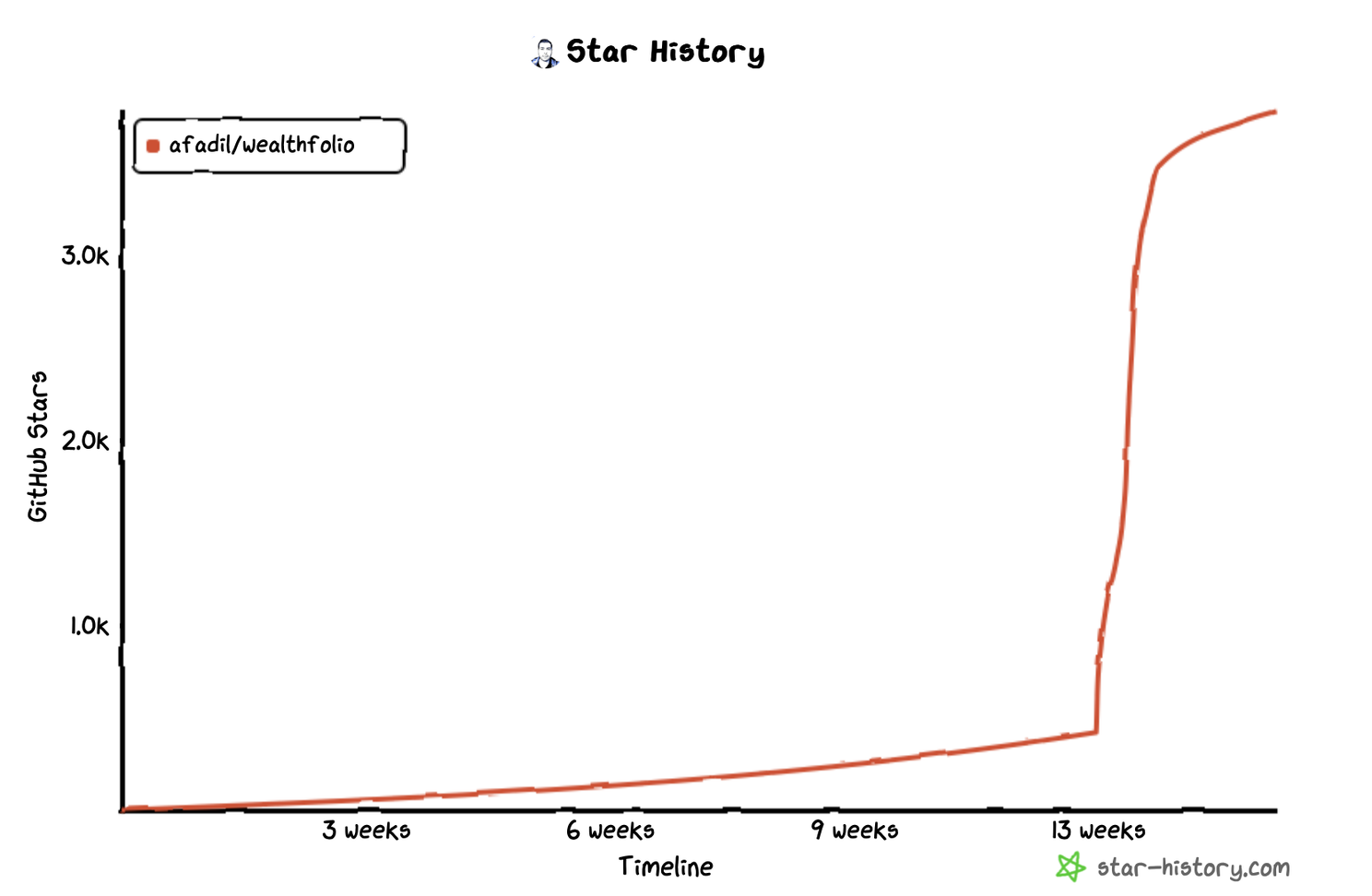
As Wealthfolio's popularity grew, it began attracting traffic from a variety of sources, some expected and others quite surprising like websites known for hosting cracked software :). Notably, it was featured on [Homebrew](https://formulae.brew.sh/cask/wealthfolio#default), which significantly boosted its visibility among macOS users. Google searches also directed a steady stream of new users to the app website.
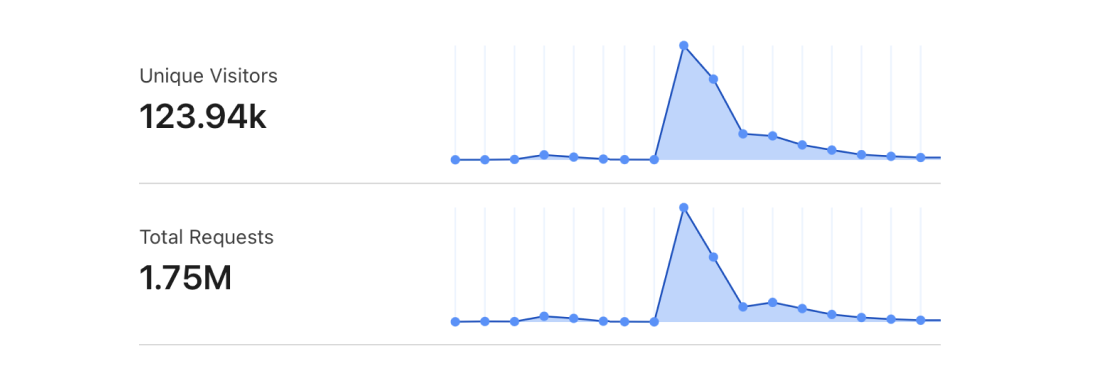
## Why People Liked It
Here's what I think made Wealthfolio catch on so quickly:
**It's Simple**: People don't want to deal with overly complicated tools. Wealthfolio focuses on one thing: tracking your investments. That's it.
**It's Private**: Your data stays on your computer. It doesn't go anywhere else. The code is open source, so there are no hidden trackers. Privacy matters for financial data.
**No Subscription Fees**: Wealthfolio embraces [once.com](http://once.com/) philosophy. There's no pressure, no monthly fees or hidden costs.
## Building It With AI
Part of the reason I built Wealthfolio was to see how fast I could turn an idea into a working product as a solo developer using AI. Both the [Tauri](https://tauri.app/) framework and the [Rust](https://www.rust-lang.org/) programming language were new to me, but AI gave me a serious edge in tackling that learning curve and troubleshooting issues (try to understand and resolve Rust's borrow and ownership issues 😁).
The AI assistant basically acted like team members; I'd like to think of it as my virtual product team. There's no way I could've built Wealthfolio this fast without that help.
We are definitely living through an interesting shift in how we design and build software, and it feels like it's only the beginning.
## What's Next for Wealthfolio?
The attention Wealthfolio has received has given the project a significant boost, and things are just getting started. There are some exciting developments on the horizon:
The vision is to make Wealthfolio the ultimate, user-friendly wealth and investment companion app. We aim to keep it simple, private, and free while ensuring its long-term sustainability.
Wealthfolio's journey is just beginning, and we'd love for you to be part of it. Whether you're a potential user, contributor, or simply curious about open-source success stories, I invite you to explore [Wealthfolio Website](http://wealthfolio.app/) and [Github repository](https://github.com/wealthfolio/wealthfolio) Share your thoughts, contribute code, or help spread the word.
Stay tuned for more updates!
---
# Wealthfolio Manifesto
Source: https://wealthfolio.app/blog/wealthfolio-manifesto
Author: Fadil
Published: 2024-09-17
Category: General
import { Image } from 'astro:assets';
I built Wealthfolio out of necessity because, honestly, I couldn't find a decent desktop investment
tracker that wasn't a total mess. Everything out there was ridiculously complicated, stuffed with
unnecessary features, and required uploading my financial data to someone else's servers, usually for a monthly fee.
I didn't feel comfortable sharing my financial information with third parties, and paying monthly
fees for something my computer could handle locally seemed unnecessary.
Then, Wealthfolio gained some attention, and I quickly realized there were probably others facing the same frustrations.
Many of us wanted an investment tracker that is simple, beautiful, and boring in the best way possible:
an app that did the job and stayed out of the way.
The Vision
I want Wealthfolio to be the tool people reach for when they need to track their wealth and financial goals
without unnecessary complications. Think of it as a beautiful, interactive spreadsheet-like tracker that actually makes sense.
No cloud dependencies, no monthly subscriptions, no handing over personal data. Just a clean app
that runs on your computer and gets the job done. I made it open source because people should see what's going on under the hood.
Transparency matters when it comes to your financial data. The goal is simple: track your money,
understand your progress, and forget the app is even there.
Here are some guiding principles that will drive the development of Wealthfolio:
Privacy Matters
In an age where everything is cloud-based and tied to SaaS platforms, I wanted optionality, the ability to decide where my financial data goes and who can access it.
Most apps decide for you where your data goes and who can access it. I don't believe anyone should have to compromise
their privacy to track their investments.
Wealthfolio stores all your information locally, right on your computer. No third parties. No risk of your data being sold, hacked, or manipulated.
This isn't just about privacy. It's about ownership. When your data stays on your machine, you own the whole process. No one can change the rules on you, raise prices, or suddenly decide your data is worth something to advertisers.
Simplicity Over Complexity
I believe simplicity is what makes products truly memorable. We aim to make Wealthfolio
boring and simple, not overly clever or sophisticated. It will be focused on the
essentials: tracking your investments and seeing how they align with your financial goals.
That's it. No unnecessary bells and whistles. Just clear, simple insights. I know the
everyday challenge will be not losing sight of what truly matters.
No Hidden Costs or Subscriptions
Another thing that frustrated me was the constant push for subscription services. I didn't
want to get trapped in yet another recurring fee for something I only use sporadically.
So, the core Wealthfolio app is free to use. If you like it and want to support its development, you
can pay once, no strings attached, and use it forever. No surprises. No monthly fees.
Note: We later introduced Wealthfolio Connect as an optional subscription for users who want automatic broker sync, device sync, and household sharing. The core app remains local-first and free. Connect is simply a convenience layer for those who want it.
================================================================================
RELEASE NOTES
================================================================================
---
# Wealthfolio 3.6.2 — Release Notes
Source: https://wealthfolio.app/changelog/3_6_2
Version: 3.6.2
Released: 2026-07-13
import Callout from '@/components/callout.astro';
Wealthfolio 3.6.2 is a correctness-focused release. It sharpens how returns, taxes, splits, and dividends are calculated, cleans up price display, and completes the add-on platform overhaul started in 3.6 — with reliable SQLite KV storage.
### Highlights
- **More accurate returns for cross-currency transfers** — Securities moved between accounts in different currencies no longer fold exchange-rate swings into their performance, so returns reflect the security itself (#1277).
- **Correct dividend & split history** — Dividend-adjusted history no longer double-counts your booked dividend activities, and a split entered in one account now corrects historical valuations across every account that held the asset (#1284, #1286).
- **Rebuilt add-on platform** — Add-ons get durable SQLite KV storage that survives updates and syncs across paired devices, faster startup, and a more reliable navigation model (#1260).
### Bug Fixes
- **Cross-currency returns** — Holding return percentages are now calculated in the holding's own currency, fixing inflated figures on securities transferred between accounts in different currencies (#1277).
- **Dividend history** — MarketData.app history is no longer dividend-adjusted, which was double-counting your dividend activities and overstating returns. Run a full market-data backfill to correct stored history (#1284).
- **Stock splits** — Split-adjusted valuations are now shared across all accounts that held the asset, including accounts that sold before the split (#1286).
- **Taxes on cash** — Tax now deducts correctly from your cash balance for deposits, withdrawals, transfers, and credits — dashboard and account balances were previously off by the tax amount (#1268).
- **Contribution limits** — Transfers entered by quantity and price (with no explicit amount) are now handled instead of breaking the deposits calculation (#1250).
- **Price display** — Regular prices no longer show stray decimals (`268.3999939` → `268.40`), while sub-cent prices and average costs keep full precision. The Quotes tab is now called **Price History** (#1287).
- **FEE/TAX activities** — Tax-only activities no longer display a value of 0 (#1290).
- **Health Center** — Sell-proceeds and price-sync checks are more accurate, removing false warnings on taxed sells and treating legitimately empty price history as a neutral skip (#1289, #740).
- **Symbol search** — Searching with non-Latin characters (Arabic, CJK, accented, or emoji) no longer crashes (#1234).
- **Market data** — Entering a provider API key for the first time no longer resets as you type (#1253).
- **Spending** — The "Where it went" dashboard widget now shows a distinct Saving row. _Thanks to @Jonjon-prog._ (#1279)
- **AI Agent Access** — Deselected provider permissions can be re-enabled again, and onboarding Connect links open reliably in the desktop app (#1300).
### Add-ons
- **Platform overhaul** — Completes the 3.6 sandbox model: durable per-add-on storage (replacing the browser storage that broke in the sandbox) that survives updates and **syncs across your devices**, add-ons that start only when you open them, a more reliable page-rendering model, and clearer error messages when something goes wrong (#1260).
- **Basic auth** — Add-ons can now call APIs that use HTTP Basic authentication, such as SimpleFin Bridge (#1274).
- **Safer imports** — Fixed add-on code that used host APIs like `activities.import(...)` being mishandled (#1275).
### Internationalization
- **More of the app translated** — Activity type and subtype names, and the chart time-range buttons (1D / 1W / … / ALL), now appear in your language. _Thanks to @FlyingDuck._ (#1242, #1243)
- **Non-Latin categories** — Creating a classification category with a non-Latin name (e.g. 贵金属, عقارات) no longer silently fails. _Thanks to @FlyingDuck._ (#1247)
- **Spain preset** — Added a Spain (`es`) preset for automatic spending categorization, alongside the existing US, Canada, and UK presets. _Thanks to @blastik._
---
# Wealthfolio 3.6.1 — Release Notes
Source: https://wealthfolio.app/changelog/3_6_1
Version: 3.6.1
Released: 2026-07-07
import Callout from '@/components/callout.astro';
Wealthfolio 3.6.1 is a follow-up to the big 3.6 release. It fixes add-on loading on Windows, brings the Health Center into your language, sharpens quote accuracy, and freshens up the add-on experience.
### Bug Fixes
- **Add-ons load on Windows** — Add-ons were failing to load on Windows with a sandbox timeout. The sandbox framing policy has been relaxed so the app can frame its own add-on view while still blocking foreign framing (#1231).
- **More accurate pricing** — Provider quotes are now prioritized over broker fallbacks for more accurate prices (#1231).
- **Health Center in your language** — Health Center titles and messages now render in your selected language instead of always English (#1223).
- **Add-on background theming** — The add-on sandbox background now tracks the live app theme, with no stale dark background after the app resolves its real theme (#1236).
- **Fewer false price warnings** — The stale-price health warning threshold was relaxed so normal gaps between quotes no longer trigger a warning (#1235).
### Add-ons
- **New sidebar icons** — A refreshed, curated set of 80 duotone add-on icons with autocomplete for developers; unknown names fall back to a default icon (#1236).
- **Migration guide** — Added a v3.5 → v3.6 sandbox migration guide and an Add-on SDK 3.6.1 changelog for add-on developers (#1231, #1236).
---
# Wealthfolio 3.6.0 — Release Notes
Source: https://wealthfolio.app/changelog/3_6_0
Version: 3.6.0
Released: 2026-07-05
import Callout from '@/components/callout.astro';
Wealthfolio 3.6.0 opens the app up to the world. The whole interface now speaks **five languages**, external **AI agents** can read and act on your portfolio through a secure Model Context Protocol server, and self-hosters get **OIDC single sign-on**. On top of that: **short positions**, **per-activity taxes**, **reimbursements and split transactions**, a smarter **rebalancer**, and a rebuilt **Health Center**.
---
#### **Wealthfolio in Your Language 🌍**
The entire app is now translated into **English, Français, Deutsch, Español, and 简体中文 (Simplified Chinese)** — every page, form, and even the Health Center's diagnostics.
- **Pick your language** in **Settings → Language & Region** or during onboarding. Your choice is remembered, not guessed from your browser.
- **Region-aware dates.** Date pickers and formatting follow your selected language.
- One combined **Language & Region** card replaces the separate language and timezone settings, and applies instantly.
More languages can be added over time — the framework is built to grow.
#### **AI Agent Access — Connect Claude, Cursor & More 🤖**
A brand-new **AI Agent Access** feature lets external AI assistants (Claude Desktop, Cursor, and any MCP-compatible client) securely read and act on your portfolio — on both the **desktop app** and **self-hosted web**.
- **You're in control.** Access is granted through **scoped Personal Access Tokens** you create and can revoke at any time. Each token only gets the permissions you choose (read holdings, read net worth, import activities, and more).
- **Everything is audited.** Every action an agent takes is logged so you can see exactly what happened.
- **No database backdoor.** Agents talk to the same running app you use — nothing bypasses your data.
Set it up under **Settings → AI Agent Access**.
#### **Single Sign-On for Self-Hosters (OIDC)**
Running Wealthfolio on your own server? You can now sign in with **any OpenID Connect provider** — Authentik, PocketID, Authelia, Keycloak, and others — instead of, or alongside, the shared password. Sign in once with your identity provider and you're in.
#### **Track Short Positions**
Wealthfolio now understands **short selling** with proper signed-lot tracking.
- **Stocks & ETFs.** Open a short with an explicit *Sell Short* and close it with *Buy to Cover*. Plain sells never accidentally open a short.
- **Options.** Full open/close intent, including broker aliases like BTO, STO, BTC, and STC.
- Short intent is preserved through **CSV imports** and **broker sync**, and your realized P&L reflects it correctly.
#### **Taxes on Activities**
You can now record **tax directly on an activity** — trades and income alike. Taxes flow through your holdings, cost basis, valuations, and performance so your after-tax picture stays accurate. Tax fields are available in the activity form, data grids, and CSV import mapping.
#### **Reimbursements & Split Transactions**
Two upgrades for spending tracking:
- **Reimbursements.** Mark a credit as a reimbursement and it's treated as a refund against your spending — budgets and reports net it out instead of counting it as income.
- **Split transactions.** Split a single transaction across **multiple categories** (the classic "grocery run that's half food, half household"). Budgets, analytics, and insights allocate by each split line.
#### **A Smarter Rebalancer**
Building on the drift bands from 3.5.3, the rebalance planner adds:
- **Sell constraints.** Mark specific assets as **do-not-sell**, or protect an entire account from selling, so rebalance plans respect your real-world preferences.
- **Turnover cap.** Limit how much a plan is allowed to trade.
- **Plan explanations.** The planner now tells you *why* it's suggesting each move.
- **Clearer chart.** Stacked bars are reordered to **Now → After → Target** so the before/after impact is immediate. _Thanks to @Jonjon-prog._
#### **Redesigned Health Center**
The Health Center was rebuilt around a cleaner diagnostic model — clearer root causes, better-organized issues, and one-click fix/navigate actions. And, as above, it now speaks all five languages.
#### **Holdings & Performance Polish**
- **Realized P&L column** in the holdings table (hidden by default, toggle it on).
- **Book cost** cell in the overview value strip, with a per-currency breakdown.
- **Clearer performance metrics.** IRR is now labeled **MWR (money-weighted return)**, and the desktop metric strip is grouped into **Returns, Risk, and Total** sections with cleaner help and warning indicators.
- Redesigned **activity form** with grouped, easier-to-scan sections.
- Choose your **navigation style** — classic sidebar or a floating bar — in Onboarding and **Settings → Appearance**.
#### **Fixes & Refinements**
- **Correct broker holdings.** Brokerages that report a position per lot type (notably Fidelity via SnapTrade) no longer show roughly half the real value — lots are now merged into one holding (#1185).
- **ETF classification.** ETFs auto-classify to the correct asset class again (#1116).
- **Import currency, done right.** A USD-quoted security imported into a non-USD account keeps the security's currency instead of being forced to the account default (#1199, #1205, #1206).
- **Quote-unit currencies.** Assets priced in GBp/GBX now display in the correct currency across lots, income, and P&L (#1208).
- **Import dates.** Month-name dates like `Nov-02-2023` that previewed fine no longer fail at the final import step (#1193).
- **Dark-mode composition chart.** Treemap labels are readable again on translucent tiles (#1201).
- **Mobile.** Tidier account detail tabs and a cleaner Net Worth breakdown (#1180).
- **Add-ons.** Smoother sandbox loading and navigation — no more light-page flash, with proper theming and CSS support (#1216).
Wealthfolio is local-first and open source. A huge thank-you to our community contributors and
translators — this release wouldn't exist without you. 💛
---
# Wealthfolio 3.5.3 — Release Notes
Source: https://wealthfolio.app/changelog/3_5_3
Version: 3.5.3
Released: 2026-06-25
import Callout from '@/components/callout.astro';
Wealthfolio 3.5.3 is a polish-and-accuracy release. It adds a per-account Activities tab, holdings export, and two allocation upgrades — then works through a long list of correctness fixes across net-worth history, performance, multi-currency dashboards, CSV imports, dashboard speed, and mobile.
---
#### **Account Activities, Right Where You Need Them**
- **New Activities tab** on every account detail page, reusing the familiar activity table with inline edit and delete.
- **Account-scoped exploration.** Jump straight to a pre-filtered `Explore activities` view for just that account.
- **Cleaner account headers.** Desktop now shows `Group › Account` and the account name opens the switcher; mobile keeps it to just the name. The redundant Holdings heading is gone, and the contribution-limit prompt only appears when a limit is actually configured.
#### **Export Your Holdings**
A new holdings export joins the existing data exports — get a clean snapshot of your current positions from **Settings → Exports**, available on both desktop and self-hosted web.
#### **Smarter Rebalancing & Cash Classification**
- **Hybrid drift bands.** Absolute tolerance bands under-correct small sleeves and over-correct large ones — a 5% target sleeve under a ±5% band can double to 10% before triggering. Hybrid bands scale each sleeve's tolerance to its target weight with an absolute floor (default 20% relative + 1% floor). Existing absolute targets keep their behavior — no silent migration. Drift now reads in plain `%` instead of percentage points. _Thanks to @Jonjon-prog._
- **Cash as fixed income.** A high-yield savings account, Cash ISA, Livret A, or CD is economically fixed income, but it was always charted as "Cash". You can now set an **asset-class override** on a cash account so it counts where it belongs in your allocation. _Thanks to @Jonjon-prog._
#### **A Faster, Calmer Dashboard**
Dashboard performance loading was reworked to use a lightweight profile for account and group rows (while preserving true TWR for transaction-mode summaries), run with bounded parallelism, and keep prior values on screen to cut flicker. When a metric can't be shown, the reason now links straight to the Health Center.
#### **More Accurate Net Worth & History**
- **Hidden accounts now count.** Hiding an account only removes it from view — it's no longer dropped from your Total and from portfolio history (#1140 cohort).
- **Split-adjusted history fixed.** Historical market value before a stock split is now valued by applying split factors to price instead of mutating past quantities, so pre-split dates no longer understate value (#1140).
- **No more fake history dots.** Synthetic snapshots are no longer generated for manual, CSV, and broker-imported holdings; single-point histories render a real chart dot, and legacy synthetic snapshots are cleaned up (#1105).
- **Fresher current values.** Dashboards and account headers now read from your latest holdings snapshot, quotes, and FX rather than a stale daily valuation row (#1101).
#### **Performance & Currency Fixes**
- **FX book cost anchored to facts.** Performance now classifies transfer boundaries explicitly and anchors FX book cost to lot-acquisition data instead of the valuation-date rate (#1119, #1142).
- **No more FX rate of "1".** Adding a provider-sourced currency pair on a weekend no longer persists a placeholder rate of 1 (#1143).
- **Correct currency on the dashboard.** Foreign-currency accounts now show their own currency and total instead of being forced into your base currency, with warnings preserved (#1125).
#### **Imports & Custom Providers**
- **Cash-only holdings imports work.** A holdings CSV containing only `$CASH` rows no longer dead-ends at the Review Assets step (#1111, #897).
- **Longer symbols allowed.** The symbol field cap is raised from 20 to 100 characters and now accepts underscores, for custom data-provider tickers (#1145).
- **ISIN-only custom providers.** Custom scraper sources can resolve from an asset's ISIN at runtime, and bond ISIN overrides saved with a symbol now resolve correctly (#1005, #1107).
- **International pages no longer crash custom providers.** Fixed a UTF-8 boundary panic on CJK and emoji content. _Thanks to @zephyros-dev._
#### **Spending & Budgets**
- **Real error messages** now surface when a budget group can't be deleted, instead of a generic failure (#1130).
- **Steadier spending flows.** Fixes to the mobile transaction form and period selector, event summaries that include all tagged activities, and stable user-facing broker-sync messages (#1099).
#### **Mobile**
- **Full-screen on iPhone.** Fixed the viewport gap that kept the app from using the full screen on iPhone (#1170).
- **Native date-range picker.** The Performance tab's custom range now opens a mobile bottom sheet instead of squeezing in the desktop popover (#1133).
- **Activity filters apply.** Selecting filters in the mobile activity modal now takes effect immediately. _Thanks to @eldossjogy._
#### **Wealthfolio Connect on Linux**
Cold-start Connect auth callbacks are no longer lost on Linux — deep-link startup URLs are consumed correctly and a packaged `x-scheme-handler/wealthfolio` desktop handler is registered.
Wealthfolio is local-first and open source. Thank you to our community contributors who made this
release possible. 💛
---
# Wealthfolio 3.5.0 — Release Notes
Source: https://wealthfolio.app/changelog/3_5_0
Version: 3.5.0
Released: 2026-06-07
import Callout from '@/components/callout.astro';
Wealthfolio 3.5.0 is one of our biggest updates yet. Two brand-new modules join the app — one to understand where your money goes, and one to keep your portfolio on target — along with a refreshed dashboard and a rebuilt performance engine.
---
#### **Track Your Spending & Budgets**
A complete new way to see your cash flow, right alongside your investments.
- **Categorize automatically.** Set up rules once and let Wealthfolio sort new transactions for you — or let AI suggest categories for anything left over.
- **Build budgets that fit you.** Organize spending into groups, set monthly targets, carry over rollovers, and copy last month's plan in a click.
- **Mark life events.** Add events like a vacation or a home renovation to a timeline and see exactly what they cost.
- **Get real insights.** A narrative, easy-to-read insights page shows where your money went, with click-through detail and full multi-currency support.
- **Credit cards included.** Track credit-card spending, payments, and transfers in one place.
[Learn more about Spending & Budgets →](/features/spending-budgets)
#### **Set Allocation Targets & Rebalance**
Define your ideal portfolio and get a clear plan to reach it.
- **Choose a model.** Start from built-in presets (Passive, Core-Satellite, Diversified) or build your own by region, sector, or asset type.
- **See your drift.** Instantly view how far each holding has strayed from its target.
- **Get a rebalance plan.** Wealthfolio suggests exactly what to buy or sell — using new cash, selling overweight positions, or a smart mix of both. Works with whole shares or fractional, your minimum trade size, and your tolerance band.
- **Export and act.** Download your plan as CSV or copy it as text.
[Learn more about Allocation Targets & Rebalance →](/features/allocation-targets-rebalance)
#### **More Accurate Performance Reporting**
We rebuilt how Wealthfolio measures performance, so the numbers you see are more accurate and consistent everywhere in the app.
- **True time-weighted returns.** We now calculate proper daily time-weighted return (TWR) instead of an approximation, so your performance reflects how your investments actually did — without being skewed by when you added or withdrew money.
- **Your personal return, too.** A money-weighted return (IRR) shows how _you_ did, accounting for the timing and size of your own deposits and withdrawals.
- **The right metric for every account.** Accounts tracked by holdings only, mixed portfolios, and individual symbols each get a return method suited to the data available — with clear notes when a metric can't be shown.
- **See what drove the change.** A full breakdown explains your period's value change — contributions, income, realized and unrealized gains, currency effects, fees, and taxes — alongside volatility and drawdown.
- **Report on any grouping.** Get these metrics for a single account, a custom portfolio, or a saved group, all calculated consistently by the same engine.
[Learn more about the Performance Dashboard →](/features/performance-dashboard)
#### **A Refreshed Net Worth Dashboard**
Your home screen got a thoughtful redesign — a richer net-worth breakdown, cleaner cards, tap-to-expand detail drawers, and a smoother mobile experience.
[Learn more about Net Worth Tracking →](/features/net-worth-tracking)
#### **Also New**
- **AI asset classification (preview)** — let AI help categorize what you hold. [Learn more about the AI Assistant →](/features/ai-assistant)
- **Buy & sell markers** now appear right on the stock history chart.
- **Smarter broker sync**, with Trading212 improvements.
#### **A Fresh Look**
- New JetBrains Mono typeface and refined typography throughout.
- Charts redesigned with dark-mode-safe colors.
- Broad polish across the dashboard, spending, and mobile layouts.
#### **Fixes & Improvements**
We squashed a long list of bugs and rough edges, including liability balances showing incorrectly, options activity totals, transaction imports (now handling 12-hour AM/PM dates from Questrade), sync reliability, all-time performance figures, and many mobile-layout fixes.
Wealthfolio is local-first and open source. Thank you to our community contributors who made this
release possible. 💛
---
# Wealthfolio 3.4.0 — Release Notes
Source: https://wealthfolio.app/changelog/3_4_0
Version: 3.4.0
Released: 2026-05-15
import Callout from '@/components/callout.astro';
Wealthfolio 3.4.0 is mostly about trust in your data: smarter CSV imports, clearer answers when a price is missing, friendlier database backups, and first-class support for DRIP, dividend-in-kind, and staking rewards. Self-hosting on Linux also gets dramatically faster.
---
#### **Smarter CSV Imports**
A correctness pass on the import wizard, especially for international and cross-listed holdings.
- **Your exchange is respected.** A `.DE` ticker now lands on XETRA in EUR instead of getting flipped to NASDAQ in USD.
- **Cross-listings stay separate.** The same symbol on two exchanges (e.g. `SHOP` on TSX vs NYSE) imports as two distinct positions.
- **ISIN-only rows** resolve through existing assets and provider search.
- **External transfers stay external.** The "External" checkbox on Transfer In / Out rows is no longer dropped on save.
- **Whitespace-padded fund names** map correctly through your saved symbol mappings.
- **Region** is detected from real country data, not guessed from the exchange code.
- **Split rows are validated.** Blank or zero split ratios are caught before they silently fail.
#### **Know Why a Price Is Missing**
When an asset has no quote, the warning tooltip in your asset tables now explains the reason: manual pricing, inactive asset, expired option, matured bond, error cooldown, pending sync, or no data available.
Quote sync also got steadier: holdings-only assets are protected from orphan cleanup, bond pricing now routes by ISIN with stale errors cleared on identity change, and pence-style quote units (GBp/GBX, ILA, USX, ZAc, KWF) are properly recognised.
#### **DRIP, Dividends-in-Kind & Staking Rewards**
Asset-backed income is now a first-class concept. DRIP, dividend-in-kind, and staking rewards each expand into an income leg plus an acquisition leg, show up cleanly on activity grids, and round-trip through CSV import. Stock splits also now recalculate from the earliest matching activity, so historical holdings stay accurate.
#### **Database Backups, Redone**
A managed backup list with streamed downloads and one-click delete. iOS gets a native file-picker export flow, and the previous unsafe arbitrary-path web backup endpoint has been removed.
#### **Goals Planning**
- **Save-up target dates no longer drift** by a day in positive-offset timezones.
- **Sliders unlocked** for target amount, monthly contribution, expected return, and FIRE projection assumptions.
- **Money inputs stop flickering** while you type. They commit on blur or Enter.
#### **Wealthfolio Connect**
- **Correlation IDs** on every Connect, auth refresh, subscription, and device-sync call, so failed-request logs are actually traceable.
- **Broker sync runs at startup on mobile** once the app is ready.
- **OCC option symbols are normalised** during broker sync, so the padded and compact forms stop creating duplicate assets. A migration cleans up safe duplicates in place.
#### **AI Assistant**
- **Anthropic chat works again.** Every call had been getting rejected with a "top_k must be unset when using Claude Models" error. The offending defaults are gone.
- **Claude Opus refreshed to 4.7.**
#### **Self-Hosting**
- **Prebuilt Linux server tarball** ships with every release. No more 20 minute on-device `cargo build` for Proxmox or LXC installs.
- **New self-host docs** for Proxmox (LXC, Docker-in-LXC, Docker-in-VM) and Unraid, plus a Community Apps template.
- **Docker container now runs as non-root** (UID/GID 1000) for safer defaults.
**Heads up for existing self-hosters.** Because the container is now non-root, `chown` your data
directory once before upgrading (see the self-host docs). The Docker image also moved to
`wealthfolio/wealthfolio`, with the old `afadil/wealthfolio` tag still publishing as a legacy
mirror.
#### **UI Polish**
- **Savings input shows your own currency** instead of always defaulting to `$`.
- **Dashboard chart views** no longer show an extra scrollbar.
- Dark-mode money input background fixed.
- Mobile alert dialog layout improvements.
- XNEO renamed to "Cboe Canada".
---
# Wealthfolio 3.3.0 — Release Notes
Source: https://wealthfolio.app/changelog/3_3_0
Version: 3.3.0
Released: 2026-04-30
Wealthfolio 3.3.0 is a big release for planning. Goals get an editorial redesign with cover cards, a save-up projection engine, and a brand-new Retirement Planner backed by a Monte Carlo Risk Lab. The AI assistant gains live access to the Health Center, an inline CSV import review grid, and persistent attachments. Symbol mapping now validates in real time per provider, custom providers can finally point at self-hosted URLs, and dozens of fixes land across activities, holdings, mobile, and device sync.
---
#### **Goals & Retirement Planning**
Goals get an end-to-end redesign and a brand new retirement experience:
- **Editorial dashboard** — cover cards, redesigned widget, and grouped plan sections
- **Save-up projection engine** — backend-driven save-up overview with milestones, projection chart, and tax-aware funding
- **Retirement Planner** — a new goals-first retirement experience with traditional vs FIRE goal types, default ages, and a not-financial-advice disclaimer
- **Risk Lab** — Monte Carlo simulation (5k runs by default), stress tests, sensitivity heatmaps, and a layout-aware loading skeleton so plan inputs render before the heavy projection finishes
- **Plan documentation** — collapsible plan tab sections summarising assumptions and inputs
- **Backend overhaul** — new retirement simulation engine, tax bucket columns, consolidated goal migrations, and a dedicated `RetirementPlan` DTO
#### **AI Assistant Improvements**
- **Inline CSV import** — the assistant now infers column mappings, parse config, and symbol translations, and the app drives the parse → validate → import pipeline inline in chat using the same review grid as the manual wizard, with bulk skip / unskip / force-import actions
- **Health Center tool (`get_health_status`)** — the assistant can read your portfolio's health issues, explain what each one means, and guide you to the fix
- **Cash balances tool (`get_cash_balances`)** — per-account, per-currency cash positions
- **Attachments persisted across the session** — CSV, image, and PDF attachments stay available for the active session in memory, with bounded session caches and redaction of persisted CSV content
- **Polished UI** — attachment chips, continuation loader, activity confirmation, compact tool-card display mode, and a redesigned tool fallback as a collapsible one-liner
- **Better activity workflows** — improved record-activity prompting (account / date), expanded tool access groups, and graceful per-account handling of CSV validation failures
#### **Symbol Mapping Validation**
The Market Data tab now validates each symbol in real time against the selected provider — Yahoo Finance, Börse Frankfurt, and any custom provider — with a debounced spinner → green check or red error icon. `preferred_provider` is threaded through the full stack so the validation hits the exact provider configured per row, and a non-blocking toast warns if you save with invalid mappings.
#### **Custom Market Data Providers**
- **Redesigned editor with click-to-map** — the provider settings editor now shows a **live preview pane** of the fetched response next to your mapping fields; click any value (price, date, OHLCV, etc.) in the preview to instantly bind it to the matching field instead of typing CSS selectors or JSON paths by hand
- **Self-hosted / private-network URLs** — the SSRF-style URL gate has been dropped; you can now point custom providers at `localhost`, LAN IPs, or any internal endpoint
- **OHLCV mapping** — open / high / low / volume paths supported across models, storage, templates, preview, and runtime
- **ISO 8601 + Excel date detection** — automatic detection of ISO datetimes and Excel day serials in scraped responses
- **Preview / runtime parity** — shared browser-like headers, redirect handling, and template expansion (`{FROM}` / `{TO}` / `{currency}`) so providers that test green also work at sync time
#### **Health Center**
- **Negative balance details** — per-account first-negative date, cash balance, investment value, and a likely cause (missing transfer, missing buy, etc.); CASH accounts that go negative now show INFO instead of ERROR
- **FX integrity affected pairs** — the detail drawer now lists each affected currency pair (e.g. EUR → USD) instead of just a count
- **Timezone-aware staleness** — price staleness now uses the asset's exchange MIC for timezone calculations
#### **Activities & Transfers**
- **Link existing transfer activities** — select two existing external transfers (one IN + one OUT) in the activity datagrid and click Link to retroactively pair them, with a confirmation dialog that warns on currency mismatch, amount drift > 1%, or date drift > 7 days
- **Transfer unlink flow** — unlink linked transfer pairs from the activity grid with confirmation
- **Transfer In cost basis edit** — editing an external Transfer In with securities now pre-populates the cost basis field instead of failing validation
- **Securities transfers display** — activity grid amounts for transfers now show qty × price instead of stale stored amounts
- **DRIP amount inference** — DRIP rows without an amount now compute it from price × quantity
#### **Holdings & Dashboard**
- **Hide expired options toggle** — global Holdings filter (and mobile filter sheet) to hide expired option holdings; expired options are also filtered out at the holdings service layer and from the assets settings view
- **Top holdings widget** — now shows the top 7 holdings (up from 5), with a persisted Symbol vs Name display choice and truncation for long names
- **Account snapshot history** — new history tab for account snapshots
- **ISIN on asset profile** — ISIN is now shown in the About tab and editable in the General tab of the edit sheet, persisted under `metadata.identifiers.isin` without clobbering other metadata
- **Dashboard performance %** — dashboard percentage now matches the account page
---
#### **Bug Fixes**
- **Symbol quote currency** — fixed crypto/FX resolution for assets like BTC quoted in EUR; the resolver now respects explicit quote-currency context and recognises `CRYPTOCURRENCY` instrument labels (#814)
- **Sell edit holdings** — fixed incorrect holdings warning when editing a sell (#861)
- **Avg cost overwriting today's price** — manual holdings no longer have today's quote overwritten by avg cost (#846)
- **Holding weights for expired options** — corrected weight calculation when expired options are present
- **FX rate direction hint** — clarified FX rate direction in the activity form
- **History chart Y-axis** — material portfolio moves keep zero-context while low-volatility ranges stay readable
- **Manual activity duplicate saves** — fixed
- **Mobile activity update validation** — tightened
- **Mobile activity asset link guard** — fixed `hasAsset` guard on the mobile activity table
- **Mobile chart drag** — chart scrubbing on asset profile, performance, and income history charts no longer triggers page swipes
- **Mobile device sync pairing** — pairing dialog width fixed on mobile
- **Activity asset identity edge cases** — fixed
- **CSV import asset review timeout** — `preview_import_assets` and `check_activities_import` now allow up to 10 minutes for large Options imports instead of hitting the global 2-minute / 5-minute timeout
- **Asset (de)activation on close/reopen** — assets are now deactivated when positions close and reactivated when they reopen, with errors propagated correctly
- **Metal symbols with weight suffix** — Metal Price API now supports weight-suffixed metal symbols using the exact troy ounce constant
- **AI health tool friendliness** — `get_health_status` payload simplified for LLM consumption
- **Sync replay** — legacy goal and allocation payloads are migrated on sync replay; sync table rebase fixed
- **FX valuation parsing** — hardened
- **Connect excluded sync copy** — clarified copy for excluded Connect accounts
- **Docker Compose** — fixed auth hash escaping in compose env (#865)
- **AI CSV review** — hardened review grid against stale state, account validation failures, and stale import summaries; live import session caches are bounded so old tool calls cannot grow memory unbounded
---
#### **Infrastructure & Performance**
- `rust-toolchain.toml` added to lock the Rust version across contributors and CI
- Claude Code hooks added to run CI checks before commit / push
- Decoupled retirement dashboard loading states for faster perceived responsiveness
- Lighter risk-lab outcome calculations and delayed sensitivity maps
- Foreground sync paused on desktop while the window is unfocused
- Improved device sync liveness and pairing safety across desktop and web
- Bumped to version 3.3.0
---
# Wealthfolio 3.2.0 — Release Notes
Source: https://wealthfolio.app/changelog/3_2_0
Version: 3.2.0
Released: 2026-04-02
Wealthfolio 3.2.0 lets you fetch price data from any website with custom scraper-based providers and ships a substantially rebuilt CSV import wizard with ISIN support, encoding detection, and many new mapping features. This release also adds income filtering by account, AI file attachments, and a long list of market data, valuation, and UI fixes.
---
#### **Custom Market Data Providers (Scrapers)**
Fetch price data from any website or JSON API. Define custom scraper-based providers with CSS selectors or JSON paths to pull quotes from sources not covered by built-in providers. Assign custom providers to individual assets or use them as exchange rate sources. Full CRUD management UI in Market Data settings. Includes SSRF protection, redirect blocking, and provider priority ordering. [Learn more →](/docs/guide/custom-providers)
#### **Revamped CSV Import**
The CSV import wizard has been substantially rebuilt:
- **ISIN support** — resolve assets by ISIN, not just ticker symbols
- **Non-UTF-8 encoding detection** — automatically transcodes files in other encodings
- **Fallback columns** — map multiple CSV columns to a single field with priority
- **Sign inference** — automatically detect buy/sell from signed amounts
- **Skip rows** — mark individual rows to skip before importing
- **Per-row force import** — bypass duplicate detection for specific rows
- **Subtype display** — see activity subtypes (DRIP, etc.) during review
- **Grouped template selector** — templates organized by broker
- **Wealthsimple template** — built-in support for Wealthsimple exports
- **Smart defaults** — auto-switch template when changing accounts
- **Concurrent symbol resolution** — significantly faster asset lookups
- **Currency-aware resolution** — correctly resolves exchange suffixes for non-USD assets
- **Event-driven validation** — real-time feedback as you map columns
- **Mark Custom assets** — mark individual or all unresolved symbols as custom assets during import
- **Asset review step for holdings import** — review and resolve unrecognized assets before importing holdings CSV data
#### **Income Page Improvements**
- **Account filter** — filter income history by account, with mobile-friendly drawer
- **"By Account" stacked chart** — new chart view showing income broken down by account
- Improved stacked bar chart rendering and Y-axis scaling
#### **AI Assistant Enhancements**
- **File attachments** — attach CSV, images, and PDF files to your AI conversations
- **History windowing** — prevents context overflow in long conversations
- Vision capability gating for image analysis
---
#### **Market Data Improvements**
- **Boerse Frankfurt provider rewrite** — rebuilt using TradingView UDF API for more reliable German market data
- **Metal Price API historical quotes** — precious metals now have full price history, not just spot prices
- **Aquis Exchange (XAQE)** added to the exchange registry
- **MarketData.app real-time supplement** — current-day candles now include the latest real-time price
- **BF fallback for ISIN-only equities** — assets with only an ISIN and no exchange MIC can now resolve via Boerse Frankfurt
- **Periodic market data sync scheduler** — quotes refresh automatically on a schedule
- **Relaxed Yahoo rate limits** — burst of 10 requests, up to 2,000/min for faster syncs
- Renamed "Refetch quotes" to "Refetch price history" in asset tables for clarity
---
#### **Bug Fixes**
- **Expired options handling** — expired options now show zero valuation with a UI badge; added a confirm action for expiry
- **OCC options** — fixed duplicate asset creation when selling OCC options; corrected fallback key format and match priority
- **Valuation accuracy** — fixed days being skipped when an asset has partial quote coverage; restored full-gap skip while allowing partial gaps
- **Dashboard** — correct performance display for accounts with negative start value; exclude null-return accounts from group weighted-average; fixed nested account rows always showing a secondary metric line
- **Contribution limits** — internal transfers from outside a limit's scope now correctly count as contributions; page is now responsive on mobile
- **DRIP dividends** — added price and quantity fields to dividend form for DRIP subtype
- **Broker-synced accounts** — fixed chart marker clicks and holdings editing
- **Net worth** — fall back to display code when asset name is empty
- **Fallback quotes** — fixed income amounts being incorrectly used as asset prices
- **Precious metals** — restored proper domain split between market metals and physical precious metals
- **Future activities** — allow future manual activity dates on web
- **Duplicate menu item** — removed duplicate "Check for update" menu entry
- **Activity notes** — fixed missing serde alias for notes field on activity updates
- **CSV import price reconciliation** — correctly reconcile unit price when CSV amount disagrees with qty × price
- **Migration cleanup** — added safeguards to prevent incorrect deletion of broker quotes during income quote cleanup
- **Custom scraper errors** — custom scraper failures no longer mask real provider errors
- **Activity grid amounts** — correctly compute amount as qty × price for DRIP and asset-backed activity subtypes; rounded auto-computed amounts
- **DataGrid column visibility** — column visibility toggle now applies without requiring a page reload
- **Import asset resolutions** — new-asset resolutions now carry forward correctly; fixed stale mapping overwrites
- **Duplicate badge styling** — duplicates now show a warning badge instead of error; removed placeholder TICKER text
- **Mobile charts** — fixed chart scrubbing interactions and interval selector sizing on mobile
---
#### **Infrastructure & Performance**
- Node.js upgraded from 20 to 24 LTS
- Concurrent symbol resolution during import (up to 10 parallel lookups)
- Deduplicated provider quote-currency lookups during validation and sync
- Improved Docker deployment auth setup documentation
- Addon archive path traversal security fix
- DataGrid re-rendering fix when columns change dynamically
---
# Wealthfolio 3.1.0 — Release Notes
Source: https://wealthfolio.app/changelog/3_1_0
Version: 3.1.0
Released: 2026-03-14
Wealthfolio 3.1.0 expands the app beyond stocks, ETFs, crypto, and funds — you can now track options contracts, bonds (including US Treasuries), precious metals, futures, and money market instruments. This release also introduces device sync via Wealthfolio Connect and a wave of AI assistant, charting, and UI improvements.
---
#### **New Asset Types: Options, Bonds & Precious Metals**
- **Options** — Track option positions with proper contract multiplier handling, OCC symbol resolution, and automatic expiry detection. Options are visually tagged in your securities list.
- **Bonds** — Full bond support with dedicated market data providers (US Treasury Direct, Börse Frankfurt, OpenFIGI). Bond metadata is displayed on asset detail cards. CUSIP-to-ISIN auto-conversion is built in.
- **Precious Metals** — Add and track physical metal holdings.
- All new asset types work with CSV import — just include the instrument type column.
#### **AI Assistant Improvements**
- **Bulk record activities** — The AI assistant can now add multiple transactions at once.
- **Edit messages** — You can now edit previous messages in the AI chat thread.
#### **Device Sync (Wealthfolio Connect)**
Sync your portfolio data across devices with the new pairing flow. Scan a QR code to link devices and keep your data in sync.
#### **New Features**
- **Create Security dialog** — Manually add custom securities directly from the app.
- **1-Day chart interval** — New "1D" option in time period selectors for intraday views.
- **Split price actions** — "Update Price" (latest only) and "Refresh History" (full history) are now separate actions, giving you more control.
- **Auto-classify assets** — Instrument type and asset class are automatically set when you create or import an asset.
- **Download progress** — App updates now show a progress bar.
- **PWA support** — Add Wealthfolio to your home screen on iOS and Android with proper app icons.
- **Bond & option detail cards** — Asset detail pages now show relevant metadata for bonds and options.
#### **Fixes & Improvements**
- Performance chart now respects your selected date range correctly.
- Manual quotes are properly carried forward during incremental portfolio valuation.
- **Dark mode** — Login screen, OTP input, and popover styling all render correctly in dark mode.
- **iPad** — Links and touch interactions now work properly.
- Window state is remembered between app launches.
- **Chart styling** — Smoother gradient transitions with red/green zero-crossing coloring.
- **Date handling** — Fixed off-by-one day errors when parsing date-only strings.
- **Health Center** — Better detection of missing exchange rates (checks holdings too), and sync errors are now surfaced clearly.
- **Responsive tables** — Account holdings table adapts to smaller screens.
- Expired options are automatically skipped during price sync.
- **Addon loading** — Fixed manifest parsing for addon plugins.
- **Deep link auth** — Fixed on Windows and Linux via single-instance plugin.
- **Session handling** — Sliding refresh prevents session expiry during active use.
- **Crash fix** — Invalid currency codes no longer crash the number formatter.
- **Toast notifications** — Fixed close button overlap and description color.
- **Broker cards** — Renamed "Synced X ago" to "Data as of" for clarity.
- Various performance and stability improvements under the hood.
---
# Wealthfolio 3.0.5 — Release Notes
Source: https://wealthfolio.app/changelog/3_0_5
Version: 3.0.5
Released: 2026-03-06
v3.0.5 preserves cost basis on internal securities transfers, cleans up stale snapshots, and delivers a more polished mobile experience across the app.
### Highlights
- **Cost basis preservation on transfers** — Internal transfers between accounts now carry over tax lots, so your original cost basis is preserved instead of being reset.
- **Stale snapshot cleanup** — Deleting the last activity for an account now correctly removes orphaned snapshots.
- **Improved mobile experience** — Numerous UI refinements across sheets, search inputs, ticker selection, quote history, and asset lots for a more polished mobile app.
### Bug Fixes
- **Cost basis / transfers** — Internal securities transfers now carry over lot-level cost basis, preserving your original purchase price across accounts.
- **Snapshots** — Stale snapshots are now cleaned up when the last activity in an account is deleted.
- **Activity form** — Fixed error handling in form submission and corrected asset ID logic.
- **Custom asset dialog** — Fixed manual asset creation from the activity data grid.
- **Alternative assets** — Name and notes are now included when updating alternative asset metadata. (#675)
- **Wealthfolio Connect** — Disabled auto-refresh token and streamlined session restoration logic from the backend.
- **Wealthfolio Connect** — Added default environment variables for the Connect provider.
### Features
- **Interest activities** — Symbol is now optional on interest activities, allowing you to track interest earned on specific securities.
### Mobile / UI
- **Ticker search** — Redesigned selected state and made the activity sheet full-width on mobile.
- **Search input** — Unified search input style across the holdings and securities pages.
- **Sheet component** — Improved safe area handling, padding, and close button positioning.
- **Quote history** — Enhanced mobile layout with pagination and inline editing.
- **Asset lots** — Added a mobile-responsive card layout for the lots list.
---
# Wealthfolio 3.0.4 — Release Notes
Source: https://wealthfolio.app/changelog/3_0_4
Version: 3.0.4
Released: 2026-03-05
v3.0.4 brings portfolio filters, persistent table sorting, better crypto precision, stronger security, and important updates for self-hosters.
### What's New
- **Securities portfolio filter** — The securities list now defaults to showing only your currently held assets. Switch between "Current" and "Past" holdings to find what you need faster.
- **Persistent table sorting** — Your sorting preferences on data tables are now remembered across sessions. (#671)
- **Better crypto precision** — Increased decimal precision from 6 to 8 digits, so fractional crypto holdings (e.g. 0.00012345 BTC) are tracked accurately.
- **Search activities by notes** — You can now search your activities using text from the notes field. (#662)
- **AI provider feedback** — Adding or removing AI API keys now shows clear success/error notifications.
- **Smarter update checks** — Update checks are cached to avoid redundant network calls, with a manual "force refresh" option. (#663)
### Security Improvements
- **Stronger session security** — Login sessions now use secure, HttpOnly cookies instead of browser-stored tokens, protecting against common web attacks like XSS.
- **Login rate limiting** — Login attempts are limited to 5 per minute per IP address to prevent brute-force attacks.
- **Stricter CORS policy** — Wildcard origins (`*`) are no longer allowed when authentication is enabled. You must specify your exact allowed origin.
- **Improved secret key handling** — Encryption keys are now derived using industry-standard HKDF-SHA256. Existing secrets are migrated automatically on startup — no action needed.
### Bug Fixes
- **AI assistant** — Fixed Ollama model selection so the chosen model always matches what's available. Also fixed `/v1` URL handling that caused 405 errors. (#665)
- **Keyboard shortcuts** — The search shortcut in the sidebar now shows the correct key for your platform (Cmd+K on Mac, Ctrl+K on Windows/Linux). (#670)
- **Performance chart** — Improved chart width and disabled animation on mobile for smoother rendering.
- **Sheet layout** — Fixed padding on sheet overlays for better visual spacing.
- **Timezone settings** — Simplified timezone detection by removing the confusing auto-detected field.
- **Device sync pairing** — Improved snapshot handling and UI updates during the device pairing flow.
- **Cloud sync sessions** — Sessions are now automatically restored on page reload, so you don't need to re-authenticate as often.
### For Self-Hosters (Docker / Web Mode)
#### Breaking Changes
1. **CORS wildcard no longer allowed with auth** — If `WF_AUTH_PASSWORD_HASH` is set, you must set `WF_CORS_ALLOW_ORIGINS` to an explicit origin (e.g. `https://wealthfolio.example.com`).
2. **Auth required on non-loopback addresses** — Binding to `0.0.0.0` now requires either `WF_AUTH_PASSWORD_HASH` to be set, or `WF_AUTH_REQUIRED=false` to explicitly opt out (e.g. when a reverse proxy handles auth).
3. **OpenAPI schema moved** — Now served at `/api/v1/openapi.json` (requires authentication when auth is enabled).
#### New Environment Variable
| Variable | Default | Description |
| ------------------ | ------- | ---------------------------------------------------------------------------------------------------- |
| `WF_AUTH_REQUIRED` | `true` | Set to `false` to run without authentication on non-loopback addresses (e.g. behind a reverse proxy) |
#### What to Do
- **Docker Compose users**: Set `WF_CORS_ALLOW_ORIGINS` to your actual domain in your `.env.docker` or `compose.yml`. If you run without auth behind a reverse proxy, add `WF_AUTH_REQUIRED=false`. Review the updated `compose.yml` and `README.md`.
- **Reverse proxy users**: Ensure your proxy preserves `Cookie` and `Set-Cookie` headers for `/api` paths. The session cookie uses `SameSite=Strict` and `Path=/api`.
- **SSE / frontend clients**: EventSource connections now authenticate via cookie (`withCredentials: true`). Query-param token passing has been removed.
---
# Wealthfolio 3.0.3 — Release Notes
Source: https://wealthfolio.app/changelog/3_0_3
Version: 3.0.3
Released: 2026-03-03
v3.0.3 brings several bug fixes improving quote synchronization reliability, asset validation, timezone handling, activity search, and mobile usability.
### Bug Fixes
- **Quote sync:** Disabled the split syncing step in quote synchronization due to unreliable data from Yahoo
- **Asset validation:** Skip validation for existing assets in ensure_assets by @kwaich in #658
- **Timezone:** Fix warning thrown if time zone differs from browser despite them being the same (#655)
- **Activity search:** Fix search in Activities page not recognizing ticker symbols (#629)
- **Activity Sheet:** Add close button on mobile
---
# Wealthfolio 3.0.1 — Release Notes
Source: https://wealthfolio.app/changelog/3_0_1
Version: 3.0.1
Released: 2026-03-02
v3.0.1 brings enhanced asset management with FX settings, timezone support, improved broker connections, and several bug fixes.
### Enhanced Asset Management
- New FX settings tab for managing foreign exchange assets
- Better symbol handling for complex stock symbols with unknown suffixes
- Improved custom asset creation with keyboard support
- Optimize portfolio updates by @geordie
### Activity Management
- Optimize portfolio updates by @geordie
- On the activities page, persist filter, sort and search state across navigation by @geordie
- Duplicate activity detection now prevents accidental duplicates with clear error messages
- Idempotency keys ensure imported activities don't get duplicated
- Add splits on price syncs for accurate portfolio performance history by @geordie
- Fix reverse split ratio display by @geordie
### Timezone Support
- New timezone settings page in General settings
- Timezone sent with health checks for accurate date handling
- Health warnings for invalid timezone configuration
### Bulk Holdings
- Enhanced bulk holdings form with asset metadata suggestions
### Wealthfolio Connect: Device Syncing
- Improved device connection interface with clearer pairing instructions
- Unpaired devices now see helpful prompts to complete setup
### Wealthfolio Connect: Improved Broker Connections
- Support for different tracking modes (holdings-only vs full sync)
- Better error messages when sync fails (now shows which broker had issues)
- Token lifecycle management — tokens automatically refresh before expiring
### Bug Fixes
- **Cross-currency trades:** Fixed cash balance issues when trading foreign currencies with a known exchange rate
- **CSV imports:** Fixed withdrawals being incorrectly recorded (negative amounts were double-negated)
- **Activity forms:** Currency now auto-selects properly when choosing an account
- **Symbol search:** Better handling of complex stock symbols and quote currency detection
- **Account switch:** Added confirmation dialog when switching between account modes
### Developer
- New addon migration guide (v2 to v3) (https://github.com/wealthfolio/wealthfolio/blob/main/docs/addons/addon-migration-guide-v2-to-v3.md)
- feat(sdk): Add toast API and Yahoo dividends endpoint for addons by @kwaich
---
# Wealthfolio 3.0.2 — Release Notes
Source: https://wealthfolio.app/changelog/3_0_2
Version: 3.0.2
Released: 2026-03-02
v3.0.2 fixes device sync after pairing and improves date/time handling robustness.
### Bug Fixes
- **Device sync:** Fix device sync after pairing — improvements to sync logic and date/time handling robustness
---
# Wealthfolio 3.0.0 — Release Notes
Source: https://wealthfolio.app/changelog/3_0_0
Version: 3.0.0
Released: 2026-02-24
Wealthfolio 3.0 is a major update that transforms the app from a pure investment tracker into a
complete personal wealth manager with a built-in AI assistant.
---
#### **Net Worth Tracking**
Go beyond investments. Track properties, vehicles, collectibles, precious metals, cash, and
liabilities to see your full financial picture. A dedicated Net Worth page shows your total wealth
over time with an interactive chart, a balance sheet breakdown by category, and alerts when any
asset's valuation is getting stale.
#### **AI Assistant**
Ask questions about your portfolio in plain English. The built-in AI assistant can look up your
holdings, performance, income, goals, and allocation — and answer follow-up questions in context.
You can also tell it to record transactions ("Buy 20 AAPL at 240 yesterday") or paste CSV data
directly into the chat to import. Bring your own API key from OpenAI, Anthropic, Google AI, Groq,
OpenRouter, or run models locally with Ollama.
**You stay in control.** Your data never leaves your device unless you explicitly choose a
cloud-based AI provider — and even then, only the data you allow. You decide which tools the
assistant can access (accounts, holdings, activities, performance, etc.), so it only sees what you
want it to see. No data is stored on any external server; the AI has no memory between sessions
beyond your conversation threads.
#### **Wealthfolio Connect Integration**
Wealthfolio 3.0 integrates with Wealthfolio Connect, a separate service for syncing brokerage data
and keeping your devices in sync. You can connect supported brokers through Connect and sync data
across your setup with less manual importing. Learn more at https://wealthfolio.app/connect/.
#### **Smarter Portfolio Breakdowns**
Portfolio allocation is now powered by a rich classification system. Assets are automatically tagged
by asset class, industry sector (GICS), geographic region, instrument type, and risk category —
with full drill-down support. Interactive donut charts let you click into any segment to explore
what's inside. If you had sector or country data in v2, a one-click migration brings it forward.
#### **Redesigned CSV Import**
Importing transactions is now a guided step-by-step wizard. The app auto-detects column mappings,
lets you remap activity types and ticker symbols, and shows a side-by-side preview of your CSV
alongside the mapping. Save your mapping profiles per account so repeat imports are instant. A
separate import flow is available for holding snapshots.
#### **New Activity Forms**
Manual entry is now faster and easier with redesigned activity forms. Create buys, sells, dividends,
fees, transfers, and other activity types with cleaner inputs, smarter defaults, and inline
validation to catch errors before saving. The forms are optimized for quick keyboard-driven entry
while still giving you full control over account, asset, price, quantity, and date details.
#### **Spreadsheet Activity Editor**
Edit your activities like a spreadsheet. Navigate with arrow keys and Tab, copy and paste cells or
entire rows, search inline with Ctrl+F, and bulk-save all your changes at once. The toolbar shows
a live summary of new, updated, and deleted rows before you commit.
#### **Two Ways to Track Accounts**
Not every account has a full transaction history. Wealthfolio now supports two tracking modes:
- **Complete Transactions** — the classic approach where holdings are calculated from your buy/sell
activity ledger.
- **Holding Snapshots** — enter or import your current positions directly, ideal for accounts like
employer 401(k)s, pensions, or external platforms where you only know your balances.
The entire app — charts, imports, editing — adapts to whichever mode you choose.
#### **Health Center**
A new diagnostics page that automatically checks your data for issues: stale prices, missing
exchange rates, unclassified holdings, data inconsistencies, and unconfigured accounts. Each issue
is ranked by severity and shows how much of your portfolio it affects. Most problems can be fixed
with a single click.
#### **More Reliable Market Data**
The market data engine has been rebuilt with support for multiple providers — Yahoo Finance, Finnhub,
Alpha Vantage, MarketData.app, and Metal Price API. If one provider fails or is rate-limited,
Wealthfolio automatically falls back to the next. You can configure provider priority, manage API
keys, enable or disable providers in settings, and set a preferred provider for individual assets
when the default choice isn't giving you the best results.
#### **Interactive Chart Markers**
Account history charts now show clickable markers on dates where you recorded transactions or
snapshots. Click a marker to see exactly what happened that day in a sidebar.
#### **Asset Page**
Each asset now has a full profile page showing your holdings across all accounts, tax lots, price
history, and classification tags. For alternative assets like property or vehicles, you can maintain
a manual valuation history and link related liabilities (e.g., a mortgage tied to a property).
#### **Under the Hood**
- Cleaner codebase architecture with a monorepo structure and modular Rust crates.
- Many bug fixes, performance improvements, and stability enhancements throughout the app.
---
# Wealthfolio 2.1.0 — Release Notes
Source: https://wealthfolio.app/changelog/2_1_0
Version: 2.1.0
Released: 2025-12-01
v2.1 brings flexible navigation options, a top holdings widget for the dashboard, and updates to the addon development workflow. This release also improves currency handling for stocks priced in minor units and addresses several bugs regarding imports and mobile scrolling.
### Major Features
#### Navigation Layouts
You can now choose between a Sidebar or a Floating Bottom Navigation Bar. A new **"Focus Mode"** allows you to hide the navigation bar entirely. Use Command+K or the Search Icon to trigger the switch.
#### Dashboard Updatess
Added a **Top Holdings widget** and improved navigation within the holdings table. Fixed the page flicker when we toggle show or hide monetary amounts.
#### Ticker Searchh
Support added for custom symbols with manual data sources. The ticker search now handles truncation and empty results more effectively.
#### Exchange Rate Managementt
Users can now delete and edit exchange rates directly. We also added normalization between minor and major currencies (e.g., GBp to GBP) to correctly handle stocks listed in minor units (pence).
#### Mobile Adjustmentss
Fixed scrolling issues on swipeable pages and adapted the App Launcher layout for mobile screens.
#### Quick Actions
- Quick actions for Buy and Sell are now available directly within the Asset and Holding views.
- Add transaction button is now available in the account page
### UI/UX Enhancements
- **Splash Screen:** Added a splash screen to replace the blank page during application startup.
- **Fix Scroll:** Fixes a bug where the scroll position was maintained between different pages by resetting the scroll when navigating.
- **App Launcher:** Added "Recents" to the command palette for quicker access to previous items.
- **Account Summary:** The summary now displays the total value in the account's specific currency.
- **Empty States:** Added a direct "Add Holding" button when the holdings table is empty.
### Platform + Codebase Upgrades
- **Addon Workflow:** Updated documentation for addon development (Tauri and browser-only) and APIs.
- **Build System:** Switched from `npm` to `pnpm` for addons development scripts.
- **Testing:** Refactored E2E tests to better cover multi-currency onboarding (CAD, USD, EUR, GBP).
### Technical Fixes & Improvements
- **Bulk Import:** Fixed an issue where bulk imports would default to USD instead of the asset's native currency.
- **Securities Filters:** Fixed a bug where deleting a security would reset active list filters.
- **Addon Display:** Fixed a bug where refreshing an addon URL would show the source code instead of the UI.
- **Database Restore:** Fixed a visual glitch where the success message appeared multiple times.
- **Search API:** Added documentation for `activities.search` filters and pagination.code instead of the UI.
* **Database Restore:** Fixed a visual glitch where the success message appeared multiple times.
* **Search API:** Added documentation for `activities.search` filters and pagination.
---
# Wealthfolio 2.0.0 — Release Notes
Source: https://wealthfolio.app/changelog/2_0_0
Version: 2.0.0
Released: 2025-11-21
Big milestone. v2 ships a full-stack revamp, new platform targets, and a workflow upgrade across the board.
## Major Features
#### Mobile App (iOS/Android) + Desktop Appp
Wealthfolio now runs everywhere—desktop, web, and mobile—with a shared codebase and platform-specific optimizations.
#### Self-Hosted Docker Imagee
First-class Docker support with a simplified configuration flow. The app is now fully self-hostable with minimal setup.
#### Spreadsheet-Style Activity Editorr
A fast grid-based editor for activity management. Supports bulk edits and deletes.
#### Command+K App Launcherr
A global command palette (⌘K / Ctrl+K) for instant navigation and quick actions. Much faster than hunting through menus.
#### Improved Onboardingg
Cleaner, shorter onboarding with better defaults and more intuitive guidance for new users.
#### Switch Accounts From Account Sectionn
Quick account switching directly inside the account pages. No more backing out to the dashboard.
#### System Theme Supportt
Automatic light/dark theme selection based on OS settings, with manual override.
#### CSV Quote Importt
Import prices and historical quotes directly from CSV files. Useful for custom or unsupported tickers.
## UI/UX Enhancements
- Full UI and styling refresh across the application
- Better spacing, sizing, typography, and component consistency
- Updated layout patterns to align with modern app UX
## Platform + Codebase Upgrades
- Updated to latest versions of all major frameworks and libraries
- Internal refactors to improve maintainability and consistency
- Many code cleanups, improvements, and reliability fixes
## Technical Fixes & Improvements
- Encode Yahoo API queries to handle special characters ([#391](https://github.com/wealthfolio/wealthfolio/pull/391))
- Use nonnegative() for quantity validation across asset types ([#404](https://github.com/wealthfolio/wealthfolio/pull/404))
- Quotes import functionality added ([#378](https://github.com/wealthfolio/wealthfolio/pull/378))
- Docker docs and config improvements ([#422](https://github.com/wealthfolio/wealthfolio/pull/422))
- Web server enhancements ([#419](https://github.com/wealthfolio/wealthfolio/pull/419), [#421](https://github.com/wealthfolio/wealthfolio/pull/421))
- Sonner notification system customization ([#420](https://github.com/wealthfolio/wealthfolio/pull/420))
- Minor bug fixes ([#426](https://github.com/wealthfolio/wealthfolio/pull/426))
---
# Wealthfolio 1.2.0 — Release Notes
Source: https://wealthfolio.app/changelog/1_2_0
Version: 1.2.0
Released: 2025-08-22
## What's Changed
### Add-ons System
- New add-ons system for extending Wealthfolio functionality
- Add-ons store for browsing, installing, and managing add-ons within the app
- Two launch add-ons included:
- Goal Progress Tracker for tracking financial goals
- Investment Fees Tracker for monitoring investment fees
### Developer Resources
- [@wealthfolio/addon-sdk](https://www.npmjs.com/package/@wealthfolio/addon-sdk) - SDK for developing Wealthfolio add-ons
- [@wealthfolio/ui](https://www.npmjs.com/package/@wealthfolio/ui) - Shared UI component library built on shadcn/ui and Tailwind CSS
- [@wealthfolio/addon-dev-tools](https://www.npmjs.com/package/@wealthfolio/addon-dev-tools) - Development tools with hot reload server and CLI
- [Developer Documentation](https://wealthfolio.app/docs/addons/) for building add-ons
### Interface Updates
- Added company logo icons for tickers
- Improved activity and holdings table layouts
- New bulk import form for adding multiple holdings at once
### New Features
- Edit asset names directly from the asset page
- Toggle between asset names and symbols in holdings composition view
- Dedicated backup and restore page for database management
- Comment field added to activity forms
- Settings menu item in the main app menu
### Improvements and Bug Fixes
- CSV import now supports negative amounts
- Cash balance validation warns before BUY activities that would overdraw accounts
- Various improvements and bug fixes
---
# Wealthfolio 1.1.6 — Release Notes
Source: https://wealthfolio.app/changelog/1_1_6
Version: 1.1.6
Released: 2025-07-24
## What's Changed
### Market Data Providers
- Support for alternative market data providers beyond Yahoo Finance
- Enhanced flexibility for market data sources and improved data reliability
### Account Management
- Manual cash balance updates for individual accounts
- Streamlined account management with direct cash balance adjustments
- Improved account overview and balance tracking
### Bug Fixes and Improvements
- Fixed typos in goals page for improved user interface clarity
- Preserved original activity timestamps when updating instead of resetting to 4 PM
- Resolved manual activity overflow display issues with long activity entries
- Fixed app version display in the about menu
- Implemented secure API key management using platform-specific storage:
- macOS: Keychain integration
- Windows: Credential Manager support
- Linux: DBus-based Secret Service and kernel keyutils
### Technical Enhancements
- Enhanced security architecture with proper API key management
- Improved activity timestamp handling and preservation
- Better user interface stability and error handling
- Strengthened data security and storage mechanisms
**Full Changelog**: [v1.1.5...v1.1.6](https://github.com/wealthfolio/wealthfolio/compare/v1.1.5...v1.1.6)
---
# Wealthfolio 1.1.5 — Release Notes
Source: https://wealthfolio.app/changelog/1_1_5
Version: 1.1.5
Released: 2025-06-28
## What's Changed
### Import and Transaction Management
- Bulk transaction imports across multiple accounts for streamlined data entry
- Enhanced CSV import process with improved validation and error handling
- Clearer activity form requirements with better field guidance
- Simplified workflow for managing transactions across different account types
### Currency and Formatting
- Specialized handling for British Pence (GBp) currency with proper formatting
- Improved currency display consistency throughout the application
- Better international currency support and formatting standards
### Symbol and Data Handling
- Fixed symbol routing issues for symbols containing forward slashes
- Improved quote creation process for manually entered symbols
- Enhanced symbol parsing and validation mechanisms
- Better handling of complex symbol names and identifiers
### User Interface Improvements
- Fixed fullscreen toggle behavior for smoother window transitions
- Enhanced window management with more reliable state transitions
- Improved overall user experience with better visual feedback
### Technical Enhancements
- Strengthened CSV import validation with comprehensive error reporting
- Enhanced form validation for activity creation and editing
- Improved symbol management and quote handling systems
- Better data integrity checks and validation processes
**Full Changelog**: [v1.1.4...v1.1.5](https://github.com/wealthfolio/wealthfolio/compare/v1.1.4...v1.1.5)
---
# Wealthfolio 1.1.4 — Release Notes
Source: https://wealthfolio.app/changelog/1_1_4
Version: 1.1.4
Released: 2025-06-16
## What's Changed
### Date and Time Management
- Fixed date picker input calendar functionality for improved date selection
- Added new date range options: 6 months, year-to-date, and 5 years
- Enhanced time period analysis capabilities with more flexible date ranges
- Better date handling and validation throughout the application
### User Interface Enhancements
- Account scrolling support in manual activity forms for easier navigation
- Multi-line display for sector and country allocation in asset profile pages
- Improved readability with better space utilization for allocation data
- Privacy mode now properly hides total return calculations when amounts are hidden
### Account and Portfolio Management
- Added proper currency handling for accounts without valuations
- Fixed portfolio total calculations after activity deletions
- Corrected portfolio totals when accounts are removed
- Enhanced data consistency across account management operations
### Calculations and Data Accuracy
- Implemented fallback to last known quotes when daily quotes are unavailable
- Fixed percentage calculation accuracy throughout the application
- Resolved issues with manual quote editing functionality
- Improved data reliability and calculation precision
### Technical Improvements
- Enhanced error handling for edge cases and exceptional scenarios
- Better data consistency validation and maintenance
- Improved calculation accuracy for financial metrics
- Strengthened data integrity checks across the application
**Full Changelog**: [v1.1.3...v1.1.4](https://github.com/wealthfolio/wealthfolio/compare/v1.1.3...v1.1.4)
---
# Wealthfolio 1.1.3 — Release Notes
Source: https://wealthfolio.app/changelog/1_1_3
Version: 1.1.3
Released: 2025-05-24
## What's Changed
### Currency and Display Improvements
- Fixed currency breakdown charts to properly utilize base currency settings
- Improved holdings chart displays with cleaner and more accurate value representation
- Corrected total cash balance calculations and display by currency
- Enhanced multi-currency portfolio support and visualization
### Goals and Progress Tracking
- Fixed goal progress display to show correct decimal precision
- Improved goal tracking accuracy and visual representation
- Enhanced progress calculation reliability
- Better goal achievement monitoring and reporting
### Database and Performance Optimizations
- Implemented write actor pattern to prevent database lock issues
- Enhanced database reliability under concurrent operations
- Improved performance for multi-user scenarios
- Better error handling for database operations
### Holdings and Portfolio Management
- Fixed dividend income calculation errors affecting monthly summaries
- Resolved holdings list limitations that prevented proper sorting after updates
- Corrected date label issues in dividend income reports
- Enhanced portfolio data accuracy and consistency
### Technical Enhancements
- Strengthened database operation reliability and performance
- Improved calculation accuracy for financial metrics
- Enhanced data consistency validation across the application
- Better error handling and recovery mechanisms
**Full Changelog**: [v1.1.2...v1.1.3](https://github.com/wealthfolio/wealthfolio/compare/v1.1.2...v1.1.3)
---
# Wealthfolio 1.1.2 — Release Notes
Source: https://wealthfolio.app/changelog/1_1_2
Version: 1.1.2
Released: 2025-05-20
## What's Changed
This update focuses on stability improvements, enhanced currency handling, and better user guidance for data imports.
### Stability and Crash Fixes
- Fixed critical startup crash when database or its folder was missing
- Improved application robustness during initialization
- Enhanced error handling for missing or corrupted data files
- Better startup reliability across different system configurations
### Currency Handling Improvements
- Charts now include comprehensive currency information for accurate data representation
- Enhanced multi-currency portfolio support with better currency indicators
- Improved currency display consistency across all chart types and views
- Better handling of currency conversions and exchange rate data
### Import Documentation and Guidance
- Clarified requirements for amount fields during the import process
- Added comprehensive documentation for new activity types: ADD_HOLDING and REMOVE_HOLDING
- Provided direct links to detailed import documentation and guides
- Enhanced user experience with clearer error messages and guidance
### Performance and Reliability
- Optimized Yahoo Finance data batch size to prevent rate limiting issues
- Reordered window plugin initialization for smoother application startup
- Enhanced data fetching reliability and error recovery
- Improved overall application performance and responsiveness
### Technical Enhancements
- Better error handling for missing database scenarios
- Improved startup sequence and initialization processes
- Enhanced documentation system with better user guidance
- Strengthened data validation and integrity checks
**Full Changelog**: [v1.1.1...v1.1.2](https://github.com/wealthfolio/wealthfolio/compare/v1.1.1...v1.1.2)
---
# Wealthfolio 1.1.1 — Release Notes
Source: https://wealthfolio.app/changelog/1_1_1
Version: 1.1.1
Released: 2025-05-19
## What's Changed
### Market Data and API Improvements
- Upgraded Yahoo Finance API to version 4.0 for enhanced data reliability and stability
- Reduced market data fetching batch size to 3 to prevent rate limiting issues
- Improved data retrieval consistency and error handling
- Enhanced overall data fetching performance and reliability
### Window Management and User Experience
- Added support for remembering window size and position between application sessions
- Improved user experience with persistent window preferences and settings
- Better window state management across different screen configurations
- Enhanced application behavior when switching between multiple monitors
### Data Processing Enhancements
- Improved decimal parsing with better handling of scientific notation formats
- Enhanced numerical data accuracy throughout the application
- Better data validation and processing for financial calculations
- Improved handling of edge cases in numerical data parsing
### Code Quality and Performance
- Comprehensive code improvements focused on performance and maintainability
- Enhanced overall application stability and error handling
- Improved memory management and resource utilization
- Better error recovery and graceful degradation mechanisms
### Technical Improvements
- Strengthened API integration with Yahoo Finance for better reliability
- Enhanced data validation and processing throughout the application
- Improved error handling for network and data processing operations
- Better performance optimization and resource management
**Full Changelog**: [v1.1.0...v1.1.1](https://github.com/wealthfolio/wealthfolio/compare/v1.1.0...v1.1.1)
---
# Wealthfolio 1.1.0 — Release Notes
Source: https://wealthfolio.app/changelog/1_1
Version: 1.1.0
Released: 2025-05-15
## Highlights
| Area | What's New |
| ----------------------- | ---------------------------------------------------------------------------------------------------------------------------------------------------------------------- |
| **Onboarding** | Streamlined first-run flow for quicker setup. |
| **Activity Management** | • **Import Wizard** for CSV • Spreadsheet-style editable grid • Expanded activity types & forms • **Duplicate** action for rapid entry |
| **Dashboard** | • Period **Gain/Loss & Return** auto-update • Hover for contribution chart • Historical valuations now use daily FX rates |
| **Accounts** | • Period Gain/Loss & Return • New metrics: **TWR, MWR, Volatility, Max Drawdown** |
| **Holdings** | • Cleaner charts • "Value by Currency" & "Holdings by Account" views • Click a chart slice to filter the list • Account-level or portfolio-wide filters |
| **Symbols** | Calculates lots and shows quote-history table |
| **Performance** | Fixed TWR/MWR; now also shows Volatility & Max Drawdown |
| **Contribution Limits** | Optional start/end dates for contribution room |
| **Settings** | Manual market-data refresh and full re-fetch |
---
## IMPORTANT
This is a major version that includes significant refactoring and improvements to the calculations service and backend logic. Please back up your database (Settings -> Export) before updating.
---
# Wealthfolio 1.0.24 — Release Notes
Source: https://wealthfolio.app/changelog/1_0_24
Version: 1.0.24
Released: 2025-01-22
## What's New
### Manual Price Entry for Unsupported Assets
- Manual price entry capability for assets not supported by automated data feeds
- New History tab on symbol pages for viewing price history and enabling manual price updates
- Enhanced support for custom assets and securities without market data
- Comprehensive price management for manual portfolio tracking
### Holdings List Enhancements
- Cash amount display showing available balances by currency for better portfolio overview
- Customizable column selection allowing users to show or hide specific data fields
- Currency toggle functionality to switch between asset currency and base currency displays
- Improved portfolio visualization with flexible viewing options
### User Interface Improvements
- Enhanced responsiveness and performance across holdings management interfaces
- Better data organization with customizable display options
- Improved navigation and accessibility for portfolio management features
- Streamlined user experience for complex portfolio operations
### Technical Enhancements
- Improved manual data entry workflows with better validation and error handling
- Enhanced currency handling and conversion display systems
- Better customization capabilities for portfolio views and data presentation
- Strengthened data integrity for manually entered price information
**Full Changelog**: [v1.0.23...v1.0.24](https://github.com/wealthfolio/wealthfolio/compare/v1.0.23...v1.0.24)
---
# Wealthfolio 1.0.23 — Release Notes
Source: https://wealthfolio.app/changelog/1_0_23
Version: 1.0.23
Released: 2025-01-12
## New Features and Improvements
### Visual Design Overhaul
- Introduced the new Flexoki color palette creating a warmer, more inviting visual experience
- Enhanced overall user interface design with improved color harmony and accessibility
- Better visual cohesion throughout the application with carefully selected color schemes
- Improved readability and visual appeal across all interface elements
### Custom Asset Classification
- Users can now update and customize asset classes for better investment organization
- Enhanced flexibility in classifying custom stocks and investment types according to personal preferences
- Improved portfolio organization capabilities with user-defined categorization systems
- Better tracking and analysis of investments based on custom classification schemes
### Interest Activities Enhancement
- Added fee input support for interest activities enabling comprehensive cost tracking
- Better recording of all costs associated with interest-bearing investments and activities
- Enhanced financial tracking accuracy with detailed fee and expense management
- Improved overall activity recording with more granular financial data
### Composition Chart Enhancements
- Toggle functionality between daily return and total return views for deeper portfolio insights
- Enhanced analytical capabilities allowing users to switch perspectives on portfolio performance
- Better visualization tools for understanding portfolio behavior over different time periods
- Improved decision-making support with multiple view options for performance analysis
### Stock Symbol Information
- Expanded stock quote data including Open, Close, High, Low, Adjusted Close, and Volume
- More comprehensive stock information available directly within the application
- Enhanced research capabilities with detailed market data at your fingertips
- Better investment analysis support with complete price and volume information
### Portfolio History Management
- Automatic historical data recalculation when portfolio updates are made
- Enhanced accuracy and consistency in portfolio tracking across all time periods
- Better data integrity maintenance with automatic recalculation processes
- Improved reliability of historical performance analysis and reporting
**Full Changelog**: [v1.0.22...v1.0.23](https://github.com/wealthfolio/wealthfolio/compare/v1.0.22...v1.0.23)